Bullfrog · Strategy
Populous
Bullfrog's first god game (1989): raise and lower the land, let your people grow, and unleash plagues on your enemy. English repack for PC.
Strategy game by Bullfrog (1989) for PC (in English), Amiga, Mega Drive and three other platforms. Playable in your browser (four versions) or downloadable.
Choose your version 6 platforms
4.6 5 votes
THE CLABA ARCHIVE
Inside the game.
Its history, its ideas and the reasons to come back.
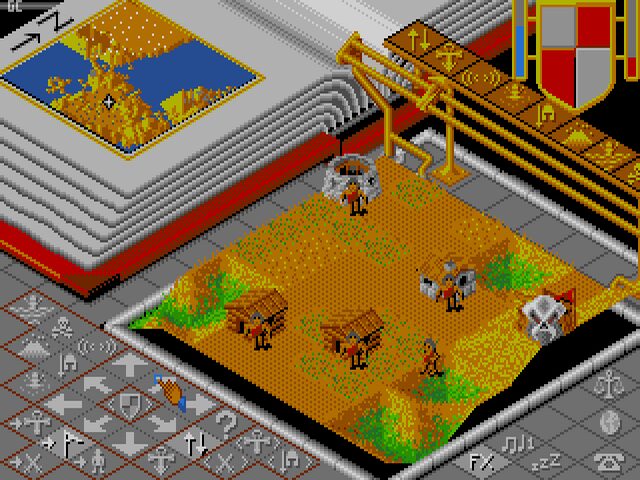
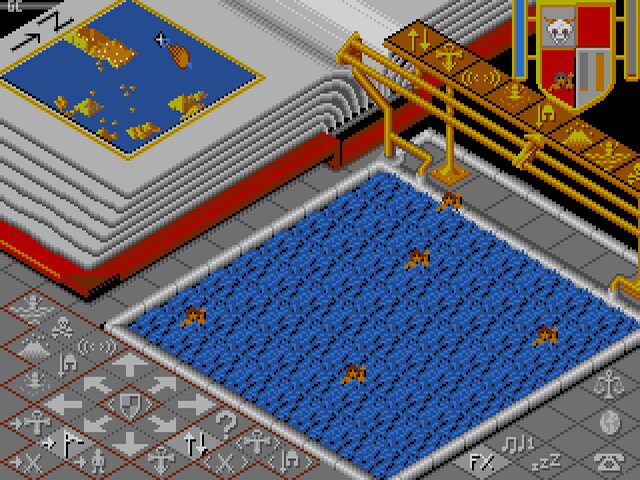


You are a god, and your people are blue little figures who pay you no attention at all. You raise the land, they build houses; their houses give mana; mana lets you send earthquakes, swamps, volcanoes, and floods down on the red figures across the way. Populous (Bullfrog Productions, 1989) invented the «god game» and did it on a budget of barely 20,000 pounds, according to the account of its development.
The birth of the «peeps»
Peter Molyneux and Glenn Corpes started from an isometric landscape populated by little figures, which they called peeps. At first there was no game: they walked until they bumped into water. Raising and lowering the terrain was born to help them get around; the fact that they built bigger on flatter ground did the rest. Hardcore Gaming 101 reports that part of the story is Molyneux’s own anecdotes, which Corpes qualifies, but the result was a hit: by the end of 1989 the game already accounted for more than a third of Electronic Arts’ revenue.
How it plays
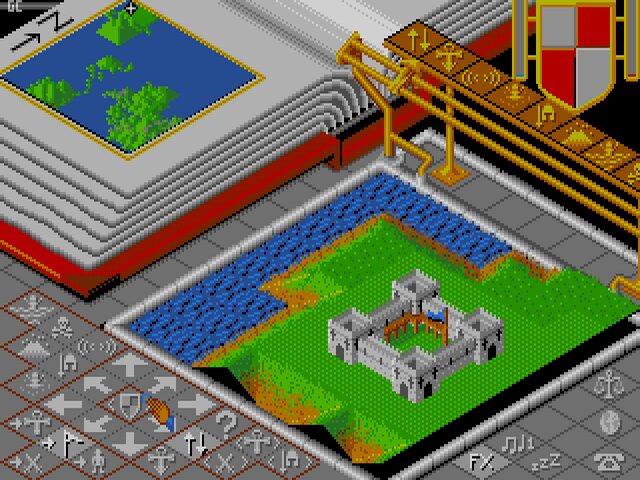
A click raises the terrain and a right click lowers it. The flatter the ground around a hut, the bigger the house it turns into, all the way up to the castle. Happy followers generate mana, and mana gives you more powers: earthquakes, swamps, knights, volcanoes, floods, and finally Armageddon. You can give them four orders (settle, gather and settle, fight and settle, go to the Papal Magnet), and the Magnet, an ankh you place on the map, turns the first follower to touch it into a leader, the only one who can be knighted.
The game ships with 500 levels of increasing difficulty, although the program skips levels if you win quickly. There are landscapes of grass, desert, volcanic rock, and snow, and they are not decoration: they affect the growth of the two peoples. The first fifty levels, according to Hardcore Gaming 101, work as one long tutorial, with clumsy opponents that often cannot even use divine powers.
What made it special
It was a strategy game with no bosses and no military maps: you are the landscape. That idea won over the critics (Dragon gave it five stars out of five in 1989) and fed entire genres, from Theme Park to Dungeon Keeper. Then came the sequel Populous II, the expansion The Promised Lands (500 more levels and five new landscapes such as Silly Land and the Wild West), the modern follow-up Populous: The Beginning and, from the same studio, the tactical-action series Syndicate.
The edition we offer
We offer an English repack of the PC version (the 1989 MS-DOS one), ready to install and play on Windows XP or later. It is the base game, without the expansion. Since it runs on DOS, if you would rather set it up by hand there is the DOSBox from scratch tutorial, and to run it on a modern Windows, the one on Windows XP games on Windows 10 and 11. At the end of this page, in Downloads, is the link; in Guides you will find the first launch and the controls, and in Tips & tricks the shortcuts and advice that work best.
ONE GAME, 6 PLATFORMS
Versions.
6 platforms1989–19924 playable online
Pick a platform: the screenshots, downloads and online game on this page switch with it.
- Year
- 1989
- Port by
- Bullfrog Productions
- Downloads
- 1
- Screenshots
- 3
1989 MS-DOS version, published by Electronic Arts. According to Hardcore Gaming 101 it responded with less lag than the Amiga one when executing earthquakes and other commands, with repetitive looping music and poorer effects. It was installed from disk and asked you to identify a crest using the command card.

- Year
- 1989
- Port by
- Bullfrog Productions
- Downloads
- 2
- Screenshots
- 1
The original version, released in March 1989 before the Atari ST (April) and MS-DOS ones. Hardcore Gaming 101 highlights its sound atmosphere, with continuous chanting and a heartbeat, and notes that on a real Amiga the LED blinks along with them; compared with DOS it has more lag when executing powers, but a better sound chip.

- Year
- 1991
- Port by
- Electronic Arts (Sega in Japan)
- Downloads
- 1
- Screenshots
- 5
Conversion for Mega Drive and Genesis, from between 1990 and 1991 depending on the source. Hardcore Gaming 101 considers it closer to the original than other conversions, but slow: so slow that drowning the rivals is easy. It does not include The Promised Lands expansion or mouse support and loses the chanting atmosphere, although it keeps a basic heartbeat.

- Year
- 1991
- Port by
- Code To Go / TecMagik
- Downloads
- 1
- Screenshots
- 6
The 8-bit conversion for Master System, from 1991. Hardcore Gaming 101 finds it visibly inferior to the others: very reduced music and almost no effects, no The Promised Lands, and levels that must be beaten in order. It compensates with smoother scrolling than the original and a collection of generated levels that the box advertised as numbering in the thousands.

- Year
- 1992
- Port by
- Enigma Variations / Imagineer
- Downloads
- 1
- Screenshots
- 5
Game Boy version, from 1992, released in Europe and Japan under the name Populous Gaiden. Hardcore Gaming 101 describes it as nearly unplayable: the menus appear in pieces that you have to scroll, and it has no HUD, so all the actions sit in a grid on the start menu.

- Year
- 1991
- Port by
- Hudson Soft / Alfa System
- Downloads
- 1
- Screenshots
- 6
The PC Engine edition keeps Bullfrog's divine strategy game: flatten or raise the terrain so your people can build, gain followers and unlock forces such as floods and volcanoes to compete against the rival civilization. Hudson Soft and Alfa System adapted the game to HuCard in 1991. This Japanese game image presents its menus in Japanese; the core rules and conquest games follow the design of the original version.
EVERY PIXEL COUNTS
The game in pictures.
Explore the screenshots and open every detail at full size.


GET READY FOR YOUR NEXT GAME
Choose your download.
Format, compatibility and server. All in view.
Version
SELECTED VERSIONPC1989 · 1 file
SELECTED VERSIONAmiga1989 · 2 files
Download for hard drive
COMPATIBILITYRequires an emulator ✓ At no cost✓ No sign-up Download BoxSharer server · New tab BoxSharer02 Amiga · Floppy disksDownload original floppy disks
COMPATIBILITYRequires an emulator ✓ At no cost✓ No sign-up Download BoxSharer server · New tabSELECTED VERSIONMega Drive1991 · 1 file · also playable online
SELECTED VERSIONMaster System1991 · 1 file · also playable online
SELECTED VERSIONGame Boy1992 · 1 file · also playable online
SELECTED VERSIONPC Engine1991 · 1 file · also playable online
Clicking opens the CLABA loading area and, in a few seconds, your download. If a link fails, let us know via Contact or in the forum.
Your game starts here
Play in your browser.
There are 4 versions ready to play. Pick one and click.
Version
The PC version can't be played in the browser yet.
You can download it or play another version now:
The Amiga version can't be played in the browser yet.
You can download it or play another version now:
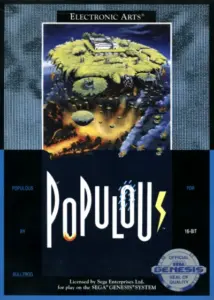
Mega DriveIn your browser
Populous
Mega Drive version. Your next game starts here.
- 183 KB · downloads on click
- Save states in this browser
- Controller, keyboard or touch
Controls
Click the game to use the keyboardOn mobile, play with the on-screen controllerUse the game menu, with the gamepad icon, to view and change the buttons.
- Full screen
Use the button on the bar. Esc returns to the game page; “Exit” closes the game.
- Saves
Save State, in the game's menu, keeps the exact moment. Load brings it back when you return.
- Mobile and tablet
Press Controls during the game to show buttons and keyboard. Gamepad support depends on the browser.
Saves live in this browser and device. Clearing the site data deletes them too.
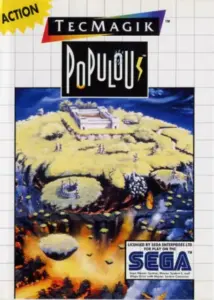
Master SystemIn your browser
Populous
Master System version. Your next game starts here.
- 256 KB · downloads on click
- Save states in this browser
- Controller, keyboard or touch
Controls
Click the game to use the keyboardOn mobile, play with the on-screen controllerUse the game menu, with the gamepad icon, to view and change the buttons.
- Full screen
Use the button on the bar. Esc returns to the game page; “Exit” closes the game.
- Saves
Save State, in the game's menu, keeps the exact moment. Load brings it back when you return.
- Mobile and tablet
Press Controls during the game to show buttons and keyboard. Gamepad support depends on the browser.
Saves live in this browser and device. Clearing the site data deletes them too.
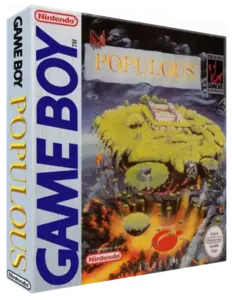
Game BoyIn your browser
Populous
Game Boy version. Your next game starts here.
- 48 KB · downloads on click
- Save states in this browser
- Controller, keyboard or touch
Controls
Click the game to use the keyboardOn mobile, play with the on-screen controllerUse the game menu, with the gamepad icon, to view and change the buttons.
- Full screen
Use the button on the bar. Esc returns to the game page; “Exit” closes the game.
- Saves
Save State, in the game's menu, keeps the exact moment. Load brings it back when you return.
- Mobile and tablet
Press Controls during the game to show buttons and keyboard. Gamepad support depends on the browser.
Saves live in this browser and device. Clearing the site data deletes them too.
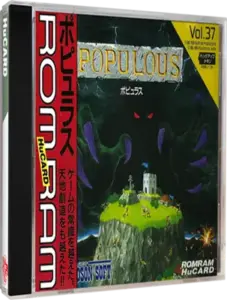
PC EngineIn your browser
Populous
PC Engine version. Your next game starts here.
- 201 KB · downloads on click
- Save states in this browser
- Controller, keyboard or touch
Controls
Click the game to use the keyboardOn mobile, play with the on-screen controllerUse the game menu, with the gamepad icon, to view and change the buttons.
- Full screen
Use the button on the bar. Esc returns to the game page; “Exit” closes the game.
- Saves
Save State, in the game's menu, keeps the exact moment. Load brings it back when you return.
- Mobile and tablet
Press Controls during the game to show buttons and keyboard. Gamepad support depends on the browser.
Saves live in this browser and device. Clearing the site data deletes them too.
HIT PLAY
The game in motion.
Trailers and videos to see it in action.
-
PC Engine · Gameplay
Populous gameplay on PC Engine.
THE SECRET SIDE OF THE GAME
Tips, tricks and secrets.
A hint at the right time. A code that changes everything.
How to enter them
This edition has no official cheat codes. What the PC version’s command card does document are keyboard shortcuts, which you press during the game. If a key does not respond, activate keyboard mode with Ctrl+M (it switches the pointer type between mouse, joystick, and keyboard).
Tip · essential PC shortcuts
- Z: pause and resume (the tutorial starts paused).
- P: place the Papal Magnet.
- Q: earthquake.
- G: game settings.
- B: your rival’s balance; Shift+B: yours.
- F10: music; Shift+F10: sound effects.
- Ctrl+Esc: quit.
Tip · keyboard helpers
The command card lists two useful aids: the / (slash) key makes the computer try to flatten terrain to turn a building into a castle if you have the energy, and * on the numeric keypad raises one point twice and lowers it once, a cheap way to create level ground.
Tip · push with the terrain
Quickly raising the land at one point («nippling,» in Molyneux’s jargon) drives your peeps out of the house so they go out and build again, or bothers the enemy. If you ruin a settlement with a sudden change, it rebuilds if you flatten the ground in time.
Tip · make a leader, then a knight
Place the Papal Magnet, activate the order to go toward it, and wait: the first to touch it becomes a leader, and only a leader can become a knight. Knights are your best weapon for entering enemy territory.
Tip · the first fifty levels
They are one long apprenticeship: the opponents are slow and often cannot use powers. Practice on them the balance between expanding and holding a front. The game skips levels if you win quickly; don’t obsess over completing every one in turn.
No matches. Try another effect or code.
THE NEXT STEP, CLEARER
Guides to move forward.
From the first installation to that mission that won't give in.
Start here · first launch
- Download the repack from Downloads (English, ready for Windows XP and later) and unzip it with 7-Zip.
- Install it in a short path, such as
C:\Juegos\Populous, outsideArchivos de programa(Program Files). - Run the repack’s shortcut. If it does not work on your Windows, the Windows XP games on 10 and 11 tutorial explains the compatibility settings; to run it in DOSBox, see DOSBox from scratch.
- Choose Tutorial, type your name, and begin. The game starts paused: press Z.
The original PC game asked about a crest from the manual at startup. If your repack asks for it, the crest’s name is on the PC version’s command card (Internet Archive).
Controls
- Left click on your terrain: raise land. Right click: lower it.
- Icons on the game desk: divine powers and group orders (settle, gather, fight, go to the Magnet).
- Joystick or keyboard: you can switch with Ctrl+M.
- Cursor keys: move the cursor on the nearby map; Shift, Alt, and Ctrl with the cursor keys move the cursors of the world book.
- In keyboard mode, F1 toggles between the two cursors of the world book.
First steps · strategy
- Flatten the ground around your huts: level terrain means bigger houses and more mana.
- Do not lower or raise the terrain too close to your own settlement, unless you want its inhabitants to come out.
- Have a leader and produce knights early; they are the ones who penetrate deep into rival lines.
- When the rival is stronger, drown them: lower the ground beneath their people before they can raise it.
- Save your mana for Armageddon and the great powers.
Technical notes
The 1989 PC version runs on DOS. Hardcore Gaming 101 notes that, compared with the Amiga, it has less lag when giving orders but poorer sound, and under faulty emulation it can run too fast: if that happens, lower the CPU cycles in DOSBox. PCGamingWiki states that the current commercial editions (GOG, Steam, EA app) use DOSBox and that the original asked for an answer from the manual. Games are saved from the game menu. To copy saves between computers, see this tutorial.
Sources
- Hardcore Gaming 101: gameplay, difficulty, expansions, differences between versions.
- PC command card at the Internet Archive: installation, keys, keyboard mode, and crests.
- PCGamingWiki: DOS date, current stores, and DOSBox.
- Wikipedia: orientation, development, reception, and sales.
Something wrong?
Give us a hint.
A broken link, a detail to correct or a game that won't start. Your report helps keep this game page up to date.
Get in touchReport an issue with this game Discuss it in the forumCLABA ARCADE ROOM
This one and 250 more
play here.
When you finish your game, the room has other machines switched on.
Enter the roomTHE CLABA APP1.0 RC 1
Take the archive
with you.

Game pages, online play and your shelf on Android. Free, no sign-up.
ARCHIVE SECRETS
Did you know?
A Lego prototype. Bullfrog tried to playtest the game as a board game built from Lego. It was no help in balancing it, but it made a good hook for the press, and a test with water ended in a flood.
500 levels and no ending. During testing they asked for a cheat to jump to the last level, and that was when Bullfrog realized there was no ending: they reused the between-level screen as the victory screen.
Ten Amigas as a gift. According to Molyneux, Commodore gave him ten Amiga A1000s after confusing his company, Taurus Impex, with another called Torus. Hardcore Gaming 101 records other versions of the tale, so take it as legend.
A third of EA. At the end of 1989, Populous accounted for more than a third of Electronic Arts’ revenue, although Bullfrog’s contract gave it only a 10% royalty.
Four million copies. Wikipedia credits it with more than four million sales, and says it became one of the best-selling PC games of all time.