
Reflexive Entertainment · Shooter
Zax: The Alien Hunter
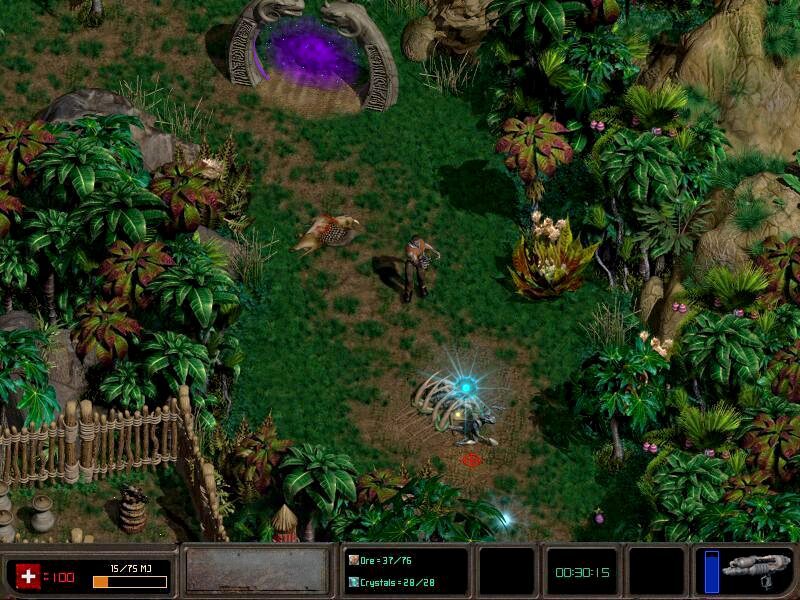
Crash-landed on a planet of robots and slaves, Zax goes from mercenary to hero. 2001 isometric action with generators, teleporters and 16 players.
Shooter by Reflexive Entertainment (2001) for PC, in Spanish. Available to download.
— no rating yet
THE CLABA ARCHIVE
Inside the game.
Its history, its ideas and the reasons to come back.
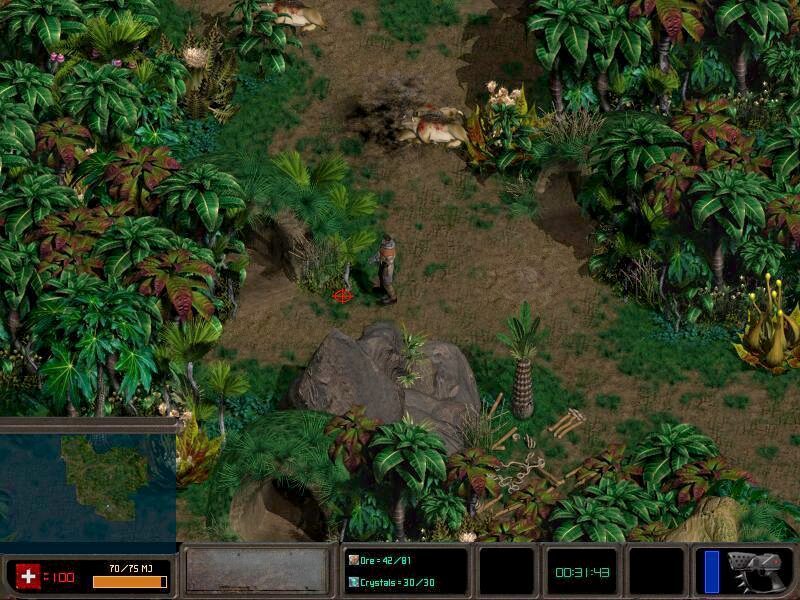
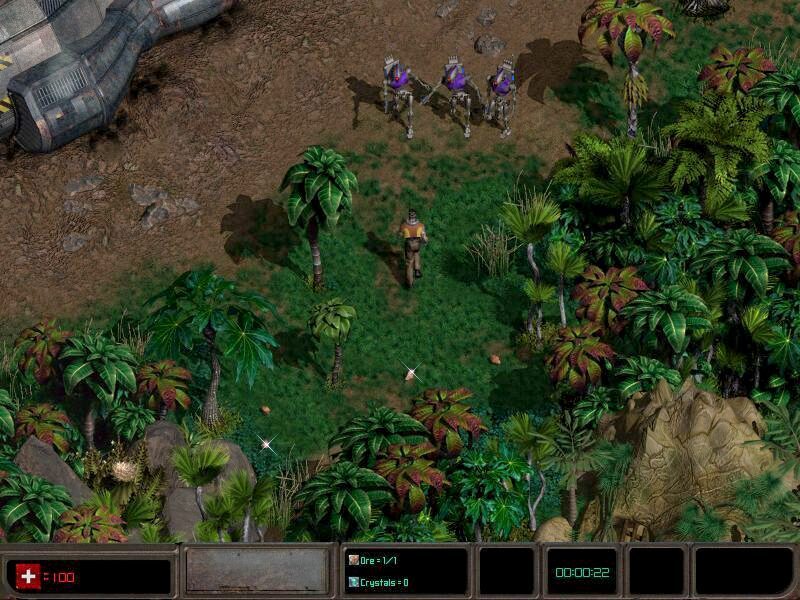
Your ship has just crashed on a planet that appears on no map, and the first thing you see when you get to your feet is robots coming for you. Zax: The Alien Hunter is an isometric action game, designed to be played with the keyboard in one hand and the mouse in the other, developed by Reflexive Entertainment and published by JoWooD Productions in the fall of 2001. At that year’s E3 it was presented as a cross between Quake and Diablo, and the comparison is not far-fetched.
A reluctant hunter
Zax is an alien humanoid with little faith in altruism. His only idea is to collect ore and parts so that his ship’s artificial intelligence can repair it. But the planet is under the yoke of Om, a tyrant who has turned its inhabitants, the peaceful Korbo, into slaves and raw material for robots. The Korbo see the newcomer as their savior, and little by little Zax stops being a mercenary and starts to care about them. It is not an original story, but it is well told, with dialogue, scripted scenes and a final twist that explains why the protagonist spends the whole game picking up objects.
How it plays
You move Zax with the keys and aim with the mouse, which controls a crosshair cursor; you can move and shoot in different directions. Everything is very simple and almost immediate. The action is nonstop: a review from the time counted more than 4,000 enemies killed in a single game on medium difficulty. When robots fall, they drop yellow and blue spheres that recharge your shields and your weapons, so the best approach is to charge straight at them.
In many areas there are enemy generators that will keep spitting out robots until you find and destroy their control panel. Between missions you collect ore and crystals and trade them in your ship’s materials generator for new equipment, which the AI develops according to what it has seen. Teleporters scattered across the maps take you back to the ship and then return you to the point where you left off. There are 22 missions and about a hundred maps, and the settings range from jungles and caves full of stalactites to mines, laboratories and a frozen prison. One of the most memorable challenges is escaping a mine overrun with robots while lava floods the level.
What makes it different
The technology belongs to another era: pre-rendered, animated backdrops, with bubbling lava and blinking panels, and 2D characters, just when everyone was betting on 3D. That allows dozens of enemies on screen without hurting performance. Critical reception was mixed: Eurogamer gave it an 8, GameSpot a 7.5 and IGN a 7.7, while PC Zone came in at 47%. On Metacritic it stands at 70. It also supported up to 16 players over the internet or a local network in deathmatch, capture the flag and «Salvage King».
Its fortunes brought an indirect reward: Black Isle Studios took notice of Reflexive and published Lionheart: Legacy of the Crusader in 2003. And if you like bird’s-eye shooters, Alien Breed is along the same lines with more of an arcade feel; for the loot-and-upgrades side, there is Diablo.
The edition we offer
This is the Windows version in Spanish. In Downloads you will find a repack ready to play on a current PC and the ISO image of the CD. The game is 32-bit and Windows-only. For compatibility questions, see the tutorial on Windows XP games on Windows 10 and 11. In Guides you will find the controls and an opening strategy, and in Tips & tricks, survival advice.
EVERY PIXEL COUNTS
The game in pictures.
Explore the screenshots and open every detail at full size.
GET READY FOR YOUR NEXT GAME
Choose your download.
Format, compatibility and server. All in view.
Download Repack
COMPATIBILITYWindows XP / 7 / 10 ✓ At no cost✓ No sign-up Download www.mediafire.com · New tab MediaFire02 ISODownload ISO
COMPATIBILITYWindows XP / 7 / 10 ✓ At no cost✓ No sign-up Download www.mediafire.com · New tabClicking opens the CLABA loading area and, in a few seconds, your download. If a link fails, let us know via Contact or in the forum.
THE SECRET SIDE OF THE GAME
Tips, tricks and secrets.
A hint at the right time. A code that changes everything.
Tip · how to reload without stopping
Defeated robots drop yellow and blue spheres that recharge your shields and your weapons. Don’t wait until you run out of energy: charge the next group and pick up whatever they leave behind. When a fight ends, the floor is usually covered in power-ups.
Tip · destroy the panel, not the robots
If enemies keep appearing endlessly in an area, look for the nearby generator’s control panel and destroy it: as long as it exists, it will keep dropping robots.
Tip · ore in jars and crates
The ore and crystals you need to upgrade your gear are not only lying on the ground: they also turn up hidden in jars, crates and other containers that can be smashed. Break everything.
Tip · use the teleporters
When you have collected materials, return to the ship with a teleporter, trade what you picked up for new equipment and go back to the same spot.
Tip · hurry through the lava
In the scene where the mine floods with lava, don’t stop to fight: clear a path, run, and leave the combat for the safe zone. The ground splits open behind you, so going back is not an option.
Tip · difficulty
If a stage is giving you trouble, lower the difficulty. There are no reliable cheat codes confirmed by more than one source, which is why we only list tips here.
No matches. Try another effect or code.
THE NEXT STEP, CLEARER
Guides to move forward.
From the first installation to that mission that won't give in.
Start here · first launch
- In Downloads, choose the repack if you want to play right away, or the ISO if you prefer to mount the CD.
- Install it in a short path outside
Program Files, for exampleC:\Juegos\Zax. - If it won’t start or looks wrong, run it in compatibility mode as explained in the tutorial on Windows XP on Windows 10 and 11.
- Before abandoning a game, back up your save games by following this tutorial.
Controls
- Keyboard: move Zax (arrow keys). You can walk in one direction and shoot in another.
- Mouse: aim with the crosshair cursor and fire with the button.
- Weapons and new equipment are managed between stages with the ship’s AI.
First steps · a useful strategy
- Collect all the ore and crystals: they are your currency for upgrading weapons and equipment.
- Listen to what the Korbo ask for: many missions consist of finding an object or opening a door.
- Before taking on a large group, locate the nearby generator panel.
- Take advantage of being able to move sideways while aiming in another direction: it is the key to dodging the groups.
Technical notes
It is a 32-bit Windows executable that uses DirectDraw. PCGamingWiki notes that it has been tested with dgVoodoo, a graphics compatibility layer that translates the calls of old games. The engine, called Velocity, uses pre-rendered backgrounds. Eurogamer observed that Zax’s diagonal movement could look somewhat choppy on its test machine. A demo exists, preserved on Internet Archive, if you want to try it first.
Sources
- Wikipedia: Zax: The Alien Hunter: developer, publisher, dates, 22 missions, multiplayer and review scores.
- Eurogamer: Zax The Alien Hunter: story, controls, generators, teleporters and the 8/10 score.
- Multiplayer.it: Zax: item generator, weapons, enemies and drawbacks.
- PCGamingWiki: Zax: 32-bit executable, DirectDraw, Velocity engine and GameSpy.
Something wrong?
Give us a hint.
A broken link, a detail to correct or a game that won't start. Your report helps keep this game page up to date.
Get in touchReport an issue with this game Discuss it in the forumCLABA ARCADE ROOM
251 classics
without installing anything.
Don't feel like installing? These play right in your browser.
Enter the roomTHE CLABA APP1.0 RC 1
Take the archive
with you.

Game pages, online play and your shelf on Android. Free, no sign-up.
ARCHIVE SECRETS
Did you know?
Quake meets Diablo. At E3 in May 2001, Reflexive presented the game as a fusion of those two classics: shooter-style gunplay, an isometric view and loot to upgrade your gear.
Over 4,000 kills. Eurogamer’s reviewer counted more than 4,000 enemies killed in a single game on medium difficulty, a good reflection of how nonstop the action is.
It opened a door. Black Isle Studios, a subsidiary of Interplay, liked it so much that it contacted Reflexive. The studio’s next game, Lionheart: Legacy of the Crusader, came out in 2003 under the Black Isle label.
Dialogue with a Vader voice. Eurogamer praised the voice acting, but noted that the main villains were given a Darth Vader-style voice effect that makes them sound somewhat comical.
Multiplayer of its day. According to PCGamingWiki, online support relied on GameSpy, and it allowed up to 16 players in deathmatch and capture the flag.


