Sega · Shooter
Virtua Cop 2
Sega AM2's 1995 arcade game reaches the PC as Virtua Squad 2: routes to choose, bosses, network play and secret modes. English repack for Windows.
Shooter by Sega (1995) for PC (in English) and Dreamcast. Available to download.
Choose your version 2 platforms
No computer handy? Play one of the 541 classics online right now
4.7 26 votes
THE CLABA ARCHIVE
Inside the game.
Its history, its ideas and the reasons to come back.
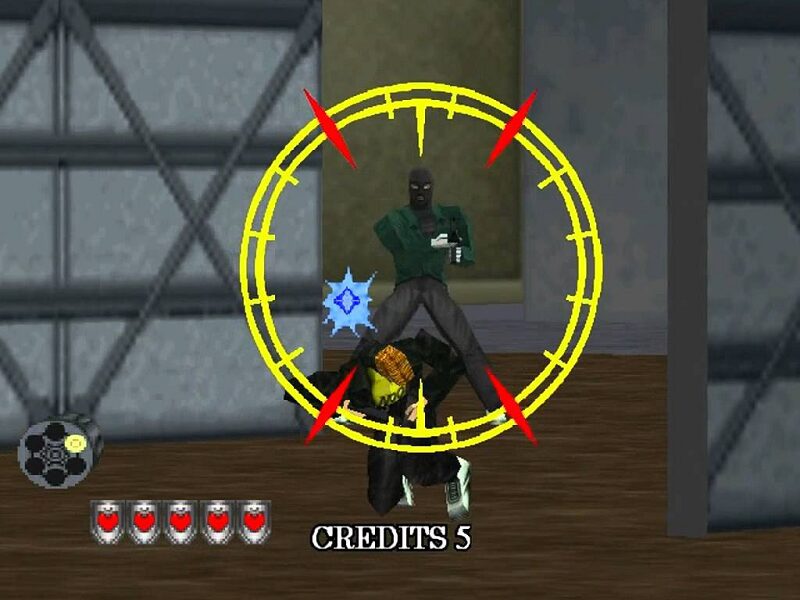
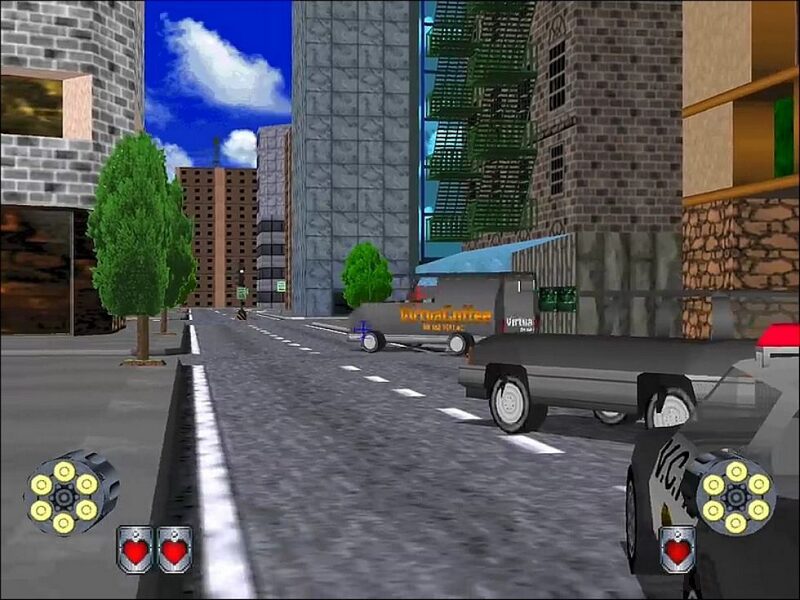
A jewelry store holdup, a mayor held on a boat and a subway train racing along with shootouts from the cars: Virtua Cop 2 is a pocket-sized action movie in which all you have to do is aim and not miss. Sega AM2 released it in 1995 as a two-player light-gun arcade game and, in November 1997, it came to the PC from Sega Entertainment under a different name in the United States: Virtua Squad 2.
Shooting on rails
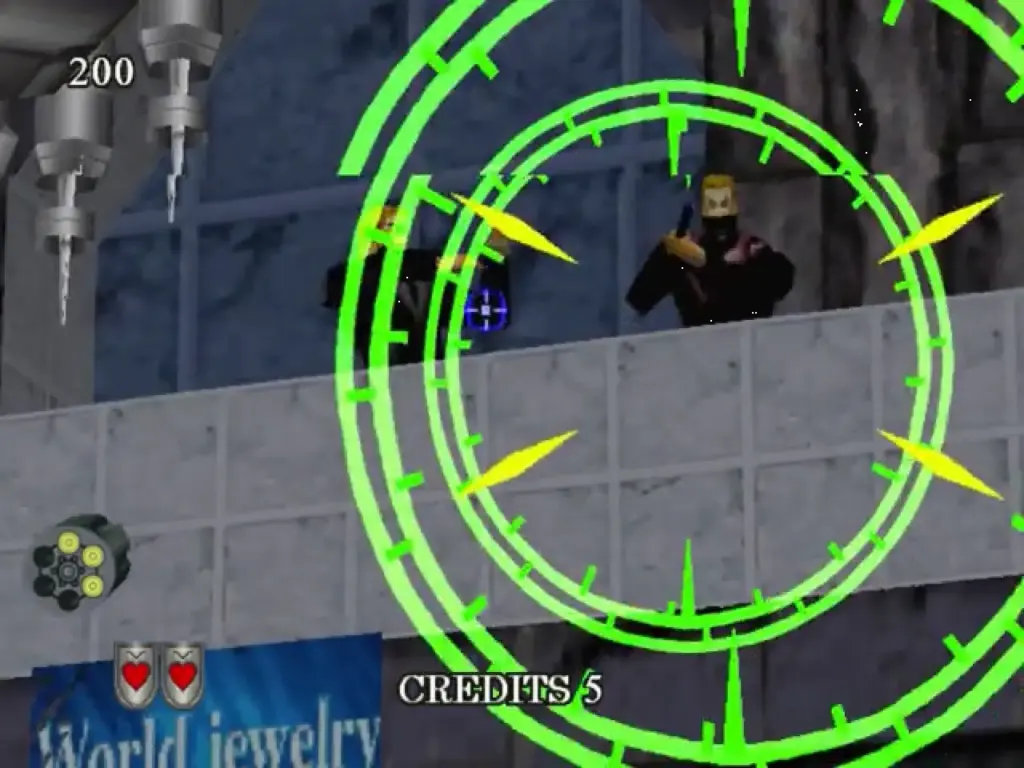
It is a "rail shooter": the game sets the route and you take care of eliminating the bad guys who pop out of windows, doors and corners before they get you. The sequel to Virtua Cop added a welcome novelty: at certain points in each stage the path forks and you choose a route, so replaying shows you different scenery. Each stage ends with a boss, and the criminals are not the only things moving on screen, because there are also hostages and civilians you had better not touch.
Accuracy matters more than speed. Disarming an enemy by shooting his hand, instead of taking him down, earns bonus points, and chaining hits without taking damage or hurting innocents keeps the score multiplier high. It is a way of playing that invites you to chase the perfect run.
What the PC version adds
According to Sega's 1997 press release, the port includes six weapons, from machine guns to a magnum, play over the Internet, a local network, modem or serial cable, and several modes that were not in the arcade game. In the Proving Ground you face a rival by hiding and shooting at gangs of dealers until time runs out and the last one standing wins. When you finish all the levels, the Big Head Mode opens, with giant heads on both criminals and hostages, along with the Random Enemy Mode, in which enemies appear in different places every game. Sega also promised that only the most accurate shooters would get the "gun select cheat", which lets you choose the most powerful weapons for the rest of the game.
Technically it was designed for Pentium and MMX, uses Direct3D and supports 3dfx Voodoo, Rendition Verité, 3D Labs Permedia and nVidia RIVA128 cards. You play with keyboard, mouse or gamepad, and the mouse replaces the gun quite naturally.
The edition we offer
In Downloads you will find an English-language repack of the Windows version, prepared for systems such as XP, 7 or 10. There is no Spanish dubbing or text, but it is easy to follow because the game explains itself. In Guides we tell you how to launch it on a current Windows, which has a couple of quirks, and in Tips & tricks, how to unlock the secret modes. If you like gun games, also try The House of the Dead 2 or the classic western Mad Dog McCree. And to get the most out of a 1997 program on a modern computer, our tutorial on playing your Windows XP classics on Windows 10 and 11 (in Spanish) will help.
ONE GAME, 2 PLATFORMS
Versions.
2 platforms2000
Pick a platform: the screenshots, downloads and online game on this page switch with it.
- Year
- 1995
- Developer
- Sega
- Downloads
- 1
- Screenshots
- 3
The PC version is the one this page covers: the information, review and main screenshots are from this platform.
- Year
- 2000
- Port by
- SEGA-AM2
- Downloads
- 1
- Screenshots
- 1
This edition brings Virtua Cop 2 to Dreamcast in a Japanese release from 2000. It keeps the arcade game's automatic path through the stages and light-gun shooting; the included game image corresponds to the Japanese region. This page identifies that origin so readers can tell this edition apart from other appearances of the game.
EVERY PIXEL COUNTS
The game in pictures.
Explore the screenshots and open every detail at full size.

GET READY FOR YOUR NEXT GAME
Choose your download.
Format, compatibility and server. All in view.
Version
SELECTED VERSIONPC1 archivo
SELECTED VERSIONDreamcast2000 · 1 file
Clicking opens the CLABA loading area and, in a few seconds, your download. If a link fails, let us know via Contact or in the forum.
HIT PLAY
The game in motion.
Trailers and videos to see it in action.
-
Dreamcast · How it plays
A Virtua Cop 2 gameplay session on Dreamcast.
THE SECRET SIDE OF THE GAME
Tips, tricks and secrets.
A hint at the right time. A code that changes everything.
How to unlock the secrets
The game does not depend on keyboard codes: the extras are earned by playing. According to Sega's press release, finishing all the levels opens two modes and hitting with great accuracy can give access to weapon selection. We have not found reliable sources for typed-in codes for this version, so we do not give any.
Big Head Mode
Finish all the levels in Arcade mode. After that you can play with giant heads on criminals and hostages. It changes the look, not the difficulty: shooting the hostages is still a bad idea.
Random Enemy Mode
It also opens when you complete all the levels. The criminals appear in different places in every game, so memorizing the route no longer works.
Gun select cheat
Sega presented it as a reward for "the most accurate shooters": with it you can choose the most powerful weapons for the rest of the game. The exact accuracy threshold is not given in the sources we have consulted.
Tip · Proving Ground
This is the duel mode. Use the hiding spots to reload and look first for where your rival is before popping out: the last one left standing wins.
Tip · aim for the hand
Disarming an enemy by shooting his hand gives bonus points, and keeping the multiplier going without hurting innocents or taking hits is the key to the best scores.
No matches. Try another effect or code.
THE NEXT STEP, CLEARER
Guides to move forward.
From the first installation to that mission that won't give in.
Start here · first launch on a current PC
- Download the repack from Downloads and unzip it to a short path, for example
C:\Juegos\VirtuaCop2. AvoidProgram Files, which causes permission problems with games from that era. - Open the executable's properties, Compatibility tab, and try first with Windows 95 or 98 and with "Reduced color mode" if the game complains.
- On Windows 10 and 11 the window can leave part of the top of the screen hidden behind the title bar; PCGamingWiki says this is fixed by applying the
ForceSimpleWindowcompatibility fix. - The default resolution is 640x480. To enlarge it, use dgVoodoo 2, a separate tool.
- Related tutorial: how to play your Windows XP classics on Windows 10 and 11 (in Spanish).
Controls · mouse, keyboard or gamepad
- Mouse: Sega says it is played with keyboard or mouse; with the mouse you aim with the cursor, the closest thing to the arcade gun.
- Keyboard and gamepad: the game supports both and the keys can be remapped. With a gamepad only the four main buttons can be assigned, according to PCGamingWiki, and quitting the game or changing graphics options requires the keyboard.
- Two players: supported on the same machine and over a local network; over the network, the connection is opened with F9.
First steps · how to get a good score
- Pick a path without fear: each stage has two routes, so it is worth replaying to see the other one.
- Prioritize whoever is already aiming at you, not the closest one.
- Avoid hostages and civilians at all costs: every miss breaks the multiplier.
- Shoot the hand when you have room to, for bonus points.
- Always reload off screen or when there are no enemies in sight.
- When you finish the levels, try the secret modes to vary the game.
Technical notes
Original requirements according to Sega: Windows 95, 90 MHz Pentium processor, 16 MB of RAM, 60 MB of disk space, 256-color SVGA, DirectX 5 and a double-speed CD-ROM drive. For 3D acceleration, Sega cited the cards mentioned in the description.
PCGamingWiki records two quirks: the retail version only checked for the presence of the disc, and some copies do not carry the music on the CD. What is not known is how the repack handles this, so if you are missing the music, try another copy. The configuration file is vcop2.ini, inside the PROJECT folder.
Sources
- Sega press release, 11/24/1997 (Wayback Machine): PC launch as Virtua Squad 2, modes, weapons, network play and minimum requirements.
- Virtua Squad 2 requirements on sega.com (Wayback Machine): system, memory, disk and DirectX.
- PCGamingWiki: Virtua Cop 2: resolution, Windows 10, controls, local network and music.
- Arcade game listing (Arcade Museum data): year, Model 2 board, routes and players.
Something wrong?
Give us a hint.
A broken link, a detail to correct or a game that won't start. Your report helps keep this game page up to date.
Get in touchReport an issue with this game Discuss it in the forumCLABA ARCADE ROOM
541 classics
without installing anything.
Don't feel like installing? These play right in your browser.
Enter the roomTHE CLABA APP1.0 RC 1
Take the archive
with you.

Game pages, online play and your shelf on Android. Free, no sign-up.
ARCHIVE SECRETS
Did you know?
Another name in the United States. The PC version was sold there as Virtua Squad 2; in Sega's press release of November 24, 1997 it appears under that title and as an adaptation of the arcade game Virtua Cop 2.
Huge heads as a reward. Big Head Mode was not a cheat you typed in: according to Sega it was unlocked by finishing all the levels, just like Random Enemy Mode.
A newborn studio. Sega Entertainment, Inc. was founded in April 1996 as a joint venture between Sega of America and SOFTBANK to bring the company's arcade hits to the PC.
Two players over a local network. PCGamingWiki notes that two-player co-op over LAN is opened by pressing F9, in addition to local play.
Two guns on the arcade cabinet. The arcade game ran on the Sega Model 2 board and, according to the Arcade Museum listing, supported two simultaneous players with light guns and came out in 1995 as a Model 2 class machine.