
Acclaim · Shooter
Turok: Evolution
The Turok prequel: Tal'Set vs. Bruckner and the Sleg in the Lost Land, with flight stages on a quetzalcoatlus. 2003 PC version in Spanish, repack and CDs.
Shooter by Acclaim (2003) for PC (in Spanish and other languages) and GameCube. Available to download.
Choose your version 2 platforms
No computer handy? Play one of the 251 classics online right now
4.1 10 votes
THE CLABA ARCHIVE
Inside the game.
Its history, its ideas and the reasons to come back.
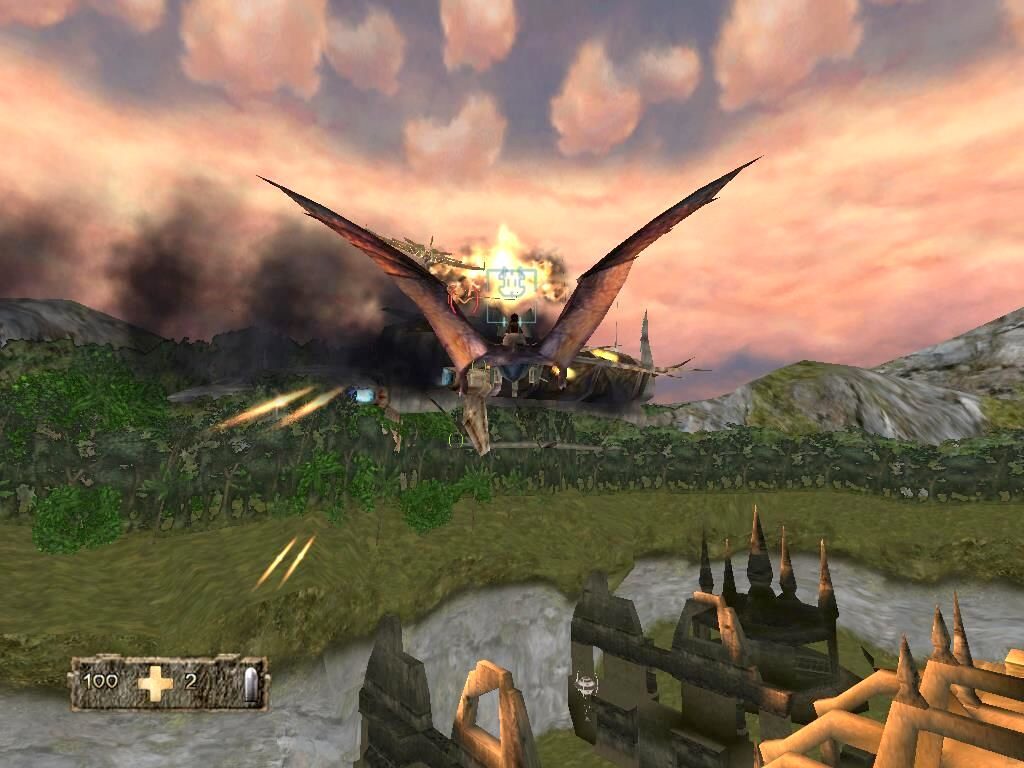
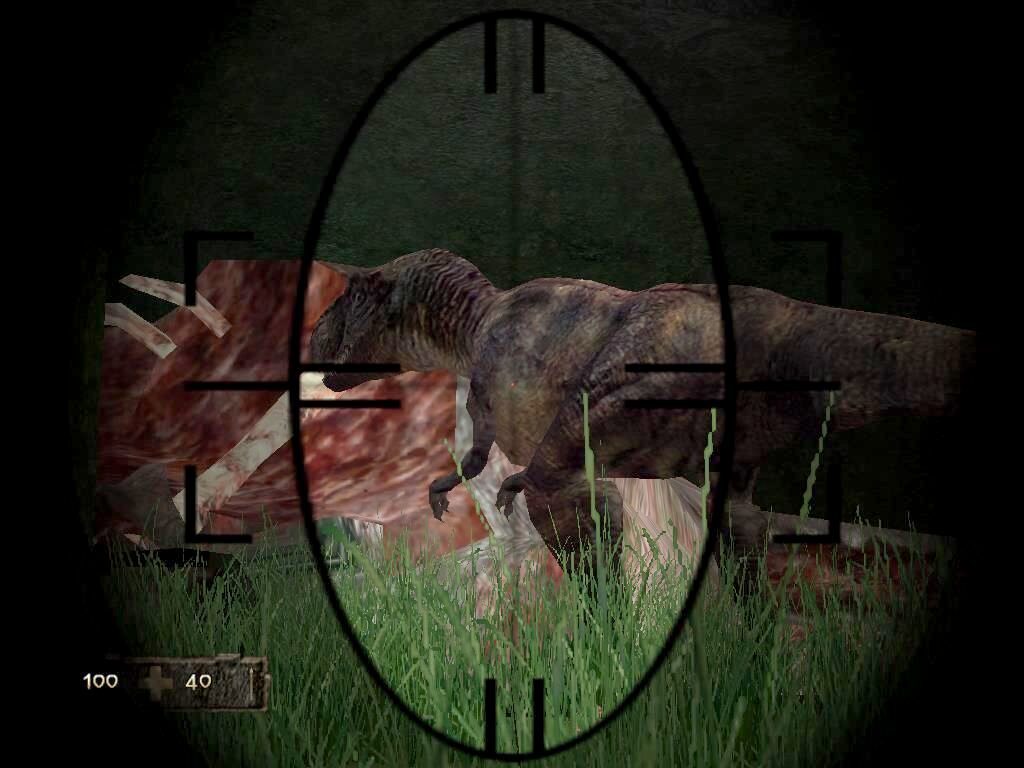
A duel in the Old West, a hole that opens in the air and a warrior who falls from the top of a jungle where dinosaurs coexist with reptilian soldiers armed to the teeth. That is how Turok: Evolution begins, the prequel with which Acclaim brought its dinosaur hunter to the new-generation consoles in 2002. A year later it reached PC, in Europe only, and that is the version you have here.
Before he was Turok
The protagonist is Tal’Set, a Saquin warrior who is chasing Captain Tobias Bruckner, a ruthless soldier and veteran of the Indian Wars. In the middle of the confrontation, the two are dragged to the Lost Land, a world where the warlord Tyrannus and his troops, the Sleg, want to wipe out the human settlements. Badly wounded and taken in by the inhabitants of a riverside village, Tal’Set ends up defending them and, at the end of the road, accepting the mantle that gives the series its name. It is, therefore, the story that comes before Turok: Dinosaur Hunter.
How it plays
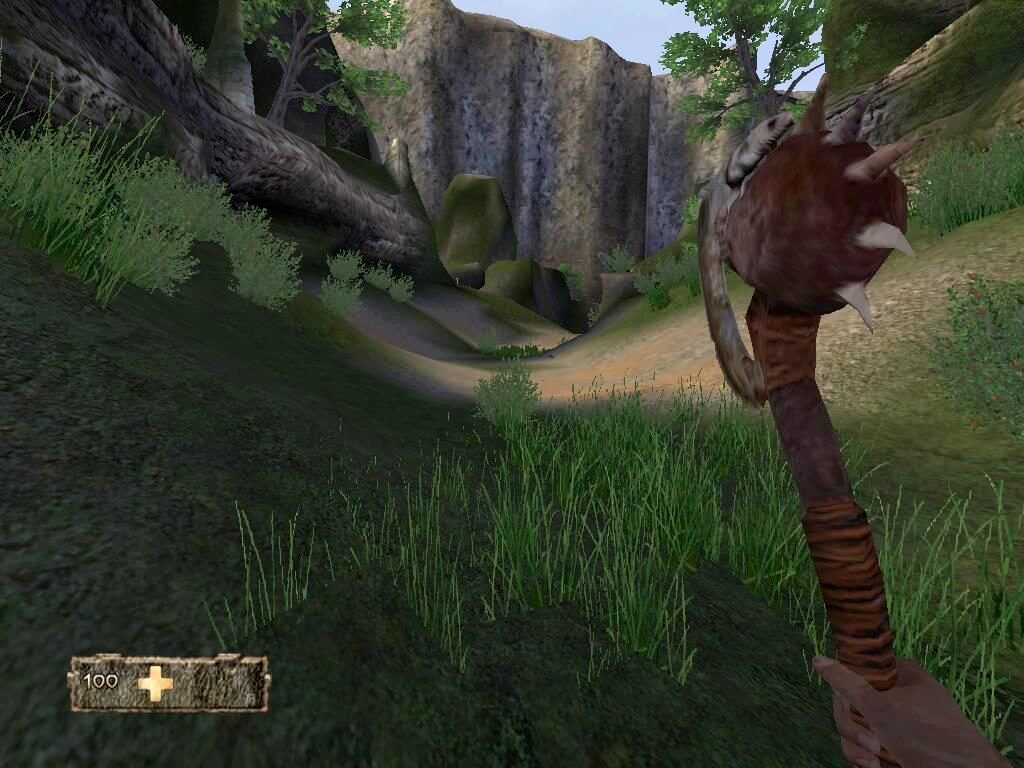
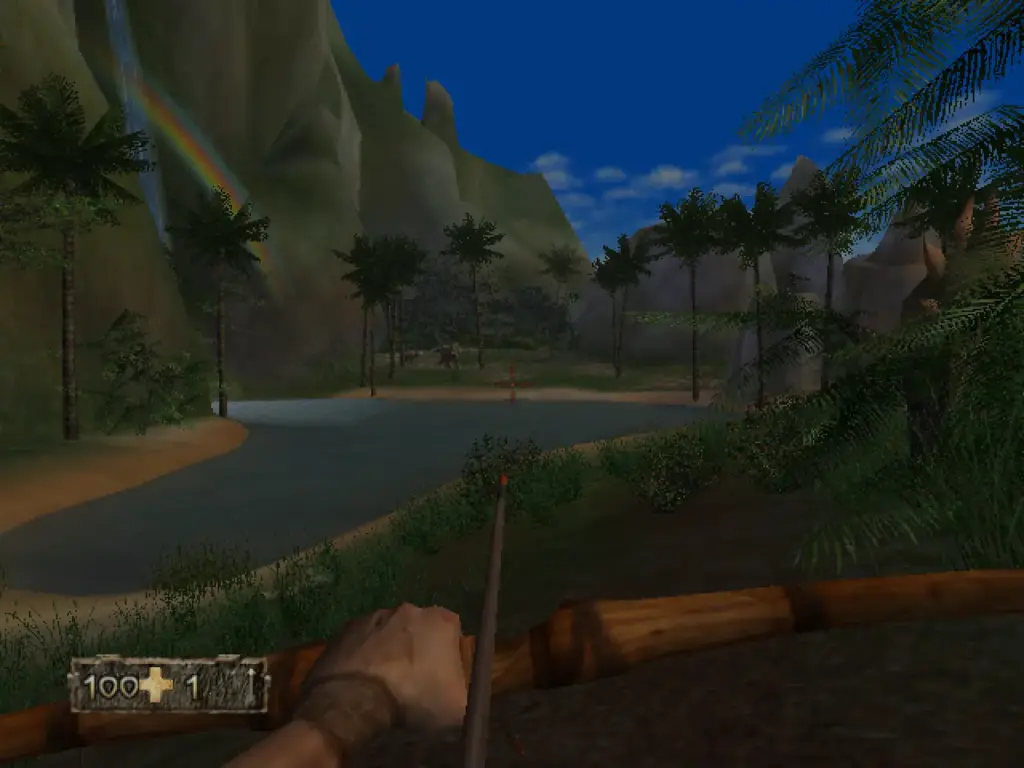
It is a first-person shooter divided into fifteen chapters. You run, jump, swim (with a limited air supply) and climb vines and walls. The arsenal is what people remember most: you start with a war club whose spikes charge up as you hold the attack, move on to the bow and the Tek Bow with a telescopic scope, and keep adding a pistol, a shotgun, grenades that stick to walls, a dart gun that is the only useful firearm underwater, a flamethrower, a remote-controlled spider mine that lures, poisons or explodes, and a rocket launcher that ends up firing seeker drills or a nuclear bomb.
The big novelty was the flight stages. Several missions are played in third person on the back of a quetzalcoatlus fitted with a machine gun and rockets, sometimes on guided runs in the style of Star Fox and other times in open areas where you fly in every direction. The Acclaim Austin team had wanted them since the first Turok.
A huge gamble that went wrong
Acclaim put it on sale on September 1, 2002, simultaneously on PlayStation 2, Xbox and GameCube, with a different version for Game Boy Advance, and backed it with campaigns as striking as asking people to legally change their name to «Turok». The reception was lukewarm: IGN enjoyed its arsenal, but found the first two levels slow and empty. Sales did not help either, and the press ended up speaking of a commercial failure. In 2004 Acclaim lost the Turok license for failing to pay the rights.
Seen today, it is a shooter of its time, unpretentious and very bloody, that gains a lot from the third chapter on and its weapons and dinosaurs are its best part. If you like the genre with prehistoric beasts, on our site you also have Carnivores and Jurassic Park, and from the same generation, Halo: Combat Evolved or Far Cry.
The edition we offer
It is the 2003 Windows version, adapted by the studio Super Happy Fun Fun from the GameCube and Xbox one. It comes in five languages, Spanish included, with Spanish text and voices. In Downloads there is an install-and-play repack, prepared for Windows XP, 7 and 10, and the images of the two original CDs, meant for Windows XP. The discs carry SecuROM protection, so on a current machine the convenient choice is the repack; if something refuses to cooperate, our tutorial on Windows XP classics on Windows 10 and 11 (in Spanish) lends you a hand.
In Guides you will find the first launch, the settings that avoid the known bugs and some tips for the first chapters; in Tips & tricks, the PC version’s cheat codes and how to enter them.
ONE GAME, 2 PLATFORMS
Versions.
2 platforms2002
Pick a platform: the screenshots, downloads and online game on this page switch with it.
- Year
- 2003
- Developer
- Acclaim
- Downloads
- 3
- Screenshots
- 3
The PC version is the one this page covers: the information, review and main screenshots are from this platform.
- Year
- 2002
- Port by
- Acclaim Studios Austin
- Downloads
- 1
- Screenshots
- 1
Turok: Evolution is a prequel to the series that tells how Tal'Set becomes Turok. The GameCube edition combines first-person exploration and combat against the forces of the warlord Lord Tyrannus; it also includes aerial stretches riding a pterodactyl. Acclaim Studios Austin developed this conversion, released in 2002.
EVERY PIXEL COUNTS
The game in pictures.
Explore the screenshots and open every detail at full size.

GET READY FOR YOUR NEXT GAME
Choose your download.
Format, compatibility and server. All in view.
Version
SELECTED VERSIONPC3 archivos
Download Repack
COMPATIBILITYWindows XP / 7 / 10 ✓ At no cost✓ No sign-up Download www.mediafire.com · New tab MediaFire02 PC · ISODOWNLOAD CD1
COMPATIBILITYWindows XP ✓ At no cost✓ No sign-up Download www.mediafire.com · New tab MediaFire03 PC · ISODOWNLOAD CD2
COMPATIBILITYWindows XP ✓ At no cost✓ No sign-up Download www.mediafire.com · New tabSELECTED VERSIONGameCube2002 · 1 file
Clicking opens the CLABA loading area and, in a few seconds, your download. If a link fails, let us know via Contact or in the forum.
HIT PLAY
The game in motion.
Trailers and videos to see it in action.
-
GameCube · How it plays
Turok: Evolution gameplay on GameCube.
THE SECRET SIDE OF THE GAME
Tips, tricks and secrets.
A hint at the right time. A code that changes everything.
How to enter them
In the PC version the codes are typed into the password option (Password) in the options menu. Type them in capital letters and exactly as they appear here. On consoles the Cheats menu was used, and the codes are the same.
Invincibility and invisibility
EMERPUS: invincibility. SLLEWGH: invisibility; enemies stop seeing you, very useful for getting through tricky areas or practicing close-range hits.
Weapons and ammo
TEXAS: all the weapons available in the level you are in, not all those in the game. MADMAN: unlimited ammo. FMNFB: activates all the hit codes.
Joke modes
HEIDS: giant heads. ZOO: zoo mode. HUNTER: demo mode and, when it ends, a target-shooting minigame on the title screen. RAPTOR: play as a raptor in multiplayer deathmatch.
Tip · the club saves ammo
Against raptors and caimans don’t waste bullets: hold down fire with the war club to charge it and release it when they are close. The blow with the spikes knocks them down in a single hit.
Tip · the nuke doesn't carry over
The ammo for the rocket launcher’s nuclear attachment does not carry from one level to the next, according to the manual. If you find a projectile, use it in that same chapter.
Tip · the level select
There is a chapter-select code, but sources disagree on how it is written on PC (with the letter O or with a zero). That is why we don’t include it; if you want to jump chapters, save often and keep your save games.
No matches. Try another effect or code.
THE NEXT STEP, CLEARER
Guides to move forward.
From the first installation to that mission that won't give in.
Start here · first launch
- In Downloads, choose the repack: it is install-and-play and prepared for Windows XP, 7 and 10. It includes Spanish among its five languages.
- Install it outside
Program Files, in a short path such asC:\Juegos\TurokEvolution. PCGamingWiki attributes the problems loading and saving games on modern Windows to that protected folder. - If the game does not start or closes, open the properties of
Turok4.exeand turn on Windows XP (Service Pack 3) compatibility. - Before starting, limit the frames per second (we explain it under «Technical notes»): with no limit, the character can end up floating.
The images of the two CDs are for preserving the original edition or installing it on Windows XP or in a virtual machine; they carry SecuROM. Save games are stored in the installation’s save folder: copy it from time to time by following our tutorial on copying and restoring save games (in Spanish).
Controls
- Keys are changed from the game’s options. On Windows Vista and later, remapping can fail: PCGamingWiki recommends installing Microsoft DirectInput Mapper.
- The mouse has strong acceleration that cannot be removed and does not work for choosing options in the main menu: navigate it with the keyboard.
- You can play with a controller, but its buttons come unassigned: configure them before you start.
- In the flight stages you control acceleration, braking, turns and rolls, and fire the machine gun and rockets from the quetzalcoatlus.
- In the options you can turn on auto-aim, remove the crosshair or tone down the graphic violence.
First steps
- Learn each weapon’s secondary functions: the manual insists they are the key to combat. The charged club, the sticky grenades or the spider mine’s modes change a lot.
- Pick up the regular arrows you fire: they can be recovered and go back into the quiver.
- The Sleg take cover behind whatever they find. Don’t empty your magazine blindly: fire when they peek out, or look for a clean shot with the Tek Bow.
- With the spider mine in decoy mode you can lure a group of enemies into an ambush without exposing yourself.
- Underwater, watch the screen: when it turns red, Tal’Set is about to drown. To shoot while submerged, use the dart gun.
- The first two chapters are the slowest; from there the pace picks up.
Technical notes
Requirements of the period: Windows 98, Pentium III, 256 MB of RAM and a 3D card with 64 MB and DirectX 9. It is a modest conversion: according to PCGamingWiki, it loses graphical effects and lighting and has worse sound quality than the console versions.
- Floating character: the game does not cap the frame rate, and above about 250 frames per second Tal’Set can end up floating in the air. Limit it to between 60 and 120 from your graphics card’s control panel (NVIDIA or AMD).
- Widescreen: it supports widescreen resolutions, but crops the image at the top and bottom. The PCGamingWiki community has a field-of-view fix.
- Windowed mode: it does not have one; it can be forced with the DxWnd tool configured for DirectX 9.
- Configuration: it is stored in the registry, at
HKEY_CURRENT_USER\Software\Acclaim\Turok4.
Sources
- PCGamingWiki · Turok: Evolution: Super Happy Fun Fun conversion for Europe only, languages, SecuROM, install path, frame rate bug, controls, requirements and fixes.
- Xbox version manual (Internet Archive): weapons, spider mine, flight stages, options and combat tips.
- Acclaim · launch press release (August 2002): simultaneous release and «Turok Bloody Sunday».
- Eurogamer · interview with David Dienstbier: weapons and flight stages.
- Eurogamer · Acclaim loses the Turok license (2004).
- BBC News · name-change campaign and The Globe and Mail · the Turok baby.
- IGN · August 2002 preview: fifteen chapters and pace of the early levels.
- Cyberly · PC codes and Critical Hits · codes by platform: codes and how to enter them.
Something wrong?
Give us a hint.
A broken link, a detail to correct or a game that won't start. Your report helps keep this game page up to date.
Get in touchReport an issue with this game Discuss it in the forumCLABA ARCADE ROOM
251 classics
without installing anything.
Don't feel like installing? These play right in your browser.
Enter the roomTHE CLABA APP1.0 RC 1
Take the archive
with you.

Game pages, online play and your shelf on Android. Free, no sign-up.
ARCHIVE SECRETS
Did you know?
Becoming Turok for £500. In August 2002 Acclaim UK offered £500 and an Xbox to anyone who legally changed their name to «Turok». About 6,500 people applied for only five places.
A baby with savings bonds. In the United States the company promised $10,000 in bonds to the first family to name a child Turok born on launch day, September 1, 2002.
Turok’s «Bloody Sunday». Acclaim christened the release date, 9-1-02, that way: the game appeared simultaneously on PlayStation 2, Xbox, GameCube and Game Boy Advance, something unheard of in the series.
Turok 4 on the inside. Its codename was «Turok 4», and it remains so in the PC version: the executable is called Turok4.exe and the configuration is stored in a registry key with that name.
The end of a license. In July 2004 Acclaim acknowledged that it had lost the Turok rights for non-payment of royalties; the press recalled then that Evolution had been a commercial failure.


