Acclaim · Shooter
Turok: Dinosaur Hunter
Acclaim's dinosaur shooter in its 1997 Windows conversion: weapons, keys, portals and a console that unlocks god mode.
Shooter by Acclaim (1997) for Nintendo 64 and PC (in English). Available to download.
Choose your version 2 platforms
No computer handy? Play one of the 541 classics online right now
4.6 16 votes
THE CLABA ARCHIVE
Inside the game.
Its history, its ideas and the reasons to come back.


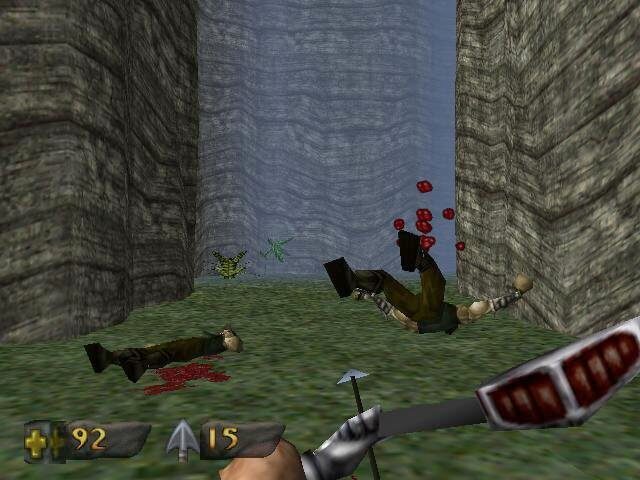
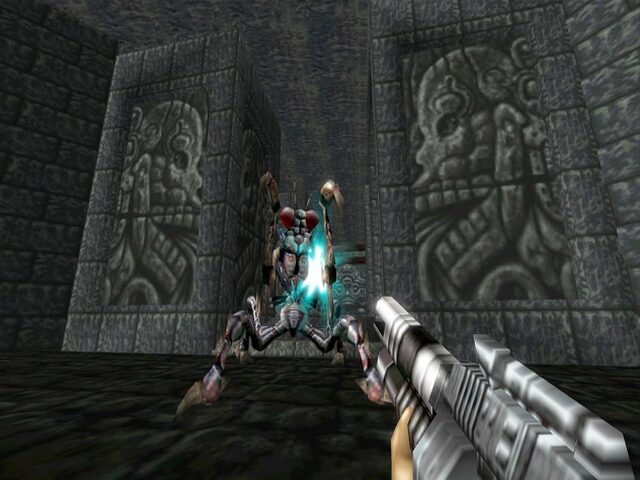
A Native American warrior steps through a portal with a knife, a bow and a lot of bad intentions. On the other side there is jungle, ruins, dinosaurs that pounce on you and soldiers with weapons from another century. Turok: Dinosaur Hunter was, in 1997, Acclaim’s big bet for the Nintendo 64, and months later it also came to Windows PCs. This game page covers that PC version.
A jungle outside of time
The player is Tal’Set, the Turok of this generation: a title passed from father to son that requires guarding the border between Earth and the Lost Land, a world where time doesn’t count and dinosaurs, demons and alien technology coexist. The villain, the Campaigner, wants the Chronoscepter, a weapon so powerful that it was broken into eight fragments so that no one would use it. Turok must find them first. The game draws on the Valiant comics, although Iguana Entertainment made it much more about action than story.
How it plays
It is a first-person shooter with the soul of an adventure. You start in a central level with portals to seven other levels; to open them you have to collect keys scattered across the maps. Each level is vast, almost always jungle, and asks you to jump, swim, climb and crawl as well as shoot. There are thirteen weapons plus the Chronoscepter, from the knife and the bow to futuristic artillery; all but the knife use ammunition. Health appears as a number, «life force» points give extra lives and, curiously, hunting deer also heals you.
What made it special
In its day it surprised with its graphics and with death animations that depend on where you hit: a shot to the leg doesn’t produce the same effect as one to the head. Iguana had to squeeze everything into an 8 MB cartridge with heavy compression, and even so the game sold around 1.5 million copies on the N64 and founded a series. If you come from Quake or Quake II, you will notice that Turok is slower and more adventurous. Computer Games Magazine called it an excellent conversion at the time, but inferior to Quake: the comparison with the big names of 1996 and 1997 was unavoidable.
The edition we offer
The Windows conversion was done by Sculptured Software, another in-house Acclaim studio, and came out in November 1997. It needs a 3D accelerator card and uses Direct3D or Glide; it keeps the console version’s checkpoint saving. In Downloads you have two options, in English: a RIP version and the CD’s ISO image. In Guides you will find how to run it at 60 frames per second and patch it for widescreen, and in Tips & tricks, the debug console with which to enable god mode. If you like shooting dinosaurs, also try Turok: Evolution, Carnivores or Jurassic Park.
ONE GAME, 2 PLATFORMS
Versions.
2 platforms1997
Pick a platform: the screenshots, downloads and online game on this page switch with it.
- Year
- 1997
- Port by
- Iguana Entertainment (original)
- Downloads
- 1
- Screenshots
- 3
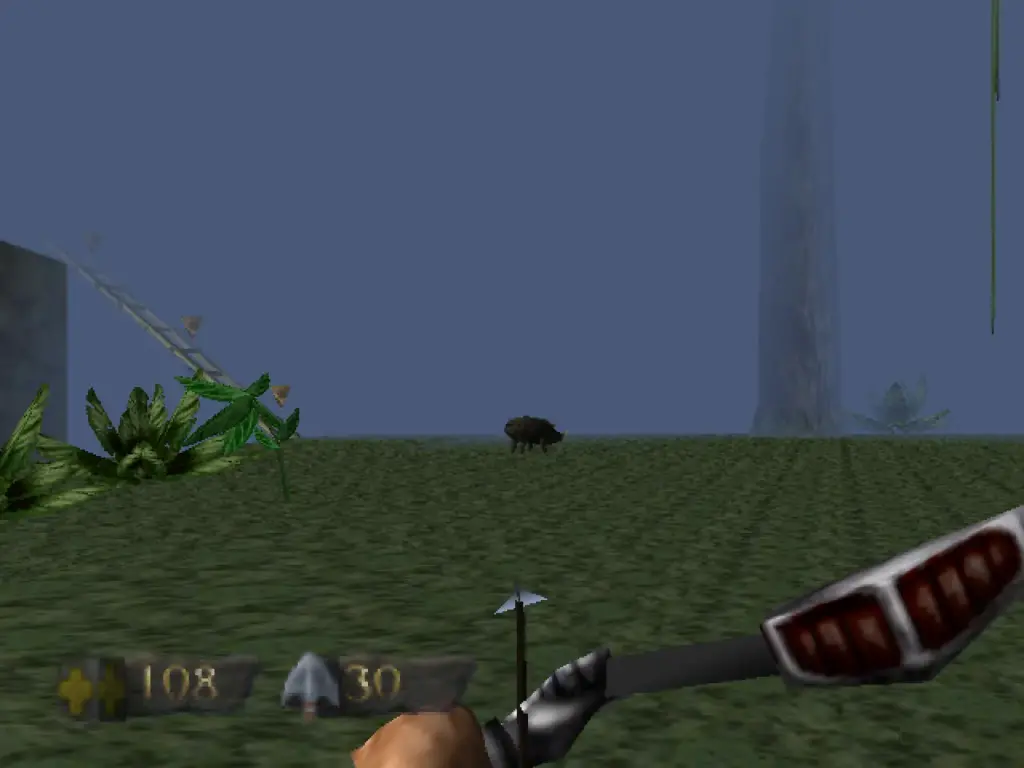
The original, released on March 4, 1997 as Acclaim's first exclusive title for the Nintendo 64. It fits on an 8 MB cartridge, for which Iguana had to compress heavily and cut the quality of the music. It is played with the analog stick, and critics noted slowdowns when there are many enemies on screen. It sold around 1.5 million copies.
- Year
- 1997
- Port by
- Sculptured Software
- Downloads
- 2
- Screenshots
- 3
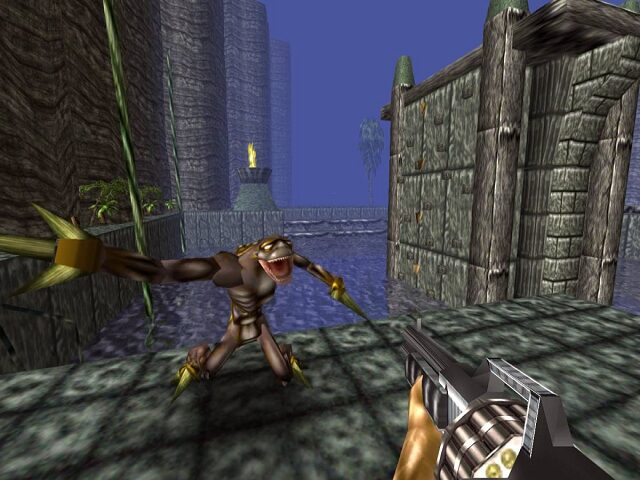
Windows version from November 1997, converted by Sculptured Software, another in-house Acclaim studio. It requires a 3D accelerator card and works with Direct3D or Glide; it keeps the console's checkpoint saving and allows remapping keyboard, mouse and controller. It has a hidden debug console with codes such as God or Allweapons.
EVERY PIXEL COUNTS
The game in pictures.
Explore the screenshots and open every detail at full size.

GET READY FOR YOUR NEXT GAME
Choose your download.
Format, compatibility and server. All in view.
Version
SELECTED VERSIONNintendo 641997 · 1 file
Clicking opens the CLABA loading area and, in a few seconds, your download. If a link fails, let us know via Contact or in the forum.
HIT PLAY
The game in motion.
Trailers and videos to see it in action.
-
Nintendo 64 · Gameplay
A game of Turok: Dinosaur Hunter on Nintendo 64.
THE SECRET SIDE OF THE GAME
Tips, tricks and secrets.
A hint at the right time. A code that changes everything.
How to enable the console
The Windows version has no cheat menu. Open the TurokInput.ini file in Notepad, located in the game’s config folder (make a backup first), find the line ConsoleKey=None and change None to a key, for example the tilde: ConsoleKey=~. Once in a game, press that key to open the console, type the code and press Enter. According to GameRevolution and SuperCheats, which agree, these are the codes.
Invincibility
God: makes you invincible. God 0: turns it off.
Weapons and ammo
Allweapons: all weapons. Allammo: ammunition (GameRevolution lists it as 999).
Camera and flight
Behindview 1: third-person camera. Behindview 0: back to first person. Fly: after pressing jump you stay in the air. Walk: back to the ground.
Tip · Nintendo 64 version codes
Some cheat sites mix the Nintendo 64 «Enter Cheat» menu codes (strings of consonants) into the PC page. We have not been able to confirm them in this version, so we do not list them.
Tip · the knife uses no ammo
All weapons except the knife need ammunition. Use it against small enemies and save the bow and heavy weapons for the big ones.
Tip · fight up close
The items that enemies drop disappear quickly, so you have to get close to pick them up. You also recover health by shooting deer and other harmless animals.
No matches. Try another effect or code.
THE NEXT STEP, CLEARER
Guides to move forward.
From the first installation to that mission that won't give in.
Start here · first launch on a current PC
- Choose the RIP version or the ISO image in Downloads; both are in English and marked for Windows XP.
- Install or unzip the game into a folder you can modify, for example
C:\Juegos\Turok, outsideProgram Files. - Open the launcher and, under Video, choose the Direct3D renderer, which offers the most options.
- If the game shows only a black window or doesn’t start on Windows 10 or 11, follow this Windows XP classics tutorial.
Controls
In the launcher you can remap keyboard, mouse and controller, invert the Y axis and adjust the sensitivity. The game can’t be played entirely with a controller: the video sequences can only be skipped with the Esc key.
First steps
- Start with the central level: the portals open with keys that you find in the other levels.
- Look for the Chronoscepter fragments: there is one per level.
- Collect the «life force» points: every hundred add up to a life.
- Save the bow for distant enemies and the knife for close ones.
- If you are low on health, shoot a deer or another harmless animal: they heal too.
Technical notes
Original requirements: Windows 95, a Pentium (100 MHz with 3Dfx, 133 MHz with most chips), 16 MB of RAM, 40 MB of disk space, a 3D card and a 2x CD drive (4x recommended), according to PCGamingWiki and the official site of the time.
- Frames per second: add
-MaxFramerate 60to the shortcut to go from 38 to 60. If you notice excessive camera bobbing, lower it, because that movement is tied to the frame rate. - Widescreen: PCGamingWiki links an unofficial patch, turokfix, that changes the resolution and field of view. Back up
Turok.exeandVideo_D3D.dllfirst. - Old cards: if you use dgVoodoo 2 or nGlide, delete
Video_3DFx.dll,Video_PowerVR.dllandVideo_RagePro.dllso the game uses Direct3D. - Black window with dgVoodoo 2: the fix is to edit
Turok.exewith a hex editor and change the string*.dll*to*vide*, always with a backup beforehand.
For save games and backups, see how to copy and restore your save games.
Sources
- PCGamingWiki: Sculptured Software conversion, Windows release date, fps, widescreen patch, fixes and requirements.
- Official Turok PC site (Wayback Machine): requirements and compatible 3D cards.
- GameRevolution: console activation and PC version codes.
- SuperCheats (Wayback Machine): the same console codes.
- Wikipedia: plot, gameplay, development, sales and reception.
Something wrong?
Give us a hint.
A broken link, a detail to correct or a game that won't start. Your report helps keep this game page up to date.
Get in touchReport an issue with this game Discuss it in the forumCLABA ARCADE ROOM
541 classics
without installing anything.
Don't feel like installing? These play right in your browser.
Enter the roomTHE CLABA APP1.0 RC 1
Take the archive
with you.

Game pages, online play and your shelf on Android. Free, no sign-up.
ARCHIVE SECRETS
Did you know?
A hero from 1954. Turok was born in the Western Publishing and Dell comics, in 1954. Valiant revived him in 1993 and Acclaim bought Valiant in 1994 for $65 million.
Fifteen people. Development began in 1996 and was carried out by a team of just fifteen people at Iguana Entertainment, a studio Acclaim had bought a year earlier.
A very tight cartridge. To make it fit in 8 MB, Iguana had to compress heavily and cut the music quality in the Nintendo 64 version.
Thirty-eight frames per second. According to PCGamingWiki, the PC version limits menus to 60 fps, video sequences to 25 and the game to 38 by default; the -MaxFramerate 60 parameter unlocks it.
Cards of the era. The official Turok PC site listed the supported 3D cards: 3Dfx Voodoo and Voodoo Rush, PowerVR PCX2, Rendition Verité, Nvidia Riva 128 and ATI Rage Pro, among others.