

GRIN · Shooter
Terminator Salvation
John Connor before he led: cover, flanking and spider robots in 2016 Los Angeles, two years before the film. Spanish repack for XP, 7 and 10.
No computer handy? Play one of the 251 classics online right now
4.2 17 votes
THE CLABA ARCHIVE
Inside the game.
Its history, its ideas and the reasons to come back.
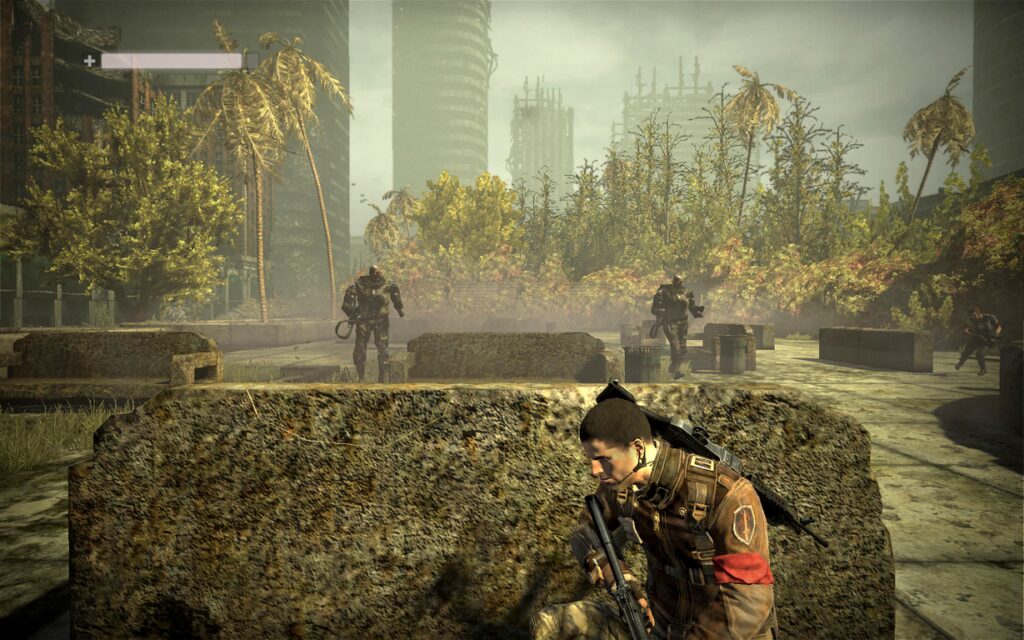
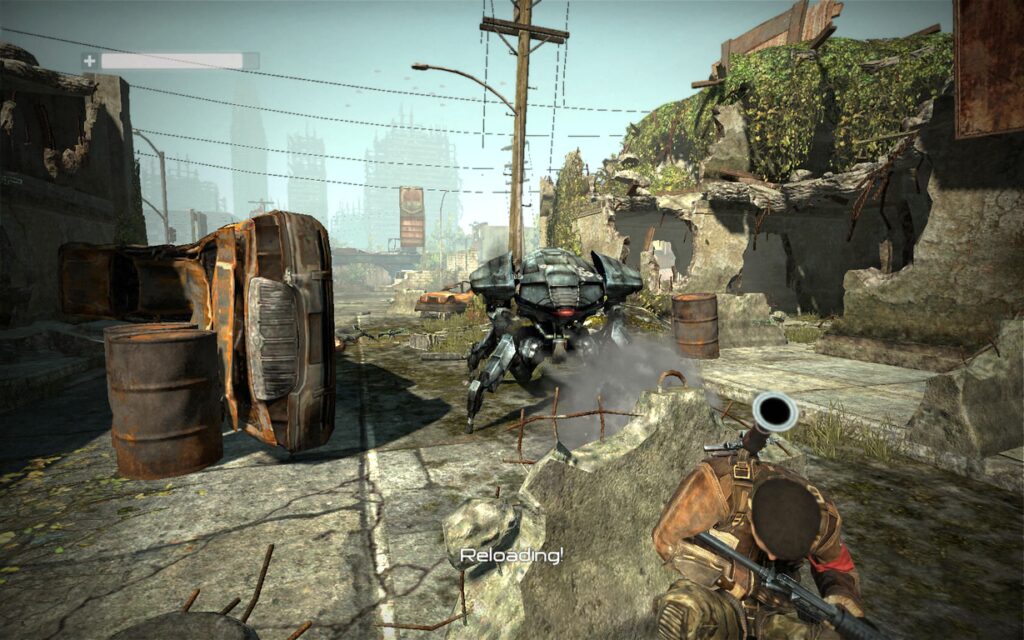
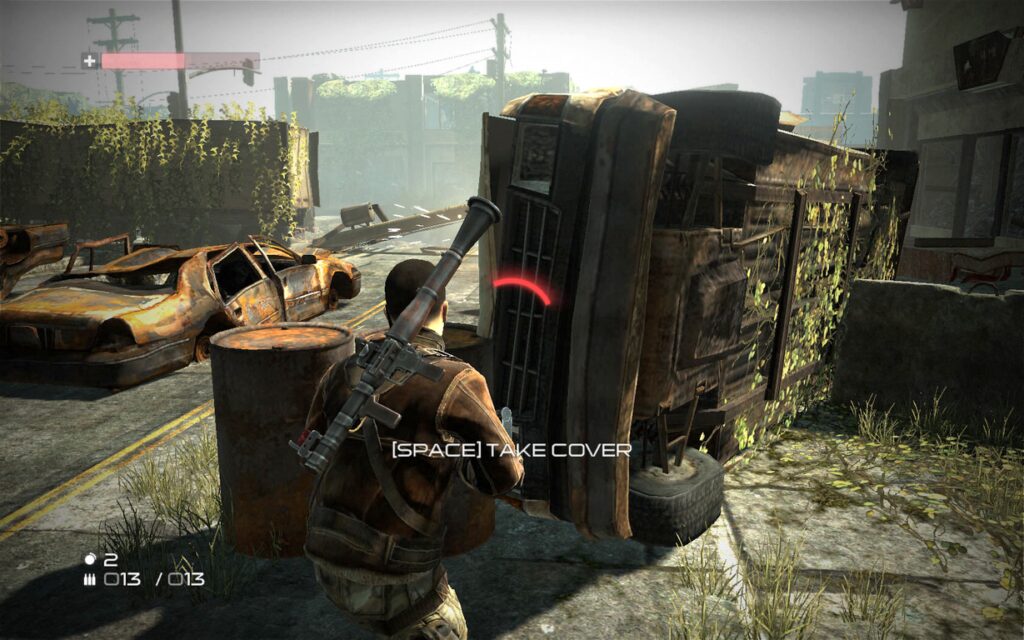
Los Angeles, 2016. Two years before Marcus Wright shows up, John Connor is still not the leader his mother’s tapes foretell: he is just another Resistance soldier, with a rifle, a handful of comrades and far too many machines around. Terminator Salvation is the official game of McG’s film, made by the Swedish studio GRIN and released on May 19, 2009, two days before the theatrical premiere.
A prequel to the film
It does not adapt the film’s script but tells what happened before. Connor, Blair Williams and a handful of soldiers embark on a reckless mission across a ruined city: broken highways, rooftops, underground tunnels and, at the end, the heart of Skynet. Along the way they are joined by Angie Salter, a schoolteacher who never quite adjusts to the war, and Barnes. Common and Moon Bloodgood return as Barnes and Blair with their own voices; Rose McGowan voices Angie, a character who exists only in the game. Christian Bale, on the other hand, did not take part.
Take cover, flank and aim for the weak spot
It is a third-person shooter built around cover. From a wall or a burned-out car you pick your next position with a semicircular selector and Connor slides over to it without exposing himself. The fun is in the flanking: spider robots are only vulnerable from behind, so someone has to draw their attention while another goes around the area. Aerial drones go down best with the shotgun and T-600s call for explosives; against the flying Hunter-Killers you have to look for the rocket launcher that the level always leaves within reach.
Between firefights there are on-rails stretches in which you ride in the back of a vehicle operating a weapon with infinite ammo. The campaign can be played by two people on split screen; there is no online mode.
The end of an era for GRIN
Critics were harsh: they faulted a campaign of about five hours, the repetition of the same three types of enemy, and a full-price launch. Even the harshest reviews spared the loading screen: a T-600 head that you can move around and that fixes you with its red eyes. It was also GRIN’s last game. The studio, which made the PC versions of Ghost Recon Advanced Warfighter and of Bionic Commando Rearmed, closed in August 2009 because of liquidity problems. Today it plays like what it is: a short, direct shooter for an afternoon, with the look of the war against the machines nicely done.
The edition we offer
In Downloads you will find a Spanish-language repack for Windows XP, 7 and 10, ready to install and play. The PC version came out with translated text and subtitles and English voices. If an OpenAL error appears at launch, as happened to a user in our forum thread (in Spanish), all you need to do is install OpenAL; we explain it in Guides, along with the controls and the settings for a current PC. In Tips & tricks you will find advice for each type of machine, because this edition has no codes.
If you are left wanting more Skynet, the franchise has the DOS Terminator 2: Judgment Day on our site, and The Terminator: SkyNET, the one from Bethesda. And for squad-based tactical combat, Tom Clancy’s Ghost Recon, the series in which GRIN made its name with the PC versions of Advanced Warfighter.
EVERY PIXEL COUNTS
The game in pictures.
Explore the screenshots and open every detail at full size.


GET READY FOR YOUR NEXT GAME
Choose your download.
Format, compatibility and server. All in view.
Clicking opens the CLABA loading area and, in a few seconds, your download. If a link fails, let us know via Contact or in the forum.
THE SECRET SIDE OF THE GAME
Tips, tricks and secrets.
A hint at the right time. A code that changes everything.
Tip · there are no codes
We have not found reliable cheat codes for the PC version: neither the game nor the reference guides document them, and what circulates are trainers or lists from other platforms. What follows is gameplay advice for the campaign.
Tip · each machine, its own ammo
Flying drones go down quickly with the shotgun; spider robots are only vulnerable at the rear, so you have to flank them and shoot with the rifle; T-600s soak up a lot of bullets and are dispatched with grenades, the grenade launcher or rockets. If you waste explosives on weak enemies, you will later have to empty entire magazines into the big ones.
Tip · flanking in two steps
Let your squadmates, or your partner in co-op, draw fire from the front while you hop from cover to cover along a side. When the spider robot turns toward them, it will offer you its back.
Tip · Hunter-Killers
In the fights against the flying Hunter-Killers the level always has rocket launchers scattered around. Look for the green outline of the weapons, which can be seen even through walls, and fire when the craft hovers still in front of a gap in the building.
Tip · watch out for the T-600 up close
A T-600’s melee strike has more reach than it seems and can kill you even with a barrier in between. Keep your distance and don’t stay exposed: it is the quickest way to lose the game.
Tip · on-rails stretches
In the sections aboard a vehicle the weapon has infinite ammo, but the crosshair tends to drift with the vehicle’s movement. Fire in short bursts and correct your aim between bursts.
No matches. Try another effect or code.
THE NEXT STEP, CLEARER
Guides to move forward.
From the first installation to that mission that won't give in.
Start here · first launch
- Download the repack from Downloads. It is in Spanish, flagged for Windows XP, 7 and 10, and is install-and-play.
- Install it in a short path outside
Program Files, for exampleC:\Juegos\TerminatorSalvation. - If a missing DLL error related to OpenAL appears at launch, install OpenAL, the library the game uses for sound. That is what was recommended in our forum thread (in Spanish).
- In Options, choose your monitor’s native resolution: the game supports widescreen.
Save games are stored in %LOCALAPPDATA%\salvation\saves. Before reinstalling or changing computers, copy them by following our tutorial on copying and restoring save games. If anything gives you trouble on Windows 10 or 11, go over the tutorial on Windows XP classics on Windows 10 and 11.
Controls
- Keyboard and mouse: the keys can be changed in the options, and you can also invert the mouse’s vertical axis.
- Controller: the game can be played entirely with a controller and lets you remap its buttons, though not the stick axes.
- Cover: pressed against a wall, with a controller you just tilt the stick toward another piece of cover to bring up a semicircular selector and slide over to it.
- Co-op: the two-player split-screen campaign is also on PC, but the second player needs an Xbox 360 controller.
First steps
- Start on normal difficulty: the campaign lasts around five hours and hard mode is left as a second playthrough.
- Pay attention to the green outlines, visible even through walls: they mark weapons. There are no collectibles or secrets, so don’t waste time exploring.
- Always carry a shotgun for the drones and save the explosives for the T-600s.
- Before advancing, check where the next pieces of cover are; the selector only takes you to nearby positions.
- Don’t fire at spider robots head-on: it is wasted ammo. Wait for them to turn or go around them.
Technical notes
It required Windows XP SP2 or Vista, a dual-core processor at 2 GHz, 1 GB of RAM, 8 GB of disk space and a card with DirectX 9.0c and Shader Model 3.0 (a GeForce 8000 series or equivalent). On a current machine it runs with plenty to spare and the image has no frame rate cap.
- The original disc carried SecuROM 7, and the game is no longer sold in digital stores: that is why we offer the repack.
- To play in a window, edit
%LOCALAPPDATA%\salvation\data\settings\renderer_settings.xmland changewindowed="false"towindowed="true". - OpenAL Soft versions 1.19.0 and 1.19.1 distort the sound in games using the Diesel engine; 1.20.1 or later fix it.
- The startup logo videos are in
data\videosinside the game folder. If you replace them to skip them, make a copy first.
Sources
- Warner Bros. · launch press release (05/19/2009): date, platforms, year of the story, voice cast and GRIN’s offices.
- GameSpot · review by Chris Watters: length, enemies and their weak points, cover, on-rails stretches, co-op and loading screen.
- Eurogamer · review: Christian Bale’s absence, controls, split-screen co-op and rating.
- PCGamingWiki: requirements, SecuROM, languages, save and configuration paths, windowed mode, controller and OpenAL.
- Game Developer · GRIN’s closure and Game Developer · layoffs and the Diesel engine: the studio’s closure, offices and Fatshark’s use of the engine.
Something wrong?
Give us a hint.
A broken link, a detail to correct or a game that won't start. Your report helps keep this game page up to date.
Get in touchReport an issue with this game Discuss it in the forumCLABA ARCADE ROOM
251 classics
without installing anything.
Don't feel like installing? These play right in your browser.
Enter the roomTHE CLABA APP1.0 RC 1
Take the archive
with you.

Game pages, online play and your shelf on Android. Free, no sign-up.
ARCHIVE SECRETS
Did you know?
Connor without Christian Bale. The film’s star lent neither voice nor face to the game. Common, as Barnes, and Moon Bloodgood, as Blair, did return; Rose McGowan voiced Angie Salter, a character created only for the game.
Two years earlier. The film is set in 2018 and the game in 2016: Warner presented it as a backstory, not as an adaptation of the script.
A studio based in Barcelona. GRIN had its headquarters in Stockholm, but in 2009 it also had offices in Barcelona, Gothenburg and Jakarta. That same year it closed the Barcelona and Gothenburg ones, and in August it announced its own closure: according to its founders, too many publishers were late with payments.
The head that nods. On the loading screens there is a T-600 head that you can move however you like, and even make nod at absurd questions. It was one of the few things the reviews praised.
An engine that lived on. The game runs on Diesel, GRIN’s own engine. It did not die with the studio: Fatshark, a studio in which GRIN held a stake, used it for Lead and Gold.


