
Ocean Software · Shooter
Rambo III
Infiltration, inventory and combat to rescue Trautman. The DOS edition of Rambo III starts with a knife and a fortress to explore.
Shooter by Ocean Software (1988) for MS-DOS (in English), Commodore 64, Atari ST and three other platforms. Playable in your browser (five versions) or downloadable.
Choose your version 6 platforms
— no rating yet
THE CLABA ARCHIVE
Inside the game.
Its history, its ideas and the reasons to come back.


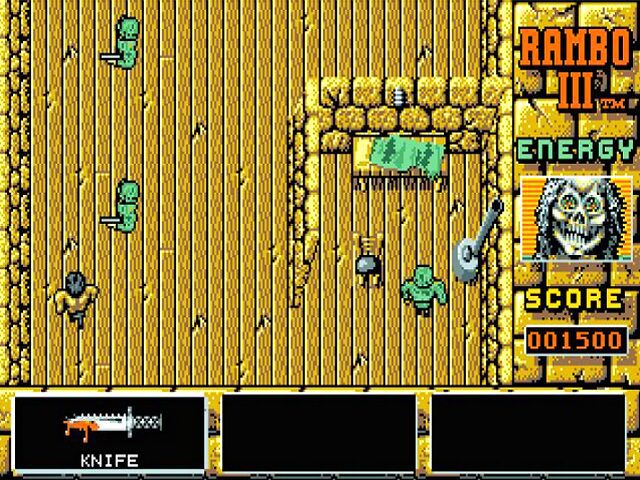
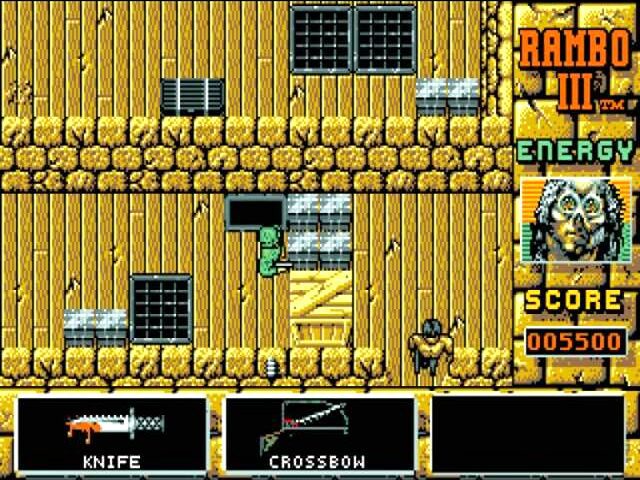


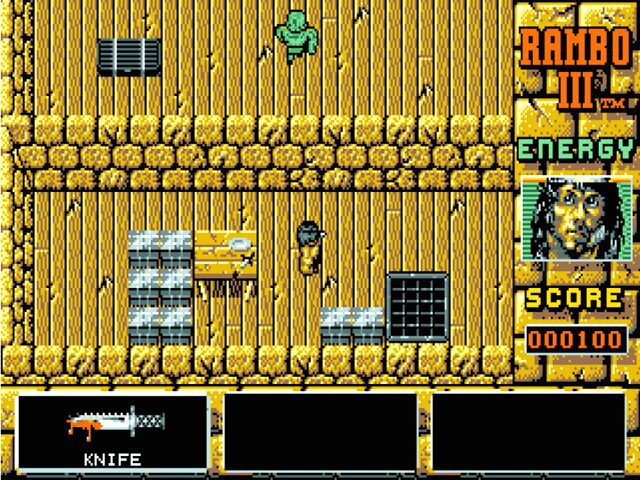
Rambo III turns the rescue of Colonel Trautman into a trek through a fortress full of guards, corridors, and useful objects. The first mission is viewed from above: Rambo enters with a knife, and each room requires deciding how to approach the enemy and where to keep searching.
The inventory introduces an element of exploration that goes beyond advancing while shooting. The weapons and tools you find are selected from a screen of their own. Among tables, crates, and doors, it pays to learn how much room there is to move before launching yourself at a patrol.
Three stages to get out alive
The rescue gives way to the sabotage of a vehicle compound and an escape in a tank. The perspective and the needs change over the course of the adventure: not every situation is solved at the same pace as the first room. The energy and the continues available set a limit on mistakes.
The ClaBa edition for PC
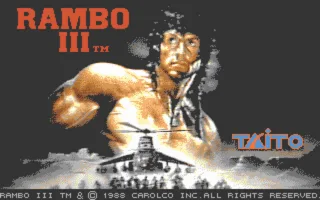
The player uses the English MS-DOS edition, with a Taito title screen and the original Ocean design. The original design year on this game page has been kept; the IBM manual corresponds to the 1989 release. The configuration tested uses VGA video, AdLib sound, and keyboard.
ONE GAME, 6 PLATFORMS
Versions.
6 platforms1988–19895 playable online
Pick a platform: the screenshots, downloads and online game on this page switch with it.

- Year
- 1989
- Port by
- Ocean Software
- Downloads
- 1
- Screenshots
- 5
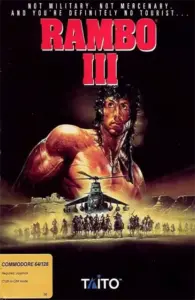
Ocean's Commodore 64 version, with the same three-part structure: the prison seen from above, the explosives stage and the final shootout from a tank in first person. Hardcore Gaming 101 ranks it, along with the Amiga one, among the best and highlights its music; Zzap!64 was cooler: it liked the change of style in the ending, but not the first two stages.
- Year
- 1989
- Port by
- Ocean Software
- Downloads
- 1
- Screenshots
- —
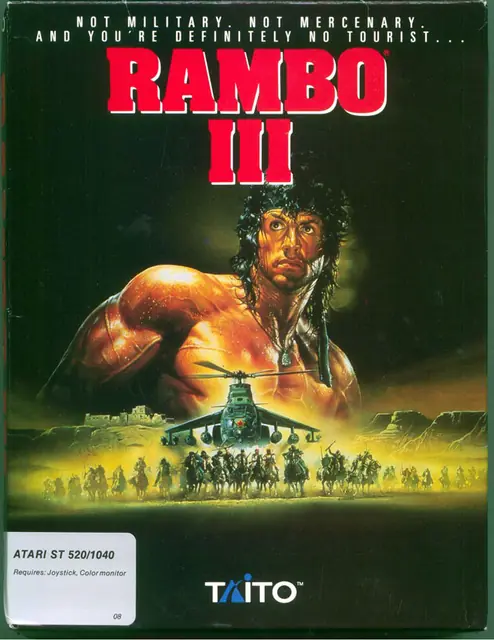
Ocean's Atari ST version, the first 16-bit one published in Europe: programming by John Brandwood and music by Jonathan Dunn, on a single-sided floppy disk. It is very similar to the Amiga one. Magazines were lukewarm: The One gave it 59% and ST Action 52%. In Spain it was distributed by Erbe and in the United States by Taito.

- Year
- 1988
- Port by
- SEGA
- Downloads
- 1
- Screenshots
- 6
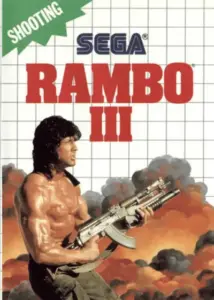
The Master System exclusive version turns Rambo III into an on-rails shooter designed for the Light Phaser gun, very different from the top-down missions of other adaptations. Seven stages recreate the rescue of Colonel Trautman in Afghanistan: the player aims at Soviet soldiers and helicopters with the rifle and grenades. It can also be played with the console's controller.

- Year
- 1989
- Port by
- Ocean Software
- Downloads
- 2
- Screenshots
- 6
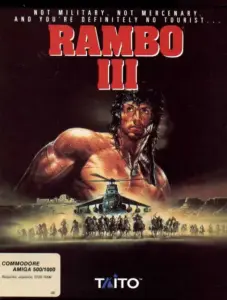
Ocean's 1989 Amiga version, nearly identical to the Atari ST one and on a single floppy disk. Hardcore Gaming 101 considers it, along with the Commodore 64 one, the best of all and highlights its music. It is offered as a WHDLoad installation for hard drive.
- Year
- 1989
- Port by
- Ocean Software
- Downloads
- 2
- Screenshots
- 3
The PC version was developed by Ocean and published by Taito in 1989. It follows the design of the computer versions: top-down infiltration to find Colonel Trautman, a second stage with explosives and a final stretch of first-person shooting from a tank. The copy on this page is in English and starts with the Taito presentation.

- Year
- 1989
- Port by
- SEGA
- Downloads
- 1
- Screenshots
- 6
The Mega Drive edition, published by SEGA in 1989, can be played solo or with two players and offers an options screen. Its controls separate switching weapons, using the selected weapon and firing the machine gun. In the missions, the action combines top-down stretches with sections seen from behind Rambo.
EVERY PIXEL COUNTS
The game in pictures.
Explore the screenshots and open every detail at full size.


GET READY FOR YOUR NEXT GAME
Choose your download.
Format, compatibility and server. All in view.
Version
SELECTED VERSIONCommodore 641989 · 1 file · also playable online
SELECTED VERSIONAtari ST1989 · 1 file
SELECTED VERSIONMaster System1988 · 1 file · also playable online
SELECTED VERSIONAmiga1989 · 2 files · also playable online
Download for hard drive
COMPATIBILITYRequires an emulator ✓ At no cost✓ No sign-up Download BoxSharer server · New tab BoxSharer02 Amiga · Floppy disksDownload original floppy disks
COMPATIBILITYRequires an emulator ✓ At no cost✓ No sign-up Download BoxSharer server · New tabSELECTED VERSIONMS-DOS1989 · 2 files · also playable online
SELECTED VERSIONMega Drive1989 · 1 file · also playable online
Clicking opens the CLABA loading area and, in a few seconds, your download. If a link fails, let us know via Contact or in the forum.
Your game starts here
Play in your browser.
There are 5 versions ready to play. Pick one and click.
Version
Commodore 64In your browser
Rambo III
Commodore 64 version. Your next game starts here.
- 122 KB · downloads on click
- Save states in this browser
- Controller, keyboard or touch
Controls
Click the game to use the keyboardOn mobile, play with the on-screen controller- ↑←↓→
- move
- X
- fire
- A
- space bar (skips the intro)
- R
- continues past the initial options menu
- Full screen
Use the button on the bar. Esc returns to the game page; “Exit” closes the game.
- Saves
Save State, in the game's menu, keeps the exact moment. Load brings it back when you return.
- Mobile and tablet
Press Controls during the game to show buttons and keyboard. Gamepad support depends on the browser.
Saves live in this browser and device. Clearing the site data deletes them too.
The Atari ST version can't be played in the browser yet.
You can download it or play another version now:
Master SystemIn your browser
Rambo III
Master System version. Your next game starts here.
- 120 KB · downloads on click
- Save states in this browser
- Controller, keyboard or touch
Controls
Click the game to use the keyboardOn mobile, play with the on-screen controllerUse the game menu, with the gamepad icon, to view and change the buttons.
- Full screen
Use the button on the bar. Esc returns to the game page; “Exit” closes the game.
- Saves
Save State, in the game's menu, keeps the exact moment. Load brings it back when you return.
- Mobile and tablet
Press Controls during the game to show buttons and keyboard. Gamepad support depends on the browser.
Saves live in this browser and device. Clearing the site data deletes them too.
AmigaIn your browser
Rambo III
Amiga version. Your next game starts here.
- 639 KB · downloads on click
- Save states in this browser
- Controller, keyboard or touch
Controls
Click the game to use the keyboardOn mobile, play with the on-screen controller- ↑←↓→
- move
- X
- use the weapon
On the title screen the game does not start with X: press S or A.
- Full screen
Use the button on the bar. Esc returns to the game page; “Exit” closes the game.
- Saves
Save State, in the game's menu, keeps the exact moment. Load brings it back when you return.
- Mobile and tablet
Press Controls during the game to show buttons and keyboard. Gamepad support depends on the browser.
Saves live in this browser and device. Clearing the site data deletes them too.
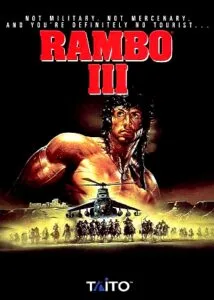
MS-DOSIn your browser
Rambo III
MS-DOS version. Your next game starts here.
- 474 KB · downloads on click
- Save the game's files
- Keyboard, controller or touch
Controls
Click the game to use the keyboardOn mobile, play with the on-screen controller- ↑←↓→
- move
- Space
- inventory
- F1
- pause
Startup: V, A, K, 1 and Enter. Insert: weapon. In the inventory, Insert confirms.
- Full screen
Use the button on the bar. Esc returns to the game page; “Exit” closes the game.
- Saves
Save keeps the files the game creates, not the exact moment. Save inside the game, then press Save.
- Mobile and tablet
Press Controls during the game to show buttons and keyboard. Gamepad support depends on the browser.
Saves live in this browser and device. Clearing the site data deletes them too.
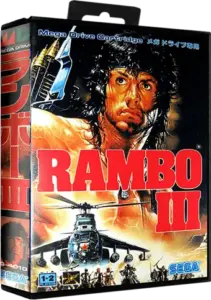
Mega DriveIn your browser
Rambo III
Mega Drive version. Your next game starts here.
- 186 KB · downloads on click
- Save states in this browser
- Controller, keyboard or touch
Controls
Click the game to use the keyboardOn mobile, play with the on-screen controllerUse the game menu, with the gamepad icon, to view and change the buttons.
- Full screen
Use the button on the bar. Esc returns to the game page; “Exit” closes the game.
- Saves
Save State, in the game's menu, keeps the exact moment. Load brings it back when you return.
- Mobile and tablet
Press Controls during the game to show buttons and keyboard. Gamepad support depends on the browser.
Saves live in this browser and device. Clearing the site data deletes them too.
HIT PLAY
The game in motion.
Trailers and videos to see it in action.
-
Master System · Gameplay
Rambo III gameplay on Master System.
-
Mega Drive · How it plays
A Rambo III gameplay session on Mega Drive.
THE SECRET SIDE OF THE GAME
Tips, tricks and secrets.
A hint at the right time. A code that changes everything.
Tip · learn the knife's reach
The first weapon requires you to get close. Face Rambo toward the guard and use Insert to attack; keep room to back away if the enemy changes position.
Tip · practice among the obstacles
The crates and tables in the starting room let you learn how much space the character takes up. Go around the furniture with short keypresses before trying to squeeze between a guard and a wall.
Tip · check the inventory
Press Space and review what you are carrying. Select with the arrow keys and confirm with Insert. The name of the active weapon appears in the bottom strip when you return to the game.
Tip · use the pause before deciding
F1 stops the game. Resume with any key once you have decided your next action; you can also use Pause on the ClaBa bar.
Tip · keep your continues
The inventory shows how many are left. According to the manual, a continue lets you go back to the start of the mission; it is not the same as saving the position in a room.
No matches. Try another effect or code.
THE NEXT STEP, CLEARER
Guides to move forward.
From the first installation to that mission that won't give in.
First online startup
Click Play now. In the initial menus choose V for VGA and A for AdLib. Then press K for keyboard in missions 1/2 and 1 for keyboard in the third. Confirm the layout with Enter. Advance from the presentation with Enter; if the demonstration has started, one key returns to the title and another starts the game.
Keyboard and inventory
With the initial layout that was tested, the arrow keys move Rambo and Insert uses the weapon. Home, PageUp, End and PageDown are listed as diagonals in the configuration. Space opens the inventory: use the arrow keys to choose and Insert to confirm. F5 discards the selected item from that screen. F1 pauses; avoid F9 and F10 unless you want to restart the mission or exit to DOS.
Getting through the first room
Start by walking along the left side to get a feel for the space. Go around the crates along the top and look for an angle to approach the guards. Line up with them before attacking with the knife. In the ClaBa test, eliminating a guard with Insert raised the score to 100. Don’t confuse the automatic demonstration run with your own game.
Continuity and restart
This version uses the game’s own energy and continues. The ClaBa bar keeps files, but it does not freeze a mission or restore Rambo’s exact position. F9 restarts the current mission and ClaBa’s Restart button restarts the emulator; read the confirmation before losing your attempt. Campaign saving in the browser is not advertised.
Sources
Setup, movement, knife, inventory, and pause verified in the DOS ZIP kept on ClaBa. The functions and the three missions are checked against the original IBM PC/Tandy manual. This edition keeps Ocean's design and Taito's presentation; the instructions for other platforms differ. The cover art, screenshots, and downloads on this page are kept.
Something wrong?
Give us a hint.
A broken link, a detail to correct or a game that won't start. Your report helps keep this game page up to date.
Get in touchReport an issue with this game Discuss it in the forumCLABA ARCADE ROOM
This one and 250 more
play here.
When you finish your game, the room has other machines switched on.
Enter the roomTHE CLABA APP1.0 RC 1
Take the archive
with you.

Game pages, online play and your shelf on Android. Free, no sign-up.
ARCHIVE SECRETS
Did you know?
- The game lets you choose the controls for missions 1/2 and for mission 3 separately.
- The starting inventory shows a knife and three continues available.
- On DOS, F1 pauses the game; there is no need to copy the startup shortcut of the Amiga edition.
- The IBM manual credits the design to Ocean in 1988 and carries a 1989 copyright for this release.


