
Mirage Interactive · Shooter
Mortyr 2093-1944
A 1999 Polish shooter with a Reich that won the war: 21 levels between 1944 and 2093, six time-machine pieces and futuristic weapons. Repack and CD.
Shooter by Mirage Interactive (1999) for PC, in Spanish. Available to download.
4.5 10 votes
THE CLABA ARCHIVE
Inside the game.
Its history, its ideas and the reasons to come back.
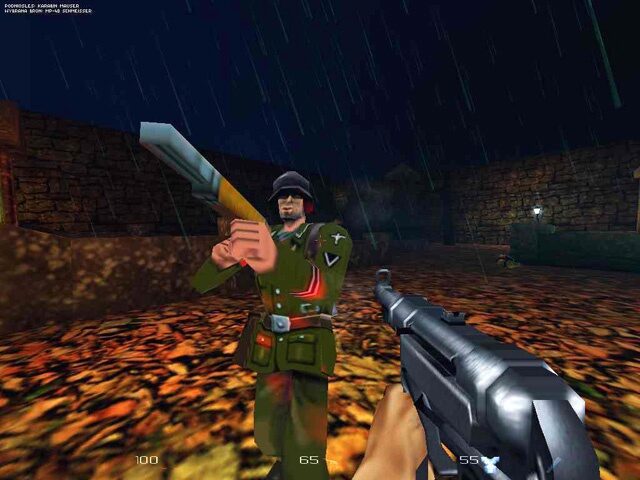
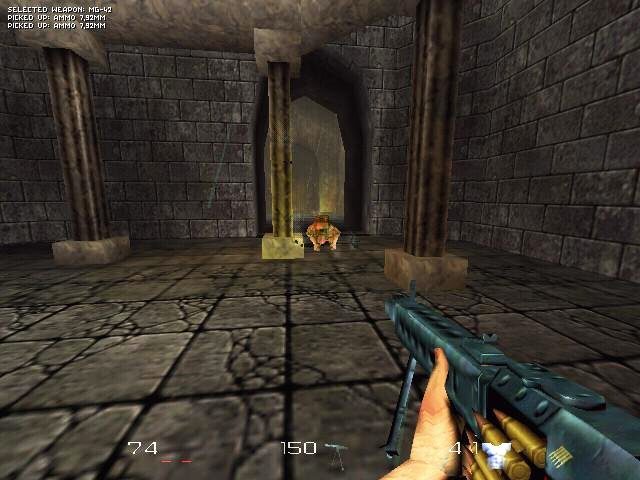
What if the Nazis had won the war with technology from the future? Mortyr 2093-1944 starts from that question to throw you, shotgun on your shoulder, into a German castle in 1944 with a mission that fits in one sentence: destroy the time machine before the planet’s climate goes haywire. It is a 1999 first-person shooter, made in Poland, that promised to be the successor to Wolfenstein.
A world where the Reich won
In the game’s story, after a German offensive in the winter of 1944, London, Moscow and Washington fall and the Reich dominates the Earth. In 2093, under a total dictatorship, General Jurgen Mortyr suspects that time travel is altering the climate. He sends his son Sebastian into the past to stop the events. A miscalculation makes him appear far from where he should have, and from there begins a campaign of 21 levels spread across the two eras.
How it plays
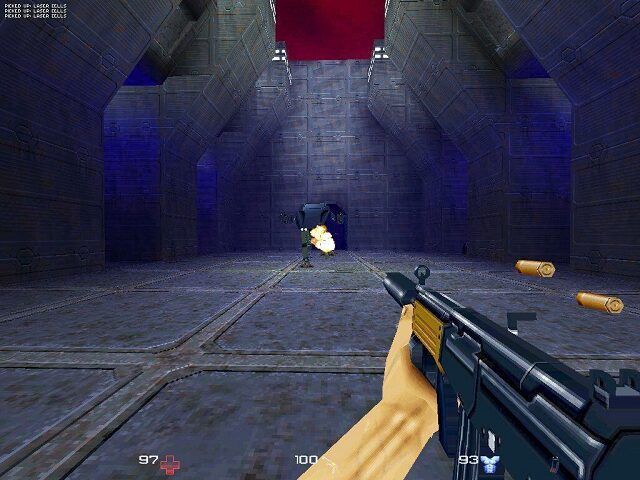
The first half takes place in 1944: castles, churches, catacombs, train stations, submarine bases and arms factories. You have a knife, a Luger, a Mauser, two machine guns, grenades, rockets and a flamethrower, and no weapon needs reloading. To leave each level you have to find a piece of the time machine; with all six, you return to the future, where laser pistols, explosive rifles, plasma launchers and mind-control weapons await, although the futuristic arsenal takes a while to arrive if you miss the secret areas. The original multiplayer supported up to 16 players in deathmatch, co-op and capture the flag.
Badly received, but with its charm
Outside Poland the press was harsh: GameSpot gave it a 3 out of 10, IGN a 5 and Computer Gaming World 1.5 out of 5. Hardcore Gaming 101 describes it as a less polished Quake II, with a crosshair that aims badly and physics tied to the frames per second, and GamesFirst gave it a 3 out of 5, with good settings and weak sound. The launch made some noise: Interactive Magic announced a distribution of 100,000 copies and several US chains, such as Best Buy and Walmart, refused to sell it because of its subject matter. If its story appeals to you, the sequel is Mortyr 2: For Ever.
The edition we offer
In Downloads there is a repack marked for Windows XP, 7 and 10, and the original CD image, marked only for Windows XP; the labels of both say Spanish. Since the engine ties its logic to the frame rate, read the technical notes guide before playing at a high frame rate. In Tips & tricks you have the fan-compiled console codes and in Guides the startup, the controls and a strategy for the two worlds.
EVERY PIXEL COUNTS
The game in pictures.
Explore the screenshots and open every detail at full size.
GET READY FOR YOUR NEXT GAME
Choose your download.
Format, compatibility and server. All in view.
Download Repack
COMPATIBILITYWindows XP / 7 / 10 ✓ At no cost✓ No sign-up Download www.mediafire.com · New tab MediaFire02 ISODownload ISO
COMPATIBILITYWindows XP ✓ At no cost✓ No sign-up Download www.mediafire.com · New tabClicking opens the CLABA loading area and, in a few seconds, your download. If a link fails, let us know via Contact or in the forum.
THE SECRET SIDE OF THE GAME
Tips, tricks and secrets.
A hint at the right time. A code that changes everything.
How to enter them
Open the console and type the code. Cyberly’s fan listings contradict each other on the key: some say ~ and others the apostrophe ‘. Try both; the game confirms with a message when the code is valid. These are fan codes, not the developer’s.
God mode
satan or megaboss make you invulnerable. Cyberly adds a third, prezes, in only one of its lists.
Weapons and items
allit or gimme all give you all weapons and items. Careful: according to the listing, it prevents you from finishing the level, because you will not be able to pick up the time machine pieces. Use it to try out weapons and then reload a save.
Jumping to a level
.jt followed by the level number (for example .jt 5) takes you to that level. The two listings agree on this code.
Frame counter
.did shows the frames per second and .diz hides them. It is handy for checking whether the game is running too fast or too slow.
Tip · ammo in the future
In the futuristic half the ammo is scarce and doled out sparingly. Hardcore Gaming 101 recommends saving health and laser rounds; look for the secret areas so the arsenal arrives sooner.
No matches. Try another effect or code.
THE NEXT STEP, CLEARER
Guides to move forward.
From the first installation to that mission that won't give in.
Start here · first launch on a current PC
- Download the repack from Downloads (Windows XP, 7 and 10) or, if you prefer to keep it exactly as it was, the CD image.
- Install it in a short path such as
C:\Juegos\Mortyr. - Launch the game and go into the options menu to adjust video and controls.
- If the window does not open or looks wrong, follow this tutorial on running Windows XP games on Windows 10 and 11 (in Spanish).
Controls
- Mouse and keyboard are the best combination, according to GamesFirst.
- The default crosshair aims slightly to the right of the actual shot; the game itself lets you correct this in the options.
- The sight turns red when you have an enemy in front of you.
- The console opens with
~or with'depending on the listing.
First steps
- In 1944, look early for the level’s time machine piece: without it the exit does not open.
- The exits are one-way and some levels leave you looking backward. Save before crossing.
- Use pillars and corners: the soldiers take cover and some snipers shoot from far away.
- Search the corners: the weapons of the future arrive late if you do not find the secrets.
Technical notes
The logic and physics are tied to the frame rate: at high rates the game speeds up and at low ones it slows down. Hardcore Gaming 101 recommends the dgVoodoo DLL to even out the speed. The recommended requirements were a 266 MHz Pentium II and 64 MB of RAM. The repack is marked for Windows XP, 7 and 10 and the CD only for XP: if the CD does not start on a current Windows, use the repack. Back up your saves with the help of this tutorial (in Spanish).
Sources
- Hardcore Gaming 101: weapons, levels, technical flaws and the dgVoodoo recommendation.
- GamesFirst: 21 levels, enemies, multiplayer and score.
- Gamepressure: date, developers and requirements.
- Cyberly and its second listing: console codes.
- Wikipedia: plot, development, dates and reviews.
Something wrong?
Give us a hint.
A broken link, a detail to correct or a game that won't start. Your report helps keep this game page up to date.
Get in touchReport an issue with this game Discuss it in the forumCLABA ARCADE ROOM
251 classics
without installing anything.
Don't feel like installing? These play right in your browser.
Enter the roomTHE CLABA APP1.0 RC 1
Take the archive
with you.

Game pages, online play and your shelf on Android. Free, no sign-up.
ARCHIVE SECRETS
Did you know?
It was something else before. According to Wikipedia, the project began as «Netguard,» a science-fiction detective story, and went through «Insanity,» a psychological horror game, before becoming a World War II shooter.
Two cities, one studio. Development was handled by two teams, one in Warsaw and one in Toruń, and part of the staff came from the Polish Quake community, according to Hardcore Gaming 101.
The publisher that let it go. Interactive Magic picked up the game in December 1998; Ubi Soft let it go in June 1999. In the US it ended up with HD Interactive, and Interplay appears on the poster.
Banned from stores. Four stores, among them Best Buy, and also Walmart, did not want to sell it, apparently because of its Nazi theme.
Demo before game. A downloadable demo came out on July 21, 1999, shortly before the European launch on August 30.


