Rage Software · Shooter
Expendable
3D shooter by Rage Software (1999), also known as Millennium Soldier: Expendable. Multilingual edition with a Windows repack and two-player co-op.
Choose your version 2 platforms
No computer handy? Play one of the 251 classics online right now
4.4 5 votes
THE CLABA ARCHIVE
Inside the game.
Its history, its ideas and the reasons to come back.
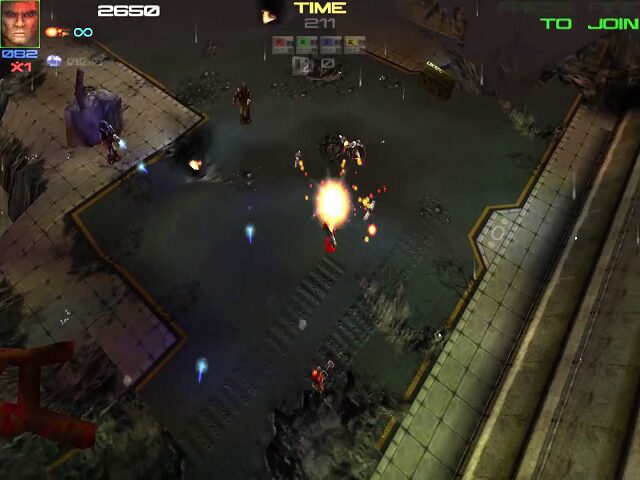
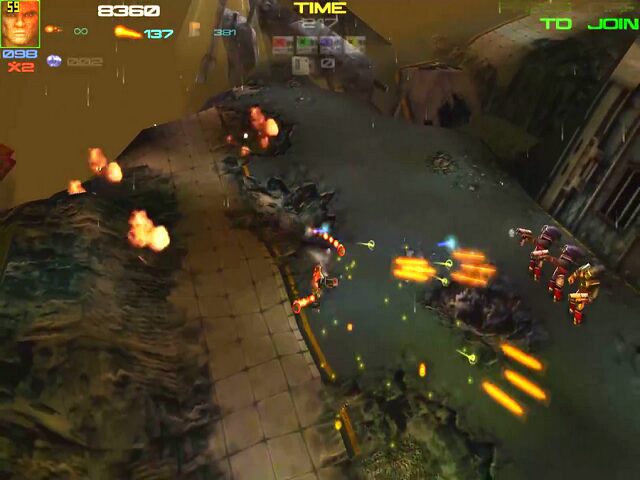
A cloned soldier drops into alien territory with a timed mission and hundreds of enemies ahead. The game’s message is rather honest: don’t forget that you are Expendable. That is the name under which Rage Software‘s action game was sold in North America, called Millennium Soldier: Expendable in Europe, a love letter to corridor shoot ‘em ups that reached Windows in May 1999.
Shoot first, ask never
The story fits in two sentences. In the distant future, a hostile alien race has conquered a good part of the galaxy and scientists respond with the Millennium Soldier project: cloning two supersoldiers. You control one of them, armed with blasters, and fight through levels packed with monsters, robots and end-of-level bosses.
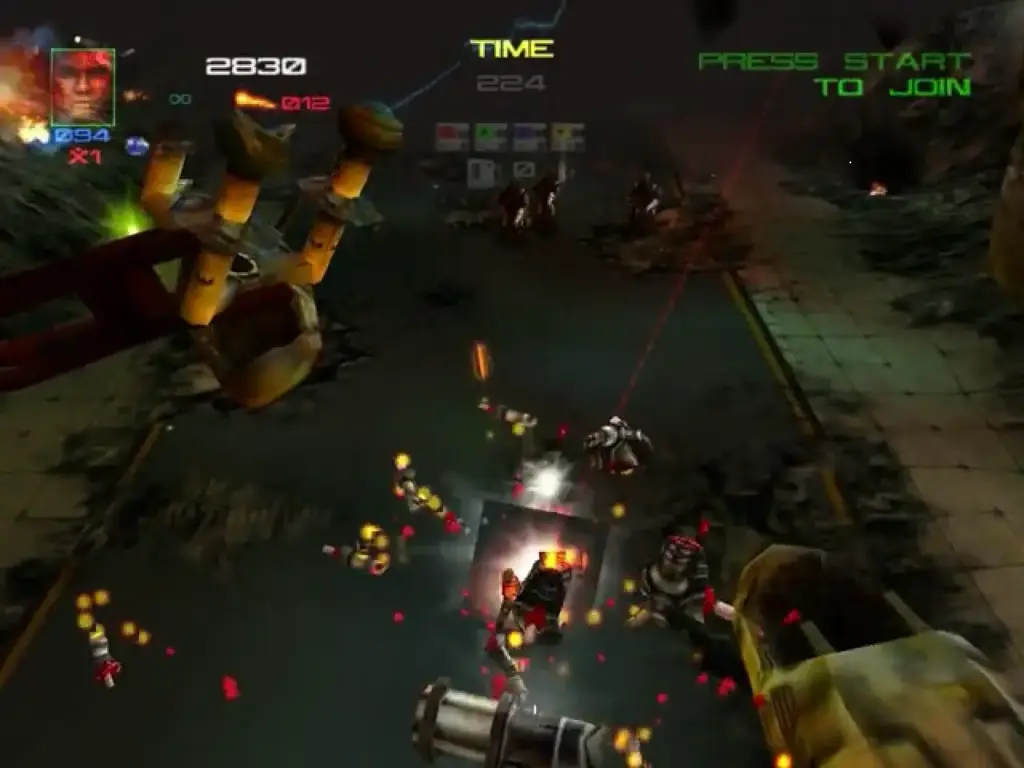
The camera looks down from above, but the setting is fully three-dimensional, with colored lights, shadows and explosions everywhere. In the press release for the Dreamcast version, Infogrames boasted of more than 15 weapons, more than 20 levels and a cooperative mode for two simultaneous players. The setup recalls arcade classics like Contra or, in our catalog, Metal Slug or Alien Breed, but with 3D settings.
A very 1999 context
Rage Software was a British studio known, among other things, for Hostile Waters. In Expendable it bet on the technology of the moment: Direct3D 6, surround sound support and even environmental bump mapping (EMBM), a DirectX 6 feature that the Matrox Millennium G400 was the first card to support. In 1999 the game was also brought to Dreamcast, and that version reached North American stores with the console’s launch. The press of the day received it with mixed opinions: the visuals were liked, but it was faulted for being an arcade game without much ambition.
The edition we offer
We offer the multilingual edition of the PC game in Downloads in two forms: a repack ready to play on Windows XP, 7 or 10, and the original CD image, intended for Windows XP, for anyone who wants to keep the edition as it was. One detail worth knowing: the retail edition used SafeDisc protection, so with the disc image on modern systems the repack is the most convenient route. If you run into doubts with current Windows, the tutorial on Windows XP classics on Windows 10 and 11 will be useful.
In Guides you will see how to launch it and the fixes for known bugs (a crash on entering a game with modern processors and a frame-rate drop with a controller connected), and in Tips & tricks, the game’s cheat mode with its codes. Video and sound settings are changed from the launcher itself, which also lets you remap controls, so it is worth a look before your first game.
ONE GAME, 2 PLATFORMS
Versions.
2 platforms1999
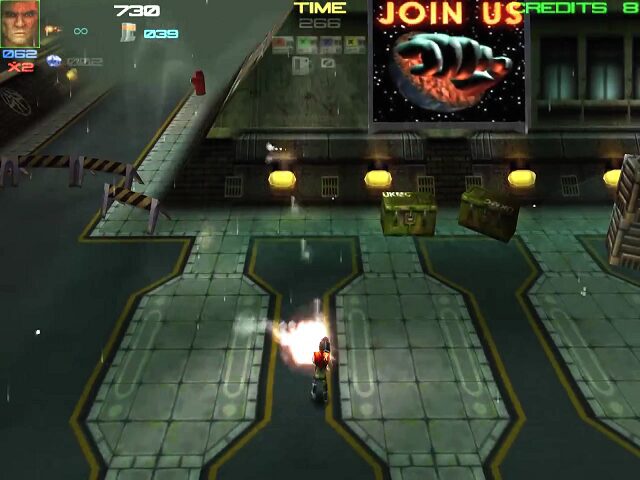
Pick a platform: the screenshots, downloads and online game on this page switch with it.
- Year
- 1999
- Developer
- Rage Software
- Downloads
- 2
- Screenshots
- 3
The PC version is the one this page covers: the information, review and main screenshots are from this platform.
- Year
- 1999
- Port by
- Rage Software
- Downloads
- 1
- Screenshots
- 1
The US Dreamcast edition came out in 1999 under the title Expendable. It is a scrolling action game with waves of enemies, heavy weapons and futuristic settings that can be destroyed during combat. The direct pace and local co-op mode suit console play; the game image keeps the name used in the North American market.
EVERY PIXEL COUNTS
The game in pictures.
Explore the screenshots and open every detail at full size.

GET READY FOR YOUR NEXT GAME
Choose your download.
Format, compatibility and server. All in view.
Version
SELECTED VERSIONPC2 archivos
SELECTED VERSIONDreamcast1999 · 1 file
Clicking opens the CLABA loading area and, in a few seconds, your download. If a link fails, let us know via Contact or in the forum.
HIT PLAY
The game in motion.
Trailers and videos to see it in action.
-
Dreamcast · How it plays
An Expendable gameplay session on Dreamcast.
THE SECRET SIDE OF THE GAME
Tips, tricks and secrets.
A hint at the right time. A code that changes everything.
How to enter them
During the game, type bod and press the numeric keypad minus key. That activates cheat mode. Then type each code and press the numeric keypad minus again.
Level skip · mrbenn
Type mrbenn and the numeric keypad minus to skip a level.
Invincibility · zippy
zippy activates god mode, according to the two lists consulted.
Credits and lives
babapapa: extra credits. crystaltips: one extra life.
Grenades · albertofrog
albertofrog: grenade upgrade, according to GameRevolution and Cheat Code Central.
Exit cheat mode · bing
Type bing with the numeric keypad minus to deactivate cheat mode.
Tip · play in pairs
The game supports two players at once in co-op. Splitting the firepower between two makes the waves more bearable. If you notice the game slowing down with a controller connected, unplug it before launching.
No matches. Try another effect or code.
THE NEXT STEP, CLEARER
Guides to move forward.
From the first installation to that mission that won't give in.
Start here · first launch on a current PC
- Download the repack from Downloads; the CD image is intended only for Windows XP.
- Unpack with 7-Zip into a short path such as
C:\Juegos\Expendable, outsideProgram Files. - Launch the main executable,
go.exe. If it closes when you enter a game on a modern processor, create a shortcut and add-nocputestto the target. - To skip the videos, rename
intro.bik,intro.fmv,ragelogo.bikandragelogo.fmvin thefmvfolder.
More help in the tutorial on Windows XP classics on Windows 10 and 11.
Controls
- The game lets you remap the keys and supports a controller; the mouse has adjustable sensitivity.
- Review the settings from the game’s launcher, which also has video and sound options.
- A second player can join in co-op mode.
First steps · how to survive
- The mission is timed: keep moving without lingering too much.
- Try the weapons you find along the way: Infogrames spoke of more than fifteen.
- Take advantage of co-op to split the firepower.
- If you play with a controller, unplug it before launching if the game slows down.
Technical notes
Original requirements: Windows 95, Pentium, 32 MB of RAM, a card with Direct3D (3dfx Voodoo or ATI 3D Rage), DirectX 6 and a 4x CD drive. It supports widescreen resolutions and 60 frames per second, according to PCGamingWiki.
The configuration is in config.txt and the save games are in misc\savegame.dta, inside the game folder. To back them up, see Your save games deserve another life.
There is a community patch, from tuxality.net, that enables water bump mapping on non-Matrox cards.
Sources
- PCGamingWiki: Expendable: requirements, the -nocputest parameter, files, SafeDisc, controllers.
- GameRevolution: Expendable PC cheats: cheat mode and codes.
- Cheat Code Central: Expendable (PC): cross-check of the codes.
- Sega Retro: Infogrames press release (1999): weapons, levels, co-op, price.
- Wikipedia: Millennium Soldier: Expendable: game names and reception (overview).
Something wrong?
Give us a hint.
A broken link, a detail to correct or a game that won't start. Your report helps keep this game page up to date.
Get in touchReport an issue with this game Discuss it in the forumCLABA ARCADE ROOM
251 classics
without installing anything.
Don't feel like installing? These play right in your browser.
Enter the roomTHE CLABA APP1.0 RC 1
Take the archive
with you.

Game pages, online play and your shelf on Android. Free, no sign-up.
ARCHIVE SECRETS
Did you know?
Two names for the same game. In North America it was sold as Expendable and in Europe as Millennium Soldier: Expendable, as Wikipedia records; in Japan it was titled Seitai Heiki Expendable.
For the Dreamcast launch. Infogrames North America announced on September 8, 1999 that the Dreamcast version would ship for the console’s launch, at a price of about $49.99.
Relief on the water. The game uses environmental bump mapping (EMBM), a feature that only some cards supported, such as the Matrox G400. The community created a patch that enables it on other cards.
With SafeDisc from the start. According to PCGamingWiki, the retail edition carried SafeDisc 1, and the GOG version is now sold without any protection (no DRM).
A controller that slows things down. PCGamingWiki documents that the game can drop to very few frames per second after 15-30 seconds because of a bug in controller handling; it is fixed by unplugging the controller before starting.