Crytek · Shooter
Crysis
A four-mode nanosuit, an island seized by North Korea and something buried under the mountain. The 2007 PC edition, dubbed into Spanish, with repack and DVD.
Shooter by Crytek (2007) for PC, in Spanish and English.
4.3 30 votes
THE CLABA ARCHIVE
Inside the game.
Its history, its ideas and the reasons to come back.
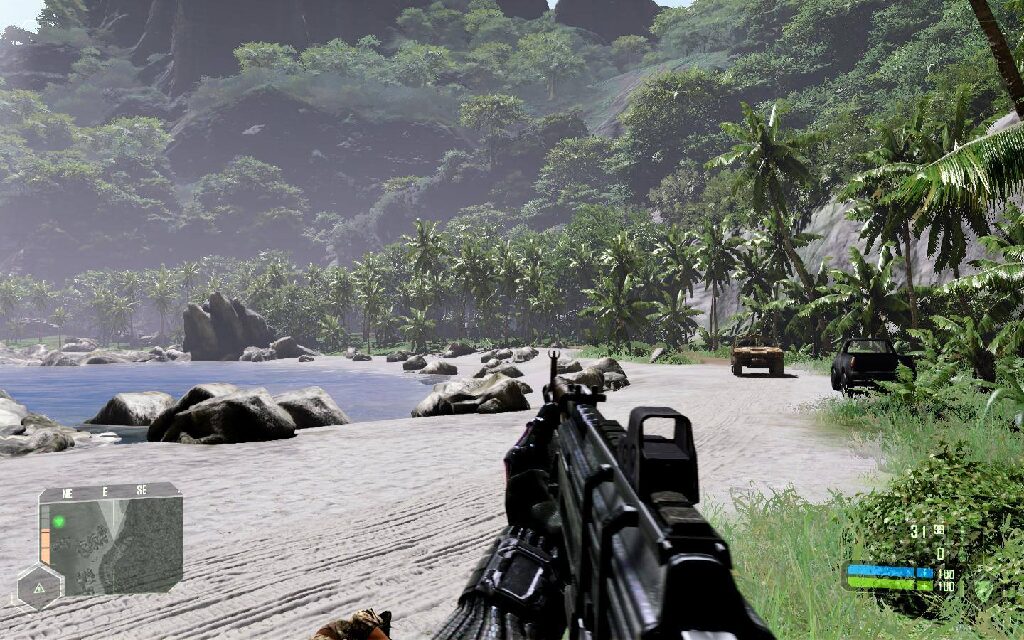
You jump out of a plane at night over the Pacific and touch down on a beach, separated from your team. Ahead, a jungle so dense that for years it served to measure the power of any graphics card. Crysis is the game with which Crytek, the German studio behind Far Cry, wanted to show how far a PC could go. Electronic Arts put it on sale on November 13, 2007, three days before the announced date.
Lingshan Islands, 2020
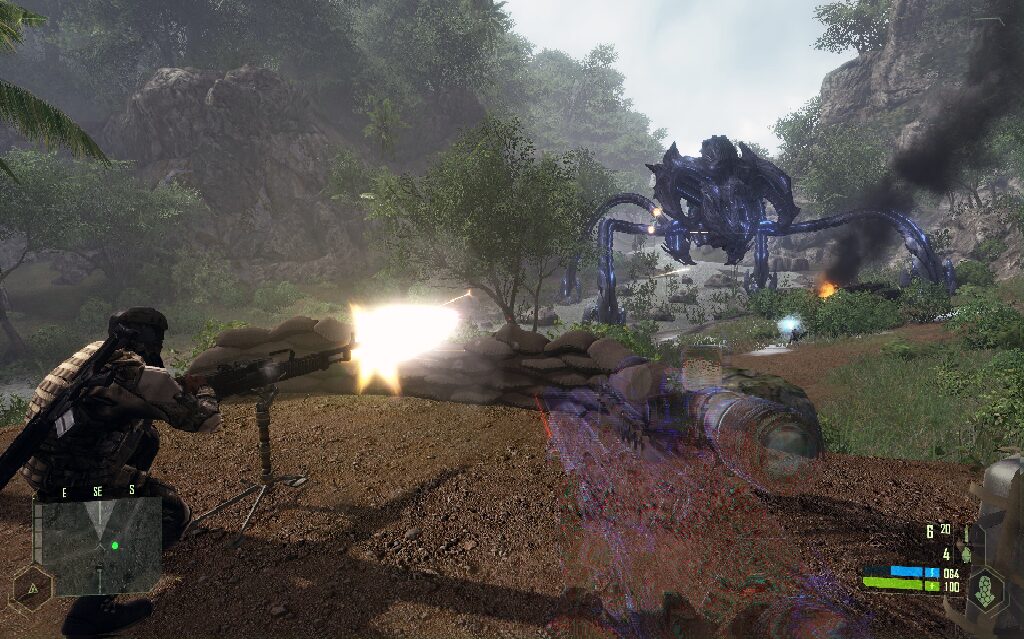
North Korean troops under General Kyong occupy an archipelago near the Philippines, where a team of American archaeologists led by Dr. Rosenthal has found something beneath the mountain. Before losing contact, the scientists call for help. The United States sends Raptor Team, from Delta Force, and you are Nomad, one of its members. What begins as a rescue in the middle of a conflict between the United States and North Korea soon becomes something else: on the island there is something that has been waiting for a very long time and that is not human.
The nanosuit and the freedom to choose
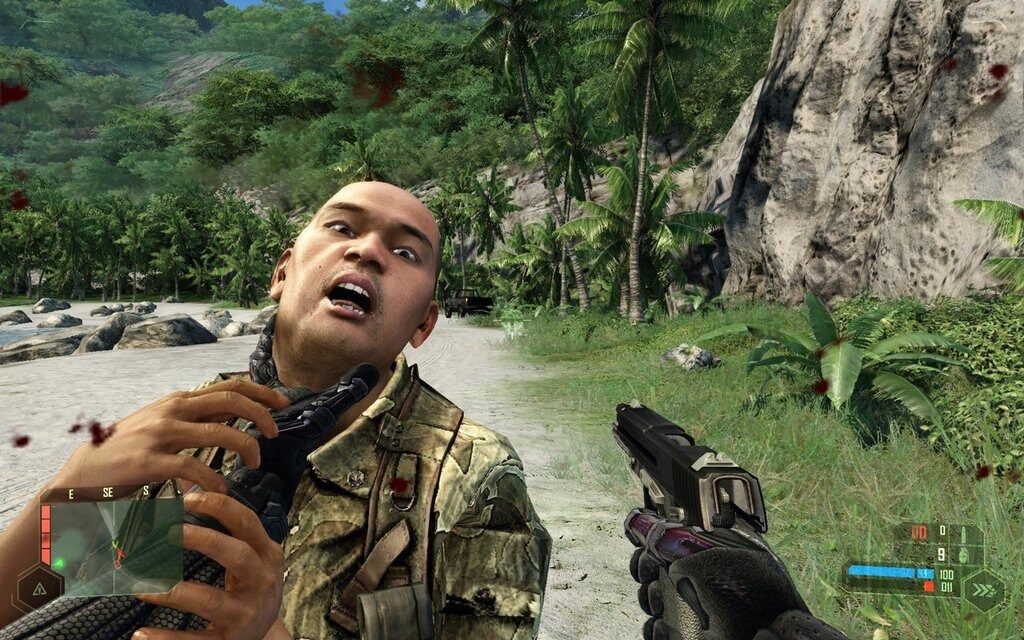
Nomad wears a nanosuit, an experimental armor with four modes that draw on the same energy bar: armor, which absorbs impacts; strength, for jumping higher, hitting hard and throwing enemies; speed, for running and swimming much faster; and cloak, which makes you invisible while energy remains. You switch from one to another by holding the middle mouse button, and the fun lies in combining them on the fly.
The missions are wide areas with a marked objective and absolute freedom in how to reach it: through the front gate, circling the camp along the coast or without firing a shot. With the C key you modify your weapon without pausing the action, adding and removing a silencer, scopes or a grenade launcher, and you can switch to tranquilizer ammo. There are jeeps, boats, tanks and even a vertical takeoff aircraft. There are eleven missions, from «Contact» to «Reckoning», with a twist halfway through: you have to float in zero gravity inside an alien structure and, afterward, watch the tropical jungle freeze over.
«But can it run Crysis?»
Its engine, CryEngine 2, used DirectX 10 on Windows Vista and DirectX 9 on Windows XP, and at «Very High» quality demanded more than any machine of the time could deliver. To play comfortably, Crytek recommended a Core 2 Duo and a GeForce 8800 GTS. From that was born the half-joking question that has been asked of every new computer for more than a decade. The press received it with enthusiasm: PC Gamer gave it 98%, according to EA the highest score in the magazine’s history, and the German GameStar 94%.
Besides the campaign, it included a 32-player multiplayer with two modes, Instant Action and Power Struggle (the latter a team war to seize nuclear weapons), and the full Sandbox editor, the same one the studio used to create the game. In 2008 a standalone expansion, Crysis Warhead, arrived, and in 2011 the PlayStation 3 and Xbox 360 versions. If you like shooters with story and freedom, continue with Half-Life, S.T.A.L.K.E.R.: Shadow of Chernobyl, F.E.A.R. or BioShock.
The edition we offer
It is the 2007 PC version, in Spanish, with translated text and voices. In Downloads there are two options, both marked for Windows XP, 7 and 10: a repack in English and Spanish, the fastest way to play on a current PC, and the original DVD image, for those who want to preserve the edition as is. The DVD carries SecuROM protection and should afterward be updated to the official 1.2.1 patch. If something resists on Windows 10 or 11, see our tutorial on Windows XP classics on Windows 10 and 11.
In Guides you have the first launch, the controls, a sensible way to start and the technical fixes that really work; in Tips & tricks, developer mode and console commands. Online multiplayer depended on GameSpy, which shut down, but local network play still works.
EVERY PIXEL COUNTS
The game in pictures.
Explore the screenshots and open every detail at full size.
GET READY FOR YOUR NEXT GAME
Choose your download.
Format, compatibility and server. All in view.
Download Repack
COMPATIBILITYWindows XP / 7 / 10 ✓ At no cost✓ No sign-up Download www.mediafire.com · New tab MediaFire02 ISODOWNLOAD DVD
COMPATIBILITYWindows XP / 7 / 10 ✓ At no cost✓ No sign-up Download www.mediafire.com · New tabClicking opens the CLABA loading area and, in a few seconds, your download. If a link fails, let us know via Contact or in the forum.
THE SECRET SIDE OF THE GAME
Tips, tricks and secrets.
A hint at the right time. A code that changes everything.
How to enter them
There are three ways. The first, developer mode: add -devmode at the end of the shortcut’s target (for example, "C:\Juegos\Crysis\Bin32\Crysis.exe" -devmode). That activates the function keys and unlocks the console, which opens with the tilde (~) key. On many non-English keyboards that key does not respond; if that happens to you, use the third way. The second, typing the commands into that console. The third, adding them to the end of the difficulty file you use, in Game\Config: diff_easy.cfg, diff_normal.cfg, diff_hard.cfg or diff_bauer.cfg (Delta), in the format command = value. Back up those files before touching them.
Developer mode keys
With -devmode active: F1 switches between first and third person; F2 jumps to the next checkpoint and F10 to the previous one; F3 activates fly mode; Numpad 1 gives you a missile launcher, a shotgun and the alien MOAC weapon; Numpad 2, unlimited ammo.
God mode
g_godMode 1 in the console (or g_godMode = 1 in the difficulty file). Health goes down, but you do not die: when it reaches zero, health and armor are replenished.
Weapons and ammo
i_unlimitedammo 1: infinite ammo. i_giveallitems: all weapons. i_noweaponlimit 1: removes the limit on how many weapons you can carry at once.
Enemies and vehicles
ai_IgnorePlayer 1: enemies cannot see you. v_goliathmode 1: indestructible vehicles, enemy ones too. To remove the debug text that appears on screen in developer mode: r_displayinfo 0.
Tip · when the console does not respond
Without -devmode, the console only accepts some commands. You can unlock it by typing con_restricted = 0. If you want a setting to always apply, create a System.cfg file in the game folder and write each command in it with an equals sign (for example, cl_fov = 80).
No matches. Try another effect or code.
THE NEXT STEP, CLEARER
Guides to move forward.
From the first installation to that mission that won't give in.
Start here · first launch on a current PC
- In Downloads, choose the repack if you just want to play; the DVD image is for preserving the original edition.
- Install it outside
Program Files, to a short path such asC:\Juegos\Crysis, to avoid permission problems. - If you use the DVD, update to the official 1.2 patch and then to 1.2.1, the last one. They only work for the disc version.
- If your installation has a
Bin64folder, tryBin64\Crysis.exefirst, the 64-bit version; if it goes black and closes, setCrysis64.exeto Windows 8 compatibility mode or go back toBin32. - Start on Normal difficulty and leave the quality at «High» until you see how it runs.
Save games are stored in Documents\My Games\Crysis\SaveGames. Do not mix save games between the 32-bit and 64-bit versions: they load, but some levels may become impossible to finish. To back them up, follow our tutorial on copying and restoring save games.
Controls
- Mouse and W, A, S, D: aim and move; all keys can be changed in the options.
- Middle mouse button (hold): nanosuit radial menu to choose armor, strength, speed or cloak.
- C: modify the weapon in real time (silencer, scopes, grenade launcher and ammo type).
- Space: jump; with strength mode active, the jump is much higher.
- Shift: turbo in vehicles, tanks included.
- Alt + Enter: switches between full screen and windowed.
It supports XInput controllers (Xbox and compatibles), although with the default configuration some actions, such as going prone, have no button assigned.
First steps · how to survive in Lingshan
- On the first beach, press C and put a silencer on the rifle: the first levels reward quiet hunting.
- Use the binoculars to tag enemies and vehicles before approaching; they are marked on the tactical map.
- Go into cloak to cross guarded areas, but watch the bar: moving fast drains it sooner, and if it runs out, you become visible again.
- After each firefight, stay still for a few seconds, preferably prone or in the undergrowth, so the suit recharges.
- Save often: the game lets you save at any time in addition to the automatic checkpoints.
- You do not need to kill everyone. Going around a camp is usually faster and safer.
Against the aliens, later on, the strategy changes: expect more head-on firefights and less stealth.
Technical notes
2007 requirements: Windows XP or Vista, a 2.8 GHz processor (3.2 GHz with Vista), 1 GB of RAM (1.5 GB with Vista), a 256 MB card such as a GeForce 6800 GT or Radeon 9800 Pro and 12 GB of disk space. Recommended: Core 2 Duo at 2.2 GHz, 2 GB of RAM and GeForce 8800 GTS. Even today the «Ascension» level and «Very High» quality can stutter, because the engine makes use of few cores.
- DirectX 9 or 10: on modern systems it starts in DirectX 10; the
-dx9parameter in the shortcut forces DirectX 9, useful if you see black bars when using a lower resolution than the monitor’s. - Widescreen: you can force any resolution with
+r_width 1920 +r_height 1080. - Crashes with AMD processors or at startup: the open-source project C1-Launcher replaces the executables and fixes these bugs.
- Multiplayer: GameSpy’s online service shut down; local network play still works and the community maintains CryMP as an alternative.
Sources
- Electronic Arts · press release of August 2, 2007: announced date, DirectX 9/10, Power Struggle and Instant Action for 32 players.
- Electronic Arts · press release of November 13, 2007: arrival in stores, PC Gamer and GameStar scores, Sandbox editor, ESRB and PEGI ratings.
- PCGamingWiki: SecuROM, patches 1.2 and 1.2.1, 64-bit executable, save game paths, languages, Delta in Korean, GameSpy and fixes.
- Steam · Crysis page: official requirements, languages and description of the nanosuit.
- Gamepressure · Crysis guide: mission list, suit controls, length and tips.
- Cheat Happens and StopGame: developer mode, console commands and difficulty files.
Something wrong?
Give us a hint.
A broken link, a detail to correct or a game that won't start. Your report helps keep this game page up to date.
Get in touchReport an issue with this game Discuss it in the forumCLABA ARCADE ROOM
251 classics
without installing anything.
Don't feel like installing? These play right in your browser.
Enter the roomTHE CLABA APP1.0 RC 1
Take the archive
with you.

Game pages, online play and your shelf on Android. Free, no sign-up.
ARCHIVE SECRETS
Did you know?
A question turned into a joke. «But can it run Crysis?» was used for years whenever any new graphics card was presented. The game still struggles even today because it spreads the work poorly across the processor’s cores.
A PC Gamer record. At launch, EA boasted of its 98% in PC Gamer, the highest score in the magazine’s fourteen years, and of GameStar’s 94%, which in ten years had not given a higher score to any game.
Koreans who speak Korean. Only on the highest difficulty, Delta, do the North Korean soldiers speak in their own language; on the others, in the player’s. With the unrestricted console, the command ai_UseAlternativeReadability 0 turns it on at any difficulty.
A difficulty with another name. The difficulty files are called diff_easy, diff_normal and diff_hard, but the one for the fourth, Delta, is not called «delta»: it is diff_bauer.cfg.
It arrived earlier than planned. In August 2007 EA and Crytek announced November 16 as the on-sale date, but the game began to be distributed in stores in North America and Europe on the 13th.