Action Forms · Shooter
Carnivores
Hunt dinosaurs on a planet in the year 2190 with a shotgun, crossbow and tranquilizers. WizardWorks' simulator, with an English and Spanish repack and CD.
Shooter by Action Forms (1998) for PC, in Spanish and English. Available to download.
5.0 5 votes
THE CLABA ARCHIVE
Inside the game.
Its history, its ideas and the reasons to come back.
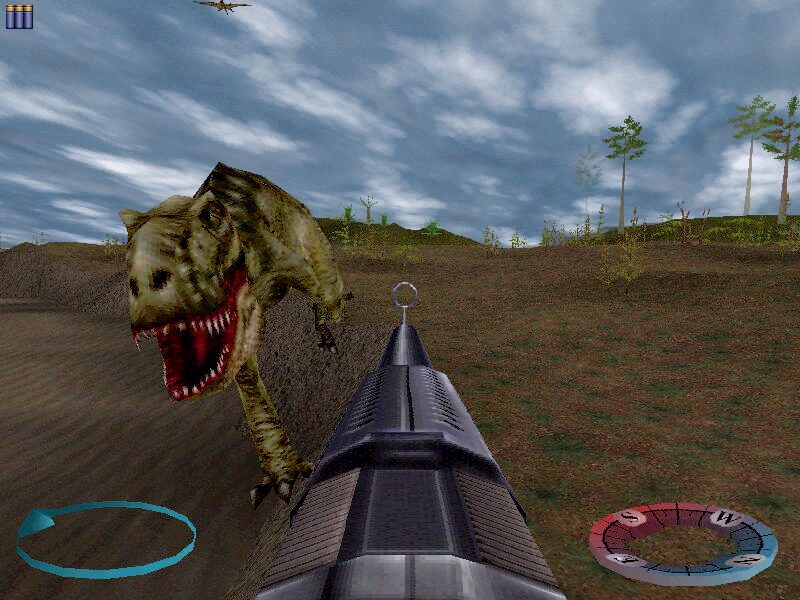
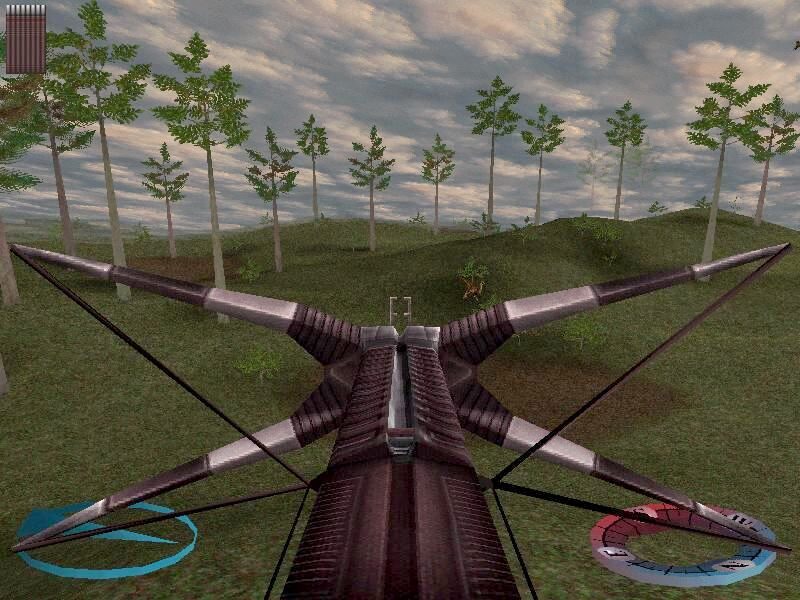
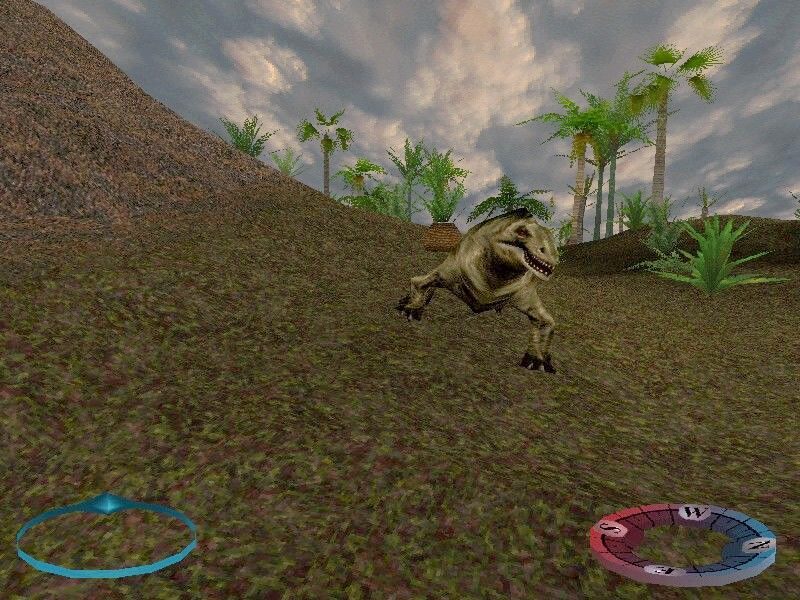
There is no health bar, no first-aid kits, no second chance: if a carnivore catches you, the hunt ends right there. Carnivores took the hunting-simulator craze that was sweeping American supermarket shelves in the late nineties and swapped the deer for dinosaurs. It was developed by the studio Action Forms with its AtmosFear engine, WizardWorks published it in December 1998 and, at $19.99, it became one of those budget games that left far more of a mark than its price promised.
A planet full of saurians
The setting is pure science-fiction bait. In the year 2190, a scientific ship discovers a planet with an Earth-like climate populated by dinosaurs. Declared useless for colonization, it is bought by a company, DinoHunt Corporation, which sells safaris to anyone who can afford them. You are one of those customers. The plot goes no further than that, and it doesn’t need to.
How it plays
Before each hunt you choose three things from the menu: the prey, the setting and the weapon. You start as a novice hunter with four species (Parasaurolophus, Pachycephalosaurus, Stegosaurus and Allosaurus), three terrains and two weapons, a shotgun and a crossbow. Each kill adds points; at 100 you rise to advanced, at 300 to expert, and each rank unlocks more maps, more dinosaurs (Triceratops and Velociraptor first, Tyrannosaurus rex at the end) and the sniper rifle. In all there are six settings, from plains and jungles to swamps, volcanic areas, an ancient temple and some pyramids.
That is where the simulator side comes in: the dinosaurs see, smell and hear. You have to watch the wind, not run, and aim for weak points, because shooting anywhere else only makes the prey flee or, if it is a carnivore, come after you. You can carry a radar, camouflage or a bottle that masks your scent, but each aid costs you score. And if you load tranquilizer darts instead of lethal ammunition, you earn a 25% bonus, even though the sleeping animal won’t later hang in your trophy room.
What made it special
The reviews of the time agreed on the essentials: it offered some of the best 3D dinosaurs seen so far, and its ambient sound, with no music, was enough to make you feel you were in the Mesozoic. GameSpot gave it a 7.1 and IGN described it as a hunting game capable of winning over skeptics. The criticisms pointed to its short lifespan, and they had a point. Even so, it was the first of a series that had sequels well into the 21st century, among them Carnivores: Ice Age. If you are after dinosaurs with a different approach, try Turok: Dinosaur Hunter or Jurassic Park.
The edition we offer
In Downloads there are two options, both marked as compatible with Windows XP and later. A repack, prepared to install and play, whose file name indicates that it includes the game in English and Spanish, and the original English CD image for anyone who wants to preserve it as it was. If your system gives you trouble, see our tutorial on playing Windows XP classics on Windows 10 and 11; in Guides you have the first launch and in Tips & tricks the advice that works best.
EVERY PIXEL COUNTS
The game in pictures.
Explore the screenshots and open every detail at full size.
GET READY FOR YOUR NEXT GAME
Choose your download.
Format, compatibility and server. All in view.
Download Repack
COMPATIBILITYWindows XP / 7 / 10 ✓ At no cost✓ No sign-up Download www.mediafire.com · New tab MediaFire02 ISODownload ISO
COMPATIBILITYWindows XP / 7 / 10 ✓ At no cost✓ No sign-up Download www.mediafire.com · New tabClicking opens the CLABA loading area and, in a few seconds, your download. If a link fails, let us know via Contact or in the forum.
THE SECRET SIDE OF THE GAME
Tips, tricks and secrets.
A hint at the right time. A code that changes everything.
Tip · about cheat codes
We have not found cheat codes documented in reliable sources for the 1998 Carnivores, so we are not listing any. What does work is knowing the rules well; this advice comes from the IGN and GameSpot reviews.
Tip · aim for the vital spots
Before heading out, open the target-zones button for each dinosaur. Shooting anywhere else only scares it or, if it is a carnivore, draws it toward you. A Triceratops, for example, won’t go down from a shot to the head: you have to hit it in the eye, the throat or the nape.
Tip · shotgun or crossbow
The shotgun is powerful and forgives poor aim, but its roar scares off the herbivores and alerts the carnivores. The crossbow is silent and allows several shots without frightening the prey, although you have to compensate for the bolt’s drop at a distance.
Tip · the wind rules
Dinosaurs smell, see and hear. Approach from downwind (use the wind indicator), don’t move in plain sight and wait. With camouflage and the scent blocker it is easier, but they cost points.
Tip · tranquilizers to rack up points
Checking the tranquilize option adds 25% to your score, but that dinosaur won’t appear as a trophy. To rise in rank (100 points for advanced, 300 for expert) it is a very profitable route.
Tip · the radar is for the impatient
The radar shows where the dinosaurs of the chosen species are, at the cost of cutting your score. Useful for practice or when you don’t feel like waiting; for scoring, better without it.
Tip · observe before you hunt
Observation mode lets you study each species’ behavior and the terrain at no risk. Spend a while on it before facing the T. rex.
No matches. Try another effect or code.
THE NEXT STEP, CLEARER
Guides to move forward.
From the first installation to that mission that won't give in.
Start here · first launch on a current PC
- Download the repack from Downloads; according to the file name it includes the game in English and Spanish. The CD image is in English only.
- Extract or install in a short path, such as
C:\Juegos\Carnivores, outsideProgram Files. - Launch the game’s executable. If it fails or looks wrong, right-click, Properties, Compatibility, and try Windows 98 or XP mode; the article on Windows XP on Windows 10 and 11 explains other tweaks.
- Create your hunter profile when you start: the game asks whether you want a new account or to continue a previous one.
Controls · what we know
The game is controlled mostly with the mouse and lets you remap the keys, according to PCGamingWiki. We have not been able to consult the original manual, so we are not reproducing a list of keys we cannot verify: check the game’s options, where all the shortcuts are listed. The accessories (binoculars, map, game call, wind indicator and compass) are always included.
First steps · your first hunt
- Choose a herbivore, such as Parasaurolophus or Stegosaurus, and an open setting to learn.
- Take the shotgun if you want a margin for error or the crossbow if you prefer stealth.
- Check the wind and approach without running, hidden behind hillocks and trees.
- Shoot at the vital spot shown by the target-zones button.
- Remember there is no health bar: against a carnivore, one mistake costs you the whole hunt and its points. You have to let DinoHunt pick you up to keep what you have earned.
At 100 points you move up to advanced and at 300 to expert.
Technical notes
The original requirements, according to GameSpot, were a Pentium 166, 16 MB of RAM, a 4x CD-ROM, a 2 MB SVGA card, 85 MB of disk space and DirectX 6.0. According to PCGamingWiki it only supports a 4:3 aspect ratio, has no windowed mode and runs at 60 frames per second. Save games are stored in trophy**.sav files in the game folder, with five slots; if you want to copy them, see how to copy and restore save games.
Sources
- WizardWorks and GT Interactive press release (December 2, 1998): price, species, settings and accessories.
- IGN review (December 30, 1998): mechanics, weapons, ranks, tranquilizers and tips.
- GameSpot review: score, requirements and dinosaurs.
- PCGamingWiki: engine, save games and video limitations.
- Internet Archive, Carnivores (1998) CD-ROM: the CD edition and its compatibility.
Something wrong?
Give us a hint.
A broken link, a detail to correct or a game that won't start. Your report helps keep this game page up to date.
Get in touchReport an issue with this game Discuss it in the forumCLABA ARCADE ROOM
541 classics
without installing anything.
Don't feel like installing? These play right in your browser.
Enter the roomTHE CLABA APP1.0 RC 1
Take the archive
with you.

Game pages, online play and your shelf on Android. Free, no sign-up.
ARCHIVE SECRETS
Did you know?
At $19.99. WizardWorks announced it in December 1998 as an «attractively cheap» hunting game, with a downloadable demo on its website.
Three harmless extras. Of the ten species in the press release, three (Moschops, Gallimimus and Dimorphodon) score no points and go down in a single shot; they are part of the scenery.
No music at all. The game does without a soundtrack: AllGame’s review, as cited by Wikipedia, praised the ambient sounds, which were enough to evoke a prehistoric landscape.
Against the grain of hunting. Using tranquilizers instead of lethal ammunition adds a 25% bonus to your points, according to IGN, something unusual in such a bloody genre.
From 1998 to 2015. The series went through Carnivores 2, Ice Age and Cityscape, and returned with Dinosaur Hunter (2010), an HD version in 2013 and Dinosaur Hunter Reborn in 2015.