
Team 17 · Shooter
Alien Breed
Survive an infested space installation: explore from above, manage your ammo and find the way out in Alien Breed for MS-DOS.
Choose your version 2 platforms
5.0 5 votes
THE CLABA ARCHIVE
Inside the game.
Its history, its ideas and the reasons to come back.
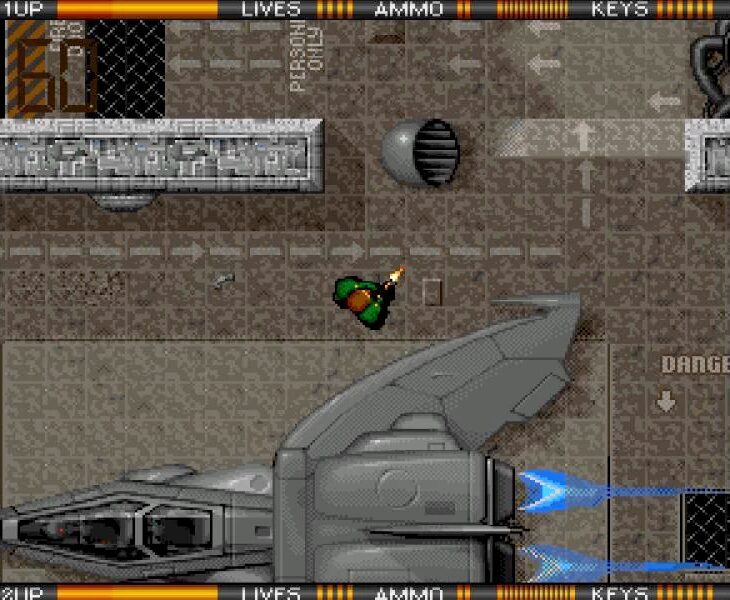
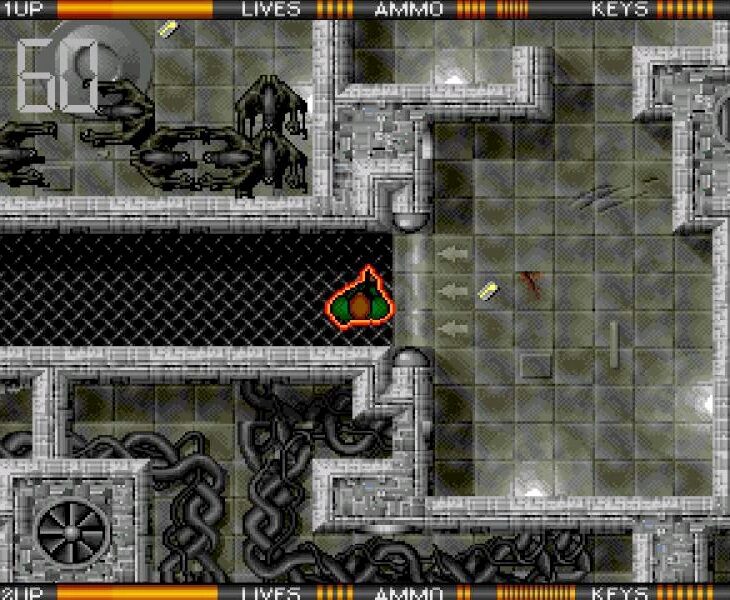


Alien Breed drops you into a space installation where the corridors are no longer safe. Johnson and Stone’s expedition turns into a fight against creatures that make every intersection a potential ambush.
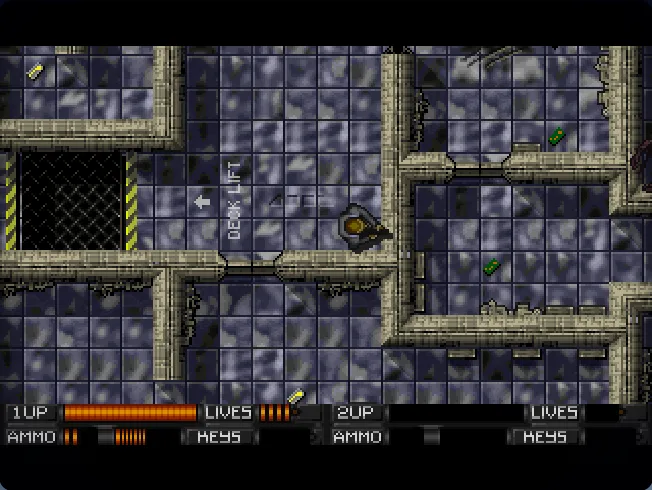
The top-down view lets you read the routes, but it also forces you to watch several entrances at once. Shooting is only part of the job: you need to find resources, manage keys and remember which doors you have left behind.
The pace alternates exploration and bursts of combat. The Intex terminals and supplies offer a breather between narrow corridors and areas best crossed with an escape route prepared.
The version available here is the MS-DOS port. It keeps movement with the arrow keys and firing with Right Shift. The guide also explains the code screen that appears when this copy starts up.
ONE GAME, 2 PLATFORMS
Versions.
2 platforms19912 playable online
Pick a platform: the screenshots, downloads and online game on this page switch with it.
- Year
- 1993
- Developer
- Team 17
- Downloads
- 3
- Screenshots
- 6
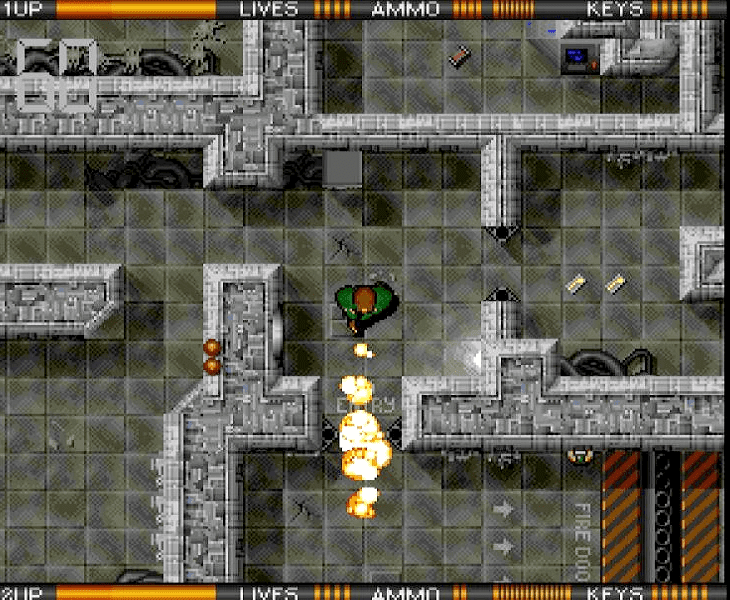
The MS-DOS version is the one this page covers: the information, review and main screenshots are from this platform.

- Year
- 1991
- Port by
- Team17
- Downloads
- 2
- Screenshots
- 6
The original 1991 Amiga edition has you move through an infested installation, manage ammo and fight your way forward from a top-down view. It is the first Alien Breed, not Special Edition 92 or Tower Assault. The WHDLoad and IPF packages are offered separately and the earlier files on this game page are kept.
EVERY PIXEL COUNTS
The game in pictures.
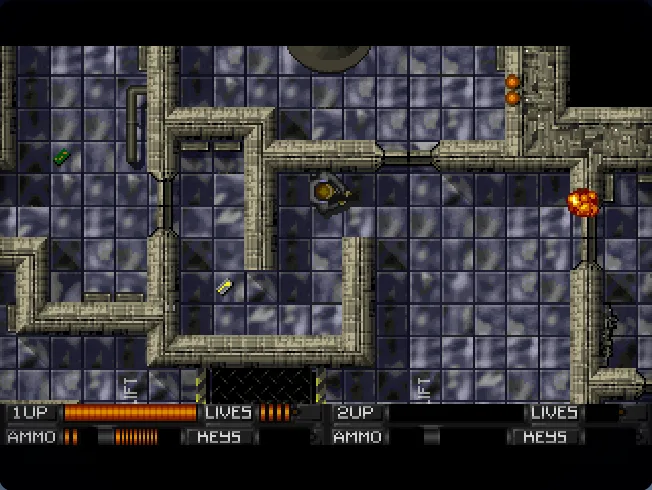
Explore the screenshots and open every detail at full size.


GET READY FOR YOUR NEXT GAME
Choose your download.
Format, compatibility and server. All in view.
Version
SELECTED VERSIONMS-DOS3 files · also playable online
Download Repack
COMPATIBILITYWindows XP / 7 / 10 ✓ At no cost✓ No sign-up Download www.mediafire.com · New tab MediaFire02 MS-DOS · OriginalDownload Original
COMPATIBILITYMS-DOS 6.22+ ✓ At no cost✓ No sign-up Download www.mediafire.com · New tab BoxSharer03 MS-DOS · OriginalDownload Original
COMPATIBILITYMS-DOS 6.22+ ✓ At no cost✓ No sign-up Download BoxSharer server · New tabSELECTED VERSIONAmiga1991 · 2 files · also playable online
Download for hard drive
COMPATIBILITYRequires an emulator ✓ At no cost✓ No sign-up Download BoxSharer server · New tab BoxSharer02 Amiga · Floppy disksDownload original floppy disks
COMPATIBILITYRequires an emulator ✓ At no cost✓ No sign-up Download BoxSharer server · New tabClicking opens the CLABA loading area and, in a few seconds, your download. If a link fails, let us know via Contact or in the forum.
Your game starts here
Play in your browser.
There are 2 versions ready to play. Pick one and click.
Version
MS-DOSIn your browser
Alien Breed
MS-DOS version. Your next game starts here.
- 1 MB · downloads on click
- Save the game's files
- Keyboard, controller or touch
Controls
Click the game to use the keyboardOn mobile, play with the on-screen controller- ↑←↓→
- move
- Space
- intro
Right Shift: fire and confirm START GAME. 1234+Enter: starting code.
- Full screen
Use the button on the bar. Esc returns to the game page; “Exit” closes the game.
- Saves
Save keeps the files the game creates, not the exact moment. Save inside the game, then press Save.
- Mobile and tablet
Press Controls during the game to show buttons and keyboard. Gamepad support depends on the browser.
Saves live in this browser and device. Clearing the site data deletes them too.

AmigaIn your browser
Alien Breed
Amiga version. Your next game starts here.
- 2 MB · downloads on click
- Save states in this browser
- Controller, keyboard or touch
Controls
Click the game to use the keyboardOn mobile, play with the on-screen controller- ↑←↓→
- choose and move
- X
- fire
- Z
- second button for Intex terminals (a function of the WHDLoad package)
In the menu, leave ONE PLAYER GAME, move down to START GAME and press X. Wait for the level to load.
- Full screen
Use the button on the bar. Esc returns to the game page; “Exit” closes the game.
- Saves
Save State, in the game's menu, keeps the exact moment. Load brings it back when you return.
- Mobile and tablet
Press Controls during the game to show buttons and keyboard. Gamepad support depends on the browser.
Saves live in this browser and device. Clearing the site data deletes them too.
HIT PLAY
The game in motion.
Trailers and videos to see it in action.
-
Amiga · How it plays
A game of Alien Breed on Amiga.
THE SECRET SIDE OF THE GAME
Tips, tricks and secrets.
A hint at the right time. A code that changes everything.
Tip: keep a retreat route
Enter intersections with room to back up. If several creatures chase you, head back toward a corridor you know instead of opening another unexplored area.
Tip: watch ammo and keys
Check the counters before leaving a supply area. A door opened without a clear objective can use up a key you will need later.
Tip: shoot toward a clear route
Turn to face the threat and avoid wasting shots on corners. Back up, line up the enemy and fire again.
Tip: memorize the intersections
Note terminals, closed doors and exits as you pass. Coming back with a clear route cuts down the time you stay exposed.
No matches. Try another effect or code.
THE NEXT STEP, CLEARER
Guides to move forward.
From the first installation to that mission that won't give in.
Starting the copy and the menu
If PASSCODE ENTRY appears, enter 1234 and press Enter. The Leeme.txt file (the readme) in this copy says it accepts any code, and that sequence has been tested. On the title screen, press space to open the menu and select START GAME; confirm with Right Shift. Read or skip through the intro pages until you reach the mission.
Controls and first steps
Move the character with the arrow keys and fire with Right Shift. Watch how the character’s facing changes before taking on an enemy. Pick up supplies without losing sight of the entrances, and find a safe route before entering a new corridor.
Progress during the session
Do not mistake the site’s Save game button for a permanent pause: on DOS it keeps files created by the game, not an instant snapshot of the mission. Plan your session without relying on that button to continue from the same corridor.
Sources and version
The startup has been checked against Leeme.txt (the readme) and this DOS copy. For firing and confirming, Right Shift has been verified, as the manual states; the mention of space in Leeme.txt does not match what happens in play. The game’s own intro and credits document its story and conversion. The surviving Alien Breed manual serves as a complementary reference; controls may vary between platforms.
If you prefer to play installed on your own computer, see DOSBox from scratch and the guide to copying and restoring save games (both in Spanish).
Something wrong?
Give us a hint.
A broken link, a detail to correct or a game that won't start. Your report helps keep this game page up to date.
Get in touchReport an issue with this game Discuss it in the forumCLABA ARCADE ROOM
This one and 250 more
play here.
When you finish your game, the room has other machines switched on.
Enter the roomTHE CLABA APP1.0 RC 1
Take the archive
with you.

Game pages, online play and your shelf on Android. Free, no sign-up.
ARCHIVE SECRETS
Did you know?
The story sets the mission in 2191. The intro presents Johnson and Stone as members of the Inter Planetary Corps sent to investigate a research center that has stopped transmitting.
The PC conversion has its own credits. Its title screens credit Audio Visual Magic for the conversion and Nigel Taylor for the PC music.
Intex is part of the game’s world. The name appears both in the intro’s setting and on the terminals you find while exploring.