
Dinamic Multimedia · Sports
PC Soccer 3.0 / 3.5
The 1994 PC Fútbol: 40 teams, League history, consecutive leagues and Michael Robinson's commentary. Two Spanish repacks, 3.0 and 3.5.
Sports game by Dinamic Multimedia (1994) for PC, in Spanish. Available to download.
2.8 5 votes
THE CLABA ARCHIVE
Inside the game.
Its history, its ideas and the reasons to come back.
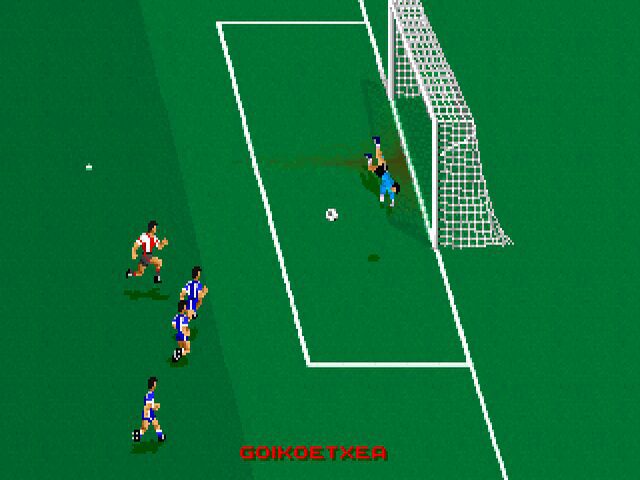
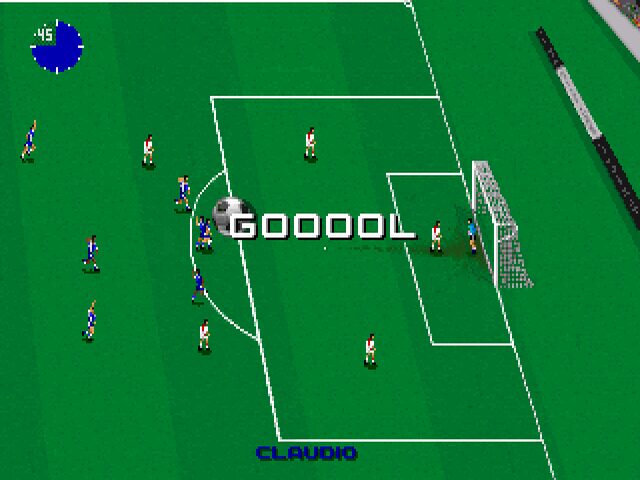
There was a time when the manual for a soccer video game was a magazine and the game was sold at the newsstand. PC Fútbol 3.0, from late 1994, is the moment when the Dinamic Multimedia series stopped being a curiosity and became a phenomenon: a database with 40 teams, the voice of Michael Robinson, a match simulator with a 3D pitch and the chance, at last, to play league after league.
Much more than a match
For the team of 12 people who made it, and who according to the manual put in 7,040 hours, the program had three goals: to improve the realism of the simulation, to turn the database into an indispensable reference tool and to make updates easier. Hence the game was organized around seven areas. The new History section collects the honor roll of the Liga since the 1928/29 season, the Copa del Rey since 1902, and the European competitions (UEFA Cup, Cup Winners' Cup and European Cup). The interactive database already covered the First and Second Divisions, with 40 clubs and some 800 players, with technical profiles, positions and notes you could write yourself. And league tracking let you record standings, lineups and scorers matchday by matchday.
Four ways to play
There was a friendly match with no strings attached, an Arcade League in which your skill with the controls ruled, a Coach League in which you decided training, lineups and tactics, and a Manager League in which you also signed players and handled the finances. The most celebrated novelty was consecutive leagues: the game no longer ended when the championship did. Micromanía, which gave it 89 out of 100 in December 1994, also highlighted the improved sprites, with falls, bicycle kicks and headers, injuries, sendings-off and marking. And among its "worst" points, that the ball movement was not entirely realistic.
Updates by modem
The program was conceived as something alive. It could receive data for each matchday, standings, scorers and Robinson's commentary, by modem or by floppy disk, and it accepted the photos from the 2.0 database. Two other games also came out of this version's engine, PC Calcio and the Argentine edition. If you are interested in the origin of the series, the starting point is the Simulador Profesional de Fútbol; the peak would later be marked by PC Fútbol 5.0 and PC Fútbol 6, and you have more installments in PC Fútbol Colección. Dinamic also made basketball with PC Básket 4.0.
The edition we offer
Under Downloads there are two Spanish-language repacks, one labeled 3.0 and the other 3.5, both set up for Windows. It should be made clear that the original was an MS-DOS program on floppy disks, and that the 3.5 numbering does not appear in the sources we consulted, so we cannot say in detail what changes compared with 3.0 beyond what the labels indicate. If you prefer to run the original in DOSBox, there is the tutorial DOSBox from scratch.
In Guides you will find how to launch it, the manual-based copy protection and how to get around the menu, and in Tips & tricks the advice going around about the economy and penalties.
EVERY PIXEL COUNTS
The game in pictures.
Explore the screenshots and open every detail at full size.
GET READY FOR YOUR NEXT GAME
Choose your download.
Format, compatibility and server. All in view.
DOWNLOAD REPACK
COMPATIBILITYWindows XP / 7 / 10 ✓ At no cost✓ No sign-up Download www.mediafire.com · New tab MediaFire02 RepackDOWNLOAD REPACK
COMPATIBILITYWindows XP / 7 / 10 ✓ At no cost✓ No sign-up Download www.mediafire.com · New tabClicking opens the CLABA loading area and, in a few seconds, your download. If a link fails, let us know via Contact or in the forum.
THE SECRET SIDE OF THE GAME
Tips, tricks and secrets.
A hint at the right time. A code that changes everything.
How these tips work
There are no official cheat codes in PC Fútbol 3.0. What appears here are two cheats published by Computer Emuzone, which we have not been able to check against a second source, and several usage tips taken from the game's original manual.
Tip · the loan you never repay
According to Computer Emuzone, to increase the club’s capital you take out a loan, play the match, repay the money, save the game and exit to the main menu. When you load it, the club will have the same money as before repaying the loan. It is a known bug that we have not been able to verify in the repack.
Tip · near-certain penalties
Also according to Computer Emuzone, before taking a penalty walk toward the goal without the ball, get behind the goalkeeper, charge the power to the maximum and release the shoot button while you keep walking inside the goal. It is a trick from the time that may not work in every edition.
Tip · your season never ends
The Arcade, Coach and Manager Leagues let you chain championships: the manual presents this as the big novelty. Take advantage of it to build a lasting team signing by signing instead of chasing immediate victory.
Tip · choose how to watch the match
In the Coach League you can choose to have the match resolve by itself with RESULTADO (result only) or VISIONADO (viewing), in which case your technical decisions rule, or with an INTERACTIVO (interactive) match, where your skill also counts. If you want to test tactics quickly, use the result option.
Tip · use the notes
On the player and coach profiles you can write notes of your own (signings, injuries, goals) and the program saves them and lets you print them. It is very useful for running a long Manager League.
No matches. Try another effect or code.
THE NEXT STEP, CLEARER
Guides to move forward.
From the first installation to that mission that won't give in.
Start here · first launch
- Under Downloads you have two repacks, labeled 3.0 and 3.5. Download the one you want to play, or both if you want to compare them.
- Unpack into a short path, for example
C:\Juegos\PCFutbol3. The original installed into theFUTBOL3directory. - If the repack won't start on your Windows, the original program is a DOS one: try running it with DOSBox by following DOSBox from scratch or, if you want a single executable, create a portable game with DOSBox.
- In the original, the command to launch it was
CD FUTBOL3and thenFUTBOL3. - Sound: on the configuration screen choose between no effects, internal speaker or Sound Blaster.
Manual-based copy protection · the crest
On startup, the program asks you to choose a crest: the one that appears at a specific position in grids at the foot of some pages of the magazine that came with the game. If you don't have the manual, there are key lists published by the community: the one on archive.org ("claves.txt," associated with the 1994 edition) and the Computer Emuzone page, which says the game's archive includes the keys.
If the game asks you for the keys, turn to those lists.
Controls
The game is controlled with the mouse or the keyboard. With the mouse, move the cursor (a small hand when it passes over the icons) and press the left button. With the keyboard, press the letter shown in red on the icon, or move the cursor with Shift and the arrow keys and select with Shift and Enter. If you leave the cursor over an icon for a few seconds, an explanation appears.
We have not been able to check the keys for the arcade match: consult them in the manual of the edition you download.
First steps · how to start a League
- Start with a Coach or Manager League before the Arcade one: they make the best use of the database.
- Before playing, review the club's squad in the database: the profiles show signings, promotions from the reserve team and departures.
- Compare your club with others using the Comparativas (comparisons) option.
- Save often and back up the game folder; consecutive leagues can last many hours. To copy save games, see this tutorial.
- Check History to find out which teams have won each competition, in case you feel like playing with a big club or an aspiring one.
Technical notes
According to the manual, the program requires a PC with a 286 or better processor (a 386 was recommended), 560 KB of conventional memory, a 3.5-inch high-density floppy drive, a VGA card and DOS 3.0 or higher (5.0 or 6.0 recommended). It supported Sound Blaster or compatibles. In a current DOSBox these requirements are no problem.
The original edition provided for updates by modem and floppy disk, which are not available today. It also allowed you to use the player photos from PC Fútbol 2.0 by copying them into the game directory.
Sources
- Computer Emuzone, PC Fútbol 3.0 page: analysis, credits and edition details (in Spanish).
- Computer Emuzone, manual: requirements, manual-based copy protection, game modes, database and updates.
- Computer Emuzone, Micromanía review: new features and score of 89 out of 100.
- Computer Emuzone, cheats: loan and penalties.
- Internet Archive, PC Futbol 3.0 (1994): page with a MobyGames description, first edition to let you buy players and chain seasons, and key file.
- DeVuego, PC Fútbol 3.0: 1994, 40 teams, engine reused in PC Calcio and PC Fútbol Argentina.
- Wikipedia, PC Fútbol: context of the series and updates.
Something wrong?
Give us a hint.
A broken link, a detail to correct or a game that won't start. Your report helps keep this game page up to date.
Get in touchReport an issue with this game Discuss it in the forumCLABA ARCADE ROOM
251 classics
without installing anything.
Don't feel like installing? These play right in your browser.
Enter the roomTHE CLABA APP1.0 RC 1
Take the archive
with you.

Game pages, online play and your shelf on Android. Free, no sign-up.
ARCHIVE SECRETS
Did you know?
7,040 hours of work. According to the manual, a team of 12 people spent 7,040 hours on this version, which Micromanía rated 89 out of 100 in its December 1994 issue.
From 20 to 40 clubs. The database went from 20 teams and 400 players in the previous edition to 40 teams and 800 players by including the Second Division, plus profiles of coaches and referees.
A manual as a lock. To start the game you had to identify a crest at a specific position in grids printed at the foot of some pages of the magazine. Today lists of keys circulate on archive.org and Computer Emuzone.
The engine was reused. On the same technical base Dinamic published PC Calcio, for Italian soccer, and PC Fútbol Argentina; according to DeVuego, it was enough to change the contents of the database, an enormous documentation job but not a programming one.
It fit on a 286. It was a DOS program that asked for a 286, 560 KB of conventional memory, VGA and a 3.5-inch floppy drive, although a 386 was recommended.


