MindSpan · Sports
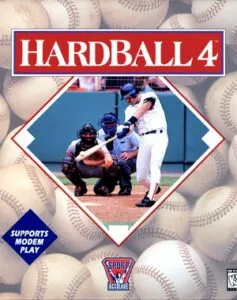
HardBall 4
Baseball with exhibition, league, practice and a close-up view of the batter: pick your swing and time it right.
Sports game by MindSpan (1994) for MS-DOS, in English. Playable in your browser or downloadable.
— no rating yet
THE CLABA ARCHIVE
Inside the game.
Its history, its ideas and the reasons to come back.
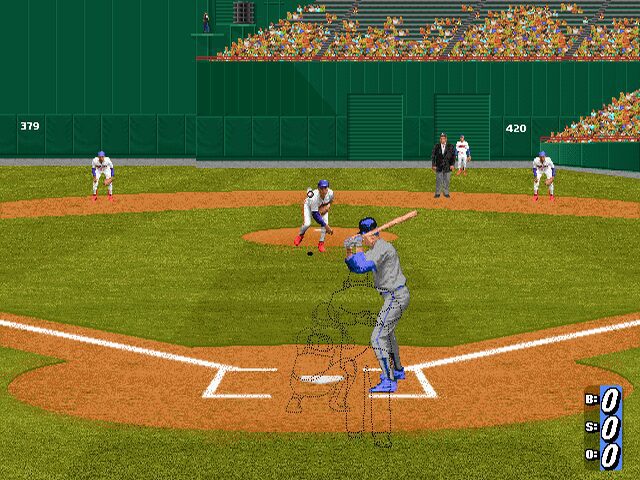
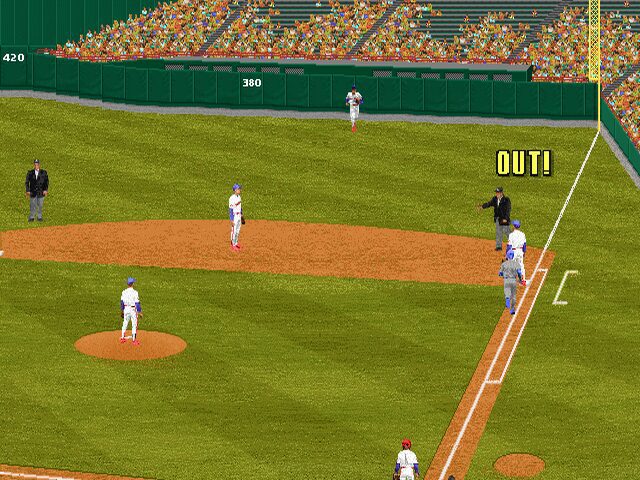
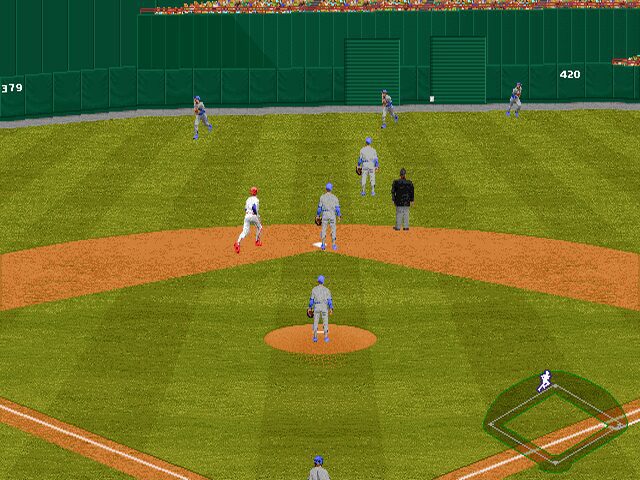
HardBall 4 brings baseball to a close-up view of the batter: the pitcher gets ready to throw in the background and you must decide how to face the ball. It’s not just about pressing a key quickly; choosing the type of swing and waiting for the pitch are two different moments.
From the menu to the diamond
The exhibition game lets you start without setting up a league. Before taking the field, the lineups and each team’s options appear, with keyboard or computer control. The copy includes individual stats and difficulty settings that are worth checking before you play.
On the field, the player cards and the counters for balls, strikes and outs accompany the action. Learn to hit first and watch for when the pitcher winds up: confirming an option is not yet the same as the swing that will try to connect with the ball.
More ways to practice
The menu also offers practice and a Home Run Derby, as well as the league. They are alternatives for getting familiar with the game’s decisions without assuming that mastering the exhibition means knowing all its modes.
The online version is the DOS one, in English. A San Francisco–Chicago game was started with Keyboard 1 against the computer, and batting selection and a swing during a pitch were checked. The test does not establish a home run, a win or a full season.
EVERY PIXEL COUNTS
The game in pictures.
Explore the screenshots and open every detail at full size.
GET READY FOR YOUR NEXT GAME
Choose your download.
Format, compatibility and server. All in view.
Download Repack
COMPATIBILITYWindows XP / 7 / 10 ✓ At no cost✓ No sign-up Download www.mediafire.com · New tab MediaFire02 OriginalDownload Original
COMPATIBILITYMS-DOS 6.22+ ✓ At no cost✓ No sign-up Download www.mediafire.com · New tabClicking opens the CLABA loading area and, in a few seconds, your download. If a link fails, let us know via Contact or in the forum.
Your game starts here
Play in your browser.
Pick, press and go back to the classics without leaving the game page.
RetrogamingRight in your browserNo installation
MS-DOSIn your browser
HardBall 4
Your next game starts here.
- 11 MB · downloads on click
- Save the game's files
- Keyboard, controller or touch
Controls
Click the game to use the keyboardOn mobile, play with the on-screen controller- Esc
- skip intro or go back
- ↑←↓→
- menus and batting selection
- Enter
- confirm; during the pitch, swing
Use Keyboard 1 in Options.
- Full screen
Use the button on the bar. Esc returns to the game page; “Exit” closes the game.
- Saves
Save keeps the files the game creates, not the exact moment. Save inside the game, then press Save.
- Mobile and tablet
Press Controls during the game to show buttons and keyboard. Gamepad support depends on the browser.
Saves live in this browser and device. Clearing the site data deletes them too.
THE SECRET SIDE OF THE GAME
Tips, tricks and secrets.
A hint at the right time. A code that changes everything.
Tip: choose before you swing
Selecting the type of swing and the swing itself are separate steps. Confirm the first one and wait for the pitch for the second.
Tip: check who is playing
In Options, check the team’s controller. Keyboard 1 is the tested profile; if both teams are listed as Computer, you are not controlling the batter.
Tip: read the scoreboard
Watch B, S and O to understand balls, strikes and outs. A missed swing doesn’t mean the keyboard has stopped responding.
Tip: start with an exhibition
Learn the rhythm in Exhibition before setting up a league. The menu’s difficulty and assist settings change the experience.
No matches. Try another effect or code.
THE NEXT STEP, CLEARER
Guides to move forward.
From the first installation to that mission that won't give in.
Starting an exhibition game
Open Play online and Play now. Skip the intro with Esc. Select Exhibition Game with the arrow keys and Enter, confirm Start and then Play Ball on the lineups.
Tested keyboard
Keyboard 1 uses the arrow keys and Enter. When batting, select the type of swing with a direction and confirm; press Enter again during the pitch to swing. Esc returns to the management interface. The test did not use a physical gamepad.
Choosing a human team
On the previous screen, open Options. Select the team control icon and use Enter to cycle through the controllers. Leave San Francisco on Keyboard 1 and Chicago on Computer to repeat the tested setup; go back to Play Ball.
Reading the first inning
Watch the pitcher, the pitch and the counters. A swing was verified, not a hit. Don’t mistake a stats card for an error screen: it is part of the game’s presentation.
Reference and saving
Accolade’s reference for HardBall 4 documents the controls. Use the native save that applies to the mode and then the player’s Save to keep the DOS files. Recovering a season or an advanced game has not been certified.
Something wrong?
Give us a hint.
A broken link, a detail to correct or a game that won't start. Your report helps keep this game page up to date.
Get in touchReport an issue with this game Discuss it in the forumCLABA ARCADE ROOM
This one and 250 more
play here.
When you finish your game, the room has other machines switched on.
Enter the roomTHE CLABA APP1.0 RC 1
Take the archive
with you.

Game pages, online play and your shelf on Android. Free, no sign-up.
ARCHIVE SECRETS
Did you know?
- The menu contains Exhibition Game, League and Home Run Derby.
- The options distinguish Keyboard 1, Keyboard 2 and computer control.
- The lineup screens show each player’s stats.
- This online copy presents its menus in English.