
Coldwood Interactive · Sports
FreakOut: Extreme Freeride
Extreme skiing from Coldwood Interactive (2007): six skiers, four mountains, jumps and challenges that unlock gear, with split screen and network play.
Sports game by Coldwood Interactive (2007) for PC (in Spanish and other languages) and PSP. Available to download.
Choose your version 2 platforms
No computer handy? Play one of the 251 classics online right now
— no rating yet
THE CLABA ARCHIVE
Inside the game.
Its history, its ideas and the reasons to come back.
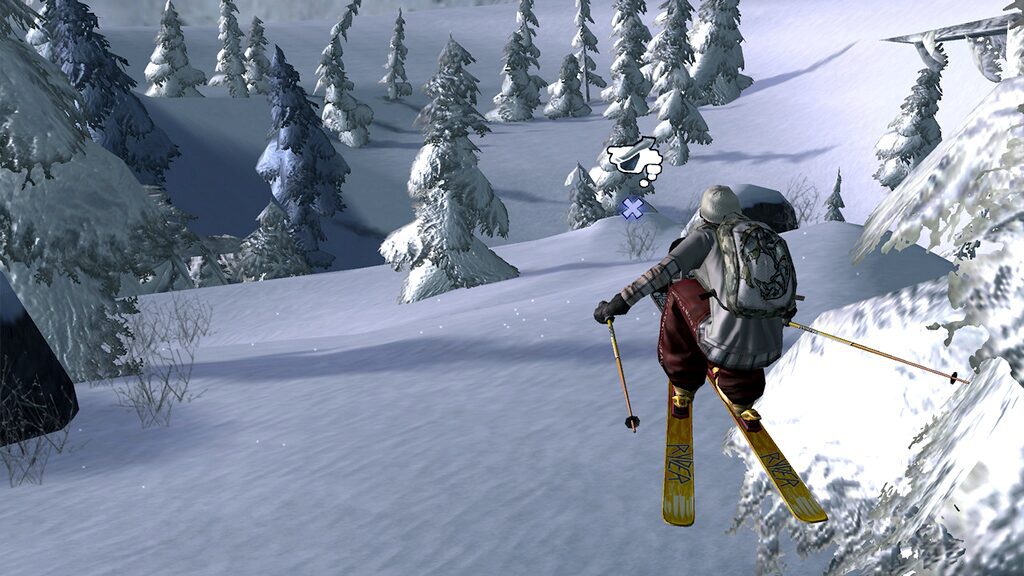
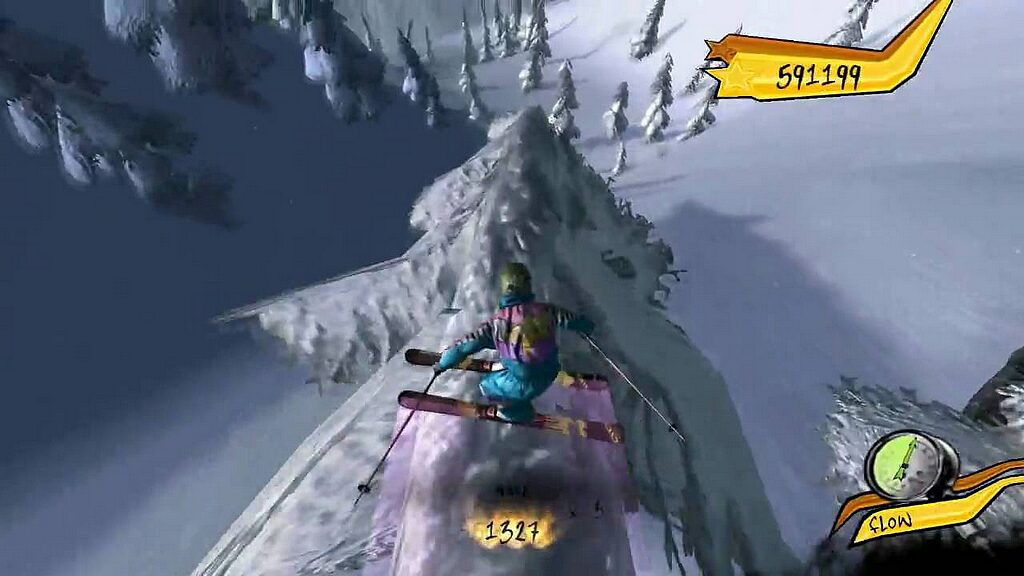
Two thousand meters up, an untouched slope and not a ski lift in sight. FreakOut: Extreme Freeride leaves you alone with your skis, the mountain and a handful of impossible jumps. Developed by the Swedish studio Coldwood Interactive and published by JoWooD Productions in 2007 for PC, PlayStation 2 and PSP, it is an extreme skiing game that favors acrobatics and open-ended descents over competition slaloms.
What it’s about
You control one of six skiers, three men and three women, each with their own age, nationality and special tricks. The career mode is built around challenges: beating them unlocks new mountains and gear, and the gear (skis, boots, helmet) improves your abilities, on top of purely cosmetic clothing. According to press releases from the time, there are four mountains, each with several routes, sixteen types of jump and a career mode of about fifteen hours.
How it plays
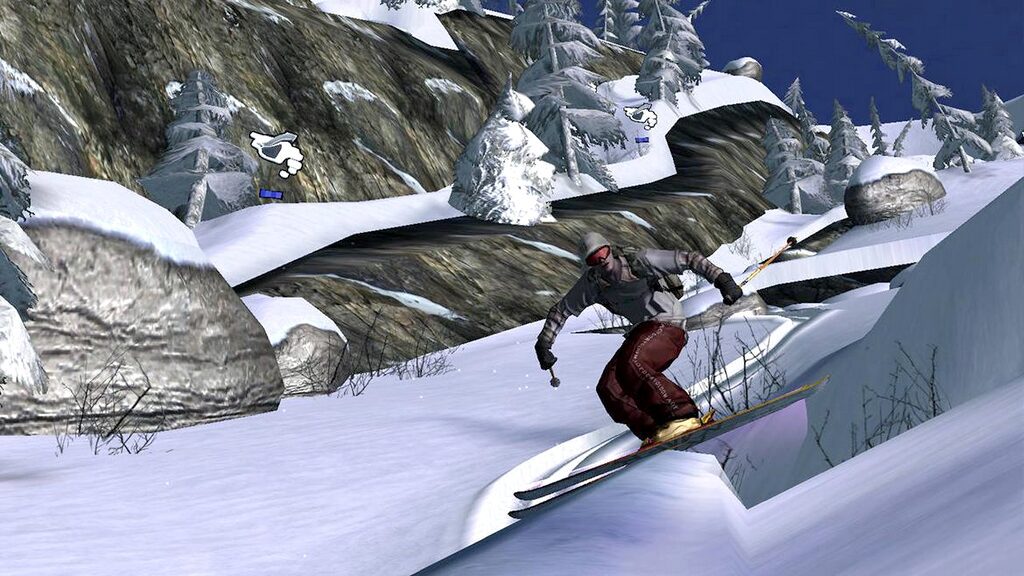
The skier is seen from behind, in third person, and jumps and tricks are performed by combining buttons. Most of the time you ski down open slopes, sometimes with helicopter access to virgin snow, looking for the best line and the best jumps. The game modes cited in the press releases are freeride, race, park and big jump; the Nevasport review also mentions trick missions, a bone-collecting race and a scored stunt showcase. The music is a strong point: twelve songs by bands such as 3 Feet Smaller and Jellybeat, who, according to WorthPlaying, tested the game in Vienna with their own tracks.
What players said
The reception was mixed. Wikipedia speaks of “generally favorable” reviews, although the console versions fell short, and users on Freeride.com give it 3.7 out of 5 across 28 reviews. The most praised aspects are the physics, different from other skiing games, and the variety of spins and flips; the worst are the small number of grabs per skier, poorly executed slopestyle competitions and the impossibility of creating your own character. Nearly everyone agrees you should play with a gamepad: many of the bad scores come from people who tried it with a keyboard.
The edition we offer
This is the PC version as a multilingual ISO image, with an interface in English, French, German, Italian and Spanish according to PCGamingWiki, prepared for Windows XP and later. In Downloads you will find the CD image. Since the original game used SecuROM protection and asked for the disc in the drive, according to PCGamingWiki, you may need to mount the image virtually to play; later re-releases do not ask for it. If you need help with modern Windows, see how to play Windows XP classics on Windows 10 and 11. In Guides you will find the first launch, the controls and the requirements, and in Tips & tricks, advice on getting the most out of it.
ONE GAME, 2 PLATFORMS
Versions.
2 platforms2007
Pick a platform: the screenshots, downloads and online game on this page switch with it.
- Year
- 2007
- Developer
- Coldwood Interactive
- Downloads
- 1
- Screenshots
- 3
The PC version is the one this page covers: the information, review and main screenshots are from this platform.

- Year
- 2007
- Port by
- Coldwood Interactive
- Downloads
- 1
- Screenshots
- 1
This handheld version centers arcade skiing on descents and tricks, with six characters and mission modes, open descent, Bone Ride and Slope Style. Challenges and stunts earn rewards, improve equipment and open new slopes and mountains. Development is credited to Coldwood Interactive and the European edition to JoWooD.
EVERY PIXEL COUNTS
The game in pictures.
Explore the screenshots and open every detail at full size.
GET READY FOR YOUR NEXT GAME
Choose your download.
Format, compatibility and server. All in view.
Version
SELECTED VERSIONPC1 archivo
Clicking opens the CLABA loading area and, in a few seconds, your download. If a link fails, let us know via Contact or in the forum.
HIT PLAY
The game in motion.
Trailers and videos to see it in action.
-
PSP · Gameplay
FreakOut: Extreme Freeride gameplay on PSP.
THE SECRET SIDE OF THE GAME
Tips, tricks and secrets.
A hint at the right time. A code that changes everything.
Cheat codes: none (how to get the most out of the game)
We have not found any documented cheat codes for FreakOut in PCGamingWiki, Wikipedia or the press releases, so we are not making any up. What follows is advice from players and from the game’s own description.
Tip · Play with a gamepad
Users on Freeride.com agree that many of the negative reviews come from people who tried the game with a keyboard. If you can, plug in a gamepad with an analog stick: PCGamingWiki states that the game supports gamepads and lets you remap the buttons, except for “back.”
Tip · Use each skier's special tricks
Each of the six skiers has their own “special tricks.” Try them all before deciding: each one has their own age, nationality and signature moves.
Tip · Equip what you unlock
The press releases explain that equipment (skis, boots, helmet) improves your abilities, while jackets, goggles and gloves are cosmetic. You unlock more by completing challenges.
Tip · Combine spins and flips
Freeride.com players highlight the variety of spins (d-spins, bio-spins) and flips such as the “Kangaroo” or the “Pistol flip,” although they warn that some tricks change when combined with other spins. Take your time practicing.
Tip · Explore the routes
Each mountain has several routes and, according to users, long descents through virgin snow with helicopter access. Don’t limit yourself to the most direct path: this is a game about choosing your line.
No matches. Try another effect or code.
THE NEXT STEP, CLEARER
Guides to move forward.
From the first installation to that mission that won't give in.
Start here · first launch
- Download the ISO image from Downloads. It comes in several languages, Spanish among them, and is prepared for Windows XP and later.
- Mount the ISO (on Windows 10 and 11, right-click and choose “Mount”; on earlier systems, use a virtual drive program) and follow the installation instructions on the image.
- Install it to a short path, such as
C:\Juegos\FreakOut, and not inProgram Files: that way you avoid permission problems when saving your profile. - If the game asks for the disc, leave the image mounted while you play.
If something doesn’t work, the tutorial on playing Windows XP games on Windows 10 and 11 covers the compatibility settings. Before updating or moving anything, back up your save games.
Controls
The game is played in third person and supports keyboard and gamepad. PCGamingWiki states that the keys can be remapped, and so can the gamepad buttons, except the “back” button, and that music and effects volume can be adjusted separately. We have not found a reliable default key map, so check the options before your first descent. For the stunts, players recommend a gamepad with an analog stick.
First steps · career and challenges
- The career mode lasts about fifteen hours according to the press releases; start with the challenges on the first mountain.
- Completing challenges unlocks mountains and gear.
- Choose a skier to suit your style: each one has their own special tricks.
- The game supports split screen and network games of up to eight players on PC, although the original game’s online scores no longer work, according to Wikipedia.
Technical notes
Minimum requirements according to PCGamingWiki: Windows 2000 SP4, Pentium 4 at 1.8 GHz, 256 MB of RAM, DirectX 9 and 64 MB of video memory. Recommended: XP or Vista, Pentium 4 at 2.4 GHz, 512 MB and 128 MB of video memory. It has no windowed or borderless window mode, although it supports stretched widescreen resolutions. The save game is stored in Data\User\profile.pro, inside the game folder. The CD edition used SecuROM 7; later re-releases do not need the disc. It has no Steam cloud sync.
Sources
- PCGamingWiki: FreakOut: requirements, SecuROM, saves, languages, gamepad and windowing.
- WorthPlaying: soundtrack details: features, modes, music and dates from the time.
- Nevasport: game presentation (in Spanish): game modes, mountains, customization and multiplayer.
- Freeride.com: user reviews: physics, gamepad versus keyboard, criticism and tips.
- Wikipedia: dates, six skiers and reception; for orientation only.
Something wrong?
Give us a hint.
A broken link, a detail to correct or a game that won't start. Your report helps keep this game page up to date.
Get in touchReport an issue with this game Discuss it in the forumCLABA ARCADE ROOM
251 classics
without installing anything.
Don't feel like installing? These play right in your browser.
Enter the roomTHE CLABA APP1.0 RC 1
Take the archive
with you.

Game pages, online play and your shelf on Android. Free, no sign-up.
ARCHIVE SECRETS
Did you know?
A Swedish game with a different publisher today. It was developed by Coldwood Interactive of Sweden and originally published by JoWooD Productions; its rights now belong to THQ Nordic, according to PCGamingWiki.
Three dates, three countries. It was announced in August 2006. According to Wikipedia, the PC version came out in February 2007 in France, the PS2 version followed in March, and worldwide distribution through the TotalGaming.net store came in August 2007.
It reached Steam in 2015. According to Wikipedia, the game went on sale on Steam in January 2015, eight years after its original release.
Music from its own testers. The musicians Marcus Smaller (3 Feet Smaller) and DJ Y (Jellybeat) tested the game in Vienna and, according to WorthPlaying, their own songs became the soundtrack.
Online leaderboard shut down. Online scoring stopped working when the game’s official website disappeared, according to Wikipedia.


