LucasArts · Racing
Star Wars Episode I: Racer
Podracing from The Phantom Menace across 25 tracks and eight planets, with Watto's parts, overheating boost and 20+ pilots. Spanish-language edition.
Racing game by LucasArts (1999) for PC (in Spanish) and Nintendo 64. Playable in your browser (PC) or downloadable.
Choose your version 2 platforms
4.4 8 votes
THE CLABA ARCHIVE
Inside the game.
Its history, its ideas and the reasons to come back.
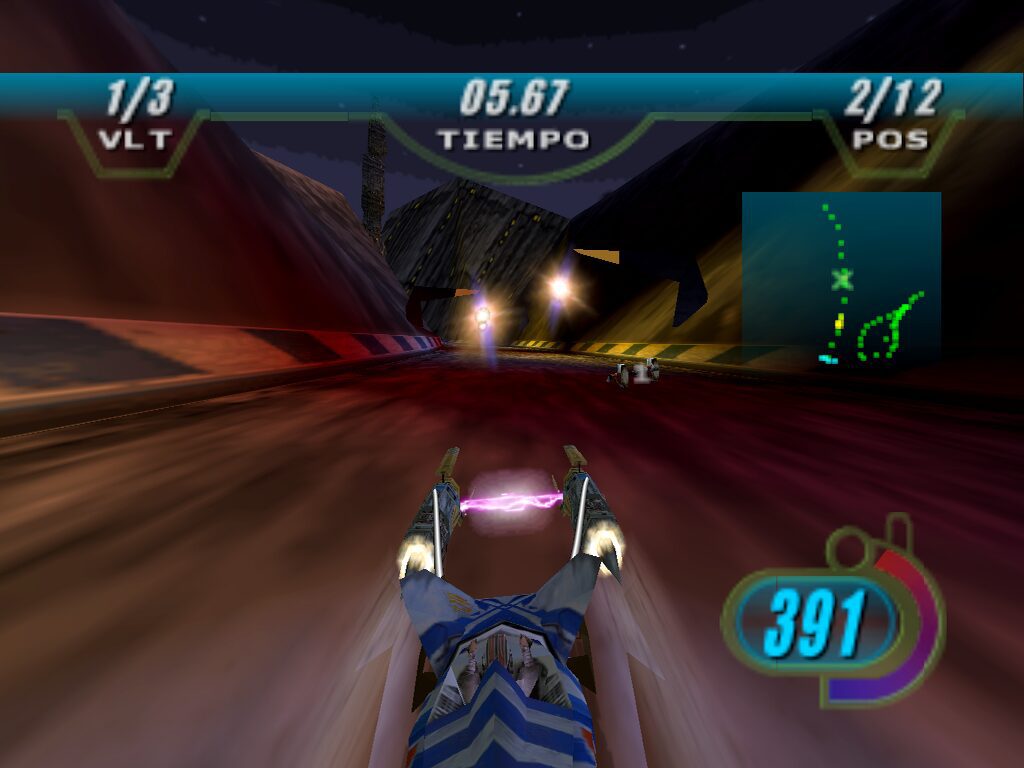
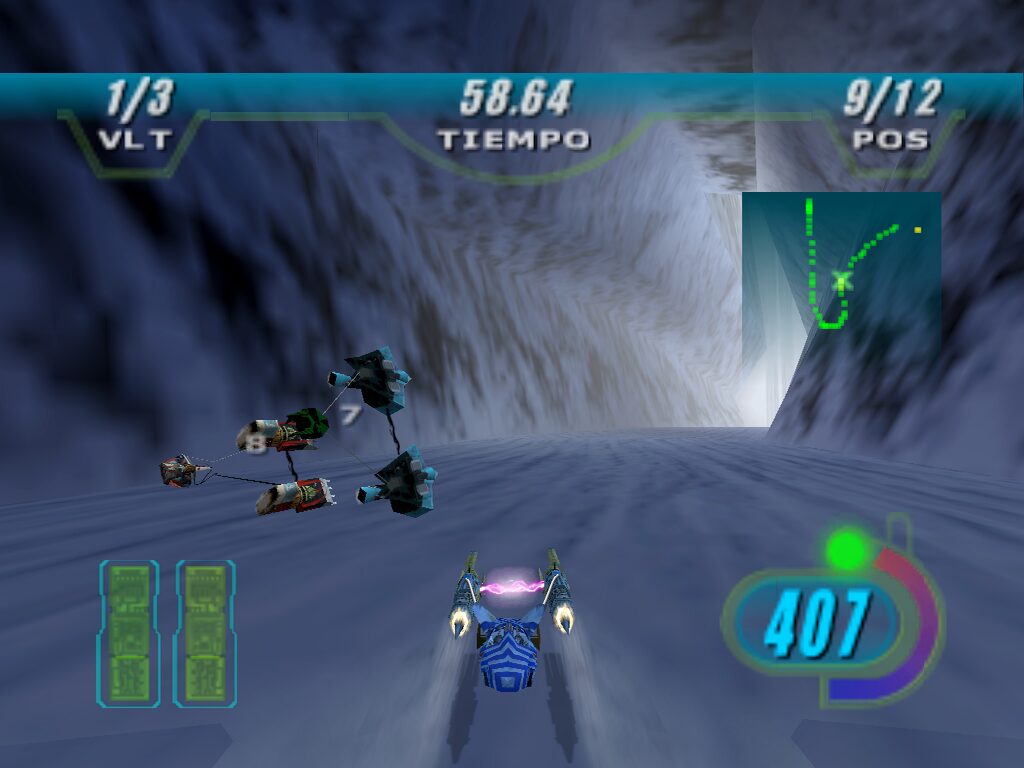
Two turbines the size of a bus, joined by an energy beam, and behind them, hanging from cables, a tiny cockpit with a boy inside. The podrace from The Phantom Menace was the part of the film people remembered most, and LucasArts had already turned it into a game before the premiere: Star Wars Episode I: Racer reached stores in the United States on May 18, 1999, on PC and Nintendo 64, and Europe on June 4.
From the Boonta Eve to eight planets
The game starts from the Tatooine race, the Boonta Eve, with its pilots and its track just as they appeared in the film, and expands it into a full championship. There are eight planets, many of them invented for the game: an icy world, a swampy one, underwater cities, mines on a prison planet and even an arena on an asteroid. The races are split into three cups, Amateur, Semi-Pro and Galactic, with seven tracks each, plus four more in the Invitational circuit. In all, 25.
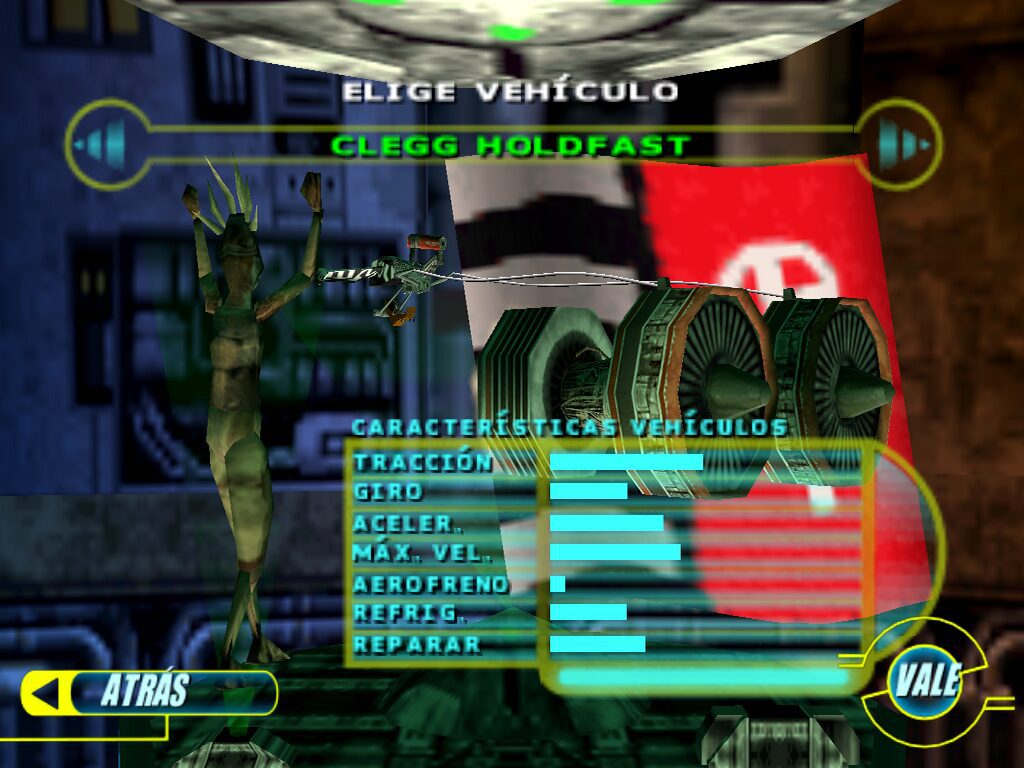
At first only six pilots are available, Anakin among them, and the rest are won on the track: each victory opens new races and, often, unlocks the favorite of that event. In the end there are more than twenty, each with his own pod and his own figures for speed, acceleration, turning, cooling and repair.
How it plays
Finishing in the top three earns truguts, the currency of Tatooine, which you spend with Watto. In his shop the parts are new and expensive; in the junkyard out back they are cheap, but worn. He also sells pit droids, which repair the pod between races, and whatever you buy is fitted to the pilot you are using.
In a race, temperature rules. The boost charges with the nose pointed down and pushes the pod far beyond its normal speed, but if you push it too long, the engines overheat, catch fire and shut down. Crashes into the walls damage them too, and they can be repaired on the move at the cost of losing speed. There are slides for tight corners, shortcuts that the computer learns to use in the higher cups and, if you drive Sebulba, a sideways jet of fire to get rivals off your back.
Made in-house, at 600 miles per hour
It was developed by LucasArts’ own team in about two years, with the leads who came from Shadows of the Empire. The 3D engine was new, Direct3D only, and the PC version had five programmers dedicated to its extras, such as support for force-feedback controllers. It promised simulated speeds of up to 600 miles per hour, about 965 km/h, and that sense of speed was the most praised aspect: GameSpot compared it to Wipeout. The complaints were a hard-to-read minimap, tracks where you sometimes can’t tell where to go next and, for IGN, first races that were too easy.
It was one of the games of the saga that summer, alongside The Phantom Menace, and Battle for Naboo, set in the same episode, would follow later. If you like the saga’s vehicles, also check out Rogue Squadron.
The edition we offer
This is the Spanish-language edition for Windows, with Anakin dubbed. In Downloads there are two options: a repack ready to install and play, marked for Windows XP, 7 and 10, and the original CD image, marked for Windows XP. In the taunt scenes before some races the rivals speak English; according to the note from the person who shared it on the forum (in Spanish), their subtitles were translated into Spanish.
In Guides you will find installation on a current PC, the keyboard controls and the fixes for Windows 10 and 11. In Tips & tricks there is advice on boost, temperature and shopping. If the CD gives you trouble, our tutorial on Windows XP classics on Windows 10 and 11 helps with compatibility.
ONE GAME, 2 PLATFORMS
Versions.
2 platforms19991 playable online
Pick a platform: the screenshots, downloads and online game on this page switch with it.
- Year
- 1999
- Port by
- LucasArts
- Downloads
- 2
- Screenshots
- 4
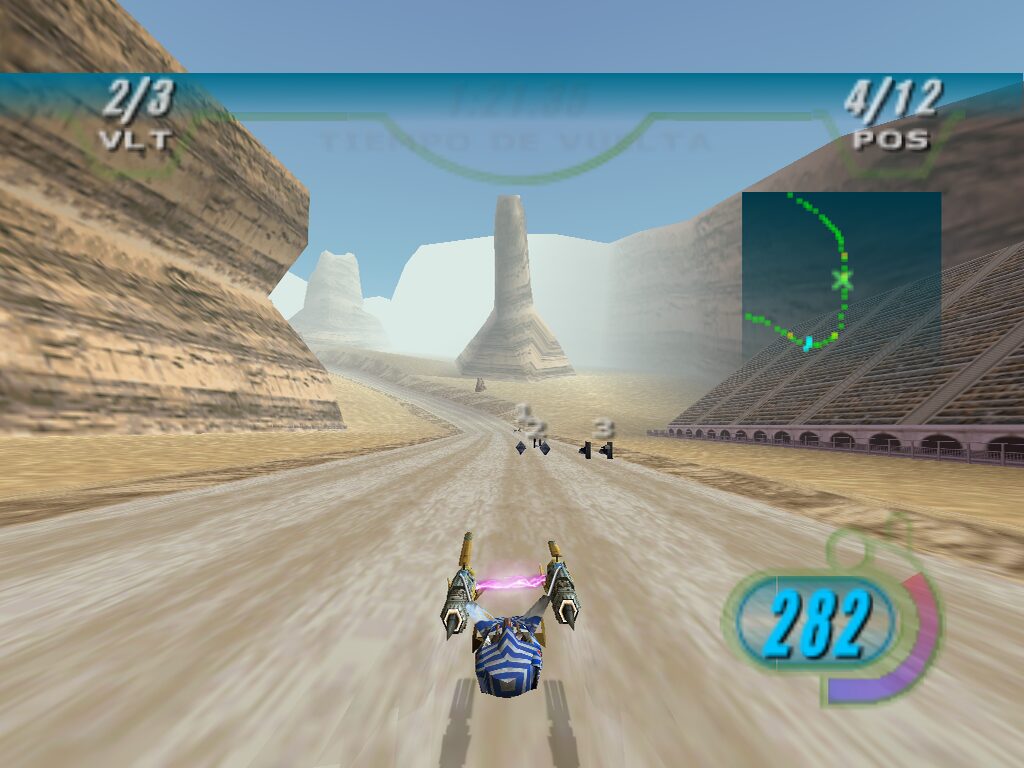
The original Windows release from LucasArts, published on May 18, 1999 alongside the Nintendo 64 version. It adds cutscenes introducing each planet, CD-quality music, force feedback for wheels and joysticks, and local-network races for up to eight players. This page offers the Spanish-language edition, as a repack and as a CD image.
- Year
- 1999
- Port by
- LucasArts
- Downloads
- 1
- Screenshots
- 1
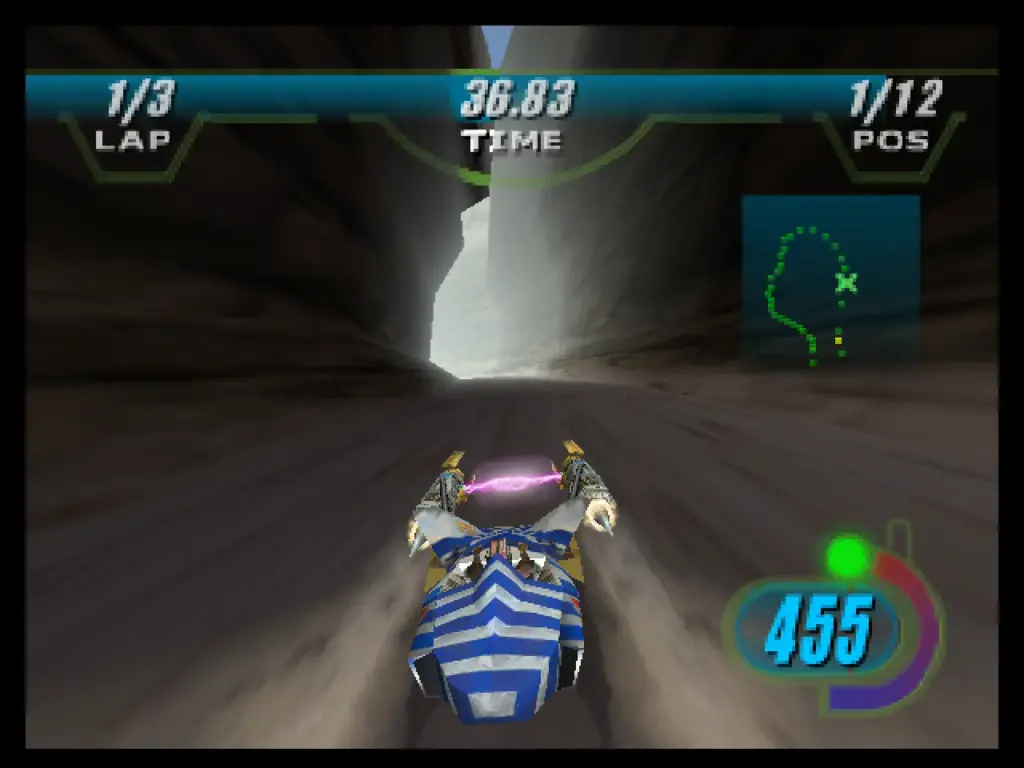
The Nintendo 64 version came out at the same time as the PC one, on May 18, 1999 in the United States and June 4 in Europe, also made by LucasArts. It has the same tracks and pilots, and instead of the PC's local network it allows two players in split screen on the same console. With the Expansion Pak it offers a high-resolution mode, which according to IGN looks best in time trial, although the image loses smoothness with many pods on screen. In exchange, the cartridge drops the PC cutscenes, including the opening text. Its codes are entered as the name of an empty file by holding Z and confirming each letter with L: RRJABBA (invincible) and RRTHEBEAST (mirror mode) are then activated in the cheat menu, which opens by pausing the race and pressing left, down, right and up on the D-pad; RRDUAL lets you drive each engine with a separate controller. The game image is the European one, with text in English, French and German.
EVERY PIXEL COUNTS
The game in pictures.
Explore the screenshots and open every detail at full size.

GET READY FOR YOUR NEXT GAME
Choose your download.
Format, compatibility and server. All in view.
Version
SELECTED VERSIONPC1999 · 2 files · also playable online
SELECTED VERSIONNintendo 641999 · 1 file
Clicking opens the CLABA loading area and, in a few seconds, your download. If a link fails, let us know via Contact or in the forum.
Your game starts here
Play in your browser.
Pick, press and go back to the classics without leaving the game page.
Version

PC · SPANISH · CLABA PLAYER 1.1
Star Wars Episode I: Racer
Your next game starts here.
Play nowThe game opens in its own screen. It needs a computer with WebGPU and a 668 MB first download. Saved games stay in this browser.
The Nintendo 64 version can't be played in the browser yet.
You can download it or play another version now:
HIT PLAY
The game in motion.
Trailers and videos to see it in action.
-
Nintendo 64 · How it plays
A game of Star Wars Episode I: Racer on Nintendo 64.
THE SECRET SIDE OF THE GAME
Tips, tricks and secrets.
A hint at the right time. A code that changes everything.
Tip · before you look for codes
The best-known codes, such as RRJABBA or RRTHEBEAST, are entered as a save name in the Nintendo 64 version and in the 2020 console re-releases. The PC version has codes of its own and we have not found two reliable sources to confirm them, so we do not publish them. What follows is advice taken from the original readme and the official guide.
Tip · boost start
Every pod can shoot off the line if you press accelerate at just the right moment of the countdown. With a wheel or a controller with a throttle, push the throttle all the way down and tap boost at that instant. The LucasArts readme explains it this way.
Tip · how to charge the boost
Hold accelerate (W) and push the nose down (up arrow or 8 on the numeric keypad). When the indicator turns yellow, tap boost (Left Shift). The printed manual explained this wrongly for joystick and the readme corrected it.
Tip · watch the temperature
When the thrust gauge turns red, the engines start to overheat and you will hear beeping. If you keep going, they catch fire and shut down, and you will have to repair them on the move (R key), which costs you speed. Use the boost on the straights and save the real one for the final stretch.
Tip · repair at the right moment
Repair on a straight, never in the middle of the pack or coming out of a corner: rivals push you into the wall and interrupt the repair. If you lose an engine, keep going straight for a few seconds before you crash, because you are still moving forward.
Tip · droids and junkyard
Watto sells pit droids: the more you have, the sooner your parts are repaired between races, and the official guide advises buying all three as soon as you can. The junkyard is cheap, but its parts come worn. A worse new part performs better than a better broken one.
Tip · slides and keyboard
The slide (Space) helps in tight corners. Heads up: many keyboards cannot register three keys at once, and the readme warns that one of the keys may fail when you slide while turning. If that happens, move the slide to another key or use a controller.
No matches. Try another effect or code.
THE NEXT STEP, CLEARER
Guides to move forward.
From the first installation to that mission that won't give in.
Start here · first launch
- Download the repack from Downloads: it is meant to be installed and played on Windows XP, 7 and 10. The CD image keeps the original edition and is marked for Windows XP.
- Install it outside
Program Files, in a short path such asC:\Juegos\Racer, to avoid permission problems when saving. - If the intro videos are annoying or cause problems, add
-ito the end of the target of theSWEP1RCR.EXEshortcut. - If the screen is black or glitchy on Windows 10 or 11, the community recommends dgVoodoo 2: copy its
DDraw.dllandD3DImm.dll(MS folder) next to the executable. It needs a DirectX 11 compatible card.
Your pilots and progress are saved in data\player, inside the game folder. Before touching anything, back them up by following our tutorial on copying and restoring save games. For the CD, also see the tutorial on Windows XP classics on Windows 10 and 11.
Controls · keyboard, mouse and controller
- Accelerate: W or Enter. Brake: S.
- Turn: J and L, left and right arrow keys, or 4 and 6 on the numeric keypad.
- Nose down: K, up arrow or 8. Nose up: I, down arrow or 2.
- Boost: Left Shift. Slide: Space. Roll: A and D.
- Repair: R. Taunt or flamethrower: E or Right Ctrl. Look back: Tab or Q.
- Cameras: F1 to F4. Map type: Caps Lock. Screenshot: F12.
- Ctrl+J and Ctrl+M turn the joystick and mouse on or off; Ctrl+F, force feedback.
These are the default controls given in the readme of the original edition. Almost all of them can be changed in the settings. To move around the menus, LucasArts recommended keyboard and mouse, because controllers do not fully work in them.
First steps · the tournament
- Start the tournament with a well-balanced pilot. Anakin is a good choice for learning.
- The Amateur cup is easy: use it to learn the tracks and try the boost without fear.
- With your first truguts, don’t spend everything on speed. The official guide insists on upgrading the repair unit first, because repairing during a race slows you down.
- Buy pit droids as soon as you can and check the condition of the parts on the pod screen: green is good condition, orange calls for replacement.
- In the Semi-Pro and Galactic cups the rivals take shortcuts and push. Repeat the tracks to learn the shortcuts yourself too.
- Win races to unlock pilots. The Invitational circuit opens when you complete the cups.
Technical notes
It required Windows 95 or 98, a Pentium at 166 MHz (200 recommended), 32 MB of RAM (64 recommended), a 4 MB Direct3D 3D accelerator, DirectX 6.1, which came on the CD, and 188 MB of disk space. It works only with Direct3D: the team tried Glide and OpenGL and dropped them.
- Frame rate: the physics is designed for few frames per second. Above 30 glitches can appear, so it is best not to remove the limit.
- 64-bit Windows: the original CD installer does not work on them. That is why the repack is more convenient.
- Multiplayer: only over an IPX local network, up to eight players and with no computer-controlled rivals. Today you need a community adapter such as IPXWrapper.
- Screen: 4:3 image. There are community-patched executables for widescreen, but they are optional and should be tried on a copy.
In 2018 it went on sale again in digital stores with a DirectX 9 wrapper already included, and in 2020 Aspyr re-released it for consoles.
Sources
- Original PC CD (Internet Archive): readme dated 04/27/1999 with requirements, controls, boost start, manual errata, parameters such as
-iand IPX network. - Pure Gaming · interview with Brett Tosti (1999): two-year in-house development, new Direct3D-only engine, six starting pilots, physics and Jedi Knight code.
- IGN · PC preview: quote from Tom Byron about Ben-Hur and more than twenty pilots; IGN · release on 05/18/1999.
- GameSpot · PC review (Elliott Chin): speed, cups, Watto and the junkyard, Sebulba, sounds and criticisms.
- BBC News · June 1999: number one in the United Kingdom before the film’s release, 600 mph and eight planets.
- Official Nintendo Power guide (Internet Archive): overheating, repairs, pit droids, junkyard.
- PCGamingWiki: dates, Spanish language, dgVoodoo 2, frame rate limit, 64-bit installer, save game path and digital versions.
- Wookieepedia: list of tracks per cup, starting pilots and differences between PC and Nintendo 64.
Something wrong?
Give us a hint.
A broken link, a detail to correct or a game that won't start. Your report helps keep this game page up to date.
Get in touchReport an issue with this game Discuss it in the forumCLABA ARCADE ROOM
This one and 540 more
play here.
When you finish your game, the room has other machines switched on.
Enter the roomTHE CLABA APP1.0 RC 1
Take the archive
with you.

Game pages, online play and your shelf on Android. Free, no sign-up.
ARCHIVE SECRETS
Did you know?
Ben-Hur on Tatooine. Tom Byron, the game’s product lead, told IGN that the podrace was George Lucas’s tribute to the chariot races in Ben-Hur.
Physics by eye. Brett Tosti, the production lead, told Pure Gaming that they tuned the pods’ behavior from the fragments of the film they were allowed to see, with a fair amount of guesswork. They didn’t know until the end whether they had got it right.
Ahead of the film. In the United Kingdom it came out on June 4, 1999 and topped the sales chart, according to the BBC, when The Phantom Menace had not yet opened in British theaters.
With Jedi Knight code. According to Tosti, Racer reuses parts of the multiplayer code from Jedi Knight. On PC it supports up to eight players over an IPX local network.
Watto hums. GameSpot noticed two sound details: Watto hums the Mos Eisley cantina music and Anakin, the Imperial March.