Namco · Racing
Moto GP
The 2001 MotoGP season on PC: ten circuits, 19 real riders, arcade mode and a Grand Prix Series, in a Spanish-language repack.
Racing game by Namco (2000) for PC (in Spanish), PlayStation 2 and PSP. Available to download.
Choose your version 3 platforms
No computer handy? Play one of the 541 classics online right now
— no rating yet
THE CLABA ARCHIVE
Inside the game.
Its history, its ideas and the reasons to come back.
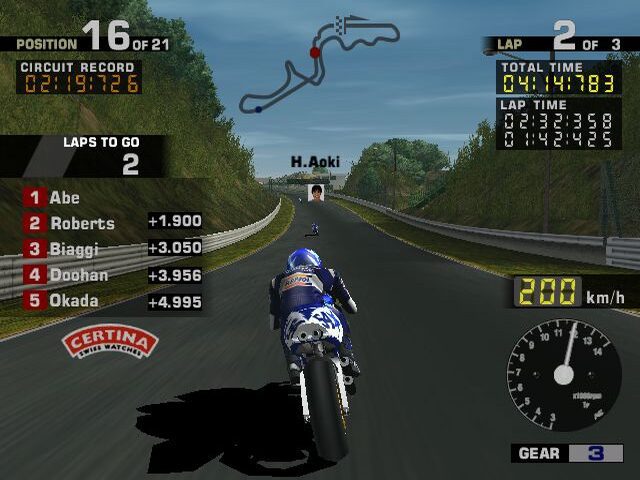
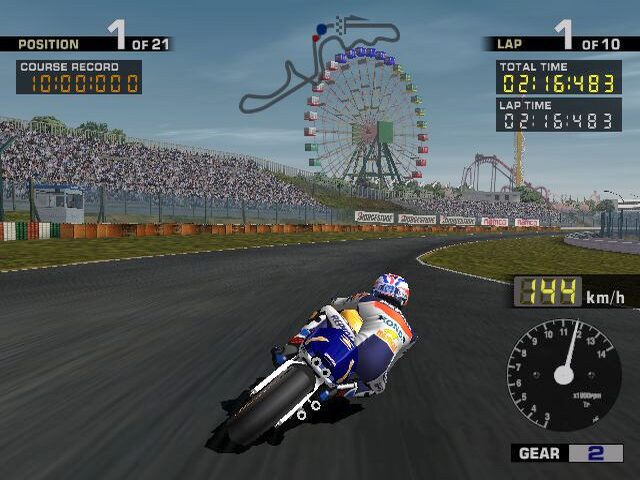
Rossi, Biaggi, Checa, Gibernau: the names that filled the 500 cc World Championship in 2001 are all here, each on an official bike, lined up at Suzuka waiting for the three lights to go out. MotoGP (MotoGP: Ultimate Racing Technology, to give its full title) is the motorcycle racing game of the 2001 season that Climax made for PC and Xbox under license from the championship. In Spain it was published by FX Interactive in 2002, and that is the version we offer here.
Two ways to race
The game splits into an arcade side and a simulation side. In the Arcade Championship you contest ten races, one per circuit, in a fixed order that starts at Suzuka. Each race is three laps against a time limit: crossing a checkpoint earns you extra seconds, and if the clock hits zero, you start over. Points come from your finishing position, overtakes and stunts: wheelies, slides, stoppies and burnouts all score. In the Grand Prix Series you create your own rider, spread ten experience points among cornering, braking, top speed and acceleration, and compete in the ten Grands Prix: you earn points according to your finishing place, and whoever has the most at the end takes the world champion title. There is also a quick race, practice with drills, time trial, split screen and network games for up to 16 players.
A race with real tricks
Although the game boasts of being a simulation, its best moments are pure arcade. You brake before the corner, use the slipstream of your rivals to overtake them on the straight, and your rider tucks in behind the fairing to gain speed. If you crash, your rider hops back on the bike by himself and you can carry on. Replays can be saved, and the roster includes 19 real riders with their official bikes plus others you have to unlock. The extras menu hides surprises such as mirrored or reversed circuits, cartoon races and even a race against the grid girls.
What sets it apart from other MotoGP games
It should not be confused with Namco’s MotoGP from 2000, which was a PlayStation 2 game based on the 1999 season. This is the Climax one, with the 2001 season, ten real circuits, weather effects, dynamic replays and your own music, which you can import. If you like it, also take a look at MotoGP: Ultimate Racing Technology 3.
The edition we offer
It is a Spanish-language repack prepared for Windows XP, 7 and 10; you will find it in Downloads. FX Interactive’s Spanish edition came with a very thorough manual, and a good part of what our guides say comes from it. In Guides you will find the first launch, the controls and the riding technique the manual explains, and in Tips & tricks, the game’s unlockables, because we have not found reliable codes. For compatibility questions, see the tutorial on playing your Windows XP classics on Windows 10 and 11 (in Spanish).
ONE GAME, 3 PLATFORMS
Versions.
3 platforms2000–2006
Pick a platform: the screenshots, downloads and online game on this page switch with it.
- Year
- 2000
- Developer
- Namco
- Downloads
- 1
- Screenshots
- 3
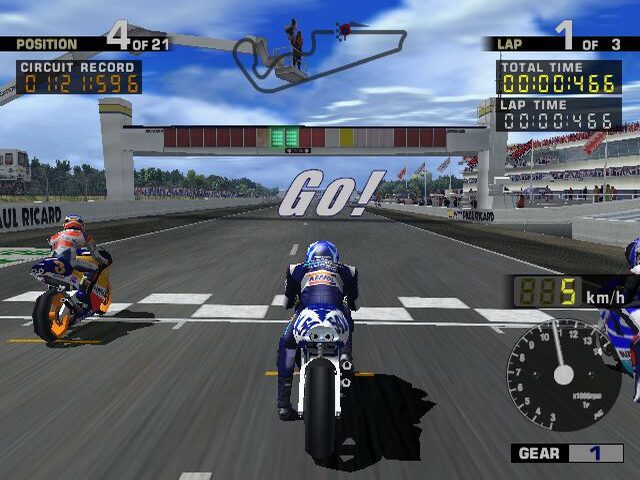
The PC version is the one this page covers: the information, review and main screenshots are from this platform.
- Year
- 2000
- Port by
- Namco
- Downloads
- 1
- Screenshots
- 1
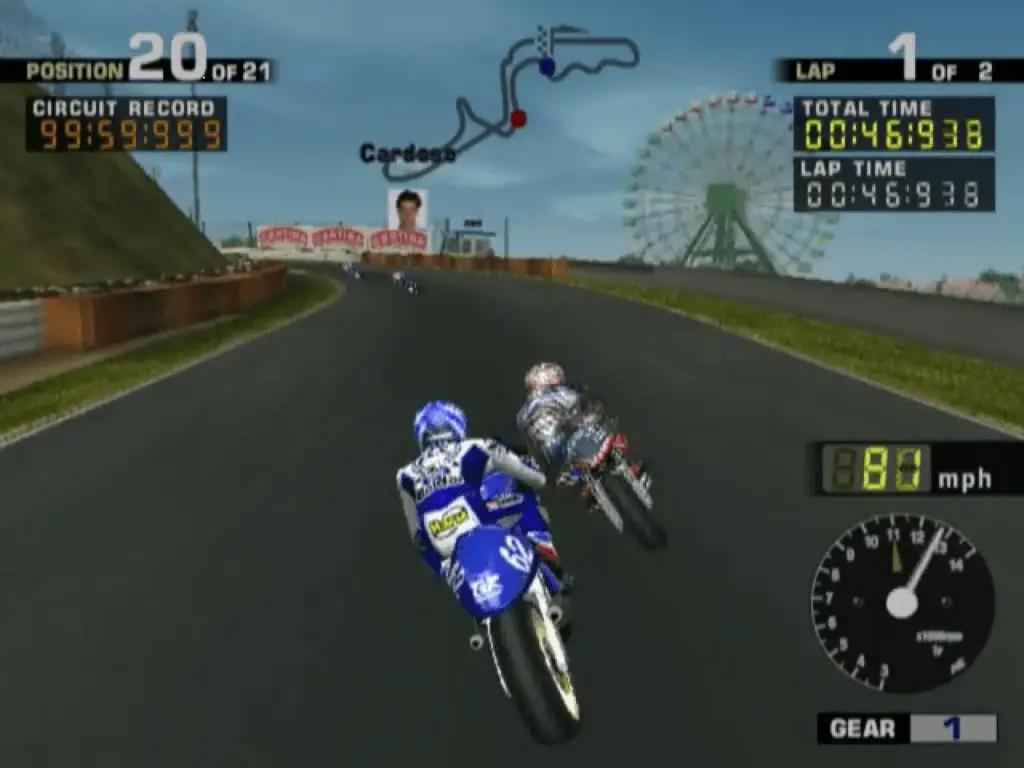
The MotoGP edition for PlayStation 2 arrived in 2000 and brought motorcycle road racing home. Namco explained that this installment adapted its arcade game 500GP to the console and that it would be its third PS2 title after Ridge Racer V and Tekken Tag Tournament. It is a race focused on racing lines, braking and overtaking; the download on this page corresponds to the US edition.

- Year
- 2006
- Port by
- Namco
- Downloads
- 1
- Screenshots
- 1
The PSP edition brings the 2005 MotoGP season to eight circuits and offers arcade races and a season mode. It includes riders and teams from that season, plus local wireless play for up to eight participants. This US copy is distributed compressed in CSO format.
EVERY PIXEL COUNTS
The game in pictures.
Explore the screenshots and open every detail at full size.

GET READY FOR YOUR NEXT GAME
Choose your download.
Format, compatibility and server. All in view.
Version
SELECTED VERSIONPC1 archivo
SELECTED VERSIONPS22000 · 1 file
Clicking opens the CLABA loading area and, in a few seconds, your download. If a link fails, let us know via Contact or in the forum.
HIT PLAY
The game in motion.
Trailers and videos to see it in action.
-
PS2 · How it plays
A Moto GP gameplay session on PS2.
-
PSP · Gameplay
Moto GP gameplay on PSP.
THE SECRET SIDE OF THE GAME
Tips, tricks and secrets.
A hint at the right time. A code that changes everything.
No codes here: the unlockables
We have not found reliable cheat codes in two sources, so we list none. What the game does have is a list of extras that you unlock by playing, taken from the official manual (the «Unlockable items» section).
Unlocking circuits and riders
A circuit is unlocked when you reach it in the Arcade Championship or the Grand Prix Series. The extra riders are earned by scoring the required points on specific circuits of the Arcade Championship. When you finish the Grand Prix Series you see the credits video, and if you make the podium, a video of the best moments of the race.
Special circuits
Win the Grand Prix Series on Rookie to race on mirrored circuits, on Professional to race them in reverse, and on Champion to open the extra circuit Sheridan.
Joke modes
Legend: earn 100 experience credits in the Grand Prix Series or in Practice. After that, Toon (cartoon races), Armazón (wireframe: see the game’s insides), Brring Ding Ding (the sound of a home Grand Prix), Turbo (supersonic speed) and Paraguas (Umbrella: race against the grid girls) appear.
Tip · spend your ten points wisely
When you create a rider, the manual explains each skill: «Cornering» lets you take corners faster, «Braking» improves brake response, and «Top speed» and «Acceleration» do the obvious. Practice mode lets you train all four skills with drills.
Tip · tuck in and look back
On straights and open corners, hold D so the rider tucks in behind the fairing and you gain speed. If you want to know what your rivals are doing, press Q to glance behind you.
No matches. Try another effect or code.
THE NEXT STEP, CLEARER
Guides to move forward.
From the first installation to that mission that won't give in.
Start here · first launch on a current PC
- Download the repack from Downloads: it is in Spanish and prepared for Windows XP, 7 and 10.
- Install it in a short path, for example
C:\Juegos\MotoGP, outsideProgram Files. - On the game’s graphics setup screen you can choose the card, resolution, detail and number of bikes; the manual recommends tuning it to the speed of your processor.
- If the game does not start on a recent version of Windows, try compatibility mode as explained in this tutorial (in Spanish).
- To begin, go into «Arcade Championship», «Rookie» level, and choose a rider; gear changes are automatic.
Controls
According to the manual, arrow keys to accelerate (up), brake (down) and steer (left and right). D: lean the rider forward over the fairing. C: sit him upright, useful for braking. Z: rear brake. X: front brake. Q: look back. W: change camera. S and A: shift up and down with manual gears. Esc: pause menu. The game does not need a mouse, and the keys can be changed in «Controller settings», where you can also assign a gamepad or wheel to each player (up to four in split screen).
First steps
- Start with «Time trial» to learn the track without rivals and try out the controls.
- At the start, accelerate gently; if you open the throttle all at once, the rear wheel spins and you lose tenths of a second.
- Brake before the corner, enter wide and accelerate out once the bike is pointing the right way.
- Follow the line of the riders ahead of you and make use of the slipstream: the double-arrow sign indicates it.
- If you crash, the rider gets back on the bike: accelerate to continue.
- In Arcade, do stunts and overtakes: they score.
Stunts
According to the manual: slides, by easing off the throttle and then accelerating hard again; wheelies, by opening the throttle and throwing your weight back; stoppies, by braking hard with the front brake at moderate speed; donuts and burnouts, with the bike almost stopped, locking the front wheel and accelerating. Watch your speed: too much and you will be thrown off.
Technical notes
The FX Interactive edition includes a manual in Spanish covering the game screen, menus, modes and network play. The game lets you choose resolution and detail level, and supports up to 16 players over a local network or the Internet. Arcade Championship progress is saved automatically at the end of each race, and replays can be saved after each one. To back up your save games, see how to copy and restore your save games (in Spanish).
Sources
- Internet Archive: MotoGP (PC, español, FX Interactive): complete Spanish manual (controls, modes, stunts, unlockables), July 2002 edition, Climax.
- Wikipedia: MotoGP: Ultimate Racing Technology: 2001 season, ten circuits, weather, replays, soundtrack.
- Wikipedia: MotoGP (2000): Namco’s PlayStation 2 game, different from this one.
- IGN, review of the Xbox version (Wayback Machine): Grand Prix Series, the four attributes and the unlockables.
Something wrong?
Give us a hint.
A broken link, a detail to correct or a game that won't start. Your report helps keep this game page up to date.
Get in touchReport an issue with this game Discuss it in the forumCLABA ARCADE ROOM
541 classics
without installing anything.
Don't feel like installing? These play right in your browser.
Enter the roomTHE CLABA APP1.0 RC 1
Take the archive
with you.

Game pages, online play and your shelf on Android. Free, no sign-up.
ARCHIVE SECRETS
Did you know?
Rossi, Biaggi, Checa and Gibernau. The Spanish manual names these riders as the rivals you face on official World Championship circuits, with 19 real riders available from the start.
It is not Namco’s MotoGP. Namco’s 2000 game came out for PlayStation 2 and was based on the 500GP arcade game; this PC one is a different game, Climax’s, built on the 2001 season.
Music with a signature. According to Wikipedia, the menu theme, «Psynn», was composed by Shawn Hargreaves, and the game lets you import your own soundtrack.
Circuits in reverse. If you win the Grand Prix Series at Professional level, you unlock the original circuits run in the opposite direction.
Umbrella mode. Among the unlockable extras is one in which you race against the circuit’s grid girls, who, according to the manual, handle the bike surprisingly well.