Magnetic Fields · Racing
Lotus Turbo Challenge 2
Eight stages, more than 60 checkpoints and a relentless clock: the Gremlin and Magnetic Fields sequel for the Amiga, playable in your browser.
Racing game by Magnetic Fields (1991) for Amiga, Atari ST and Mega Drive. Playable in your browser (Amiga and Mega Drive) or downloadable.
Choose your version 3 platforms
— no rating yet
THE CLABA ARCHIVE
Inside the game.
Its history, its ideas and the reasons to come back.


A Lotus Esprit Turbo launched down an open road, the clock ticking and the next checkpoint still far away. Lotus Turbo Challenge 2 is the second installment of the Gremlin and Magnetic Fields series, and in 1991 it made it clear that sprite-based cars on the Amiga could have speed, variety and charm.
From circuit laps to the open road
The first game in the series, Lotus Esprit Turbo Challenge, was played in laps and with a fuel limit. The sequel changes the approach, and OpenRetro sums it up well: the game becomes a race against the clock in which you must reach each checkpoint before time runs out, in the style of OutRun. The camera sits behind the car, the road unfolds toward the horizon and there are no rivals to overtake: the enemy is the clock and, according to Amiga Power, also the traffic, the oil slicks and the fallen trees, which are there to get in your way and not to compete with you.
The box advertised eight stages with more than 60 checkpoints, at the wheel of the new Turbo Esprit or the convertible Elan, with novelties such as rain, lightning, fog, snow, city traffic, tunnels, bridges and railroad crossings, and a journey across the United States.
What made it special
Amiga Power defined it as the best sprite-based driving game on the Amiga: “fun in the arcade way” and at the same time “remarkably faithful to real driving.” The first stretches are easy, and then the weather toughens the race. It also fixes the problem of the first game, in which a crash left you almost at a standstill: here you do not stop, but the handling becomes unstable and you lose speed. The magazine added, humorously, that the Lotus brand seemed to have insisted that its car suffer no damage even in the simulation.
You can play alone or with a split screen, and the box speaks of synchronized games for up to four drivers with a computer link. If you like this style, the next installment in the series is Lotus III: The Ultimate Challenge.
The reception was excellent. OpenRetro lists scores from the period of 94% in CU Amiga, 93% in The One and 89% in Amiga Format, and notes that the first Lotus had been widely regarded as the best driving game of 1990. The sequel, according to the text on its own box, aimed to surpass it, and judging by the reviews, it succeeded. For anyone coming from modern simulators, the surprising thing is how well it holds up: the sense of speed, the changes of scenery and the tension of the countdown still work.
The edition we offer
This is the 1991 Amiga version. In Downloads you will find a package for hard disk with WHDLoad and the image of the original floppy disk in IPF (European edition, one disk), for preservation. You can also try it right now in Play online: press X to open the options, confirm GAME to start, drive with the arrow keys and wait for Forest Course, the first stage, to load. In Guides you will find controls and sources; in Tips & tricks, advice for arriving on time.
ONE GAME, 3 PLATFORMS
Versions.
3 platforms1991–19922 playable online
Pick a platform: the screenshots, downloads and online game on this page switch with it.

- Year
- 1991
- Port by
- Magnetic Fields
- Downloads
- 2
- Screenshots
- 6
Original Magnetic Fields version for the Amiga, published by Gremlin. It supports one or two simultaneous players with split screen and a computer link.
- Year
- 1991
- Downloads
- 1
- Screenshots
- —
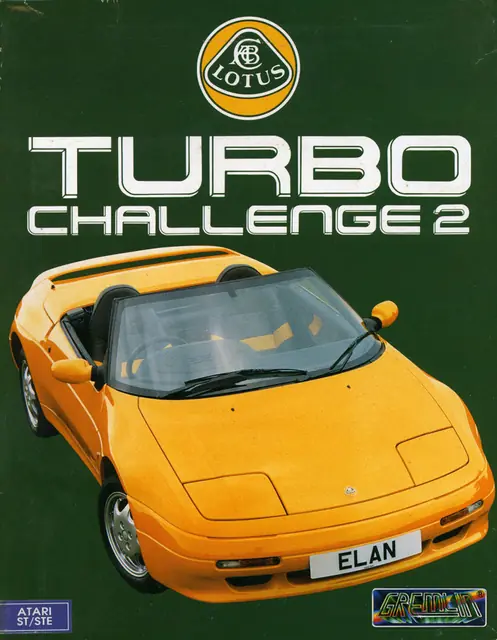
Atari ST version of Lotus Turbo Challenge 2, with the same eight stages and a two-player mode, either split-screen or by linking two computers.

- Year
- 1992
- Downloads
- 1
- Screenshots
- 5
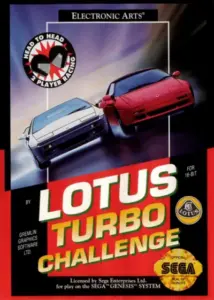
Mega Drive and Genesis version, which OpenRetro presents as the first in the series on a console, with the shortened title Lotus Turbo Challenge and timed stage races, like Lotus 2.
EVERY PIXEL COUNTS
The game in pictures.
Explore the screenshots and open every detail at full size.


GET READY FOR YOUR NEXT GAME
Choose your download.
Format, compatibility and server. All in view.
Version
SELECTED VERSIONAmiga1991 · 2 files · also playable online
Download for hard disk
COMPATIBILITYRequires an emulator ✓ At no cost✓ No sign-up Download BoxSharer server · New tab BoxSharer02 Amiga · Floppy disksDownload original floppy disks
COMPATIBILITYRequires an emulator ✓ At no cost✓ No sign-up Download BoxSharer server · New tabSELECTED VERSIONAtari ST1991 · 1 file
SELECTED VERSIONMega Drive1992 · 1 file · also playable online
Clicking opens the CLABA loading area and, in a few seconds, your download. If a link fails, let us know via Contact or in the forum.
Your game starts here
Play in your browser.
There are 2 versions ready to play. Pick one and click.
Version
AmigaIn your browser
Lotus Turbo Challenge 2
Amiga version. Your next game starts here.
- 894 KB · downloads on click
- Save states in this browser
- Controller, keyboard or touch
Controls
Click the game to use the keyboardOn mobile, play with the on-screen controller- X
- open options and confirm GAME to start
- ↑←↓→
- drive
Acceleration checked with Up + X. Wait for Forest Course to load.
- Full screen
Use the button on the bar. Esc returns to the game page; “Exit” closes the game.
- Saves
Save State, in the game's menu, keeps the exact moment. Load brings it back when you return.
- Mobile and tablet
Press Controls during the game to show buttons and keyboard. Gamepad support depends on the browser.
Saves live in this browser and device. Clearing the site data deletes them too.
The Atari ST version can't be played in the browser yet.
You can download it or play another version now:
Mega DriveIn your browser
Lotus Turbo Challenge 2
Mega Drive version. Your next game starts here.
- 434 KB · downloads on click
- Save states in this browser
- Controller, keyboard or touch
Controls
Click the game to use the keyboardOn mobile, play with the on-screen controllerUse the game menu, with the gamepad icon, to view and change the buttons.
- Full screen
Use the button on the bar. Esc returns to the game page; “Exit” closes the game.
- Saves
Save State, in the game's menu, keeps the exact moment. Load brings it back when you return.
- Mobile and tablet
Press Controls during the game to show buttons and keyboard. Gamepad support depends on the browser.
Saves live in this browser and device. Clearing the site data deletes them too.
THE SECRET SIDE OF THE GAME
Tips, tricks and secrets.
A hint at the right time. A code that changes everything.
Tip · no reliable cheats
We have not found verified codes or passwords for the Amiga version, so we do not make them up. The following tips rest on how the game is designed.
Tip · the goal is the checkpoint
You are not competing against anyone, only against the clock. Each checkpoint adds time, so the key is to chain them together without losing seconds.
Tip · traffic is not a rival
The cars and obstacles on the road are there to get in your way. Do not try to overtake them as in a race: dodge them well in advance.
Tip · a crash does not stop you
After hitting something, the handling becomes unstable and you lose some speed, but you do not stop. Recover your line calmly before accelerating.
Tip · the weather toughens the stages
The first stretches are easy. In later ones, rain, snow or fog force you to anticipate obstacles, not just the next curve.
No matches. Try another effect or code.
THE NEXT STEP, CLEARER
Guides to move forward.
From the first installation to that mission that won't give in.
Start here · first launch
- To try it right now, open Play online and wait for Forest Course to load.
- To play on your own machine, download the WHDLoad package from Downloads and use it with an Amiga emulator with a hard disk, such as WinUAE or FS-UAE.
- The IPF floppy disk serves to preserve the original European edition; it needs an emulator that can read it.
- Save it in a short path such as
C:\Juegos\Amiga\Lotus2.
To back up and restore your settings, see our save games tutorial (in Spanish).
Controls
- Arrow keys: drive.
- X: open the options and confirm GAME to start.
- Up + X: accelerate (checked in the browser edition).
With a joystick in an Amiga emulator, the direction and the fire button serve the same function.
First steps · how to arrive on time
- Accelerate from the very first second: the clock is already running.
- Look far ahead, not just at the car in front of you.
- On tight curves, ease off the gas for an instant so you do not crash.
- When you reach a checkpoint, do not relax: the next stretch is already counting.
Technical notes
According to the original box, the game offers one-player full-screen games, split screen for two and a computer link for up to four drivers. On OpenRetro’s page it appears as a game for one or two simultaneous players. The WHDLoad package is maintained by Wepl, Mr.Larmer and StingRay, according to whdload.de.
Sources
- TechRadar · original Amiga Power review: traits, crashes, rivals, split screen and price.
- OpenRetro: year, publisher, box text, ratings and the Mega Drive version.
- WHDLoad: installation package for hard disk.
Something wrong?
Give us a hint.
A broken link, a detail to correct or a game that won't start. Your report helps keep this game page up to date.
Get in touchReport an issue with this game Discuss it in the forumCLABA ARCADE ROOM
This one and 250 more
play here.
When you finish your game, the room has other machines switched on.
Enter the roomTHE CLABA APP1.0 RC 1
Take the archive
with you.

Game pages, online play and your shelf on Android. Free, no sign-up.
ARCHIVE SECRETS
Did you know?
A car that does not break. According to Amiga Power, unlike the first game, here you do not stop after a crash: it is said that Lotus did not want to see its car damaged, even in a simulation.
Up to four drivers. The box advertised synchronized play for four drivers through a computer link, in addition to the split-screen mode.
A price of £24.99. Gremlin launched it at that price, according to the original Amiga Power review.
It reached consoles. OpenRetro says it was the first in the series to come out for a console, on the Mega Drive (Genesis) under the title Lotus Turbo Challenge.
Sky-high scores. OpenRetro lists ratings from the period such as 94% from CU Amiga, 93% from The One and 89% from Amiga Format.