Papyrus Design Group · Racing
Indianapolis 500
Papyrus's 1989 Indianapolis 500 simulator: realistic car setup, replays, qualifying and up to 200 laps.
Racing game by Papyrus Design Group (1989) for PC (in English) and Amiga. Playable in your browser (PC) or downloadable.
Choose your version 2 platforms
— no rating yet
THE CLABA ARCHIVE
Inside the game.
Its history, its ideas and the reasons to come back.
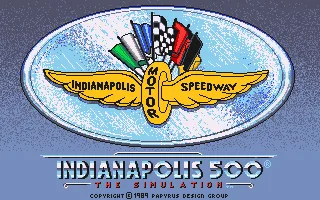
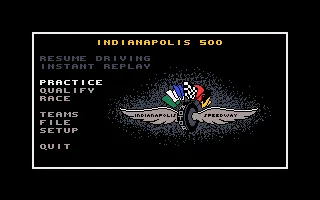


Two hundred laps, a legendary oval and a car you can tune right down to the camber. Indianapolis 500: The Simulation arrived on PCs in December 1989 with an unusual proposition for the time: instead of an arcade racer with cardboard corners, a simulator that took setup, wear and physics seriously. It was the first game from Papyrus Design Group, the studio that would eventually become iRacing, and it was published by Electronic Arts.
The birth of a simulator
The story is told by the Retro365 blog. David Kaemmer and Omar Khudari left Tom Snyder Productions in 1987 to found Papyrus. They wanted to make a flight simulator, EA turned it down and offered them instead a game about the Indianapolis 500, with a $70,000 advance. Kaemmer, raised in Indiana but with no racing-engineering background, spent about eighteen months studying books such as Carroll Smith’s Tune to Win. Music and effects were handled by Rob Hubbard, newly arrived at EA as music director. The game cost around $90,000, more than planned, and Papyrus didn’t recoup the investment until the Amiga version came out in late 1990.
How it plays
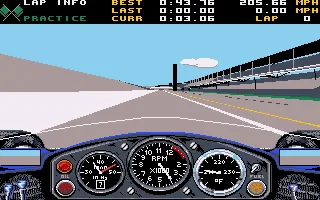
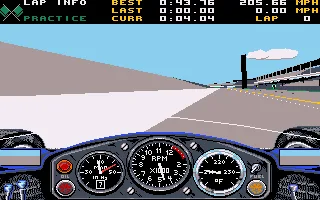
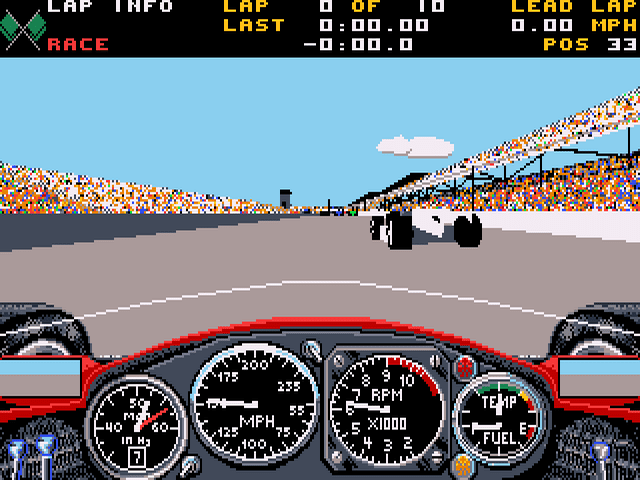
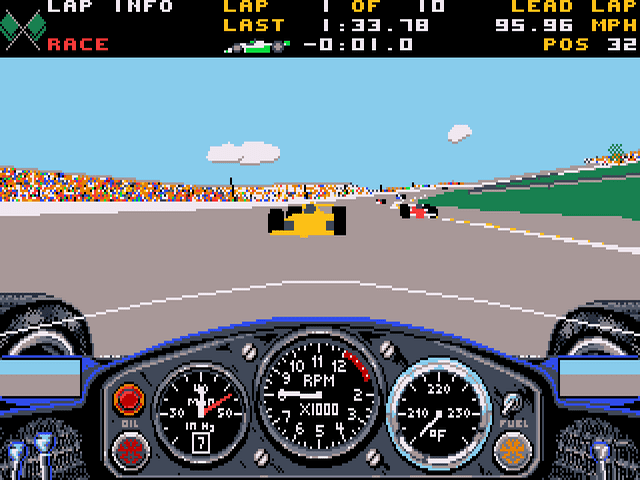
You drive in first person around the game’s only track, the Indianapolis Motor Speedway, with the real 1989 grid: you take car number 17, the spot of the last qualifier. There are three teams: March-Cosworth (the easiest and slowest), Lola-Buick and Penske-Chevrolet (the fastest and hardest). The sessions are practice, qualifying (four laps whose average time decides your starting spot) and a race of 10, 30, 60 or 200 laps. In the shorter ones there is no damage, and in the 60- and 200-lap ones crashes do break the car.
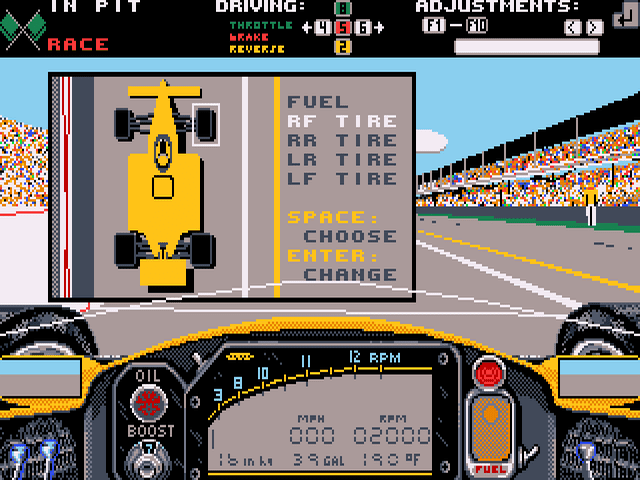
The fun is in the garage. You can adjust fuel, wings, pressures, tires, wheel stagger, shock absorbers, camber and gears, and feel right away how the handling changes. Replays show the last twenty seconds from several cameras, including one that follows the leader or the accidents. If you like tinkering with the mechanics, it is closer to Stunt Car Racer than to an arcade racer such as Lotus III or The Need for Speed.
What made it special
Critics spoke of a «hyper-realistic» simulator with remarkable graphics, handling and realism, and Computer Gaming World ranked it number 122 among the best computer games in 1996. PC Gamer UK placed it at 38 in 1994. In sales it passed 200,000 copies around 1994, and it paved the way for IndyCar Racing and NASCAR Racing.
The edition we offer
This is the original 1989 game in English, with text that needs nothing more than the basics. In Downloads you will find a repack for Windows XP onward, the most convenient option, and from there it starts right up. To set it up your own way in DOSBox, start with the DOSBox from scratch tutorial; for the repack, see how to play your Windows XP classics on Windows 10 and 11. In Guides you will find the first launch, the controls and the setup sheet, and in Tips & tricks, advice for winning. The original carried a copy protection of the era: after the demo, it asked about a winning car whose answer was in the manual. If your copy asks you that, you now know what it’s about.
ONE GAME, 2 PLATFORMS
Versions.
2 platforms1989–19901 playable online
Pick a platform: the screenshots, downloads and online game on this page switch with it.
- Year
- 1989
- Port by
- Papyrus Design Group (original PC version)
- Downloads
- 1
- Screenshots
- 7
The original PC (MS-DOS) version published by Electronic Arts in December 1989, the first from the Papyrus studio. It was installed by copying the files from the floppy disks to a folder and is protected with a question from the manual. It is the edition we offer, in English.

- Year
- 1990
- Port by
- Papyrus Design Group (port by David Kaemmer)
- Downloads
- 2
- Screenshots
- 3
The Amiga port published by Electronic Arts in late 1990 on a single floppy disk, made by David Kaemmer in eight months on commission from EA. It is very similar to the PC one, is played with mouse, joystick or keyboard, and the replays require the 512 KB expansion; it is protected with questions from the manual. It was the version that allowed Papyrus to recoup its investment.
EVERY PIXEL COUNTS
The game in pictures.
Explore the screenshots and open every detail at full size.
GET READY FOR YOUR NEXT GAME
Choose your download.
Format, compatibility and server. All in view.
Version
SELECTED VERSIONPC1989 · 1 file · also playable online
SELECTED VERSIONAmiga1990 · 2 files
Download for hard disk
COMPATIBILITYRequires an emulator ✓ At no cost✓ No sign-up Download BoxSharer server · New tab BoxSharer02 Amiga · Floppy disksDownload original floppy disks
COMPATIBILITYRequires an emulator ✓ At no cost✓ No sign-up Download BoxSharer server · New tabClicking opens the CLABA loading area and, in a few seconds, your download. If a link fails, let us know via Contact or in the forum.
Your game starts here
Play in your browser.
Pick, press and go back to the classics without leaving the game page.
Version
MS-DOSIn your browser
Indianapolis 500
MS-DOS version. Your next game starts here.
- 478 KB · downloads on click
- Save the game's files
- Keyboard, controller or touch
Controls
Click the game to use the keyboardOn mobile, play with the on-screen controllerTeclado del ordenador. En pantallas táctiles, abre Controles durante la partida para ver botones y teclado.
- Full screen
Use the button on the bar. Esc returns to the game page; “Exit” closes the game.
- Saves
Save keeps the files the game creates, not the exact moment. Save inside the game, then press Save.
- Mobile and tablet
Press Controls during the game to show buttons and keyboard. Gamepad support depends on the browser.
Saves live in this browser and device. Clearing the site data deletes them too.
The Amiga version can't be played in the browser yet.
You can download it or play another version now:
THE SECRET SIDE OF THE GAME
Tips, tricks and secrets.
A hint at the right time. A code that changes everything.
Codes: there are none (and what to use instead)
We have not found cheat codes documented in the manual or in the sources consulted. The game does, however, have real tools: cruise control with the C key, turbo from 1 to 9 and the setup menus on the function keys. They are activated from the keyboard on the track; no codes are typed.
Tip · The short race won't damage your car
In the 10-lap races there are no yellow flags or damage, and in the 30-lap ones there is still no damage. Start there to learn the track and avoid the pits.
Tip · Test your setup in practice
In practice you can change any setting instantly and run as many laps as you like, with no risk of damage. Only F8, F9 and F10 (shock absorbers, camber and gears) are locked in the race; before qualifying, get the car ready, because in qualifying and the race almost all settings can only be changed in the pits.
Tip · Don't run wide in the corner with the keyboard
The manual explains that each steering keypress turns the wheels more the longer you hold it, and that when you release it they straighten out gradually. If you hear the tires squealing, release the key for a moment so they regain grip.
Tip · The turbo and the anti-roll bars
Turbo pressure is adjusted from 1 (minimum) to 9 (maximum) with the number keys on the main keyboard, and it is one of the few settings you can touch without entering the pits during qualifying, along with the anti-roll bars.
Tip · Reverse
To reverse, you have to bring the car to a complete stop and then press the reverse key; don’t press reverse and the accelerator at the same time, the command card warns.
No matches. Try another effect or code.
THE NEXT STEP, CLEARER
Guides to move forward.
From the first installation to that mission that won't give in.
Start here · first launch
- Download the repack from Downloads; it is the most convenient way to play on Windows XP, 7, 10 or 11.
- Unzip it to a short path, such as
C:\Juegos\Indy500, and run the included executable. - The original DOS game has no installer: you copy the files from the two floppy disks to a folder (for example
C:\GAMES\INDY500) and runINDY. The parameters/a(AdLib),/r(Roland),/s(no sound) and/v(VGA) choose sound and graphics, according to DOS Days. - On the title screen, press Space to see the demo and Esc to exit it. It will ask you a question about a winning car; the answer is in the manual.
If you prefer DOSBox, start with the DOSBox from scratch tutorial. For replays and saved setups, learn how to back up your save games.
Controls
- Accelerate: joystick button 1, N, W or 8 on the numeric keypad.
- Brake: joystick button 2, B, S or 5 on the numeric keypad.
- Steering: joystick stick or arrow keys.
- Cruise control: C; it switches off when you brake or accelerate.
- Turbo: keys 1 to 9.
- Main menu: Esc. Ctrl+S changes the sound, Ctrl+R restarts the event and Ctrl+J recenters the joystick.
- Setup: F3 fuel, F4 wings, F5 tires, F6 stagger, F7 pressures, F8 shock absorbers, F9 camber, F10 gears. F1 shows lap information and F2 the standings.
First steps · how to prepare a race
- Start in Practice with the March-Cosworth, the easiest team to handle, according to DOS Days.
- Run several laps changing only one setting at a time; that way you’ll notice what each one does.
- Save up to three car setups; the game keeps them in SETTING files.
- Move on to Qualifying and complete the four laps: the better your average, the further forward you’ll start. If you skip qualifying, you start last.
- Choose a race of 10 or 30 laps to begin with, without damage, and once you master the track move on to the 60- and 200-lap ones, with yellow flags and damage.
Technical notes
The original runs with 384 KB of memory at minimum, although DOS Days recommends 512 KB or more, and supports Tandy, CGA, EGA and VGA graphics; sound through the PC speaker, Tandy, AdLib and Roland MT-32. The replay needs around 430 to 445 KB of available memory, and resident programs can stop it from working. You can’t save a race halfway: if you quit, you lose it. Only up to three car setups and one replay are kept. PCGamingWiki has no page for this game, so we make no claims about failures on current systems; if it runs too fast, DOSBox lets you adjust the cycles.
Sources
- Command summary card for PC (Internet Archive): installation, controls, setup menus, replays and the protection question.
- DOS Days: Indianapolis 500: requirements, startup parameters, teams, modes, saved files.
- Retro365: Indianapolis 500, Papyrus Part I: Papyrus’s history, EA’s advance, cost, Hubbard, Amiga port and sales.
- Wikipedia: dates, magazine rankings and details of the Amiga version; for orientation only.
Something wrong?
Give us a hint.
A broken link, a detail to correct or a game that won't start. Your report helps keep this game page up to date.
Get in touchReport an issue with this game Discuss it in the forumCLABA ARCADE ROOM
This one and 540 more
play here.
When you finish your game, the room has other machines switched on.
Enter the roomTHE CLABA APP1.0 RC 1
Take the archive
with you.

Game pages, online play and your shelf on Android. Free, no sign-up.
ARCHIVE SECRETS
Did you know?
The flight simulator EA didn’t want. Kaemmer and Khudari founded Papyrus to make a flight simulator; EA turned it down and offered them Indy 500 instead, with a $70,000 advance, according to Retro365.
You are number 17. The grid reproduces the 1989 one, and the player’s car takes the place of Rich Vogler, number 29, who was the last to qualify.
Eighteen months of study. Kaemmer, with no racing-engineering training, read Tune to Win and other technical books before writing the car’s physics.
Hubbard on sound. Rob Hubbard, newly arrived at EA as music director, composed the music and effects in the summer of 1989, while EA artist Wilfredo Aguilar handled the final 2D art.
A solo Amiga port. Kaemmer took eight months to make the Amiga conversion, which came out in late 1990 and pulled Papyrus out of the red.