Core Design · Action-adventure
Tomb Raider: The Last Revelation
Lara Croft's fourth adventure: Egypt, the god Set and a new inventory. Spanish PC version, repack, CD and The Times level.
Action-adventure game by Core Design (1999) for PC (in English) and Dreamcast. Available to download.
Choose your version 2 platforms
No computer handy? Play one of the 251 classics online right now
4.4 7 votes
THE CLABA ARCHIVE
Inside the game.
Its history, its ideas and the reasons to come back.
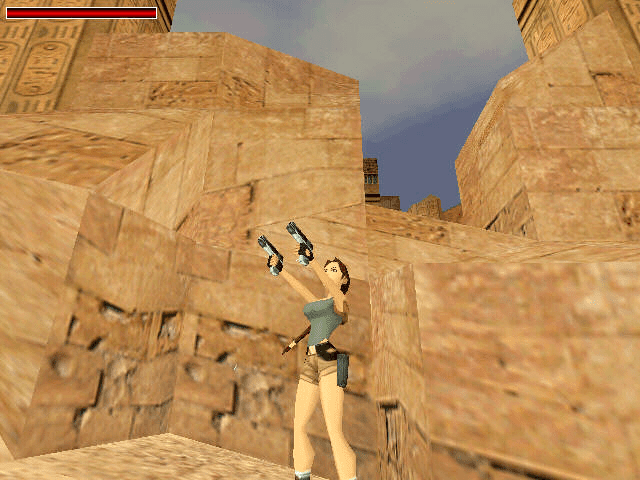
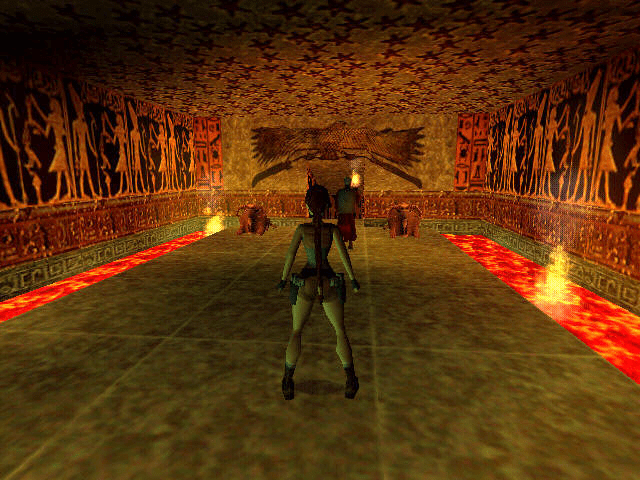
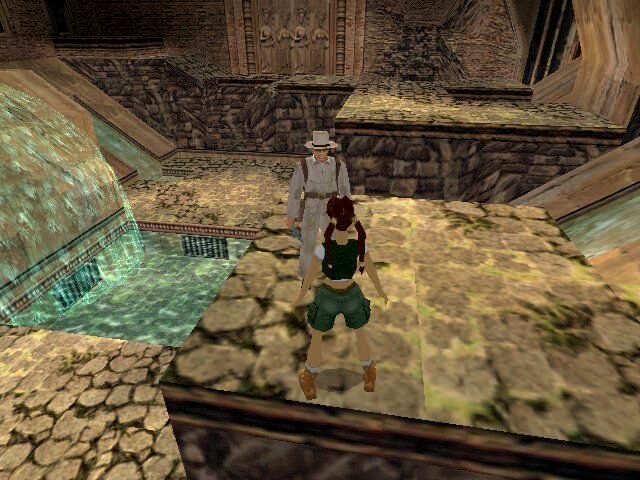
Cambodia, 1984. A teenage Lara Croft and her mentor, Werner Von Croy, are searching for a relic called the Iris in the ruins of Angkor Wat. Von Croy is in a hurry, sets off a trap and Lara has to flee without him. Fifteen years later, in the closing stretch of 1999, that rift gets paid for in Egypt. That is how Tomb Raider: The Last Revelation begins, Lara’s fourth adventure, which Core Design released for PC in November 1999 with Eidos Interactive as publisher.
Egypt, a god and the end of the millennium
Lara unwittingly frees Set, the Egyptian god of chaos, by taking the Amulet of Horus from his tomb. From there she travels from Karnak to Alexandria and Cairo, always one step ahead of (or behind) Von Croy, and accompanied by her friend Jean-Yves. After a tutorial in Cambodia, nearly the whole adventure takes place in Egypt: temples, catacombs, ruined cities and the lower levels of Saladin’s citadel.
What changed from the earlier games
It keeps the «tank» controls and the mix of jumping, puzzles and combat from Tomb Raider II and Tomb Raider III, but with several novelties. Lara climbs ropes and poles, swings on them, shimmies around corners and aims with a laser sight. The inventory stops being a ring and becomes horizontal menus where you can combine items, for example to mount the sight on a weapon. The levels are split into connected zones and you often have to backtrack. In some stretches you drive a jeep or a motorcycle with a sidecar. The team also put the emphasis back on puzzles and exploration, rather than filling the screen with enemies.
It was also the first installment with a PC version designed as such, and the critics of the time considered it the best of the sequels up to then, although with little innovation. Tomb Raider Chronicles and Tomb Raider: The Angel of Darkness followed.
The edition we offer
This is the Spanish-language PC version. Under Downloads you will find a repack, ready to install and play on Windows XP, 7 or 10; the Spanish CD image, marked as compatible with Windows XP; and The Times Exclusive Level, an extra level that Core Design created with the British newspaper The Times and which is in English here. According to the note on this game page, the repack already includes that level, also in English.
The original requirements were minimal (Windows 95 or 98, a 233 MHz Pentium, 16 MB of RAM and DirectX 6.1), so any current computer runs it with plenty to spare. The hard part is the display: the game is limited to 30 frames per second and stretches the image to widescreen. Under Guides we explain how to launch it and the community patches that help, and under Tips & tricks the verified keyboard cheat codes for PC.
ONE GAME, 2 PLATFORMS
Versions.
2 platforms2000
Pick a platform: the screenshots, downloads and online game on this page switch with it.
- Year
- 1999
- Developer
- Core Design
- Downloads
- 3
- Screenshots
- 3
The PC version is the one this page covers: the information, review and main screenshots are from this platform.
- Year
- 2000
- Port by
- Core Design
- Downloads
- 1
- Screenshots
- 1
In Tomb Raider: The Last Revelation, Lara Croft explores temples and tombs in Egypt after accidentally freeing the god Seth. The Dreamcast edition adapts the 1999 adventure to Sega's console: it combines platforming, exploration, combat and puzzles in connected archaeological sites. Core Design handled the conversion, published in 2000. This download is a US CHD.
EVERY PIXEL COUNTS
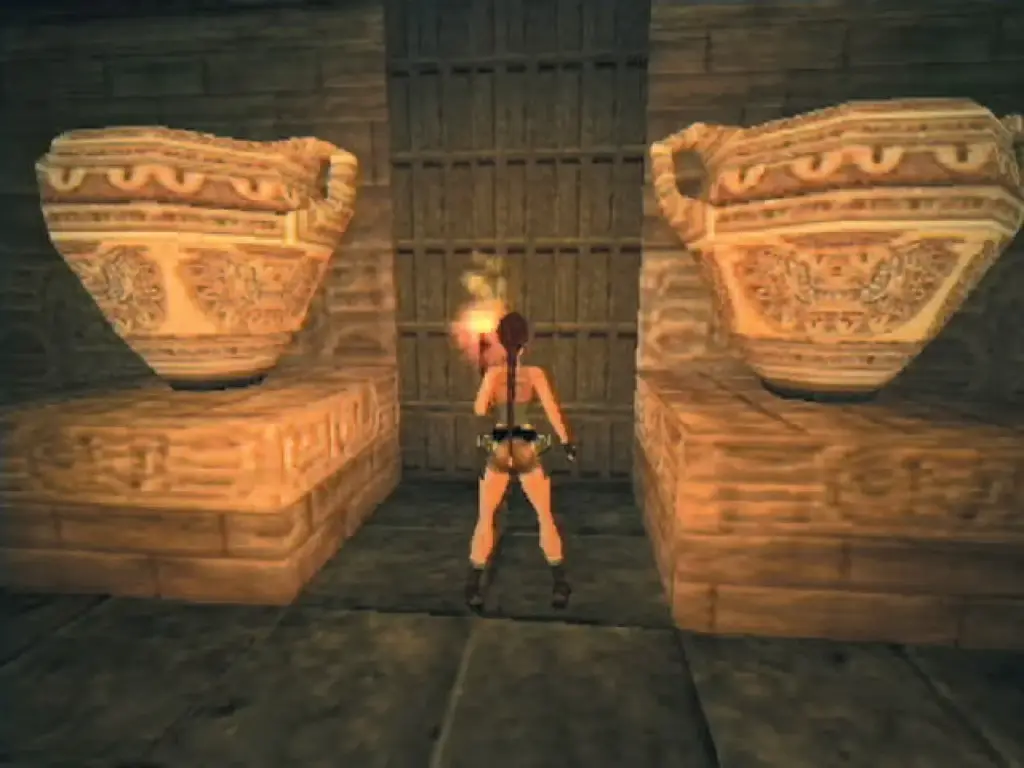
The game in pictures.
Explore the screenshots and open every detail at full size.

GET READY FOR YOUR NEXT GAME
Choose your download.
Format, compatibility and server. All in view.
Version
SELECTED VERSIONPC3 archivos
Download Repack
COMPATIBILITYWindows XP / 7 / 10 ✓ At no cost✓ No sign-up Download www.mediafire.com · New tab MediaFire02 PC · ISODOWNLOAD CD
COMPATIBILITYWindows XP ✓ At no cost✓ No sign-up Download www.mediafire.com · New tab MediaFire03 PC · OriginalDOWNLOAD THE TIMES
COMPATIBILITYWindows XP ✓ At no cost✓ No sign-up Download www.mediafire.com · New tabSELECTED VERSIONDreamcast2000 · 1 file
Clicking opens the CLABA loading area and, in a few seconds, your download. If a link fails, let us know via Contact or in the forum.
HIT PLAY
The game in motion.
Trailers and videos to see it in action.
-
Dreamcast · How it plays
A Tomb Raider: The Last Revelation gameplay session on Dreamcast.
THE SECRET SIDE OF THE GAME
Tips, tricks and secrets.
A hint at the right time. A code that changes everything.
How to enter them
The PC codes are typed on the inventory screen (Esc), with Lara facing exactly north: in the inventory, the compass needle turns transparent when she is oriented correctly. One trick for getting oriented is to grab a block from its south face. Hold down all the letters of the code at the same time and then exit with Esc.
Level skip
With Lara facing north, open the inventory, highlight the Load Game icon without selecting it, hold H E L P (or S K I P) for a moment and exit with Esc. If nothing happens, go into the load menu, return to the game and you should move on to the next level.
All items
With Lara facing north, highlight the small medipack in the inventory and hold G U N S. It gives you all the items in the level, ammo and medipacks.
All weapons
Do the previous cheat first, exit, reopen the inventory with Lara still facing north, highlight the large medipack and hold W E A P O N S.
Tip · save before using a cheat
The sources warn that these codes can erase items you were already carrying or misplace characters in the level, leaving you unable to progress, and that skipping a level can leave you without items you need later on. Save in a new slot before trying them.
Tip · if they don't work
Some keyboards don’t support pressing several letters at once. Try another keyboard, hold the keys for longer, or turn to a downloaded save game or a save editor.
No matches. Try another effect or code.
THE NEXT STEP, CLEARER
Guides to move forward.
From the first installation to that mission that won't give in.
Start here · first launch on a current PC
- In Downloads, choose the repack (direct install) or the CD image.
- Install it in a short path outside
Program Files, such asC:\Juegos\TombRaider4. - Launch the game and configure the video in the program’s own settings tool.
- If you use the CD image and it fails, use Windows XP compatibility mode; the tutorial on Windows XP classics on Windows 10 and 11 explains how.
- The Times level is played separately: install it from its download or use the repack, which according to the note on this game page already includes it.
Controls · the essentials
- The controls are «tank» style: left and right turn Lara, up and down move her.
- You can redefine the keys in the options menu; if you use the CD version, install the latest patch.
- The P key is pause and is fixed.
- Esc opens the inventory, where you can combine items or change a weapon’s ammo.
- There is no mouse look.
With an Xbox controller, the Peixoto patch (see below) adds compatibility.
First steps · how to approach Egypt
- The Cambodia tutorial teaches the new moves; play all of it, even if you know the series.
- Check every area for switches and items; many levels make you go back to earlier areas.
- The pistols have infinite ammo: save the shotgun and the explosives for the tough enemies.
- Combine the laser sight with a compatible weapon to aim precisely.
- Save often: traps and falls are deadly.
Technical notes
According to PCGamingWiki, the game requires Windows 95 or 98, a 233 MHz Pentium (266 MHz recommended), 16 MB of RAM and DirectX 6.1. It is limited to 30 frames per second and has no native widescreen support: the image is stretched. The community offers the Tomb Raider 2, 3, 4 Widescreen Patch and the Peixoto patch, which adds widescreen resolutions, FOV and Xbox controller compatibility. There is no mouse look.
To keep your saves safe, see how to back them up and restore them.
Sources
- PCGamingWiki: requirements, 30 FPS limit, patches and input.
- WikiRaider: PC codes and how to orient Lara to the north.
- Stella’s site, Tomb Raiders.net (archive): second source for the codes and their warnings.
- Core Design: The Times Exclusive level and its translations.
Something wrong?
Give us a hint.
A broken link, a detail to correct or a game that won't start. Your report helps keep this game page up to date.
Get in touchReport an issue with this game Discuss it in the forumCLABA ARCADE ROOM
251 classics
without installing anything.
Don't feel like installing? These play right in your browser.
Enter the roomTHE CLABA APP1.0 RC 1
Take the archive
with you.

Game pages, online play and your shelf on Android. Free, no sign-up.
ARCHIVE SECRETS
Did you know?
A newspaper level. Core Design created the extra level «The Times Exclusive Level» with the British newspaper The Times, and we offer it here as a separate download. There are even fan translations into French.
Cheats with a compass. For the keyboard codes to work, Lara must be facing exactly north: in the inventory, the compass needle turns transparent when you get it right.
Thirty frames. PCGamingWiki notes that the PC version is limited to 30 FPS and that the P key is pause, needed even to exit the game with a gamepad.