Minds Eye Productions · Action-adventure
Starsky & Hutch
Seventies-style chases in Bay City: one drives the Gran Torino and the other shoots. Spanish PC edition, with repack and the original's ISO.
Action-adventure game by Minds Eye Productions (2003) for PC (in Spanish), GameCube, Game Boy Advance and PlayStation 2. Available to download.
Choose your version 4 platforms
No computer handy? Play one of the 251 classics online right now
4.7 6 votes
THE CLABA ARCHIVE
Inside the game.
Its history, its ideas and the reasons to come back.
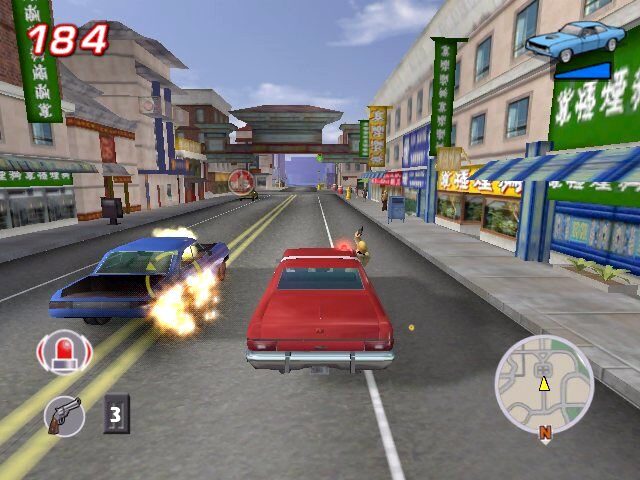
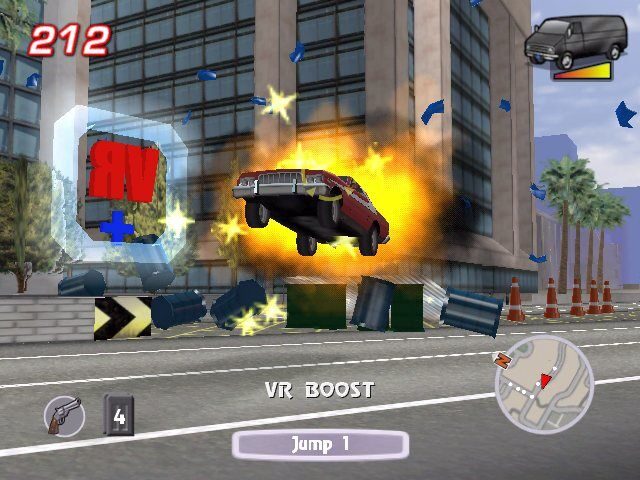


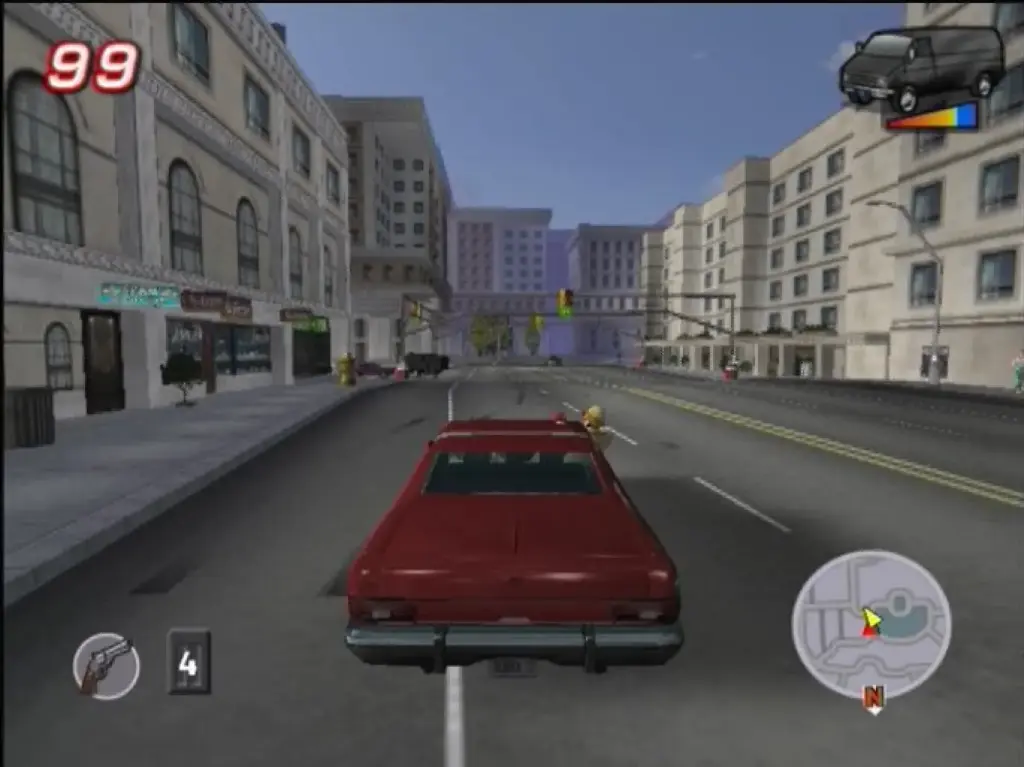
A red Ford Gran Torino with a white «tomato»-shaped stripe, bell-bottoms, the atmosphere of a seventies series, and a narrator who is none other than the real Huggy Bear. Starsky & Hutch doesn’t want to be a driving simulator: it wants to be an episode of the seventies show with a controller in your hand. It was developed by Minds Eye Productions for Empire Interactive and came to Windows in 2003, at the same time as PlayStation 2, Xbox, and GameCube.
Bay City, season by season
The game is organized like television itself: three «seasons» with several episodes each. Each episode has a specific objective, such as chasing some criminals or escorting another vehicle, and always a detail of TV production: you have to keep the audience high, an indicator you must keep up while completing the objectives. Along the way icons appear that you collect by driving over them or shooting them, with bonuses for grip, audience, or more powerful weapons.
One drives, the other shoots
The idea that sets it apart is the division of roles. In multiplayer, one player drives Starsky at the wheel while the other, as Hutch, leans out the window and takes care of shooting enemies and obstacles. Playing solo you drive as Starsky and can choose between aiming yourself or leaving the aim on automatic. It is an approach closer to the armed-car arcade than to the driving games of its time, and it works better with two people on the couch than in a race for one. If you like the genre, also look at Driver, with more serious chases, or Road Rash, where combat on wheels is the focus.
Reception and legacy
Critics received it with modest scores: PCGamingWiki records an average of 58 on Metacritic for the Windows version. Its strength was the presentation, very seventies. Over the years it has become a likable curiosity, predating the 2004 film with Ben Stiller and Owen Wilson.
The edition we offer
It is the PC version in Spanish. In Downloads you have two options: a repack ready to install and a disc image (ISO) of the original, whose file name indicates it is multilingual. Both are marked for Windows XP and later. A warning that was already on this page and is worth repeating: on Windows 10 the «Especial Carrera» (Race Special), the first of the special episodes, can throw the R6025 error (pure virtual function call) and not let you play it properly. In Guides we explain how to fix the most common problems on a modern computer, and in Tips & tricks you have the codes for the LOCAL.INI file. If you want more action on wheels from the same period, also try Grand Theft Auto III or Test Drive Overdrive, and for general compatibility see our tutorial on Windows XP classics on Windows 10 and 11.
ONE GAME, 4 PLATFORMS
Versions.
4 platforms2003
Pick a platform: the screenshots, downloads and online game on this page switch with it.
- Year
- 2003
- Developer
- Minds Eye Productions
- Downloads
- 2
- Screenshots
- 3
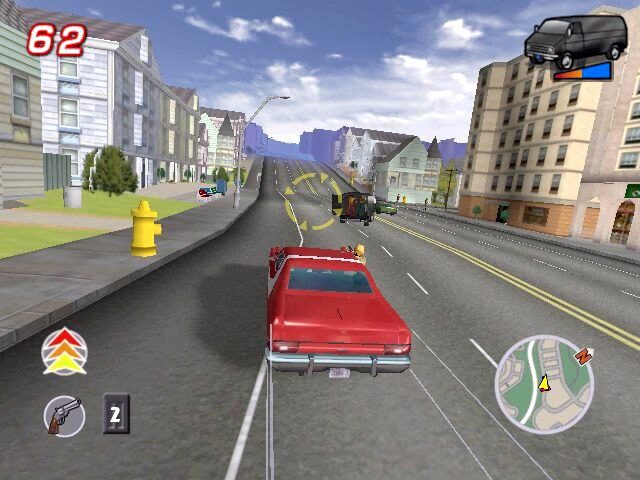
The PC version is the one this page covers: the information, review and main screenshots are from this platform.
- Year
- 2003
- Port by
- Minds Eye Productions
- Downloads
- 1
- Screenshots
- 1
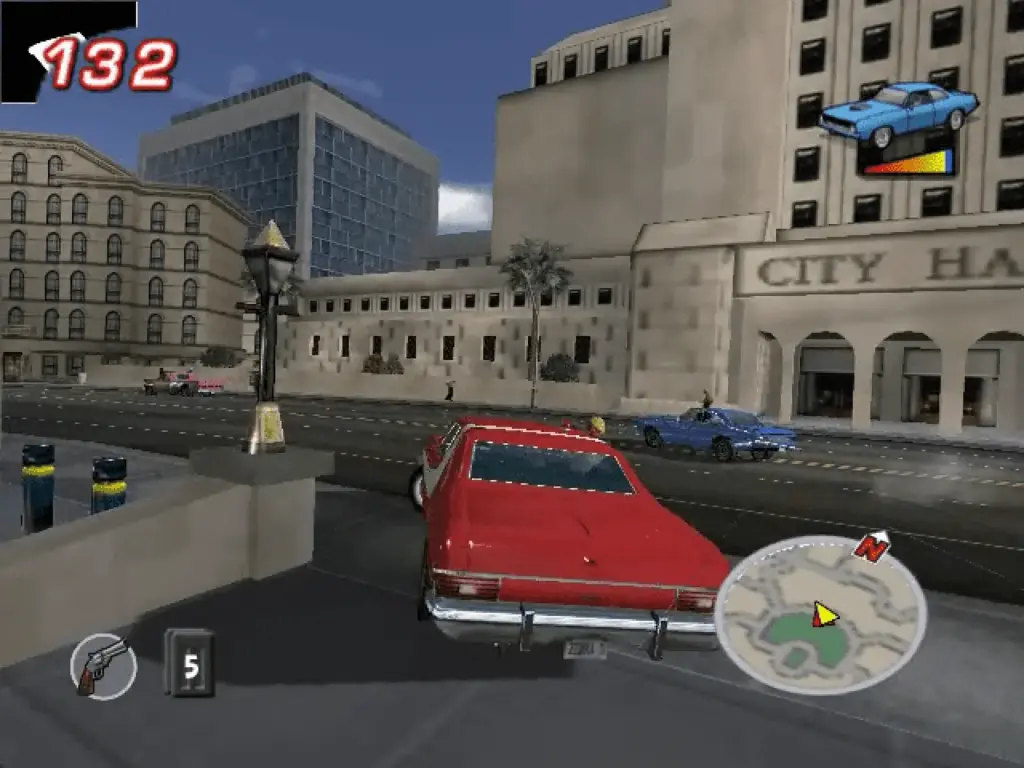
The GameCube version of Starsky & Hutch adapts the television series into races and chases through Bay City. At the wheel of the Ford Gran Torino, the detectives must catch suspects and complete missions in which driving matters as much as teamwork; the game also allows playing with a partner. The adaptation was published in 2003 and developed by Minds Eye Productions. US RVZ download.

- Year
- 2003
- Port by
- Spellbound
- Downloads
- 1
- Screenshots
- 6
The Game Boy Advance adaptation turns the action of the television series into arcade driving seen from behind the car. The player cruises through Bay City at the wheel of the Ford Torino while Hutch covers the confrontations; pacing and aim are part of the same mission. This handheld edition was developed by Spellbound and published by Empire Interactive in 2003.
- Year
- 2003
- Port by
- Mind’s Eye Productions
- Downloads
- 1
- Screenshots
- 1
The PlayStation 2 edition brings Starsky and Hutch's arcade driving to the console: its missions combine chases with secondary objectives and a score that represents the audience of the fictional television show. It also includes open driving. This download corresponds to the US edition in CHD.
EVERY PIXEL COUNTS
The game in pictures.
Explore the screenshots and open every detail at full size.


GET READY FOR YOUR NEXT GAME
Choose your download.
Format, compatibility and server. All in view.
Version
SELECTED VERSIONPC2 archivos
SELECTED VERSIONGameCube2003 · 1 file
SELECTED VERSIONGame Boy Advance2003 · 1 file
Clicking opens the CLABA loading area and, in a few seconds, your download. If a link fails, let us know via Contact or in the forum.
HIT PLAY
The game in motion.
Trailers and videos to see it in action.
-
GameCube · How it plays
A Starsky & Hutch gameplay session on GameCube.
-
Game Boy Advance · Gameplay · Game Boy Advance
A gameplay session of Starsky & Hutch for Game Boy Advance.
THE SECRET SIDE OF THE GAME
Tips, tricks and secrets.
A hint at the right time. A code that changes everything.
How to enter them
In the game’s installation folder, create a text file called LOCAL.INI and write one line per cheat, in the format NAME=TRUE. To disable one, change TRUE to FALSE or delete the line. This is the PC version’s method; the controller codes belong to the consoles and don’t work here.
Unlock everything
FE_UNLOCK_ALL_CARS=TRUE: unlocks all cars, seasons, and episodes. CanAlwaysPlayNext=TRUE: lets you play the next episode without finishing the current one. FE_CREATE_BEST_PROFILE=TRUE: creates a «super» profile with everything open.
Modes and aids
FE_ENABLE_FREE_ROAM=TRUE: enables open roaming mode. FE_ENABLE_TV_SPECIAL=TRUE: enables the TV specials. PlayerUseAI=TRUE: the computer plays for you. CanSkipConversations=TRUE: lets you skip conversations.
Joke effects
MONSTER_TRUCK=TRUE: the cars become monster trucks. CARLOS_FANDANGO=TRUE: wide wheels. FUNNYBONES=TRUE: bodies that wobble. SPEED_CHEAT=TRUE: more speed.
Display and startup
Show_HUD=TRUE: shows on-screen information. TurnOffThatFeckingStupidGunIcon=TRUE: removes the weapon icon from the scoreboard. SKIPDEVICESELECTION=TRUE: skips the graphics card selection menu at startup.
Tip · spelling and caution
Websites write some names with small variations in capitalization. Try one code at a time, save the file, and restart the game. Back up your saves first: some options, such as the «super» profile, modify your progress.
No matches. Try another effect or code.
THE NEXT STEP, CLEARER
Guides to move forward.
From the first installation to that mission that won't give in.
Start here · first launch on a current PC
- In Downloads, choose the repack if you want the most direct route, or the ISO if you prefer to keep the original disc as is.
- Install it in a short path, for example
C:\Juegos\Starsky, not inProgram Files, to avoid permission problems when saving. - If the game asks you to choose a graphics card and fails, try Windows XP compatibility mode from the shortcut’s properties.
- If you notice stuttering or the game closes, cap the frame rate at 60 per second, as we’ll see in the technical notes.
Back up your saves before experimenting: our tutorial on backing up and restoring save games explains how.
Controls
- The game lets you remap the keys from its options.
- It supports a gamepad, but according to PCGamingWiki it does not work in the menus: navigate them with the keyboard or mouse.
- With two players, one drives Starsky and the other handles Hutch’s crosshair; each needs their own device.
- Playing solo you can set the aim to automatic from the options and concentrate on driving.
First steps · how to raise the audience
- Collect the bonus icons: some increase grip and others the audience.
- Take advantage of jumps and ramps, which also trigger special events; the audience bonus from the icons helps keep it high.
- In the chase episodes, don’t just ram: shoot at the targets while you drive or let your partner do it.
- If an episode gets stuck, no problem: with the
CanAlwaysPlayNextcheat you can move ahead and come back later.
Technical notes
Minimum requirements according to PCGamingWiki: Windows 98, a 450 MHz Pentium II, 128 MB of RAM, 700 MB of disk space, a TNT2-class card with 16 MB, and DirectX 8.1. The game uses Direct3D 8 and is a 32-bit executable.
On Windows 8 and later, the game’s vertical sync fails and performance is poor. The fix PCGamingWiki records is to use dgVoodoo 2 or d3d8to9 (copying its d3d8.dll to the game folder). Above 60 frames per second, runtime errors can appear, such as one in the scrapyard of episode 3 of season 1: capping at 60 avoids it. There is also a patch, version 1.32, for the European edition, and a community field-of-view fix for widescreen displays. The R6025 error of the «Especial Carrera» (Race Special) on Windows 10 is a known warning on our page; the fixes above are the first thing to try.
Sources
- PCGamingWiki: requirements, patches, API, errors on modern Windows, and fixes.
- Game Revolution · PC cheats:
LOCAL.INIcodes. - Multiplayer.it · trucchi (in Italian): cross-check of the PC codes.
- Empire Interactive official website (archived): confirms the game and its publisher.
- Wikipedia: development, plot, and narrator.
Something wrong?
Give us a hint.
A broken link, a detail to correct or a game that won't start. Your report helps keep this game page up to date.
Get in touchReport an issue with this game Discuss it in the forumCLABA ARCADE ROOM
251 classics
without installing anything.
Don't feel like installing? These play right in your browser.
Enter the roomTHE CLABA APP1.0 RC 1
Take the archive
with you.

Game pages, online play and your shelf on Android. Free, no sign-up.
ARCHIVE SECRETS
Did you know?
A real narrator. The seventies-style presentation features Antonio Fargas, the actor who played Huggy Bear in the original series, as the game’s narrator.
A television inside the game. Each episode is scored with an audience level you must keep high to keep going, as if you were shooting the episode.
Two players, two jobs. Multiplayer splits up the car: driving or shooting. On other platforms, you could also play with peripherals such as the steering wheel or the GunCon gun.
Announced in 2001. Empire Interactive presented it in April 2001 for PlayStation 2 and PC; in the United States it changed distributor, and the GameCube and Game Boy Advance versions didn’t arrive until 2004.
An engine of the day. According to PCGamingWiki, it runs on RenderWare and Direct3D 8, and its performance problems on modern Windows are fixed precisely by translating those calls to newer versions.