LucasArts · Action-adventure
Star Wars: Episode I – The Phantom Menace
Obi-Wan, Qui-Gon, Panaka, and Queen Amidala across twelve levels that follow the film. Spanish edition with repack 1.1 and the CD.
Action-adventure game by LucasArts (1999) for PC, in Spanish. Available to download.
4.4 33 votes
THE CLABA ARCHIVE
Inside the game.
Its history, its ideas and the reasons to come back.
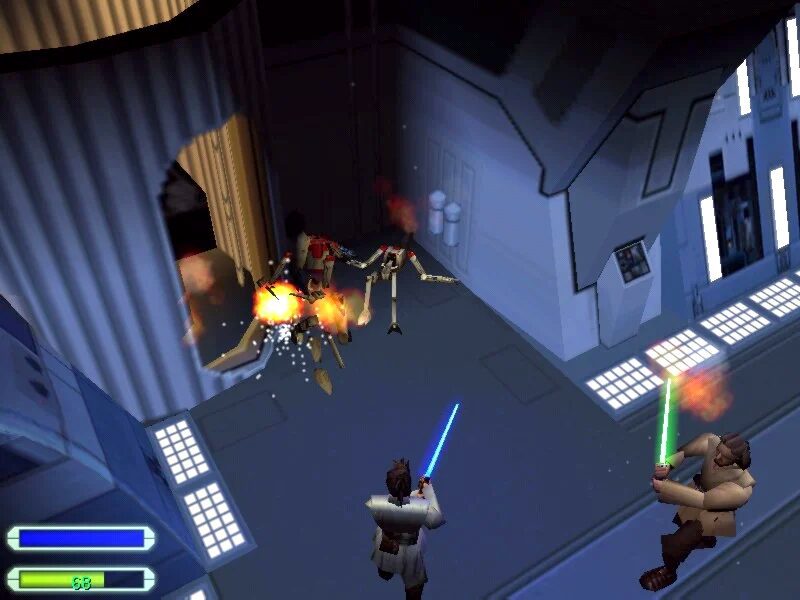
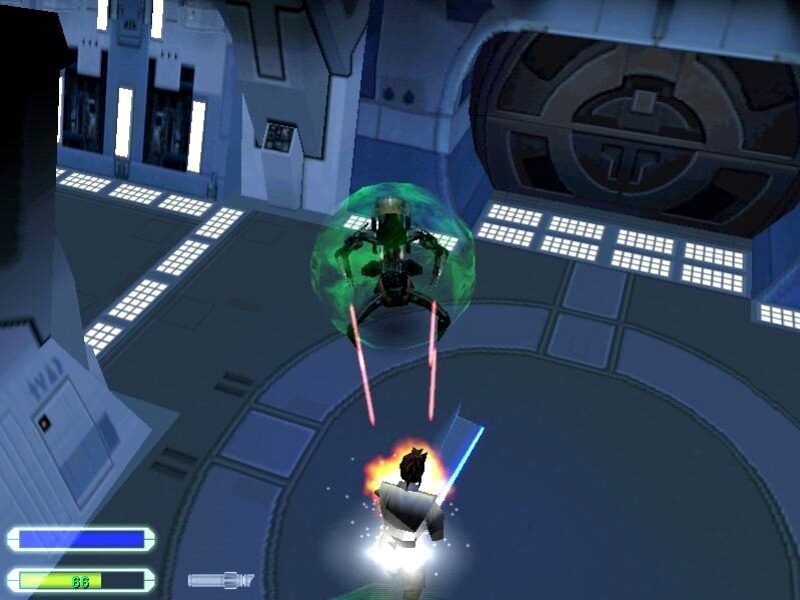
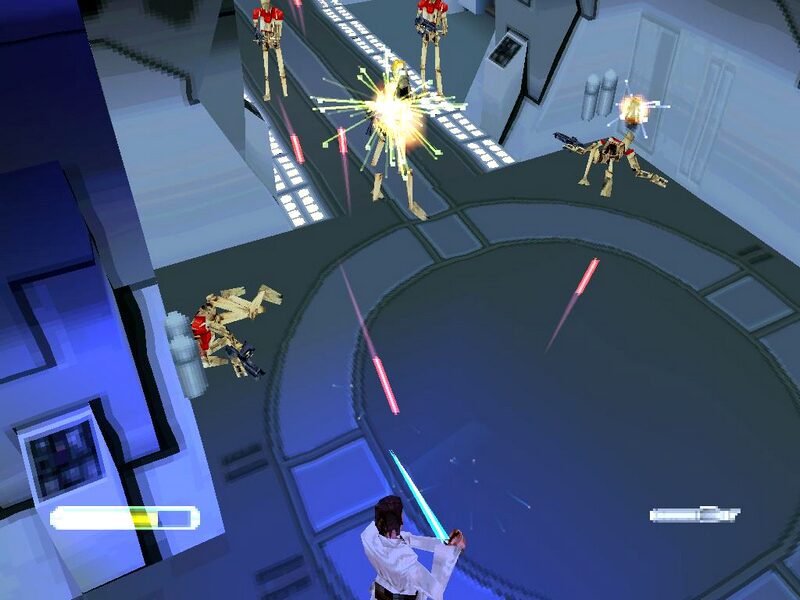
It starts like the movie: two Jedi wait in a Trade Federation conference room, someone opens the poison gas valves, and you have to fight your way out with a lightsaber through battle droids. Star Wars: Episode I – The Phantom Menace reached stores in May 1999, just before the film's release. It was developed by Big Ape Productions, published by LucasArts, and released for Windows and PlayStation.
The movie, scene by scene
The game runs through Episode I in twelve levels: the Federation ship, the swamps of Naboo, the underwater city of Otoh Gunga, the Theed palace, Mos Espa on Tatooine, the Coruscant underworld, and the return to Naboo for the final battle against Darth Maul. You play Obi-Wan Kenobi and Qui-Gon Jinn for most of the adventure, but also Captain Panaka and Queen Amidala herself, armed with a droid stunner. The story follows the film, though it adds missions and fills in gaps the movie skips. For example, Jar Jar ends up locked in Otoh Gunga and Obi-Wan has to get him out without hurting a single Gungan.
How it plays
It is third-person action with a high, almost top-down camera, sprinkled with adventure elements. The Jedi deflect shots with the lightsaber, leap with a somersault, and use the Force push, which recharges if you give it a few seconds. Panaka and the queen rely on blasters, proton rocket launchers, thermal detonators, or Gungan energy balls. Between fights there are crates to push, switches, and delicate jumps.
The adventure side lives in the conversations. You can talk to almost everyone, trade items, and accept side quests that turn out to be useful later. Sometimes a special line of dialogue appears: the Jedi mind trick. In Mos Espa, though, Qui-Gon has to be careful: many locals have powerful friends, and the manual advises keeping your weapon holstered. There you have to get a T-14 hyperdrive generator from Watto's junkyard and find a way to place a bet on the Boonta Eve pod race.
Highs and lows
The 1999 reviews praised the sound, with John Williams's music and lines taken from the film, and criticized the camera. IGN estimated about 80 degrees above the ground, an angle that shows little of what is coming and complicates jumps. The Jedi also cannot strafe: they can only roll. IGN placed it in the middle of the pack, at about thirty hours of play, and Adventure Gamer recommended it mainly to devoted fans of the saga. Its best selling point remains walking through the Episode I settings with a lightsaber in your hand, quite a novelty in May 1999, with the film freshly released.
The edition we offer
This is the Spanish-language edition, with Spanish text and voices. In Downloads you have two options: a repack marked for Windows XP, 7, and 10, which according to its label on the forum (in Spanish) is version 1.1, and the original CD image, marked for Windows XP. The repack is the easy route on a current machine: the CD's installer is a 16-bit program that won't start on 64-bit Windows. In Tips & tricks you will find the PC version's codes, and in Guides, the installation, the controls, and fixes for current screens.
There is more in the LucasArts galaxy: Episode I Racer and Battle for Naboo tell other parts of the same film, and Dark Forces, Jedi Knight, and Galactic Battlegrounds continue the saga. If you like third-person adventure from the period, try Indiana Jones and the Infernal Machine or Tomb Raider.
EVERY PIXEL COUNTS
The game in pictures.
Explore the screenshots and open every detail at full size.
GET READY FOR YOUR NEXT GAME
Choose your download.
Format, compatibility and server. All in view.
Download Repack
COMPATIBILITYWindows XP / 7 / 10 ✓ At no cost✓ No sign-up Download www.mediafire.com · New tab MediaFire02 ISODownload ISO
COMPATIBILITYWindows XP ✓ At no cost✓ No sign-up Download www.mediafire.com · New tabClicking opens the CLABA loading area and, in a few seconds, your download. If a link fails, let us know via Contact or in the forum.
THE SECRET SIDE OF THE GAME
Tips, tricks and secrets.
A hint at the right time. A code that changes everything.
How to enter them
During the game, press Backspace to open the text box, type the code, and press Enter. They are typed in English. To turn the cheats off, type turntables. These are the codes for the PC version: the PlayStation one works differently.
Health and weapons
give me life or heal it up: health returns to 100. i like to cheat: all weapons, with ammo. happy: weapon 3 becomes more powerful.
Switching characters
iamobi: you play as Obi-Wan. iamquigon: as Qui-Gon Jinn. iampanaka: as Captain Panaka. iamqueen: as Queen Amidala.
Camera
naughty naughty: puts the camera right up against your character, almost first person. from above: view from above. beyond cinema: widescreen format with black bars, as in the cinema. If you type the code again, the camera goes back to normal.
Image and effects
fps: shows the frames per second. 60fps: toggles between 60 and 30 frames per second. slowmo: slow motion. perf: wireframe mode. drop a beat: the walls ripple. but i feel so good: the Force push turns red.
Others
i really stink: lowers the difficulty. gurshick: shows the credits. kill me now: your character dies instantly, in case you’ve gotten stuck.
No matches. Try another effect or code.
THE NEXT STEP, CLEARER
Guides to move forward.
From the first installation to that mission that won't give in.
Start here · first launch on a modern PC
- Download the repack from Downloads. It is marked for Windows XP, 7, and 10, and according to the forum (in Spanish) it is version 1.1 in Spanish.
- Install it to a short path, outside
Program Files, such asC:\Juegos\AmenazaFantasma. PCGamingWiki recommends a dedicated folder to avoid a problem with save games. Save games are stored inside the game folder, inSave. - The CD image is for preserving the edition or installing it on 32-bit Windows XP or in a virtual machine. Its installer is 16-bit and does not work on 64-bit Windows.
- If the error "Could not initialize graphics hardware" appears at launch, PCGamingWiki suggests the dgVoodoo 2 wrapper. Put its
D3DImm.dllandDDraw.dllfiles in the game folder.
Before touching anything, make a copy of the Save folder by following our tutorial on backing up and restoring save games. For compatibility problems in general, there is the one on Windows XP classics on Windows 10 and 11.
Controls
- Arrow keys: move. Shift: run.
- Ctrl: use the weapon. With the Jedi, X + Ctrl delivers an overhead strike, and if you tap and hold Ctrl, the saber spins over your head.
- X: jump or grab cables. The Jedi do a somersault if they press X again in the air.
- Alt + left or right: roll to that side (Jedi) or jump sideways (Panaka and the queen).
- Z: Force push, Jedi only.
- Spacebar: activate, talk, and push or pull crates. In dialogues, you choose with up and down and confirm with Enter.
- 1 to 6: choose weapon. – and +: previous and next weapon.
- Esc: menu. F5: quick save.
Keys are changed in Options, Controls. The manual recommends keyboard or gamepad, and IGN advised against the joystick.
First steps · surviving Episode I
- Save often with F5: at the start of each zone, before a hard jump, and when entering a new place. The autosave only kicks in at the end of each level, and if your health reaches zero you will have to restart the level.
- With the Jedi, let the saber do the work: it deflects the droids' shots and sometimes sends them back.
- Use the Force push to get enemies off you or to move levers and objects, and give it a few seconds to recharge.
- Talk to everyone and trade whatever you can. Side quests are not mandatory, but they give items that come in handy in the last levels.
- In Mos Espa, with your weapon holstered: if you attack the locals for no reason, you will get into trouble.
- On escorts, protect whoever you are accompanying: if they die, the game is over.
Technical notes
It required Windows 95 or 98, a 200 MHz Pentium, 32 MB of RAM, a 3D card with Direct3D and 4 MB, DirectX 6.1, a 4x CD-ROM drive, and 225 MB on disk (435 MB recommended). LucasArts released the 1.1 update. The game is capped at 30 frames per second, although it can be raised to 60 with the corresponding cheat.
The resolution is changed in the options or in the obi.ini file in the game folder, with screen_width and screen_height. The community has created patches for widescreen displays and current controllers. The most complete is OpenPhantom, which installs the game from the disc or its image and adds modern resolutions, a wider field of view, and bug fixes. Its installer is in English and German: with the Spanish edition, always try it on a separate copy.
Sources
- Windows version manual (Internet Archive): characters, settings, weapons, controls, dialogues, trading, side quests, escorts, and saving.
- PCGamingWiki: 16-bit installer, patch 1.1, obi.ini, save game folder, 30 frames per second cap, dgVoodoo, OpenPhantom, languages, and requirements.
- IGN · PC version review (1999): twelve levels, about thirty hours, T-14 hyperdrive generator, camera angle, and lack of strafing.
- Game Revolution · review (1999): supporting characters, rolling instead of strafing, and first person only with a cheat.
- IGN · "Star Wars hits the shelves" (05/18/1999): the game was already in stores before the premiere.
- Adventure Gamer · review (1999): developer, date, and requirements.
- Game Revolution · PC cheats and Cyberly · PC cheats: codes and how to enter them.
- PlayStation Blog · January 2024 catalog: return of the PlayStation version.
Something wrong?
Give us a hint.
A broken link, a detail to correct or a game that won't start. Your report helps keep this game page up to date.
Get in touchReport an issue with this game Discuss it in the forumCLABA ARCADE ROOM
251 classics
without installing anything.
Don't feel like installing? These play right in your browser.
Enter the roomTHE CLABA APP1.0 RC 1
Take the archive
with you.

Game pages, online play and your shelf on Android. Free, no sign-up.
ARCHIVE SECRETS
Did you know?
Rescuing Jar Jar. Unlike the movie, in the game Jar Jar ends up a prisoner in Otoh Gunga and Obi-Wan has to cross the underwater city to get him out without hurting a single Gungan.
First person, only with a cheat. The high camera was the most repeated complaint. Game Revolution missed being able to play in first person, and that option exists, but hidden behind a code.
Thirty frames per second, or sixty. The game runs at 30 frames per second, but the PC version has a code, 60fps, that raises the figure to 60. PCGamingWiki lists it among its fixes.
Supporting characters with a story. The game gives life to characters who barely appear in the film. Game Revolution noted that a pod racer seen for a few seconds in the movie is here a drunk admirer of Anakin.
Back in 2024. The PlayStation version returned in January 2024 to the PlayStation Plus catalog for PS4 and PS5. The PC one, the one we offer, was sold only on disc, according to PCGamingWiki.