Black Element Software · Action-adventure
Shade: Wrath of Angels
Third-person action with a sword, firearms, magic, and a demon form. Four chapters and thirty levels in the 2004 Czech adventure.
Action-adventure game by Black Element Software (2004) for PC, in Spanish. Available to download.
4.7 9 votes
THE CLABA ARCHIVE
Inside the game.
Its history, its ideas and the reasons to come back.
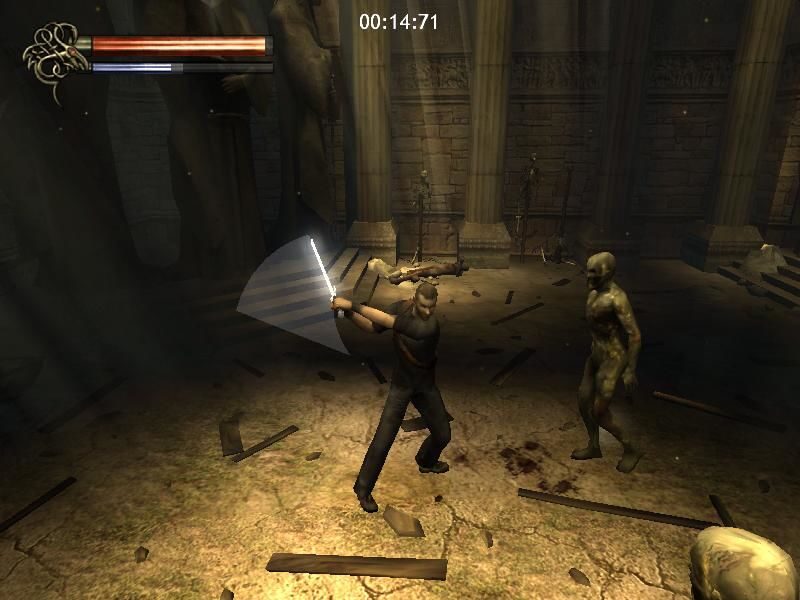
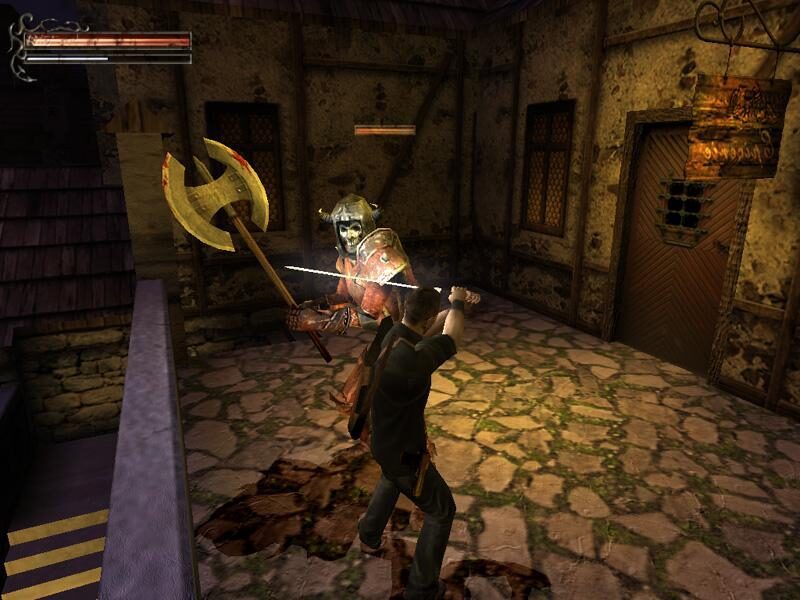
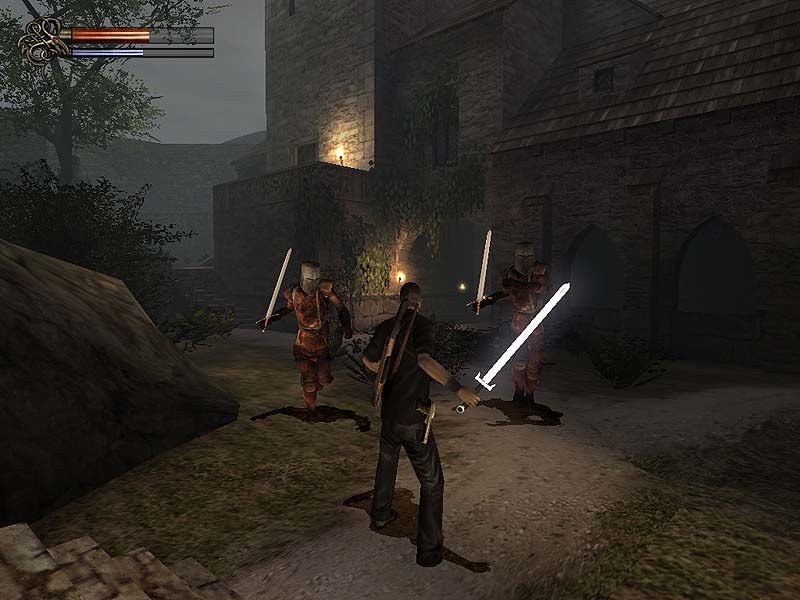
A sword, firearms, magic, and a protagonist who can turn into a demon. Shade: Wrath of Angels is a third-person action-adventure from the Czech studio Black Element Software, published in 2004 by Cenega. It mixes sword fighting, firearms, magic, and exploration in a dark, supernatural tone, and advertises more than thirty hours of play spread over four chapters that travel through different times and dimensions, with thirty levels, tutorial included.
A journey through parallel worlds
Each chapter takes you to a different era and dimension, with its own enemies and settings. The game was known in other markets as Shade: Hněv andělů in Czech, Shade: Gniew Aniołów in Polish, or Гнев ангелов in Russian.
PCGamingWiki classifies it as "hack and slash" action, with a realistic visual style and a supernatural and fantasy theme. It is strictly a single-player experience: there is no multiplayer or online mode, just you, your sword, and whatever awaits in each dimension.
How it plays
You control the protagonist from over the shoulder, using the keyboard to move and the mouse to attack and block. The sword is the main weapon, and its special attacks are triggered by holding the block and attack buttons while typing a movement sequence; the available combinations can be viewed with F1. Firearms and the crossbow are used in first person with the Shift key, and spells are cast after switching to the demon form with the R key.
That transformation is the game's big idea: it gives you a second, magic-based repertoire that you alternate with melee combat. Technically, PCGamingWiki notes that it uses the Enforce engine, which supports 5.1 and 7.1 surround sound with EAX, and that the field of view can be adjusted from the console.
An edition with a history
The game came out on disc with StarForce protection, was sold as a download in stores such as GamersGate and in Bohemia Interactive's store (no longer available), and the Czech magazine Score gave it away without protection on its March and April 2009 discs. If you like the genre, there is a natural path to Legacy of Kain: Soul Reaver for its dark atmosphere, or to Constantine for its supernatural touch.
The edition we offer
The game page offers a Spanish repack for Windows XP and later; you can download it from Downloads. The game includes Spanish interface, voices, and subtitles, according to PCGamingWiki. The latest official patch is 1.2; in Guides you will find where to get it and how to fix the best-known bugs: sound effects that disappear, a limit of 64 frames per second, and widescreen. The console commands and their codes are in Tips & tricks, and for installing it on Windows 10 and 11 our guide to Windows XP classics will be useful.
EVERY PIXEL COUNTS
The game in pictures.
Explore the screenshots and open every detail at full size.
GET READY FOR YOUR NEXT GAME
Choose your download.
Format, compatibility and server. All in view.
Clicking opens the CLABA loading area and, in a few seconds, your download. If a link fails, let us know via Contact or in the forum.
THE SECRET SIDE OF THE GAME
Tips, tricks and secrets.
A hint at the right time. A code that changes everything.
How to enter them
During a game press Ctrl + Alt + F3 to open the developer console, type the command, and confirm with Enter. The codes come from lists of the period (2005) and we cannot guarantee that they work with every version; back up your save games before trying them.
Weapons, ammo, and magic
iamtrax: all weapons. iamzozo: all ammo. iamjabba: fills the magic bars to the maximum. The CheatHappens and Cyberly lists agree on these three.
The invulnerable demon
dcheat 1 makes your demon invulnerable, and dcheat 0 returns it to normal.
Field of view
Type g_fov followed by a number. According to PCGamingWiki, a value of about 40 equals roughly 90 degrees horizontal; it is useful on widescreen monitors.
Tip · careful with iamgod
The lists don't agree on this code: some present it as god mode and others as suicide. Don't try it without a recent save game.
Tip · combos from the menu
Press F1 to see the available combos. To launch them: equip the sword (key 2), hold block, hold attack (the sword will glow), and type the sequence; for example, forward and back for the basic combo. While you are charging a combo you cannot change direction.
No matches. Try another effect or code.
THE NEXT STEP, CLEARER
Guides to move forward.
From the first installation to that mission that won't give in.
Start here · first launch on a current PC
- Download the repack from Downloads. It is in Spanish and prepared for Windows XP and later.
- Unzip it in a short path, for example
C:\Juegos\Shade, and avoidProgram Filesso it can write its save games. - Run it. If it won't start, enable Windows XP compatibility mode; you will find the procedure in this guide.
- To open the launcher, hold down the Shift key while you run the program.
- To play in a window, open
settings.cfgin the game folder and setFullscreento0; to turn off vertical sync, setVSyncto0.
The exact names may vary. Check the label on the game page and the note on the forum (in Spanish).
Controls
- Move: W and S to go forward and back; the rest is in the keyboard options.
- Sword: key 2. Hold the block button and the attack button to charge a combo; F1 shows the list.
- Demon form: R key. With it you can cast spells.
- Spells: equip the spell with Q or from a quick slot, press the right button to aim and press it again to cast.
- Firearms and crossbow: press Shift to switch to first person, press attack once to bring up the sight and fire; the right button reloads.
PCGamingWiki says the keys can be remapped, except for the F1 combo menu, and that the mouse's vertical axis comes inverted by default.
First steps · how to survive
- Start with the tutorial, which is part of the thirty levels, and practice blocking before launching into combos.
- Alternate sword and demon form depending on the enemy: with the latter you have a different repertoire of spells.
- Try the spells as soon as you transform for the first time, to find out their range.
- Switch to first person with Shift for precise shots.
- Keep in mind that some combos cannot be redirected mid-blow: release the attack to turn.
Technical notes
It came out for Windows on October 1, 2004, in 32-bit and with Direct3D 9. PCGamingWiki lists as the minimum Windows 98 SE, ME, 2000, or XP, a Pentium III at 500-700 MHz, 128 MB of RAM, 2 GB of disk space, a GeForce 2, and DirectX 9.0b. It supports widescreen and ultrawide displays.
- Patch 1.2: this is the latest official one. PCGamingWiki links English (EU and US), Czech, and other-language versions.
- No sound effects (footsteps, hits): in the audio options, set 3D quality to "Low" (turn off EAX first if it is locked) and the frequency to 44100 Hz. Another fix is to copy DSOAL into the game folder.
- 64 fps limit: on Nvidia, set vertical sync to "Fast" or the low-latency mode to "Ultra" for this game. On AMD, use dgVoodoo 2 with Radeon Chill.
- Anisotropic filtering: achieved with dgVoodoo 2 (DirectX tab).
Save games go in the game's save folder; you can back them up with the help of this tutorial.
Sources
- PCGamingWiki: date, engine, publishers, languages, manual controls, console, fixes, requirements, and patch 1.2.
- CheatHappens: console with Ctrl+Alt+F3 and codes (January 20, 2005).
- Official website on the Wayback Machine: developer and publisher (Black Element Software, Cenega, 2004).
- Shade-2004-CZ project on GitHub: patch 1.2 and subtitles in several languages, cited by PCGamingWiki.
Something wrong?
Give us a hint.
A broken link, a detail to correct or a game that won't start. Your report helps keep this game page up to date.
Get in touchReport an issue with this game Discuss it in the forumCLABA ARCADE ROOM
251 classics
without installing anything.
Don't feel like installing? These play right in your browser.
Enter the roomTHE CLABA APP1.0 RC 1
Take the archive
with you.

Game pages, online play and your shelf on Android. Free, no sign-up.
ARCHIVE SECRETS
Did you know?
Many names. The game had its own titles in each region: Shade: Hněv andělů in the Czech Republic, Shade: Gniew Aniołów in Poland, and Гнев ангелов in Russia, according to PCGamingWiki.
On the magazine's cover disc. The Czech publication Score included it without protection on its March and April 2009 discs.
Bohemia's store. It was once sold as a download in Bohemia Interactive's store and on GamersGate; neither offers it today.
A discarded protagonist. There is a mod, Beta Character, that restores the first appearance of the main character, which was removed before release.
Fast, but capped. Even with vertical sync turned off, the game stops at 64 frames per second; on some cards it can be fixed from the graphics control panel.