
Motion Blur · Action-adventure
Kabus 22
Turkish survival horror in Istanbul's Kadıköy: three heroes, Madnus creatures and Resident Evil-style handling. Repack and ISO in several languages.
Action-adventure game by Motion Blur (2006) for PC, in Spanish and other languages. Available to download.
4.8 12 votes
THE CLABA ARCHIVE
Inside the game.
Its history, its ideas and the reasons to come back.
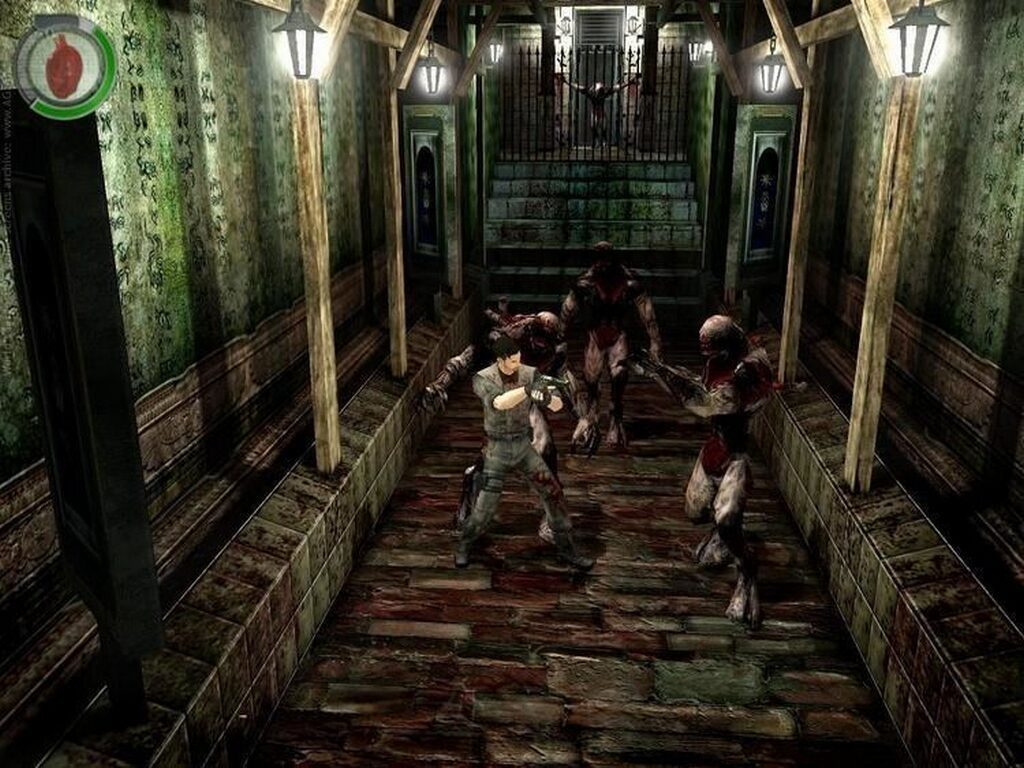
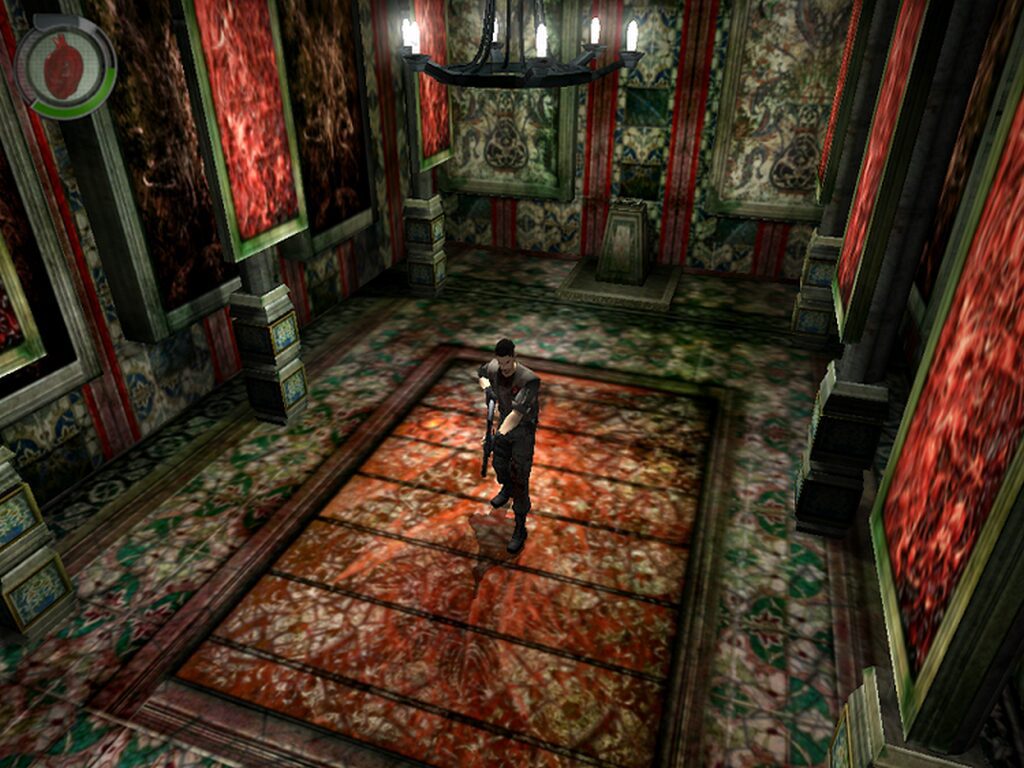
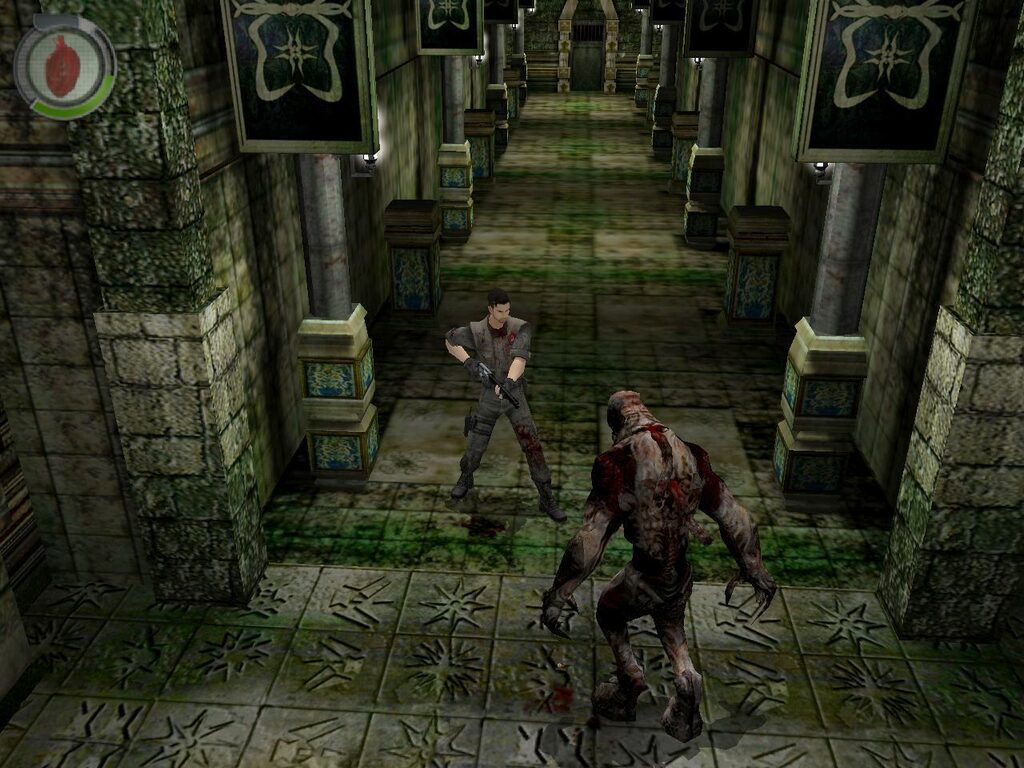
Kabus means «nightmare» in Turkish, and the nightmare in this game unfolds in a very recognizable place: the streets of the Kadıköy district in Istanbul. Kabus 22 is a third-person survival horror game from the Turkish studio Son Işık (later renamed Motion Blur), and it is famous for being one of the first commercial video games developed in Turkey. It came out there at Christmas 2006 and, over the years, reached Eastern Europe and Germany, where it was released in 2008; in other countries it circulated under the names Fearzone, Zona 22 or Sektor 22.
An alternate Istanbul
The story places humanity under a new order imposed by a powerful force and a despotic religious order. Those who resist are hunted by nightmare creatures, among them the Madnus, and one of the resistance cells is in Istanbul. You alternate control between three protagonists: Demir, a Turkish soldier from an organization devoted to the paranormal; his partner Ebru; and the mysterious Inzar, who specializes in melee combat and magic. According to the German spec sheet, there are four settings with more than a hundred sublevels based on real locations in the city.
How it plays
It is a game from the Resident Evil school: you explore, pick up first-aid kits and ammunition, solve simple puzzles and shoot anything that moves. The comparison with Resident Evil is immediate, and the press added others: Vida Extra (in Spanish) saw in the demo a blend with Silent Hill and with Devil May Cry, the latter mainly in Inzar’s stages. Unlike Capcom’s fixed camera angles, here the camera follows the character. The controls have one button to aim and another to fire, one to run and another to pick up or use objects; with a weapon equipped, the Q key delivers a kick or a rifle-butt strike. You can only save at specific points, as in the first Resident Evil games.
What made it special (and what did not)
Kabus 22’s great merit is what a young, inexperienced team achieved with a small budget and little internet access, after three years of development. The setting and lighting earned praise, as did the music and sound effects. The weak part was the handling: Gameswelt called it a «nightmare» with a keyboard, with characters getting stuck on walls, only able to shoot while standing still and having to be turned by hand; it recommended playing with a controller. The game had a mixed reception, with an average of 51% across ten reviews, according to MobyGames. In 2019, by then as Motion Blur, the studio released it at no cost on its YouTube channel.
The edition we offer
In Downloads there is a multilingual repack and a DVD image (ISO), both marked for Windows XP; the language field reads «multi». For a current PC the repack is the most convenient, and our tutorial on Windows XP classics on Windows 10 and 11 (in Spanish) will help if anything resists. In Guides you will find the first launch, the controls and strategy, and in Tips & tricks, advice for surviving.
EVERY PIXEL COUNTS
The game in pictures.
Explore the screenshots and open every detail at full size.
GET READY FOR YOUR NEXT GAME
Choose your download.
Format, compatibility and server. All in view.
Download Repack
COMPATIBILITYWindows XP ✓ At no cost✓ No sign-up Download www.mediafire.com · New tab MediaFire02 ISODOWNLOAD DVD
COMPATIBILITYWindows XP ✓ At no cost✓ No sign-up Download www.mediafire.com · New tabClicking opens the CLABA loading area and, in a few seconds, your download. If a link fails, let us know via Contact or in the forum.
THE SECRET SIDE OF THE GAME
Tips, tricks and secrets.
A hint at the right time. A code that changes everything.
How this section works
We have not found reliable, documented cheat codes for Kabus 22, so we are not making any up. These are gameplay tips based on the reviews and on the press’s first impressions.
Tip · use a controller if you can
Gameswelt found that the keyboard is the worst way to play it: characters lurch along and get stuck on walls. If you have a controller, use it, although the review did not consider it perfect either.
Tip · stop dead before you shoot
According to Gameswelt, the character can only shoot when standing still and has to be turned by hand. Turn first, stop and shoot; if you rush in, you will take a hit.
Tip · the melee attack
In the demo analyzed by Vida Extra, the Q key performed a short-range attack, a kick with the pistol or a rifle-butt strike with the machine gun. It may vary by version, but it is worth trying when enemies close in on you.
Tip · Inzar is the easiest to handle
Gameswelt singled out Inzar, the close-combat and magic character, as the one who handles best. When it is your turn to control him, take the chance to advance with less suffering.
Tip · save wisely
You cannot save at any moment: there are save points, and they are rare. According to the same review, there are plenty of first-aid kits and ammunition, so do not skimp on them, but do not walk past a save point.
No matches. Try another effect or code.
THE NEXT STEP, CLEARER
Guides to move forward.
From the first installation to that mission that won't give in.
Start here · first launch on a current PC
- In Downloads, choose the repack or the DVD ISO; both are marked for Windows XP.
- Install it outside
Program Files, for example inC:\Juegos\Kabus22, to avoid permission problems when saving. - If it does not launch or runs badly, try Windows XP compatibility mode from the executable’s properties; our tutorial on XP classics on Windows 10 and 11 (in Spanish) explains the steps.
- Choose the language at the start. The game came out with Turkish text and was distributed in several countries, and the files on this page carry the multilingual label.
To move your save games to another computer: copying and restoring them (in Spanish).
Controls · keyboard or controller
According to Vida Extra, the scheme is close to Resident Evil’s, though cruder: one button to aim, another to fire, one to run and another to pick up or use objects, and the Q key for the melee attack. The camera follows the character. Gameswelt recommends the controller over the keyboard, where running requires a three-key combination. We have not found an official list of keys, so check the game’s options.
First steps · strategy
- Before each fight, turn toward the enemy and stand still to shoot.
- Pick up every first-aid kit and all the ammunition: they are plentiful, according to Gameswelt.
- Memorize where the save points are and do not let them slip by.
- Pay attention to sound: in the demo, the creature announced itself by its noise before it could be seen.
- With Inzar, play at close range and with magic.
Technical notes
The 2008 German spec sheet lists the requirements as a 3 GHz processor, 512 MB of RAM, a GeForce 6600 or similar with 128 MB, a DirectX 9.0c-compatible sound card and Windows XP or Vista. The engine is 3D GameStudio, according to Wikipedia. We have not found any official patches; if your modern machine has problems, try XP compatibility and lower resolution and quality.
Sources
- Kabus 22 (Gameswelt, 2008): plot, handling, save points, requirements and Frogster.
- Kabus 22: primeras impresiones de la demo (Vida Extra, 2008) (in Spanish): controls and comparisons.
- GamePressure entry: developer, the FearZone name and the Silent Hill and Resident Evil influences.
- Wikipedia (English): overview of distribution, names, freeware and aggregated reviews.
Something wrong?
Give us a hint.
A broken link, a detail to correct or a game that won't start. Your report helps keep this game page up to date.
Get in touchReport an issue with this game Discuss it in the forumCLABA ARCADE ROOM
251 classics
without installing anything.
Don't feel like installing? These play right in your browser.
Enter the roomTHE CLABA APP1.0 RC 1
Take the archive
with you.

Game pages, online play and your shelf on Android. Free, no sign-up.
ARCHIVE SECRETS
Did you know?
A video game «for the movies». In Turkey, the tax code did not recognize video games as a product, so the team could not apply for the tax stamp needed to sell it; the suggested solution was to classify it as a film. That is what Wikipedia reports, based on an article in the newspaper Hürriyet.
An appliance chain distributed it. Since Turkey had no video game publishers yet, the game was distributed by Vestel, a Turkish chain of appliance stores.
One name, several covers. Outside Turkey it was sold as Fearzone, Zona 22 or Sektor 22, and in Germany it was published by Frogster in 2008.
Three years of development. The studio was founded in 2004, began work on the game that same year, and took three years to finish it, with few resources and limited internet access.
At no cost since 2019. Under the name Motion Blur by then, the studio released the game as freeware on its YouTube channel.


