Acclaim · Action-adventure
Gladiator: Sword of Vengeance
Invictus Thrax dies in the arena and returns from Elysium to avenge himself on Arruntius: sword, axe, gauntlets, executions, Olympian magic. Spanish text.
Action-adventure game by Acclaim (2003) for PC (in Spanish and English) and PlayStation 2.
Choose your version 2 platforms
No computer handy? Play one of the 251 classics online right now
4.2 9 votes
THE CLABA ARCHIVE
Inside the game.
Its history, its ideas and the reasons to come back.
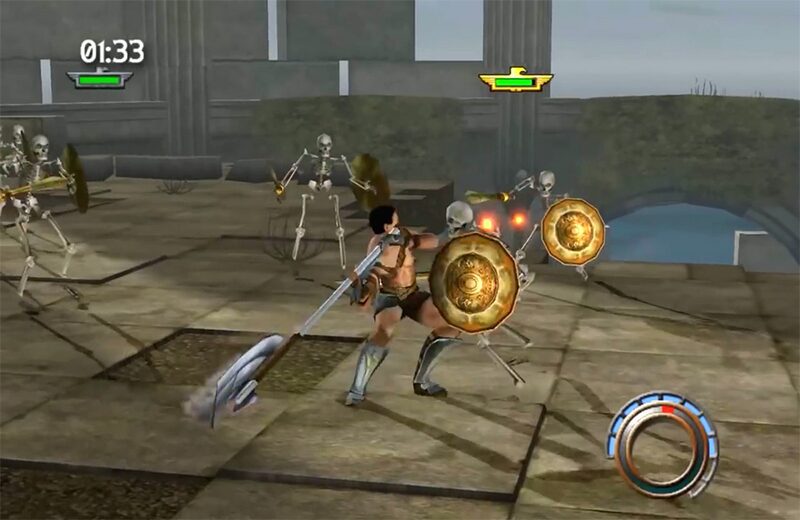
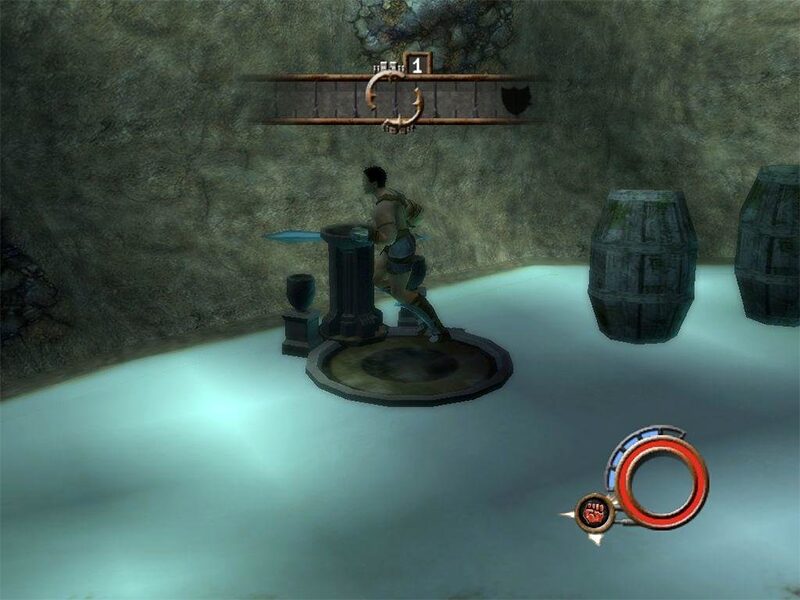
Rome’s greatest gladiator dies in the arena at the hands of something nobody can see, and that is where his story begins. Gladiator: Sword of Vengeance is a hack-and-slash action game that Acclaim Studios Manchester made for Acclaim in 2003: half Roman epic, half B-movie mythology, with plenty of blood and settings that still look good. On PC it reached stores in November of that year, a few days after the PlayStation 2 and Xbox releases.
Rome, year 106
Emperor Trajan has died under strange circumstances, and his successor, Arruntius, a despot given to every vice, has decided to tear down half of Rome to build his own capital, Arruntium, on top of it. To celebrate, he stages the bloodiest games anyone can remember, with Invictus Thrax, the champion of the gladiators, as the main attraction. Thrax falls in the middle of a fight and wakes up in Elysium, where two children in theater masks, Romulus and Remus, tell him the truth: Arruntius has risen to the throne with the help of Phobos and Deimos, sons of Mars and gods of fear and terror. The gods bring him back to life with an assignment: to destroy the usurper and restore Rome’s glory.
How it plays
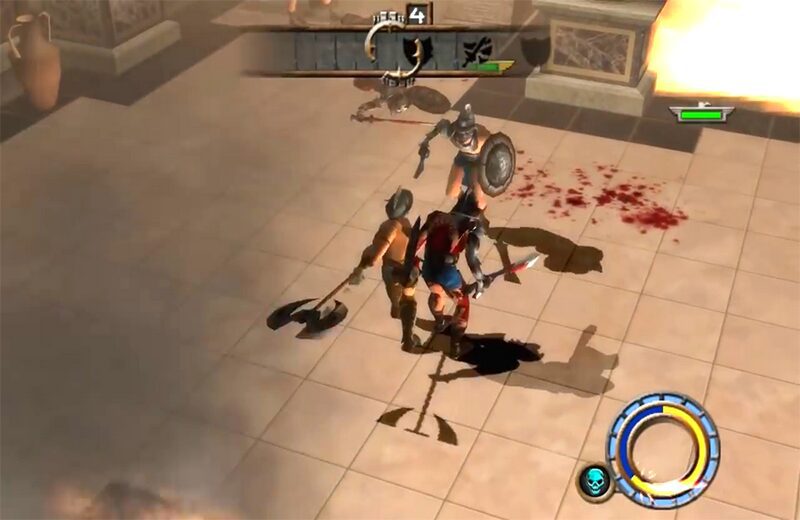
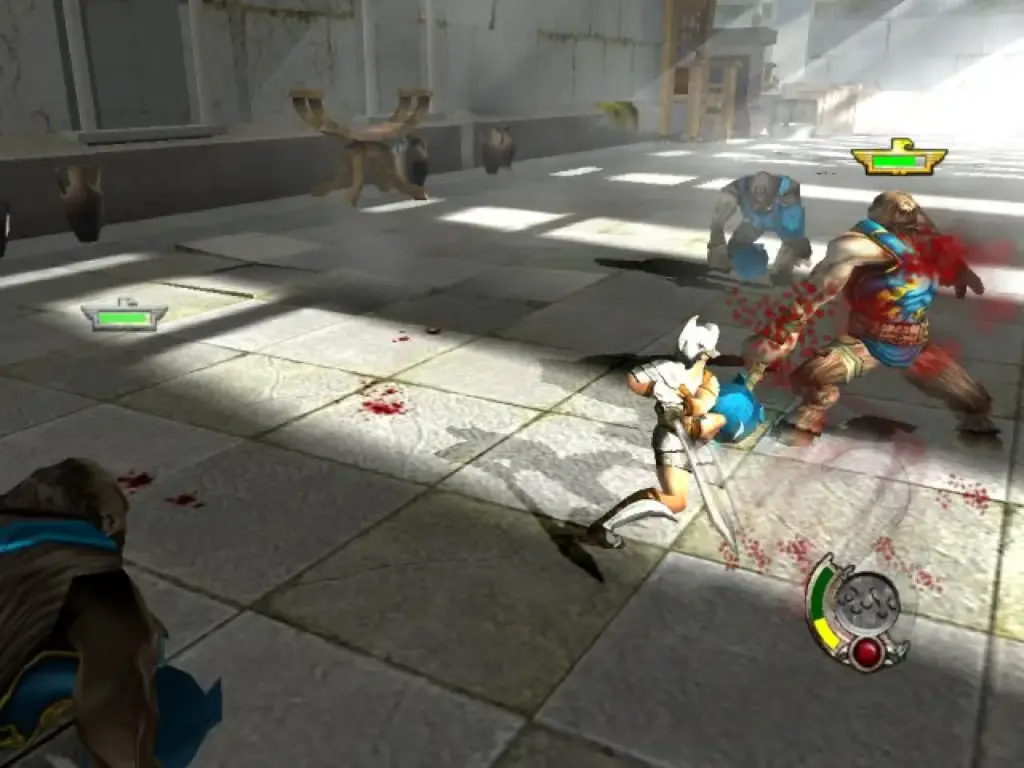
It is a third-person action game with a cinematic camera that changes angle on its own as you advance. Thrax has two attack buttons that chain into combos, a magic button and an action button for everything else: climbing a rope, using a key, pulling a lever or jumping a ledge gap, always with a short cutscene. The starting weapon is the sword; later come the axe and a pair of bladed gauntlets, each with its own combinations.
Enemies usually come in groups, so the game automatically locks on to the nearest one and lets you switch to a second target without losing the first. When one of the tougher opponents’ health bar turns red, the action button launches an execution, and Acclaim boasted of having more than sixty. Scattered through the levels are challenge shrines: closed arenas in which you have to kill a set number of enemies or smash barrels against the clock. They reward you with more health, weapon upgrades and powers of Olympus, such as the strength of Hercules or the spirits of Pluto that fight at your side.
The best and the worst
Critics agreed on the good: the lighting, the sets (Elysium, which serves as the hub between missions, is the prettiest part of the game), the sound and a story more carefully worked than usual for the genre. They also agreed on the bad: the lock-on system becomes a nuisance when you are surrounded, fights turn into button mashing and the puzzles make you backtrack again and again through areas already covered. GameSpot noted that on PC it looked considerably cleaner than on console, although the original version gave trouble with DirectX and drivers. If you like the swords and magic of that generation, in the same vein are Prince of Persia: Warrior Within and Heretic II; and from Acclaim in those same years you have Turok: Evolution. For a more strategic Rome, Centurion: Defender of Rome.
The edition we offer
It is the Windows version with Spanish text and English voices, as the team confirmed in the forum (in Spanish) thread. In Downloads there are two options: a repack ready to install and play, in Spanish and English, and the disc image, with the two CDs of the original edition merged into one for convenience. Both are marked for Windows XP and later; on a current machine, the easy route is the repack, and if something fails, our tutorial on Windows XP classics on Windows 10 and 11 will help you with compatibility.
In Guides you have the first launch, the keys and advice for surviving the first fights; in Tips & tricks, the tips that save the most games.
ONE GAME, 2 PLATFORMS
Versions.
2 platforms2003
Pick a platform: the screenshots, downloads and online game on this page switch with it.
- Year
- 2003
- Developer
- Acclaim
- Downloads
- 2
- Screenshots
- 3
The PC version is the one this page covers: the information, review and main screenshots are from this platform.
- Year
- 2003
- Port by
- Acclaim Studios Manchester
- Downloads
- 1
- Screenshots
- 1
The PlayStation 2 edition of Gladiator: Sword of Vengeance came out in 2003. Invictus Thrax, champion of the Roman arena, dies in combat and receives from the gods the mission of defeating Emperor Arruntius and restoring Rome to its former glory. The adventure combines melee fighting with settings inspired by Roman history and mythology. Acclaim published this US PS2 edition.
EVERY PIXEL COUNTS
The game in pictures.
Explore the screenshots and open every detail at full size.

GET READY FOR YOUR NEXT GAME
Choose your download.
Format, compatibility and server. All in view.
Version
SELECTED VERSIONPC2 archivos
Clicking opens the CLABA loading area and, in a few seconds, your download. If a link fails, let us know via Contact or in the forum.
HIT PLAY
The game in motion.
Trailers and videos to see it in action.
-
PS2 · How it plays
A Gladiator: Sword of Vengeance gameplay session on PS2.
THE SECRET SIDE OF THE GAME
Tips, tricks and secrets.
A hint at the right time. A code that changes everything.
Tip · before anything else
This PC version has no reliable documented cheat codes, so you will not find invented lists here. What it does have are mechanics worth mastering as early as possible: these tips come from the reviews of the time and from the structure of the game itself.
Tip · don't fight the lock-on
The game locks on to the nearest enemy by itself. With the secondary lock-on (Left Shift by default) you face another opponent without losing the main one; when you release it, you go back to the first. Practice it early: it is what costs the most health when you are surrounded.
Tip · finish with executions
When a tough enemy’s bar turns red, press the action button to launch an execution. Besides looking spectacular, it takes the most dangerous opponent in the group out of the picture in one stroke.
Tip · do the challenges
The challenge shrines seem optional, but they give extra health bars, upgrades for all three weapons and the powers of Olympus. If an area is giving you trouble, go back to the pending challenges before moving on.
Tip · save your magic for tight spots
The blood meter fills as you fight. The strength of Hercules makes you stronger and faster for a while, and Pluto brings spirits that fight alongside you: use them when you are surrounded or against a boss, not on easy groups.
Tip · switch weapons to suit the opponent
With the comma key (by default) you switch between sword, axe and gauntlets once you have them. Each weapon has its own combos and its own bonus meter, so do not stick with the sword all the time.
No matches. Try another effect or code.
THE NEXT STEP, CLEARER
Guides to move forward.
From the first installation to that mission that won't give in.
Start here · first launch
- In Downloads, choose the repack: it is ready to install and play, in Spanish and English.
- Install it in a short path outside
Program Files, for exampleC:\Juegos\Gladiator, to avoid permission problems when saving. - Before the first game, go into the options and check the keys: they can be changed.
- If it starts sped up or with a black screen, see Technical notes.
The disc image (the two original CDs merged) is for preserving the edition as it is or installing it on Windows XP or a virtual machine: the original had SecuROM protection, which causes problems on current versions of Windows. If you have save games from another installation, copy them first by following our tutorial on copying and restoring save games.
Controls · default keyboard
- Arrow keys: up moves forward, left and right turn, down makes a half turn.
- Z: attack 1. C: attack 2. Combine them for combos (for example, Z-Z-Z or C-Z-C with the sword).
- X: context-sensitive action (levers, keys, ropes, executions). In combat, with a direction, it dodges with a roll.
- V: activates magic.
- Comma: switch weapon.
- Left Ctrl: main lock-on. Left Shift: secondary lock-on or target switch.
This is the layout shown on the key sheet preserved with a copy of the game; check it in the options, where you can remap it. Support for modern Xbox controllers (XInput) belongs to the later re-release, not to this version.
First steps · how to survive
- Use the first level to learn the two attacks and their sword combos: the rest of the game assumes you have mastered them.
- When a group appears, face the toughest opponent first and use the secondary lock-on to keep an eye on the rest.
- Mix attacks, dodges and target switches: good combos charge the combat meter, which gives temporary bonuses for the duration of the fight.
- Look for the challenge shrines in each area and do them as soon as you can.
- Elysium serves as the hub between missions: explore it calmly each time you return.
- Against a boss, save the blood meter for the powers of Olympus.
Technical notes
The game uses Direct3D 9. When it was released, GameSpot found that the retail version was designed for DirectX 9.0a and had faults with other versions: sped-up gameplay with cutscenes out of sync with the sound on a Radeon 9800, or a black screen in the menu with a GeForce4; it also required up-to-date graphics drivers.
There was an official patch for the British edition, which some copies preserved on Internet Archive already include; the labels of our downloads do not say whether they carry it. The original has no widescreen resolutions or windowed mode (Throwback’s re-release added them), so the normal way to play is full screen in 4:3. If the game runs sped up or stays black, update your graphics drivers and try the Windows XP compatibility mode explained in our tutorial.
Sources
- Acclaim · launch press release (Internet Archive): console release date, more than 60 executions and features.
- GameSpot · PC version review: plot, mechanics, challenges, graphics and DirectX problems.
- PCGamingWiki: PC release date, SecuROM, Direct3D 9 and re-release improvements.
- Steam · Throwback re-release: official plot summary and Metacritic score.
- IGN · name change and IGN · GameCube cancellation: development history.
- Eurogamer · «bloodvertising»: the bus shelter campaign.
- Internet Archive · copy of the PC CDs: languages of the edition and key sheet.
- Clásicos Básicos forum (in Spanish): contents of our downloads and the version with Spanish text.
Something wrong?
Give us a hint.
A broken link, a detail to correct or a game that won't start. Your report helps keep this game page up to date.
Get in touchReport an issue with this game Discuss it in the forumCLABA ARCADE ROOM
251 classics
without installing anything.
Don't feel like installing? These play right in your browser.
Enter the roomTHE CLABA APP1.0 RC 1
Take the archive
with you.

Game pages, online play and your shelf on Android. Free, no sign-up.
ARCHIVE SECRETS
Did you know?
It was going to be called I Gladiator. Acclaim presented it under that title in early 2003 and in March renamed it Gladiator: Sword of Vengeance.
Bus shelters that bled. To promote it in the United Kingdom, Acclaim prepared posters at bus stops that slowly released red dye over six days, as if bleeding onto the pavement. The press dubbed it «bloodvertising».
It was also going to come out on GameCube. The version for Nintendo’s console had been announced, but Acclaim canceled it at E3 2003 without explanation.
More than sixty executions. The launch press release boasted more than 60 finishing moves «based on authentic gladiator data».
It outlived Acclaim. After the publisher’s bankruptcy, Throwback Entertainment acquired the rights and re-released it for Windows with widescreen resolutions and support for modern gamepads.