
Hip Games · Action-adventure
Garfield: Saving Arlene
Odie barks, the dogcatcher takes Arlene, and Garfield reluctantly sets out to save her. 3D platformer by Eko Software for Windows, multilingual repack.
Action-adventure game by Hip Games (2005) for PC, in Spanish and other languages. Available to download.
4.8 22 votes
THE CLABA ARCHIVE
Inside the game.
Its history, its ideas and the reasons to come back.
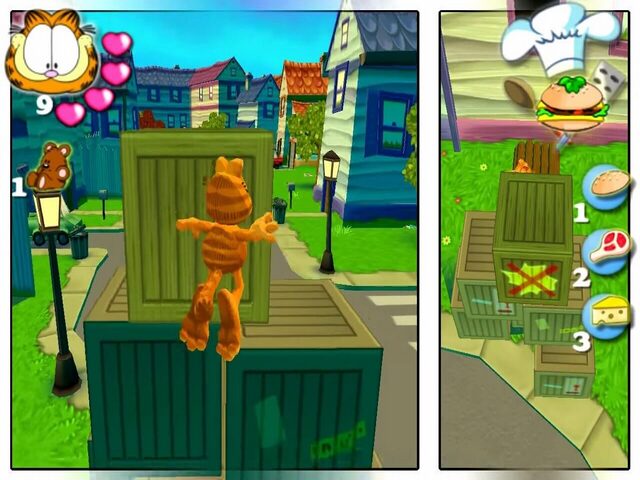
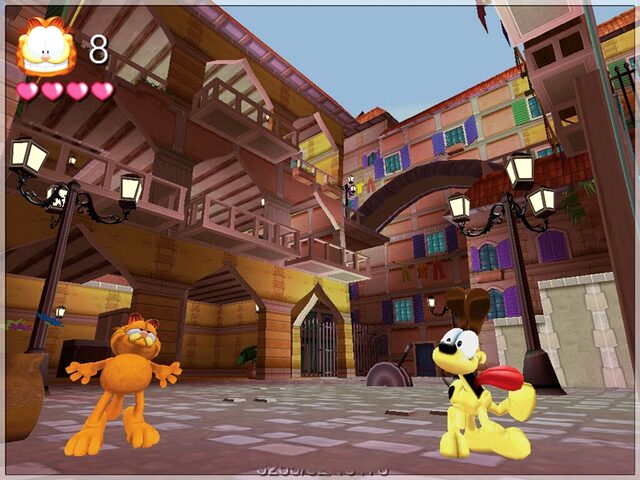
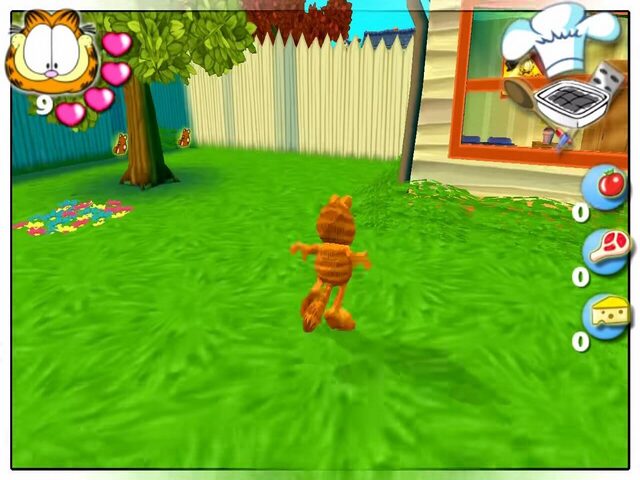
Garfield wakes from his nap to Odie barking as if the world were ending, looks out the window and sees something even laziness cannot let him ignore: the dogcatcher's van is taking Arlene away. Garfield: Saving Arlene (Garfield: Al rescate de Arlene in Spanish) turns that scene into a three-dimensional platform-adventure game starring Jim Davis's orange cat, the most absent-minded dog in the neighborhood and an unusual mission for someone whose greatest daily feat is reaching the fridge.
A four-legged rescue
The setup is simple and faithful to the spirit of the strip: Garfield, who would rather stay lying down, decides to go looking for his friend Arlene with Odie's help. According to specialist databases, it is a third-person platform adventure, the kind you play by moving through settings, dodging obstacles and solving small situations along the way. It is a game designed for children and families, without violence and with the usual lazy humor.
Where it comes from
The game was developed by the French studio Eko Software and published by Hip Games, with Titus Interactive also tied to its distribution, for PlayStation 2 and Windows. Giant Bomb and PCGamingWiki place the PC version in October 2005. It is worth saying because our page lists 2004: that is the year of a different Garfield title, the one by The Code Monkeys for PS2 and Windows, and the two should not be confused. If you like these adaptations, the site has more pages for the cat, such as Garfield, Garfield 2 and Garfield: Lasagna World Tour.
What to expect today
It is a licensed game from the mid-2000s, light and short, best enjoyed without hurry and without comparisons to the big platformers of the time. Its greatest virtue is how recognizable it is: the cat, Odie and Arlene just as they are known by anyone who grew up with the strips and the cartoons. It is a good option for playing with little ones or for an afternoon of feline nostalgia.
The edition we offer
In Downloads there is a multilingual repack (the file's label indicates five languages) prepared for Windows XP and later. In a repack, the installation normally guides you through the choice of language. If you are going to use it on a modern machine, our tutorial on Windows XP classics on Windows 10 and 11 (in Spanish) solves almost all the usual compatibility problems.
In Guides you have the first launch, the requirements and the technical notes; in Tips & tricks, practical tips, since no cheat codes are known. And if you are left wanting more cat, the forum (in Spanish) has a thread for the game and the community usually lends a hand.
EVERY PIXEL COUNTS
The game in pictures.
Explore the screenshots and open every detail at full size.
GET READY FOR YOUR NEXT GAME
Choose your download.
Format, compatibility and server. All in view.
Clicking opens the CLABA loading area and, in a few seconds, your download. If a link fails, let us know via Contact or in the forum.
THE SECRET SIDE OF THE GAME
Tips, tricks and secrets.
A hint at the right time. A code that changes everything.
Tip · about cheats
We have not found codes or passwords verified in two sources for this PC version, so we are not listing any. What follows are usage tips, not in-game cheats.
Tip · install to a short path
Since the game saves in its own folder (game.sav, according to PCGamingWiki), install it somewhere like C:\Juegos\Garfield and not in Program Files, where Windows usually blocks writing.
Tip · back up your save game
Before switching computers or reinstalling, copy the game.sav file. Our tutorial on copying and restoring save games (in Spanish) explains how to do it without losing progress.
Tip · widescreen
The game supports widescreen resolutions, but PCGamingWiki warns that the interface stretches. If that bothers you, try a 4:3 resolution or your monitor’s scaling.
Tip · take it easy
It is a title aimed at a young audience: explore each area, watch Odie and do not rush. The unhurried pace is part of the character’s charm.
No matches. Try another effect or code.
THE NEXT STEP, CLEARER
Guides to move forward.
From the first installation to that mission that won't give in.
Start here · first launch on a current PC
- Download the repack from Downloads; it is prepared for Windows XP and later.
- Install it to a short path, such as
C:\Juegos\Garfield. - If the game does not start on Windows 10 or 11, right-click the executable, Properties, Compatibility, and try Windows XP (Service Pack 3) mode.
- See the tutorial on Windows XP classics on Windows 10 and 11 (in Spanish) if the problem persists.
The file’s label says it is multilingual; choose a language during installation or in the options, if the game offers them.
Controls
It is a third-person platform game for PC; the controls can be reviewed in the options menu at the start. We have not found a reliable published key table, so we recommend checking there before your first game. If you use a controller, also test whether Windows recognizes it before opening the game.
First steps
- Start the first level calmly and observe which objects or areas can be used.
- Remember the goal: reach Arlene with Odie’s help.
- If you get stuck, go back: in a game like this there is usually an alternative route.
- Save your game when the game allows it and copy
game.savnow and then.
Technical notes
According to PCGamingWiki, the official requirements were Windows 98 at a minimum (2000 or XP recommended), a Pentium III at 1.2 GHz, 256 MB of RAM, 600 MB of disk, a card with 32 MB and DirectX 9. It is a 32-bit executable and supports widescreen and 4K resolutions, albeit with a stretched interface. The save game is stored in Game Directory/game.sav.
Sources
- Giant Bomb: October 2005 date, platforms and synopsis.
- PCGamingWiki: developer, publisher, requirements, save games and widescreen.
- VGTimes: game page with its French title.
- Wikipedia · Eko Software: background on the studio and its catalog.
Something wrong?
Give us a hint.
A broken link, a detail to correct or a game that won't start. Your report helps keep this game page up to date.
Get in touchReport an issue with this game Discuss it in the forumCLABA ARCADE ROOM
251 classics
without installing anything.
Don't feel like installing? These play right in your browser.
Enter the roomTHE CLABA APP1.0 RC 1
Take the archive
with you.

Game pages, online play and your shelf on Android. Free, no sign-up.
ARCHIVE SECRETS
Did you know?
One cat, two games with the same year. In 2004 another Garfield game came out for PS2 and Windows, developed by The Code Monkeys; Saving Arlene came later and reached PC in October 2005.
A French studio. It was developed by Eko Software, and Titus Interactive is listed as publisher alongside Hip Games; in Japan Titus released it on April 27, 2006, according to Giant Bomb.
Under another title in Russia. PCGamingWiki lists a Russian disc edition, titled «Гарфилд 2: Спасение друга», which does not correspond to the one we offer.
Simple saving. According to PCGamingWiki, the save game is stored in a game.sav file inside the game’s folder, which is why it is best to install it outside Program Files.


