
EA Redwood Shores · Action-adventure
The Lord of the Rings: The Return of the King
Gandalf, Aragorn, Legolas, Gimli, Frodo and Sam on three parallel paths to the Black Gate and Mount Doom, with combos, upgrades and co-op. Spanish DVD.
Action-adventure game by EA Redwood Shores (2003) for PC (in Spanish) and PlayStation 2. Available to download.
Choose your version 2 platforms
No computer handy? Play one of the 251 classics online right now
4.1 27 votes
THE CLABA ARCHIVE
Inside the game.
Its history, its ideas and the reasons to come back.
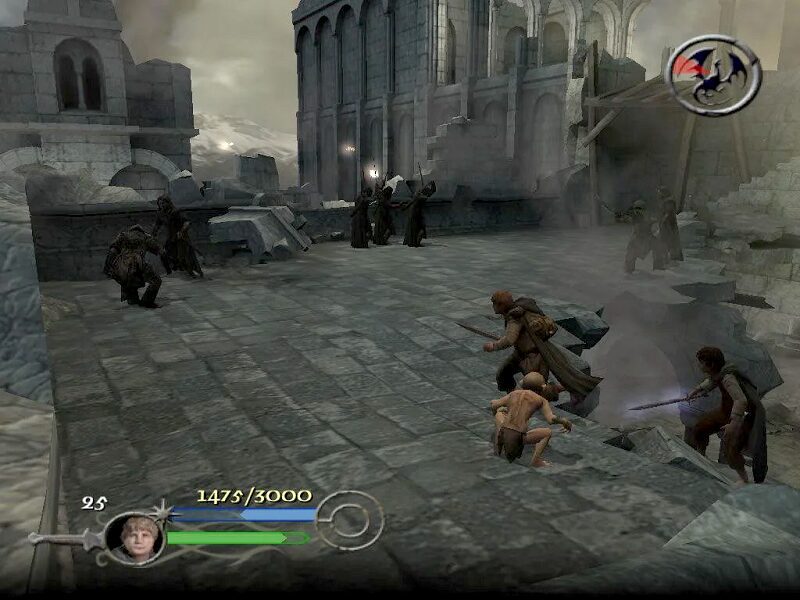
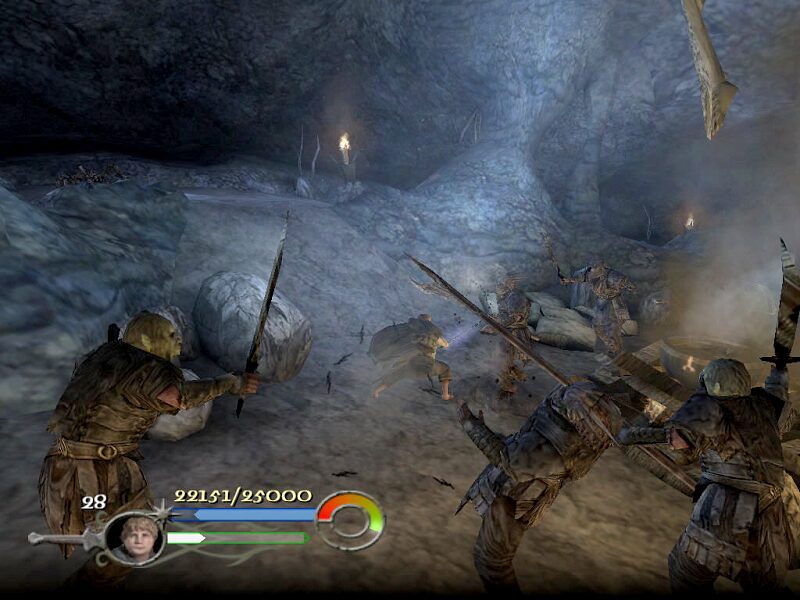
The Uruk-hai have just breached the wall of Helm’s Deep when Gandalf appears at the top of the hill with the Riders of Rohan. That is where they hand you control, and they do not take it back until Mount Doom. The Lord of the Rings: The Return of the King is the action game that Electronic Arts prepared for Peter Jackson’s last film and which reached stores in the fall of 2003, weeks before its theatrical release. Unlike its predecessor, The Two Towers, this time it also came out for PC.
Three roads to Mordor
After the battle of Helm’s Deep, the story opens into three routes you can alternate between. The Path of the Wizard follows Gandalf through Isengard and the defense of Minas Tirith. The Path of the King takes Aragorn, Legolas and Gimli through the Paths of the Dead to the Pelennor Fields. The Path of the Hobbit accompanies Frodo and Sam from Osgiliath to Shelob’s lair, the tower of Cirith Ungol and Mount Doom. The first two lead to the Black Gate, and you cannot finish the game by following just one: you have to take all the heroes to the end. Faramir, Merry and Pippin are unlocked later.
How it plays
It is a hack-and-slash action game, with a camera that follows the scene. Each hero has a quick attack, a fierce attack that breaks shields, a ranged attack, a parry and a finishing blow to dispatch downed enemies, plus an ability of their own: Sam can hide under his Elven cloak and Gandalf can raise a barrier.
The fun is in fighting well. A meter rates each kill from Good to Perfect, and in Perfect mode you hit harder and earn double experience. With those points you buy combos at the end of each level, whether for one character or, as a novelty, for the whole Fellowship. The settings are bigger than those of The Two Towers and they get used: catapults, drawbridges, spears, torches or gate closings. Some levels can be played in two-player co-op.
The film, in your hands
EA worked hand in hand with Jackson’s team. The models and textures were based on material from the shoot, the human movements were captured with the film’s stunt performers and Howard Shore’s music plays; in the original version, you also hear the voices of Ian McKellen, Elijah Wood, Sean Astin, John Rhys-Davies, Christopher Lee and Andy Serkis. The sound was supervised by Ethan Van der Ryn and Michael Hopkins, the same people as on the film. GameSpot praised how it conveyed the scale of the battles, with hundreds of enemies and walls that come crashing down, although the levels are almost linear and heavily scripted. On PC, which was adapted by Hypnos Entertainment, the review warned that you needed a good machine to see it in all its splendor.
The edition we offer
It is the Spanish DVD edition, with Spanish text and voices. In Downloads you have the DVD image, labeled for Windows XP, 7 and 10; according to the note in the forum thread (in Spanish), it includes the widescreen patch, and there it is explained step by step how to mount it, install it and get it running. The original disc carried SafeDisc copy protection, which Windows 10 and 11 no longer support, so follow those steps and, if it resists, see the tutorial on Windows XP classics on Windows 10 and 11.
In Guides you will find the installation, the keyboard and mouse controls and tips for the first levels; in Tips & tricks, the PC version’s codes. If you are left wanting more Middle-earth, The Lord of the Rings: War of the Ring swaps action for strategy and draws from the books, and The Hobbit tells Bilbo’s adventure. And if you like the action of the period, Prince of Persia: The Sands of Time is from the same era.
ONE GAME, 2 PLATFORMS
Versions.
2 platforms2003
Pick a platform: the screenshots, downloads and online game on this page switch with it.
- Year
- 2003
- Developer
- EA Redwood Shores
- Downloads
- 1
- Screenshots
- 3
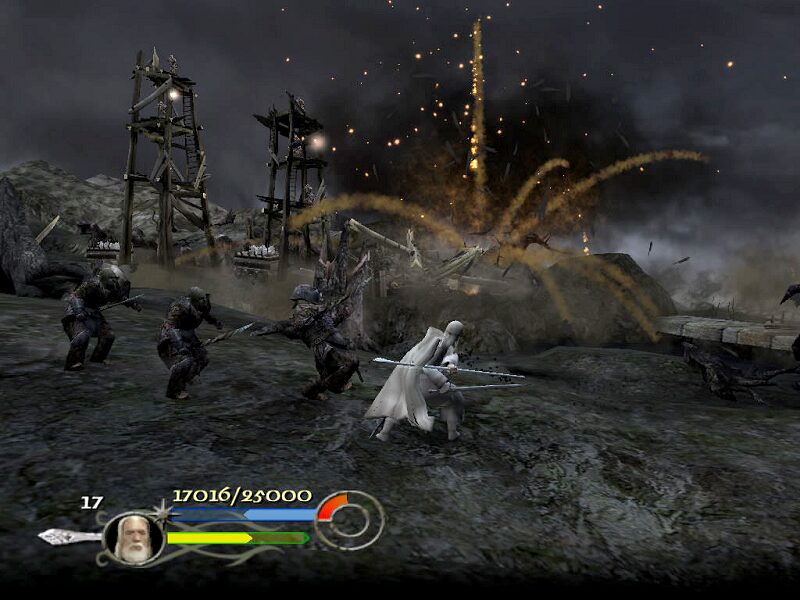
The PC version is the one this page covers: the information, review and main screenshots are from this platform.
- Year
- 2003
- Port by
- EA Redwood Shores
- Downloads
- 1
- Screenshots
- 1
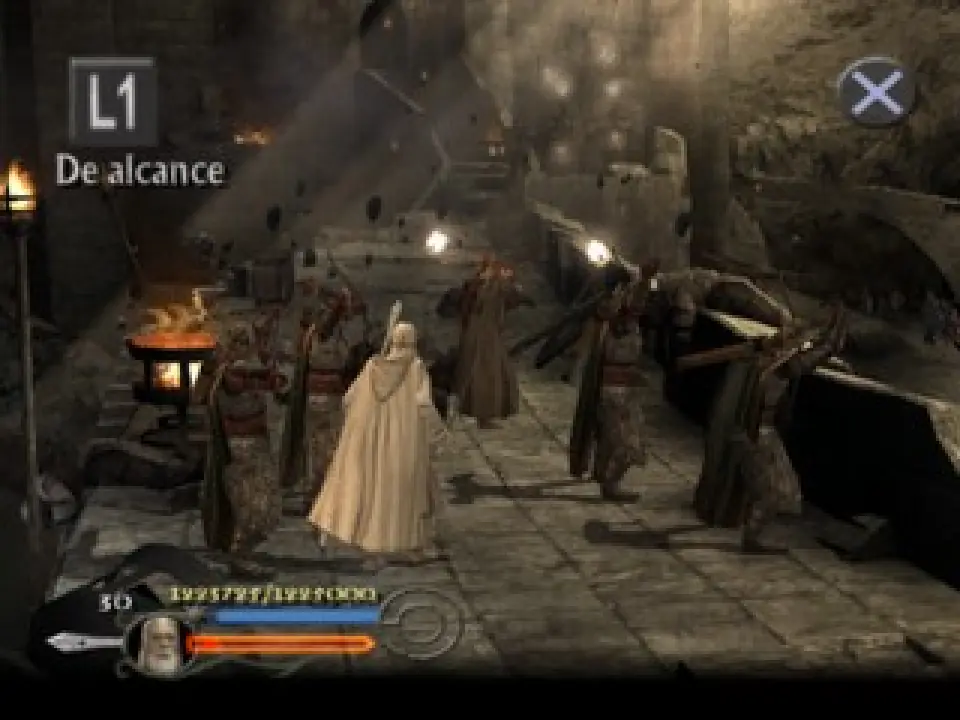
The Lord of the Rings: The Return of the King came to PlayStation 2 in 2003. The adventure follows the last part of the war for Middle-earth through several characters, including Aragorn, Legolas, Gimli and Gandalf. It combines fights against large groups of enemies with routes and abilities unique to each hero; on PS2 it also allows advancing in local co-op. This image corresponds to the US edition.
EVERY PIXEL COUNTS
The game in pictures.
Explore the screenshots and open every detail at full size.
GET READY FOR YOUR NEXT GAME
Choose your download.
Format, compatibility and server. All in view.
Version
SELECTED VERSIONPC1 archivo
Clicking opens the CLABA loading area and, in a few seconds, your download. If a link fails, let us know via Contact or in the forum.
HIT PLAY
The game in motion.
Trailers and videos to see it in action.
-
PS2 · How it plays
A gameplay session of The Lord of the Rings: The Return of the King on PS2.
THE SECRET SIDE OF THE GAME
Tips, tricks and secrets.
A hint at the right time. A code that changes everything.
How to enter them
The codes only work after you have finished the game. During a level, press Esc to pause, hold down Left Shift, Left Ctrl and Left Alt at the same time and type the numbers on the numeric keypad. If the code is correct, you will hear a metallic clang.
Combat modes
5964: Perfect mode. 6869: attacks always devastating. 7578: invulnerability.
Upgrades and projectiles
8967: all upgrades. 7795: unlimited projectiles for the ranged attack.
Aragorn's combo
8769, with the same method and playing as Aragorn: activates his four-hit combo.
Tip · console codes
The PlayStation 2 and GameCube lists use controller button combinations: they do not work on PC. Only the numeric keypad numbers are valid here.
Tip · potions and replays
Enemies sometimes drop potions that restore health: walk over them to pick them up. And if you are short on experience, replay a cleared level from the selection screen: what you earn goes toward buying upgrades.
No matches. Try another effect or code.
THE NEXT STEP, CLEARER
Guides to move forward.
From the first installation to that mission that won't give in.
Start here · first launch
- Download the DVD image from Downloads and unzip it.
- Mount the image: if it is an
.iso, Windows 10 and 11 do it with a double-click; if it comes as.mdfand.mds, you will need a virtual drive program. - Install the game in a short path such as
C:\Juegos\RetornoDelRey, outsideProgram Files. - Follow the steps in the forum thread (in Spanish): it explains which files from the image to copy into the installation folder so it starts and how to apply the widescreen patch, by editing
lotr.iniwith your resolution. - If it still does not start, apply Windows XP compatibility mode to the executable, as the tutorial on Windows XP classics on Windows 10 and 11 explains.
Settings and saves are stored in Documents, in a game data folder whose name changes depending on the language. Copy it from time to time following the tutorial on how to copy and restore save games. According to the manual, the game is saved when each level ends.
Controls
Keyboard only:
- W A S D: move.
- 2 (numeric keypad): quick attack. 8: fierce attack. 6: physical attack. 4: parry.
- Spacebar: finishing blow. Left Shift: ranged weapon. Tab: backstep. E: action (catapults, levers, spears).
- Esc: pause.
Keyboard and mouse: left click, quick attack; right click, fierce attack; Left Ctrl, physical attack; Q, parry; the rest, the same.
This is the default setup given in the PC demo’s readme; check it and change it in the Controls menu. For co-op, one of the two players needs a controller, and on PC the D-pad and right stick are not used.
First steps
- Play Helm’s Deep on Normal difficulty; if it gives you trouble, there is an Easy mode.
- Against enemies with shields, use the fierce attack: the quick one bounces off.
- Make heavy use of the parry: pressing it nonstop stops frontal attacks.
- Always finish fallen enemies with the finishing blow and chain hits without taking damage to reach Perfect mode, which doubles experience.
- At the end of each level, prioritize the Fellowship upgrades: they apply to all the characters who have the required level, including those on the other paths.
- Watch the indicators in the upper right corner: they mark objectives, paths and key enemies.
Technical notes
It asked for Windows 98, Me, 2000 or XP, a 700 MHz Pentium III or Athlon, 128 MB of RAM (256 MB on XP), a 32 MB DirectX 8.1 card at the level of a GeForce 2 or a Radeon 7500, about 2 GB of disk space and an 8x drive. It runs on Direct3D 8 and caps the picture at 62 frames per second.
The community maintains a widescreen patch, which according to the forum already comes with our download, and a more recent fix that adds windowed mode, an adjustable field of view and a configurable frame rate cap. PCGamingWiki warns that going above 120 frames per second causes serious bugs. The game mutes when it loses focus and there is no option to prevent it.
Sources
- PC demo with its readme (Internet Archive): default keyboard and mouse controls and requirements.
- Manual for the Xbox version (Internet Archive; in Spanish): Spanish names of the paths and attacks, skill meter, Fellowship upgrades, saving at the end of each level.
- GameSpot · review: combat, shields, Sam’s and Gandalf’s abilities, scripted levels, co-op on PC and online only on PS2.
- IGN · interview with Neil Young (2003): three arcs, motion capture with the film’s stunt performers.
- IGN · DICE 2004 awards: sound awards and the award for Elijah Wood.
- Academy of Motion Picture Arts and Sciences · 2003 Oscars: Academy Award for Sound Editing for Van der Ryn and Hopkins.
- MobyGames · PC credits: voice cast, sound team and the port by Hypnos Entertainment.
- PCGamingWiki: requirements, SafeDisc, languages, save paths, widescreen patches and frame rate cap.
- GameRevolution · PC cheats and Cheat Happens · PC cheats: entry method and codes.
Something wrong?
Give us a hint.
A broken link, a detail to correct or a game that won't start. Your report helps keep this game page up to date.
Get in touchReport an issue with this game Discuss it in the forumCLABA ARCADE ROOM
251 classics
without installing anything.
Don't feel like installing? These play right in your browser.
Enter the roomTHE CLABA APP1.0 RC 1
Take the archive
with you.

Game pages, online play and your shelf on Android. Free, no sign-up.
ARCHIVE SECRETS
Did you know?
Oscar-winning ears. The sound was supervised by Ethan Van der Ryn and Michael Hopkins, who months earlier had won the Academy Award for Best Sound Editing for the film The Two Towers.
Frodo, award-winner. At the 2004 Interactive Achievement Awards, the game took the award for sound design and Elijah Wood the one for best male performance for his work as Frodo.
Film stunt performers. Executive producer Neil Young explained to IGN that for the human characters they used motion capture from the film’s entire stunt team.
Better after the movie. The game came out before the film and reproduces almost all of it. GameSpot advised anyone who did not know the ending to wait and see the film before playing.
Online on just one console. Internet co-op, with USB headsets, was exclusive to the North American PlayStation 2 version. On PC the co-op is local only.


