Saturn Plus · Point-and-click adventure
Midnight Nowhere
You wake up in a morgue with no memory while a killer empties the city. A 3D horror adventure from the Russian studio Saturn Plus, in Spanish.
No computer handy? Play one of the 251 classics online right now
— no rating yet
THE CLABA ARCHIVE
Inside the game.
Its history, its ideas and the reasons to come back.
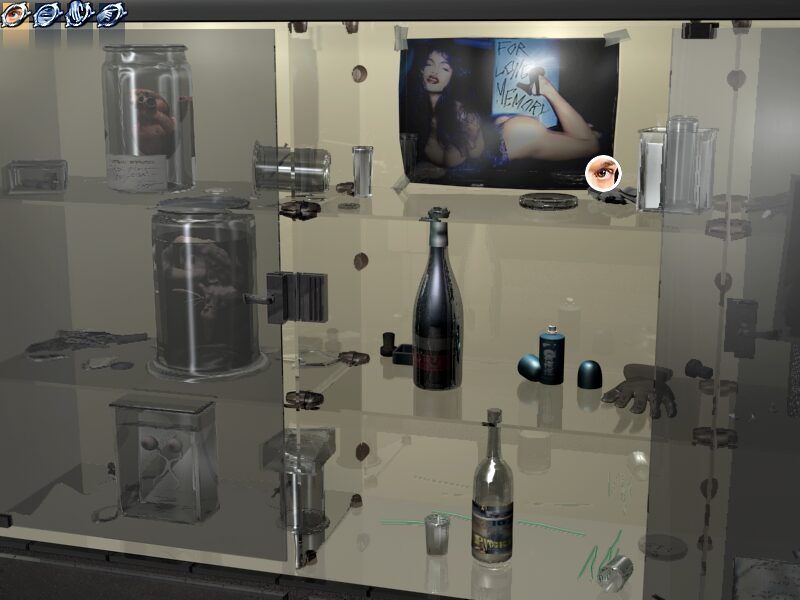
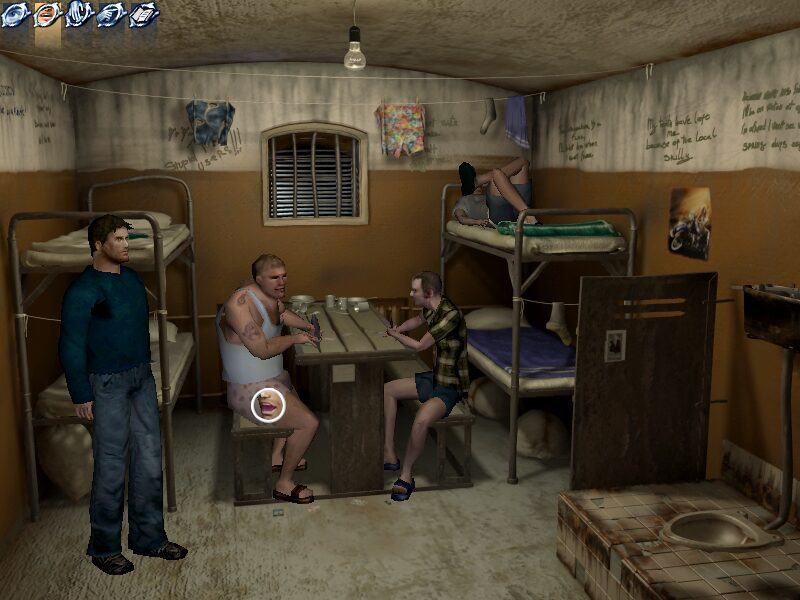
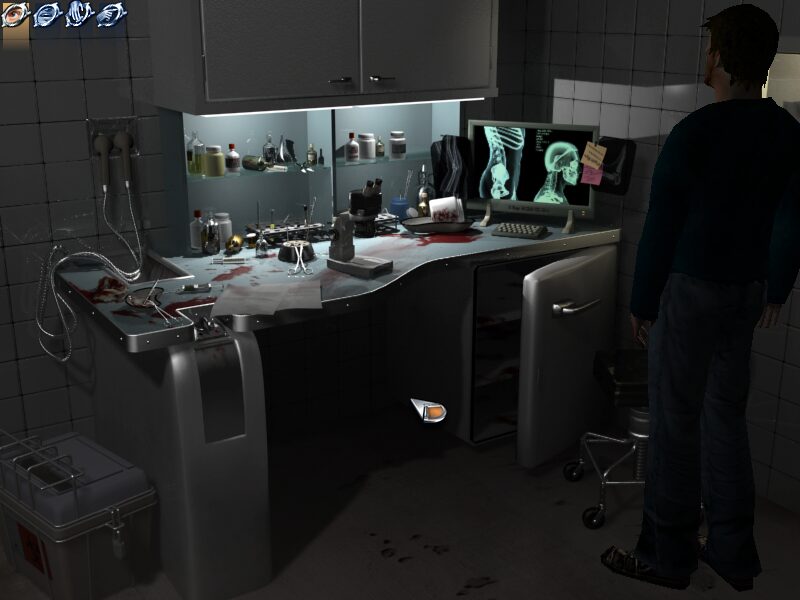
You wake up inside a body bag, in a hospital morgue, with no memory of who you are or how you got there. Outside, the city of Black Lake is emptying out: there are murders every day, the police are overwhelmed and the army has cordoned off the streets. Midnight Nowhere opens with one of the most unsettling premises that the graphic adventure of its era produced.
An empty hospital and a killer on the loose
It was made by the Russian studio Saturn Plus and published in its home country by Buka Entertainment, releasing in Russia in late 2002 under the title Чёрный оазис. It then traveled halfway around the world: Tri Synergy handled North America, Data Becker the German-speaking countries and other distributors Italy, the United Kingdom or Brazil. The idea was ambitious: a horror and mystery game without the action scenes of survival horror, relying only on story and puzzles. It is in the same vein as The Black Mirror, Still Life or The Moment of Silence, with which it shares that dark, mysterious atmosphere.
How it plays
It is a third-person adventure with 3D settings and mouse control. The verbs are in a panel in the upper left corner: look, talk, take, use and read. You first choose the action and then the object you apply it to, a system that the press of the day already considered simple, though somewhat uneven. You progress by collecting objects, reading documents, emails and case files, talking to whoever is left and searching for codes and cards to open the hospital’s many locked doors. There are macabre moments, such as searching corpses, and a protagonist whose sarcastic comments lighten the mood.
The good and the debatable
Critics agreed that the opening and the ending are the best parts: the first exit from the morgue hooks you and the finale leaves loose ends to think about. The middle stretch, on the other hand, drags, with a lot of backtracking between locked doors, and a good part of the plot is told through text notes rather than dialogue. If you like atmospheric adventures and aren’t afraid of a bit of patience, it is worth it.
The edition we offer
This is the Spanish edition. In Downloads there is a repack, prepared to install and play on Windows XP, 7 or 10, and the original CD image, marked as compatible with Windows XP. The requirements back then were very modest: a Pentium II at 400 MHz, 64 MB of RAM and DirectX 8. Even so, on 64-bit machines a white screen can appear; in the Guides section we explain how to avoid it, and in Tips & tricks you will find advice so you don’t get stuck. If the system gives you trouble, review the tutorial on how to play Windows XP classics on Windows 10 and 11.
EVERY PIXEL COUNTS
The game in pictures.
Explore the screenshots and open every detail at full size.
GET READY FOR YOUR NEXT GAME
Choose your download.
Format, compatibility and server. All in view.
Download Repack
COMPATIBILITYWindows XP / 7 / 10 ✓ At no cost✓ No sign-up Download www.mediafire.com · New tab MediaFire02 ISODownload ISO
COMPATIBILITYWindows XP ✓ At no cost✓ No sign-up Download www.mediafire.com · New tabClicking opens the CLABA loading area and, in a few seconds, your download. If a link fails, let us know via Contact or in the forum.
THE SECRET SIDE OF THE GAME
Tips, tricks and secrets.
A hint at the right time. A code that changes everything.
Tip · no cheat codes
We know of no official or verified codes for Midnight Nowhere, so we are not publishing any. What is useful here are the habits that keep you from getting stuck.
Tip · action first, object second
Choose the verb in the panel at the top left (look, talk, take, use or read) and then click on the object. If something does nothing with «use,» try «look» or «read.»
Tip · read everything
Notes, emails and case files tell the story and hide codes and door combinations. Write them down or take screenshots.
Tip · search the rooms
Many necessary objects are on corpses, in drawers and in lockers. If you are missing a key, a card or a code, take a calm second look at what you have already visited.
Tip · locked doors are the norm
The hospital is full of locks, and GRYOnline’s review warns that the central part overdoes them. If a door won’t open, note where it is and move on: the solution almost surely turns up on another floor.
Tip · save often
Save before entering new areas and before trying combinations at random, and don’t always overwrite the same slot: that way you can go back if something goes wrong.
No matches. Try another effect or code.
THE NEXT STEP, CLEARER
Guides to move forward.
From the first installation to that mission that won't give in.
Start here · first launch on a current PC
- Download the repack from Downloads (or the CD image, if you want the edition as it was).
- Install it outside
Program Files, in a short path such asC:\Juegos\MidnightNowhere. - If you see a white screen on launch in 64-bit Windows, open
Config.exein the game folder and uncheck the music option (música activada in the Spanish edition). - If it stays the same, also uncheck the TnL hardware option (Usa hardware TnL in the Spanish edition).
- As a last resort, enable Windows XP compatibility mode; the tutorial on Windows XP classics on Windows 10 and 11 explains the steps.
Controls · mouse and verbs
- Left button: select the action in the panel and then apply it to the object or character.
- Actions: look, talk, take, use and read.
- The inventory is shown on screen; items are used with the «use» action on an element of the scenery.
Video and sound settings are in Config.exe.
First steps · getting out of the morgue
- Start by looking over the whole room where you wake up: it is messy and there are corpses and useful objects.
- Read any document you find.
- Search corpses and drawers before forcing doors.
- When you get out, don’t rush: the hospital is big and the locked doors are opened with objects you will find in other areas.
- Keep noting down the codes you come across.
Technical notes
According to PCGamingWiki, the game asked for Windows 98, Me, 2000 or XP, a Pentium II at 400 MHz, 64 MB of RAM, 1.1 GB of disk space and DirectX 8 (recommended: a Pentium III at 733 MHz and 128 MB). It is very light for a current machine. The typical problem on 64-bit systems is the white screen, which is solved as explained in the first launch guide. To avoid losing your progress, see how to copy and restore save games.
Sources
- PCGamingWiki: Windows release date, publishers by territory and requirements.
- Buka press release (archive): agreement with Tri Synergy, July 31, 2003.
- WorthPlaying: 2003 preview, premise, verb panel and tone.
- GRYOnline (in Polish): review, plot structure and puzzles.
Something wrong?
Give us a hint.
A broken link, a detail to correct or a game that won't start. Your report helps keep this game page up to date.
Get in touchReport an issue with this game Discuss it in the forumCLABA ARCADE ROOM
251 classics
without installing anything.
Don't feel like installing? These play right in your browser.
Enter the roomTHE CLABA APP1.0 RC 1
Take the archive
with you.

Game pages, online play and your shelf on Android. Free, no sign-up.
ARCHIVE SECRETS
Did you know?
A very different Russian title. In its home country it was released as Чёрный оазис («Black Oasis»), published by Buka Entertainment. PCGamingWiki dates the Windows release to November 22, 2002.
For the New World. Buka announced on July 31, 2003 an agreement with Tri Synergy to publish it in North America.
A long journey. Besides Russia and North America, it had editions from distributors in Germany, Italy, the United Kingdom, Brazil, Poland and other countries, according to PCGamingWiki.
Horror without jump scares. GRYOnline recalled that Saturn Plus’s intention was to create a frightening adventure without the action elements of survival horror.