Cocktel Division · Point-and-click adventure
Inca II: Wiracocha
Adventure and space flight in an Inca universe: solve mechanisms, listen to the instructions and enter the cockpit for the ritual trial.
Point-and-click adventure by Cocktel Division (1993) for MS-DOS, in Spanish and other languages. Playable in your browser or downloadable.
— no rating yet
THE CLABA ARCHIVE
Inside the game.
Its history, its ideas and the reasons to come back.
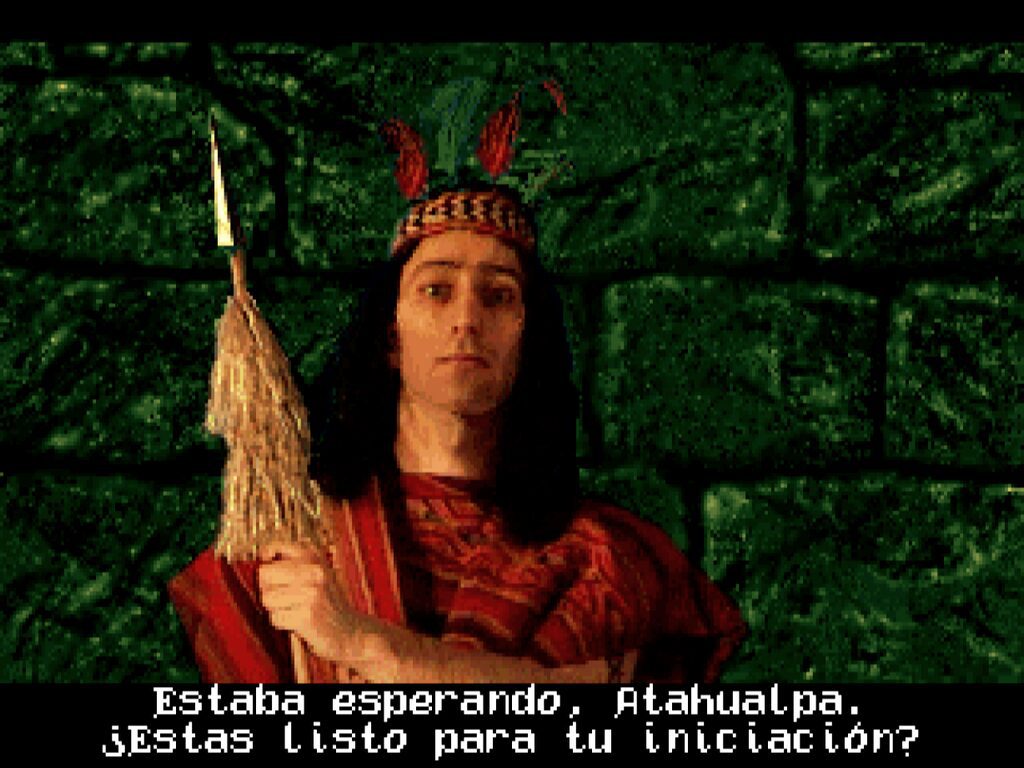
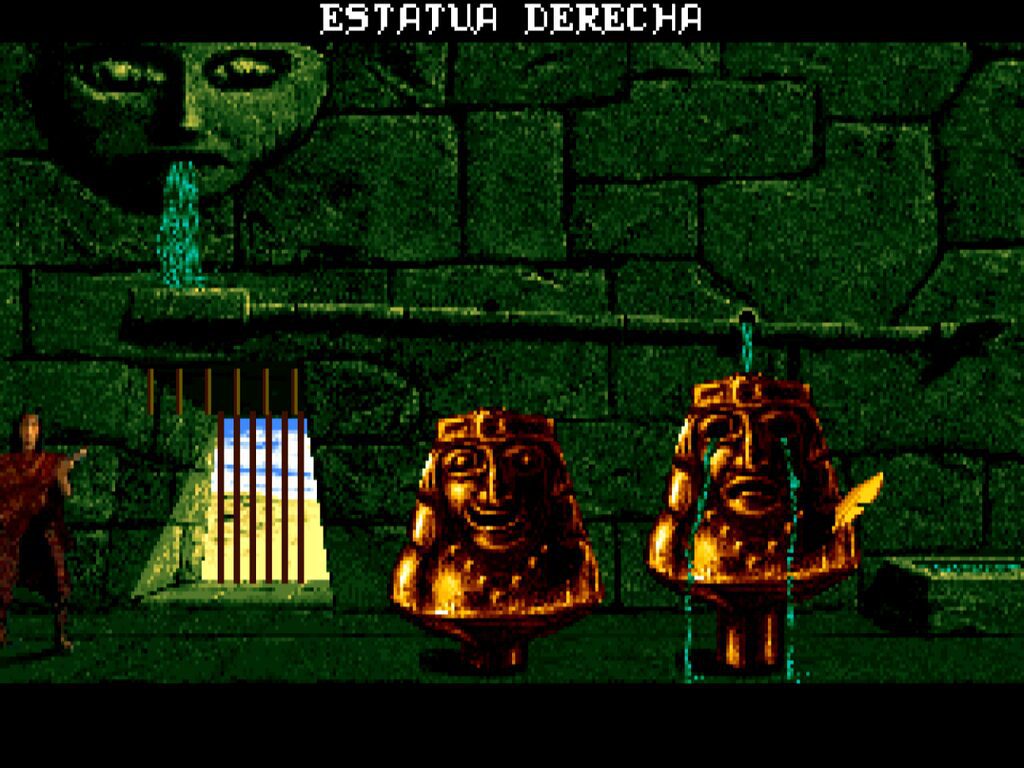
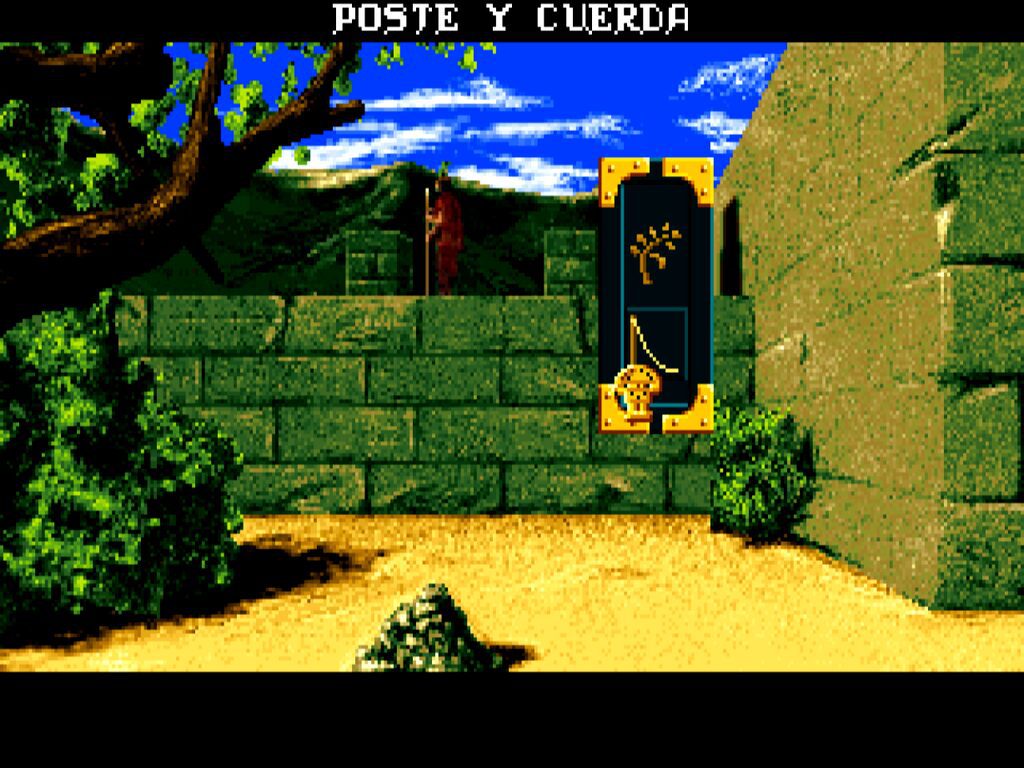
Inca II: Wiracocha brings together palaces, ritual trials and spaceships in an adventure where technology does not replace the Inca world: it is part of it. The story begins with Atahualpa and the preparations for the Huarachico, a trial that will take the player from adventure settings into a combat cockpit.
Look, try, and open the way
The first section lets you get familiar with the interactive points. A wall of colored switches poses a very specific question: which mechanism do you have to activate to open the way? Your clicks have visible consequences, and the conversations place the trial within the story.
Leaving that stretch behind, a different kind of challenge appears. The cockpit has a crosshair, a radar and indicators, and the instructions ask you to destroy statues in a set order. Knowing how to shoot is only the beginning: it pays to listen to the explanation before pressing on blindly.
Two rhythms in a single adventure
The quiet settings and the flight action call for different habits. In the first you read and observe; in combat you have to keep your target in sight. That alternation is an essential part of the game's design, not an add-on separate from the story.
This online copy is the DOS version and is in Spanish. We checked the start of Juego (Game), a switch that opens the way, the transition to the flight trial, crosshair movement and firing. The check does not confirm that the statues can be completed or that the adventure can be finished.
EVERY PIXEL COUNTS
The game in pictures.
Explore the screenshots and open every detail at full size.
GET READY FOR YOUR NEXT GAME
Choose your download.
Format, compatibility and server. All in view.
Download Repack
COMPATIBILITYWindows XP / 7 / 10 ✓ At no cost✓ No sign-up Download www.mediafire.com · New tab MediaFire02 ISODownload ISO
COMPATIBILITYMS-DOS 6.22+ ✓ At no cost✓ No sign-up Download www.mediafire.com · New tabClicking opens the CLABA loading area and, in a few seconds, your download. If a link fails, let us know via Contact or in the forum.
Your game starts here
Play in your browser.
Pick, press and go back to the classics without leaving the game page.
RetrogamingRight in your browserNo installation
MS-DOSIn your browser
Inca II: Wiracocha
Your next game starts here.
- 14 MB · downloads on click
- Save the game's files
- Keyboard, controller or touch
Controls
Click the game to use the keyboardOn mobile, play with the on-screen controller- ↑←↓→
- steer during flight
1: skip the color-key screens of this copy. Mouse: select, advance dialogue and aim; left click fires during flight.
- Full screen
Use the button on the bar. Esc returns to the game page; “Exit” closes the game.
- Saves
Save keeps the files the game creates, not the exact moment. Save inside the game, then press Save.
- Mobile and tablet
Press Controls during the game to show buttons and keyboard. Gamepad support depends on the browser.
Saves live in this browser and device. Clearing the site data deletes them too.
THE SECRET SIDE OF THE GAME
Tips, tricks and secrets.
A hint at the right time. A code that changes everything.
Tip · choose Juego
Demo is no proof that you are actually playing. Select Juego (Game) in the menu to start the adventure and check your own actions.
Tip · watch the mechanism
On the opening wall, try one switch and see what changes. The visible opening is a more useful clue than clicking away without paying attention to the result.
Tip · listen before you shoot
The flight trial explains that the statues must be destroyed in order. Being able to shoot does not mean any target will do.
Tip · tell the pauses apart
You can pause the player to read the instructions at your own pace. That browser pause does not mean the adventure has been saved.
No matches. Try another effect or code.
THE NEXT STEP, CLEARER
Guides to move forward.
From the first installation to that mission that won't give in.
Starting the online copy
Open Play online and then Play now. If the colored key screens appear, press 1 until you reach the menu, as the included copy allows. Select Juego (Game), not Demo, and advance the introduction with the left mouse button.
The wall of switches
After the introduction, a wall with four switches appears. In our test we pressed the top left one and a passage opened. Click the opening to continue outside and on to the next explanation.
Entering the flight trial
Keep advancing the dialogue with the left mouse button until the cockpit is visible with no text on screen. We checked crosshair movement with the mouse and firing with the left button. The arrow keys also responded during flight. We have not confirmed that the statue sequence can be completed.
Reading the cockpit
Look at the central crosshair, the radar and the indicators on both sides. When the objective changes or the action starts, these elements help you get your bearings. Do not mistake an explanatory message for a loading freeze.
Keeping your adventure
The player keeps DOS files when you use Save after the game's own save. If you need to repeat the opening, Restart returns the copy to its initial state.
Something wrong?
Give us a hint.
A broken link, a detail to correct or a game that won't start. Your report helps keep this game page up to date.
Get in touchReport an issue with this game Discuss it in the forumCLABA ARCADE ROOM
This one and 250 more
play here.
When you finish your game, the room has other machines switched on.
Enter the roomTHE CLABA APP1.0 RC 1
Take the archive
with you.

Game pages, online play and your shelf on Android. Free, no sign-up.
ARCHIVE SECRETS
Did you know?
- The menu offers Juego (Game) and Demo; the online test was done in Juego.
- The opening mentions Atahualpa and the Huarachico.
- This copy shows its dialogue and instructions in Spanish.
- The first trial moves from switches to a cockpit with a crosshair, a radar and indicators.