Cryo Interactive · Point-and-click adventure
The Mystery of the Nautilus
Trapped in Nemo's submarine, with timed puzzles and an AI hunting you. First-person adventure by Cryo, with a CD image in Spanish.
Point-and-click adventure by Cryo Interactive (2002) for PC, in Spanish. Available to download.
— no rating yet
THE CLABA ARCHIVE
Inside the game.
Its history, its ideas and the reasons to come back.
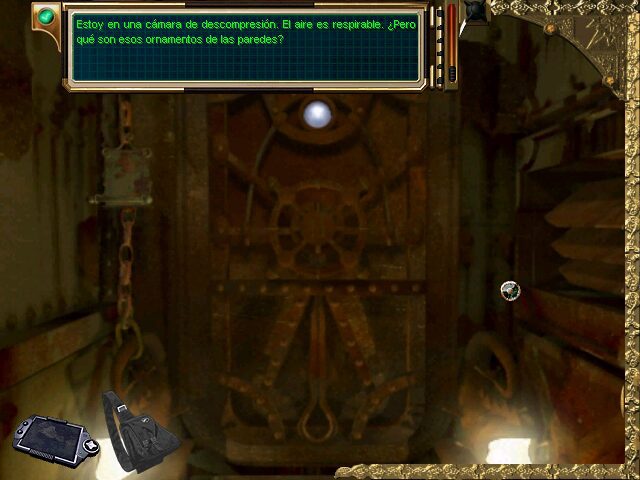
You are aboard the USS Shark, a research submarine exploring the floor of the Atlantic, when the sonar detects a metallic object four times the size of the ship itself. While the crew argues about whether to approach, a young scientist takes a minisub without permission and docks with the hull. Inside there is a hatch marked with a large «N» that never opens again. That is how The Mystery of the Nautilus begins, a first-person adventure by Cryo Interactive and the studio T-bot, released in 2002 and inspired by Jules Verne’s Twenty Thousand Leagues Under the Sea.
Trapped in Captain Nemo’s submarine
Your goal is to escape. The Nautilus, which is no longer the one from the 1870 novel but a submarine full of lasers, robots and an artificial-intelligence computer that takes you for an intruder, hides laboratories, kitchens, bedrooms, engine rooms and transmission rooms. As you solve puzzles, new areas open up. From time to time the hologram of Captain Nemo appears to tell what happened aboard. There are no other characters to talk to: the game is about isolation and exploration.
How it plays
It is played entirely with the mouse. You look in every direction with a smooth 360-degree turn and the cursor changes shape depending on whether you can move forward or interact. It is a game from the school of Myst: prerendered scenes that you explore screen by screen. The puzzles range from medium to very hard and several are against the clock: you have to shut down machines, open a safe or get out of a room with radiation, lack of oxygen or flooding. An on-screen timer raises the tension.
What made it special (and what didn’t)
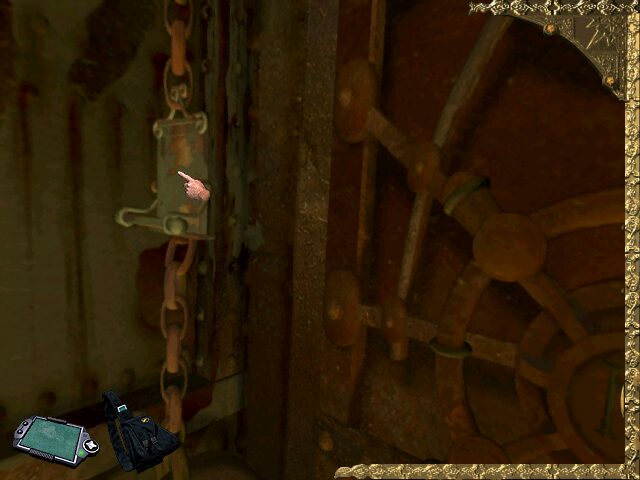
Critics agreed on two things. On one hand, the steampunk setting and the challenge of the puzzles. On the other, the tiny hotspots, which turned searching for objects into a pixel hunt, and dark, murky scenery. Adventure-Archiv gave it 60%, Just Adventure a low B, and Four Fat Chicks summed up its opinion with a joke about «hunting one pixel at a time.» Even so, according to Adventure-Archiv, it offers more than thirty hours of play.
If you like the genre, also take a look at Return to Mysterious Island, another Verne adventure game, or Syberia.
The edition we offer
In Downloads you will find the CD image in Spanish, marked as compatible with Windows XP. In Guides we explain how to mount and install it, how to handle the inventory and the electronic organizer, and how to survive the races against the clock; in Tips & tricks, survival tips, because we have not found reliable cheat codes. To play on a current machine, the tutorial on Windows XP classics on Windows 10 and 11 is the place to start.
EVERY PIXEL COUNTS
The game in pictures.
Explore the screenshots and open every detail at full size.
GET READY FOR YOUR NEXT GAME
Choose your download.
Format, compatibility and server. All in view.
Clicking opens the CLABA loading area and, in a few seconds, your download. If a link fails, let us know via Contact or in the forum.
THE SECRET SIDE OF THE GAME
Tips, tricks and secrets.
A hint at the right time. A code that changes everything.
How to enter them
We have not found reliable cheat codes for this game, so we do not publish any. The rows that follow collect survival tips based on reviews from the time.
Tip · save a lot
The timed puzzles can take thirty or forty attempts, according to Adventure-Archiv. Save before every dangerous sequence; there are 24 slots.
Tip · take notes
Important construction notes can only be read once in the game and are not stored in the organizer. Copy them on paper or take a screenshot before closing them.
Tip · pixel hunting
The hotspots are very small. If you can’t find the exit from a room, sweep the screen slowly with the cursor; there are hidden objects there. The US edition included in the manual a guide to the first five minutes of play, according to Four Fat Chicks; if you get stuck early on, that is the first thing worth looking for.
Tip · the inventory
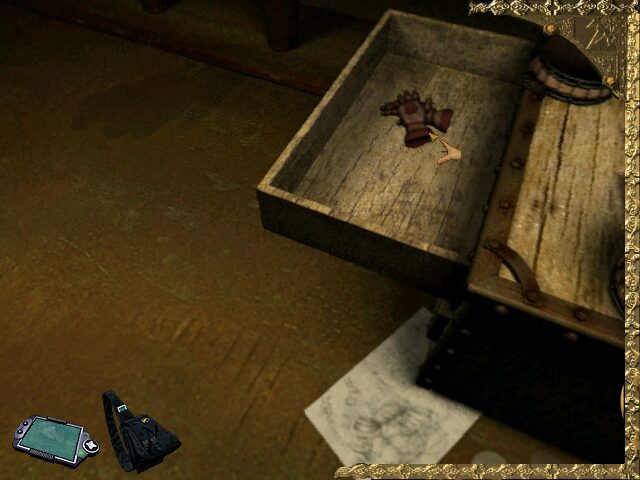
The inventory is a backpack that opens with the right mouse button and scrolls vertically. Hover the cursor over an object to see its name. If you place an object on the character’s head, such as a pair of gloves, he puts it on and it protects him.
Tip · watch out for the organizer
The electronic organizer icon is always in the lower left corner, and in timed sequences it is easy to open it by accident. Save calmly before the countdown starts, not during it.
Tip · wrong wire
Some puzzles do not allow you to undo a mistake: if you cut the wrong wire, you may end up in a dead end. Examine every detail of the surroundings before acting; the clues are usually somewhere on the ship.
No matches. Try another effect or code.
THE NEXT STEP, CLEARER
Guides to move forward.
From the first installation to that mission that won't give in.
Start here · first launch
- Download the CD image from Downloads and unpack it.
- Mount it with a virtual disc image program (or burn it to a CD) and install the game in a short path such as
C:\Juegos\Nautilus. The original installation took up about 510 MB. - The game page marks it as compatible with Windows XP. On Windows 10 or 11, try Windows XP or 98 compatibility mode, or a virtual machine; follow our tutorial.
- The game needs DirectX; the original CD included it.
- Back up your save games from time to time (how to do it).
Controls
- Mouse: the game is played almost entirely with it. Move the cursor to turn the view and click wherever the cursor changes shape.
- Right button: opens the inventory, which you must close before opening the organizer.
- Organizer (PDA): lower left corner; it gives access to saving and loading, a diary, a computer, maps of the rooms visited, book excerpts, sound recordings, navigation help and the options.
- From the main menu you can rewatch the videos you have already seen.
First steps · how to approach the puzzles
- Examine each room calmly, with the cursor, before picking up or using anything.
- Each solved puzzle opens new areas of the ship; revisit the earlier ones too in case something has changed.
- When you see a timer, save first and memorize the order of the steps.
- Write down the codes and plans that are only shown once.
- If a puzzle seems impossible, an object is probably missing: look for hotspots you hadn’t seen.
According to Old PC Gaming, the game is divided into five phases and most of the time goes into finding objects, not into solving the puzzles.
Technical notes
Original requirements, according to Adventure-Archiv: a 350 MHz Pentium II, Windows 95, 98 or 2000, 32 MB of RAM, an 8x CD drive, a 16-bit graphics card and a Sound Blaster-compatible sound card, and 510 MB of disk space. The game comes on a single CD.
We have no verified data on failures on current versions of Windows, so if something doesn’t work, try compatibility mode or a virtual machine with Windows XP. The low-resolution graphics are a feature of the game, not a fault in your installation.
Sources
- Adventure-Archiv · review: interface, saving, puzzles, requirements and length.
- Just Adventure · review (archived): premise, interface and graphics.
- Four Fat Chicks · review (archived): pixel hunting and the manual.
- Old PC Gaming · review (archived): relationship to the novel and five-phase structure.
- MobyGames (archived): developers, publisher and alternative titles.
- Wikipedia: development and sales (for orientation only).
Something wrong?
Give us a hint.
A broken link, a detail to correct or a game that won't start. Your report helps keep this game page up to date.
Get in touchReport an issue with this game Discuss it in the forumCLABA ARCADE ROOM
251 classics
without installing anything.
Don't feel like installing? These play right in your browser.
Enter the roomTHE CLABA APP1.0 RC 1
Take the archive
with you.

Game pages, online play and your shelf on Android. Free, no sign-up.
ARCHIVE SECRETS
Did you know?
Three names. It was called «El secreto del Nautilus» in Spain, «The Secret of the Nautilus» in the United Kingdom and «The Mystery of the Nautilus» in the United States, where it was published by The Adventure Company (DreamCatcher).
Nineteenth-century engravings. The characters are based on the original engravings from the 1870 edition of Verne’s novel, even though the story takes place in the twenty-first century.
A new studio. Cryo commissioned the project from the studio T-bot and, according to Adventure-Archiv, this was their first collaboration. The press presented it as the first in a series of adventures based on Verne.
Dated saves. There are 24 save slots, and the game automatically records the image, the room, the day and the time of each one.
117,000 copies. By 2004, worldwide sales had passed 117,000 units.