City Interactive · Point-and-click adventure
Chronicles of Mystery: The Scorpio Ritual
3D adventure from City Interactive (2008): Sylvie Leroux looks for her uncle in Malta, Gozo, Istanbul and the Vatican. Mouse only, no violence. Spanish edition.
Point-and-click adventure by City Interactive (2008) for PC, in Spanish. Available to download.
— no rating yet
THE CLABA ARCHIVE
Inside the game.
Its history, its ideas and the reasons to come back.
An archaeologist writing a book in Paris gets a call from her uncle: he has found something extraordinary in Malta and wants her to see it herself. When she arrives on the island, he has vanished. Chronicles of Mystery: The Scorpio Ritual (El ritual del escorpión in Spanish) is a three-dimensional point-and-click adventure that City Interactive, better known at the time for its budget shooters, released in November 2008.
An archaeologist without a whip
The protagonist is Sylvie Leroux, a researcher with theories of her own about Sodom and Gomorrah who is very interested in what her uncle has discovered: an underground temple on Gozo hidden by the Knights Hospitaller, the rival order of the Templars, who supposedly protected a relic of terrible power there. With the help of a local linguist and under the suspicion of the police, Sylvie tracks her uncle across Malta, Gozo and Istanbul and ends up at the Vatican. The press of the day saw her as a counterpoint to the genre’s action heroines: no pistols and no cleavage, just brains and conversations.
How it plays
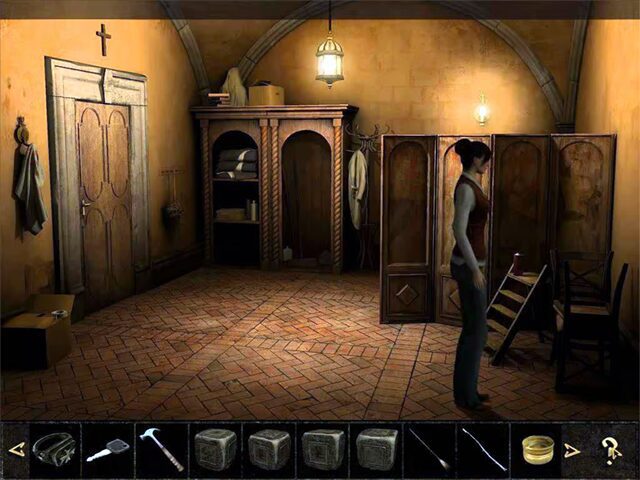
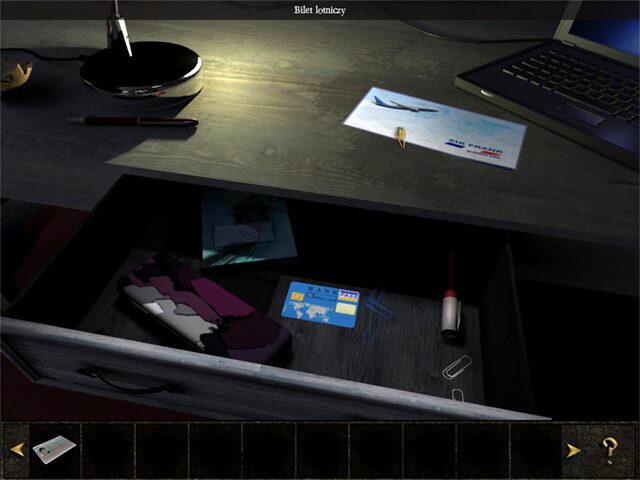
It is played with the mouse alone. You click on the scene to move Sylvie, pick up objects, combine them from the inventory with the right button and talk to the locals, who will sometimes only help you if you do them a favor first. A question-mark icon reveals the screen’s hotspots to spare you pixel hunting, and the game lets you know when there is still something left to do in a scene. It is a linear, non-violent adventure with no time limit: nobody dies because you make a mistake and the puzzles usually have their own logic, although a few call for the trial and error of combining everything with everything. The map is small and there is a fair amount of backtracking, but some scenes change in appearance between day and night.
What made it special
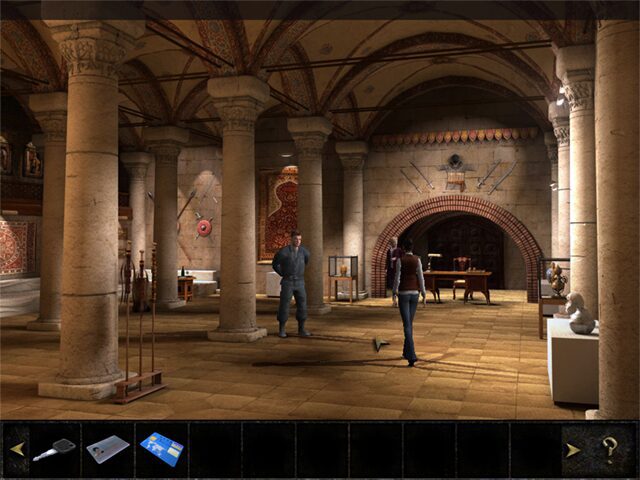
The best thing about it, according to the critics of the day, was the look: IGN praised the lighting as some of the best seen in any game, and its opening reminded the reviewer of Syberia and other adventures the reviewer liked. The weak part was the video scenes, blurry and with poorly synchronized English voices, and an ending that nearly everyone found too abrupt. Anyone looking for something similar can try Still Life, or Broken Sword if the Templar conspiracy appeals; and if you’re left wanting more, there is a follow-up, Chronicles of Mystery: The Tree of Life.
The edition we offer
This is the Spanish-language edition, in a DVD image that you download from Downloads and installs the way it did back in the day, compatible with Windows XP and later. In Guides there is a step-by-step launch, inventory handling and the technical notes, such as the fixed resolution; and in Tips & tricks, advice so you don’t get stuck. To play on a modern system, the tutorial how to play your Windows XP classics on Windows 10 and 11 (in Spanish) will come in handy.
EVERY PIXEL COUNTS
The game in pictures.
Explore the screenshots and open every detail at full size.
GET READY FOR YOUR NEXT GAME
Choose your download.
Format, compatibility and server. All in view.
Clicking opens the CLABA loading area and, in a few seconds, your download. If a link fails, let us know via Contact or in the forum.
THE SECRET SIDE OF THE GAME
Tips, tricks and secrets.
A hint at the right time. A code that changes everything.
Tip · how to move and search
There are no documented codes for this game, which is played with the mouse alone. Click to move and interact; the question-mark icon on the bottom bar marks the scene’s hotspots.
Tip · combine objects from the inventory
The inventory is at the bottom. Right-click an object to see it up close and combine it with others. Sylvie comments if you’ve chosen wrong, and discards on her own whatever she no longer needs.
Tip · talk to people again
According to IGN, the locals will only give you information or become your allies if you do them a favor first. If a conversation doesn’t move forward, look for what they need.
Tip · backtrack when you get stuck
Scenes are revisited and sometimes change: between day and night, or because a character is no longer there. If you’ve gone a while without progress, go back to an earlier location before combining things at random.
Tip · use the help sparingly
The question-mark icon spares you pixel hunting, but the manual calls it a «hint.» Use it when you’ve been stuck for a long time, not on every screen.
No matches. Try another effect or code.
THE NEXT STEP, CLEARER
Guides to move forward.
From the first installation to that mission that won't give in.
Start here · first launch on a current PC
- Download the DVD image from Downloads, unzip it, then mount it or extract its contents.
- Install it in a short path such as
C:\Juegos\ScorpioRitual. - The game required Windows XP at minimum; if it fails on a newer system, turn on Windows XP compatibility mode.
- The resolution is fixed (1024×768 or 1280×720 with bars, depending on the aspect ratio option).
- More help: how to play your Windows XP classics on Windows 10 and 11 (in Spanish).
Controls · everything with the mouse
- Left click: move Sylvie, examine and use.
- Right click in the inventory: view an object up close and combine it.
- Question-mark icon: shows the screen’s hotspots.
- Top of the screen: save, load and quit.
First steps · how not to get stuck
- Examine everything: Sylvie comments on what she sees and that often gives clues.
- Talk to all the characters and do so again when the situation changes.
- Before combining objects, check whether the game tells you there is still something left to do in the area.
- If you don’t make progress after several attempts, check whether any character has left the scene: it may open a new option for you.
Technical notes
Original requirements according to PCGamingWiki: Windows XP, a 1.5 GHz processor, 512 MB of RAM, 1 GB of disk space and a 64 MB card compatible with DirectX 9. It runs at 60 frames per second; the controls cannot be changed, as it is mouse-only; there are separate volume controls for music, effects and dialogue.
WorthPlaying points out that the resolution is locked at 1024×768. Save games are saved from the top menu and it’s a good idea to back up your save games (tutorial in Spanish).
Sources
- IGN, review by Neilie Johnson (December 2, 2008): plot, characters, lighting, cutscenes and ending.
- WorthPlaying, review (February 8, 2009): interface, hotspots, resolution, puzzles and previous title.
- Cheat Code Central, review: Gozo, Hospitallers and linear structure.
- PCGamingWiki: date, requirements, FPS, resolution and translations.
Something wrong?
Give us a hint.
A broken link, a detail to correct or a game that won't start. Your report helps keep this game page up to date.
Get in touchReport an issue with this game Discuss it in the forumCLABA ARCADE ROOM
251 classics
without installing anything.
Don't feel like installing? These play right in your browser.
Enter the roomTHE CLABA APP1.0 RC 1
Take the archive
with you.

Game pages, online play and your shelf on Android. Free, no sign-up.
ARCHIVE SECRETS
Did you know?
It used to be called Testament of Sin. WorthPlaying reports that the game was previously known as Testament of Sin, until it was renamed The Scorpio Ritual.
An adventure without scares. It is a non-violent game, with no time limit and no sudden deaths, and the player moves through it at their own pace, according to Wikipedia.
The anti-Lara Croft. IGN presented Sylvie Leroux as the opposite of the typical adventurer: long trousers, library work and a head that replaces the pistols.
A different kind of publisher. City Interactive was better known for its budget shooters; with this series, according to WorthPlaying, it stepped into the adventure territory that Europe kept cultivating.
Fan translations. PCGamingWiki lists community translations into Czech and Portuguese, in addition to the commercial edition.