Revolution Software · Point-and-click adventure
In Cold Blood
MI6 agent John Cord reconstructs under torture who betrayed him: nine missions of stealth, dialogue and gadgets by Revolution. In Spanish, repack and 3 CDs.
Point-and-click adventure by Revolution Software (2000) for PC, in Spanish. Available to download.
— no rating yet
THE CLABA ARCHIVE
Inside the game.
Its history, its ideas and the reasons to come back.
A head yanked out of a bucket of water, a blinding lamp and a voice repeating the same question. That is how In Cold Blood (A Sangre Fría in Spanish) begins, the spy adventure with which Revolution Software, the studio behind Broken Sword, changed gears in 2000. John Cord, an MI6 agent, has fallen into enemy hands and is sure of only one thing: someone has sold him out. Who and why, you will discover as you go.
A spy who remembers in pieces
The story takes place in Volgia, a fictional state on the eastern coast of the former USSR. After the fall of the Soviet bloc, its intelligence chief, Dmitri Nagarov, has seized power, declared independence and begun invading his neighbors. A CIA agent, Kiefer, has disappeared while investigating a uranium mine, and Cord’s boss, Alpha, sends him to find him. Along the way he crosses paths with Gregor Kostov, leader of the resistance, and Chi-Ling Cheung, a Chinese agent who never quite seems trustworthy.
What is original is how it is told. The game opens with Cord tied up in the interrogation room, and each of the nine missions is a memory that returns you to that chair when it ends. Charles Cecil, executive producer, explained that the structure was born from watching Pulp Fiction and The Usual Suspects back to back: start the story two-thirds of the way to its end and jump backward until the past catches up with the present.
How it plays
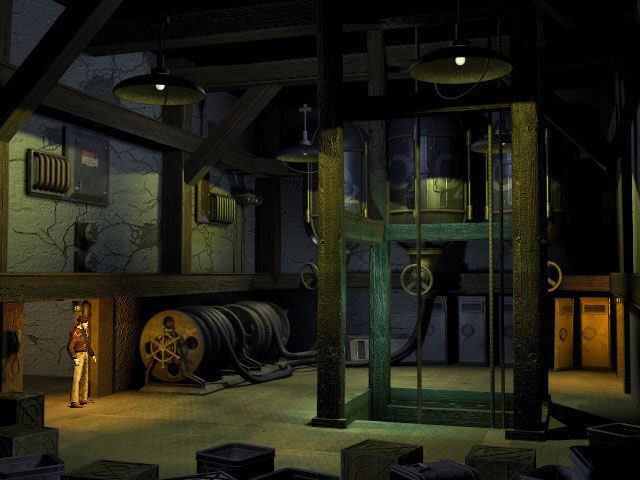
You control Cord in third person across more than a hundred prerendered locations with fixed cameras, as in a film. There are objects to pick up and combine, computers to hack and plenty of conversations: sometimes it is enough to ask the right technician, other times it pays to talk to him again once you know something new, and if someone clams up, you can try with your pistol drawn.
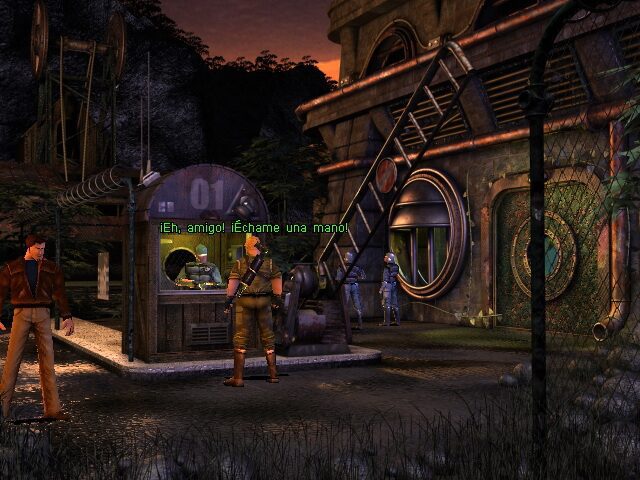
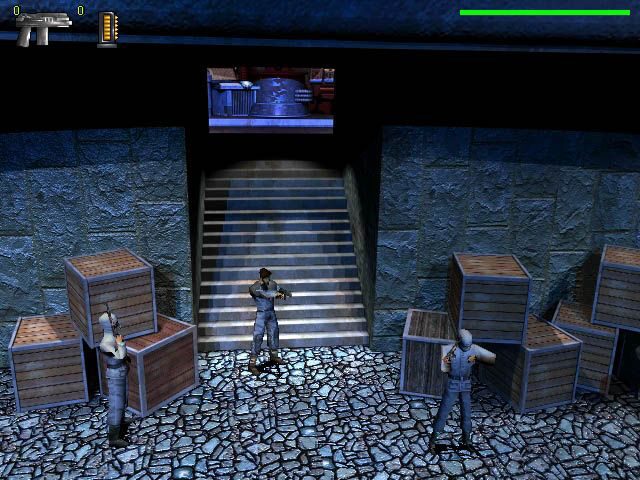
The action demands a cool head. The pistol takes nine-round magazines and only five fit in your pocket, the guards are better armed than you and the patrol robots are unfazed by gunfire. The sensible thing is to crouch, approach from behind and knock the guard out with a single blow. For everything else there is the REMORA, a wrist computer that serves as a motion radar, a computer lockpick and a mission archive.
A commission from Sony
Revolution made it on direct commission from Sony, after the unexpected success of the first two Broken Sword games on PlayStation; that is why it came out first on that console, in July 2000, and Ubi Soft published the PC version in Europe a few months later. Critics applauded the plot, the setting and the voices, and complained about the controls and an interaction system that sometimes picked the wrong object. Even so, it worked: Tony Warriner, of Revolution, said in early 2001 that it was selling more or less like Broken Sword.
The edition we offer
This is the Spanish-language edition, with Spanish text and voices. In Downloads you will find an install-and-play repack, labeled for Windows XP, 7 and 10, and the images of the three original CDs, marked for Windows XP, for anyone who wants to preserve the edition as it was. The game runs at a fixed resolution of 640 × 480 and there is no known widescreen patch, so it will appear with bars or stretched depending on your monitor. If something resists, the tutorial on Windows XP classics on Windows 10 and 11 (in Spanish) explains the compatibility settings.
In Guides you will find the first launch, the controls and how to survive the first mission; in Tips & tricks, spy advice. If you are left wanting more Revolution, try Beneath a Steel Sky or Broken Sword II; and if espionage is your thing, Metal Gear Solid, Splinter Cell, No One Lives Forever or the veteran Flashback.
EVERY PIXEL COUNTS
The game in pictures.
Explore the screenshots and open every detail at full size.
GET READY FOR YOUR NEXT GAME
Choose your download.
Format, compatibility and server. All in view.
Download Repack
COMPATIBILITYWindows XP / 7 / 10 ✓ At no cost✓ No sign-up Download www.mediafire.com · New tab MediaFire02 ISODOWNLOAD CD1
COMPATIBILITYWindows XP ✓ At no cost✓ No sign-up Download www.mediafire.com · New tab MediaFire03 ISODOWNLOAD CD2
COMPATIBILITYWindows XP ✓ At no cost✓ No sign-up Download www.mediafire.com · New tab MediaFire04 ISODOWNLOAD CD3
COMPATIBILITYWindows XP ✓ At no cost✓ No sign-up Download www.mediafire.com · New tabClicking opens the CLABA loading area and, in a few seconds, your download. If a link fails, let us know via Contact or in the forum.
THE SECRET SIDE OF THE GAME
Tips, tricks and secrets.
A hint at the right time. A code that changes everything.
How this tab works
There are no cheat codes for the PC version backed by reliable sources, so you will not find any here. What there are is these tips, taken from the manual and from reviews of the time, so that Cord gets out of Volgia alive.
Tip · the blow from behind
Crouch with X, approach the guard from behind and press Spacebar without drawing your weapon: a single blow is enough to knock him out without making a sound. A gunshot can attract everyone nearby.
Tip · search the fallen
Stand next to the body, crouch and press Ctrl to search it: there are often magazines and first-aid kits. Cord carries only five nine-round magazines; if you are full, remember where the body lay and come back later.
Tip · don't reload for the sake of it
Cord changes magazines only when one runs out. If you do it yourself from the inventory, you lose the bullets left in the previous one.
Tip · robots can't be shot down
Patrol robots are immune to your pistol. Study their route with the REMORA radar to sneak past in time, or sabotage their recharging points with an EMP mine: on the radar they go from dark green to light green when the mine is in place.
Tip · ask with the pistol in your hand
If someone won’t talk, speak to him while holding down Alt to aim at him. Just don’t shoot, or you will be left without an answer. And talk to characters again whenever you discover something new: they often have more to say.
Tip · extras for those who finish
When you finish the game, the Extras menu unlocks the gallery of sketches and promotional art, the character profiles and the option to replay any mission you have completed.
No matches. Try another effect or code.
THE NEXT STEP, CLEARER
Guides to move forward.
From the first installation to that mission that won't give in.
Start here · first launch
- In Downloads, choose the repack: it is the install-and-play option, labeled for Windows XP, 7 and 10.
- Install it in a short path and outside
Program Files, for exampleC:\Juegos\ASangreFria, to avoid permission problems when saving. - Before starting, go into Options and check the controls and the music, voice and effects volume.
- Keep in mind that you cannot save at any moment: the game only allows it at certain points, from the pause menu (Esc).
Save games are stored inside the game folder, in engine\linc\saves, and the settings in engine\icb.ini. Before reinstalling, back them up by following the tutorial on copying and restoring save games (in Spanish). The images of the three CDs are for preserving the original edition or installing it on a computer with Windows XP.
Controls
- Arrow keys: turn left and right, move forward and backward. Directions are relative to Cord, not to the screen.
- Ctrl: interact, talk, examine and confirm.
- Z + direction: run (fast but noisy).
- X: crouch; with the arrow keys, sneak forward.
- Left Shift + left/right: sidestep.
- Alt (hold): draw the pistol. Spacebar: strike or shoot.
- Enter: open and close the inventory.
- Delete: activate the REMORA.
- Esc: pause, save and load.
These are the default controls from the manual. They can be changed in Options, in the controls settings, and the game supports generic gamepads.
First steps · how to survive the mine
- Activate the REMORA as soon as you enter a new area: the radar marks people in blue, robots in orange and doors in green.
- Watch the guards’ rounds before you move. Often the solution is to wait for the right moment.
- Move crouched and take out isolated guards with a blow from behind; leave the pistol for when there is no other way out.
- Search everything: crates, shelves and bodies. Many useful items are hidden.
- Talk to technicians and workers before getting down to business: with strangers it works better to start with general topics.
- Save as soon as the game lets you.
Technical notes
It asked for Windows 95 or 98, a 233 MHz Pentium MMX, 32 MB of RAM, an 8 MB graphics card, DirectX 7 and a 4x CD-ROM, with about 400 MB on disk. It uses Bink videos and a fixed resolution of 640 × 480; it has no widescreen option or windowed mode, and on the forum (in Spanish) it was already noted that there is no patch to raise the resolution.
If the executable gives you trouble on a recent Windows, try the settings in the tutorial on Windows XP classics on Windows 10 and 11 (in Spanish). ScummVM has an engine for this game in the works, but it is still experimental and is not enabled in the regular builds. The digital version sold today on GOG does not include Spanish, which according to PCGamingWiki was only in the retail edition.
Sources
- In Cold Blood manual (Internet Archive): controls, REMORA and its acronym, stealth, magazines, saving, extras and characters.
- IGN · interview with Charles Cecil (2000): nine missions and the inspiration from Pulp Fiction and The Usual Suspects.
- Revolution Software · official page: Sony commission, success and Russian translation.
- Eurogamer · PC review (2000): publisher Ubi Soft, requirements, robots immune to bullets, threats with the pistol and control problems.
- Adventure Classic Gaming · review: fixed 640 × 480, locations, fake-Russian signs.
- Bonusweb · interview with Tony Warriner (2001): sales on PlayStation and PC.
- PCGamingWiki: publishers by region, save game and settings paths, languages and requirements.
- PSX Datacenter · A Sangre Fría (PAL): date of the PlayStation version and more than a hundred locations.
- ScummVM · ICB engine: experimental engine, disabled by default.
Something wrong?
Give us a hint.
A broken link, a detail to correct or a game that won't start. Your report helps keep this game page up to date.
Get in touchReport an issue with this game Discuss it in the forumCLABA ARCADE ROOM
541 classics
without installing anything.
Don't feel like installing? These play right in your browser.
Enter the roomTHE CLABA APP1.0 RC 1
Take the archive
with you.

Game pages, online play and your shelf on Android. Free, no sign-up.
ARCHIVE SECRETS
Did you know?
Starting at the end. Charles Cecil told IGN that the idea came from Pulp Fiction and The Usual Suspects: start the story two-thirds of the way to its outcome and go back until time catches up with itself.
A name with a trick. The REMORA, Cord’s wrist computer, is an acronym: Remote Entry Mainframe Override and Recall Assistant, according to the game manual.
A commission from Sony. After the surprise success of Broken Sword on PlayStation, Sony commissioned a game for its console from Revolution. The studio took the chance to break away from the point-and-click adventure.
Russian that isn’t. The warnings on the base’s monitors look like they are written in Cyrillic, but Adventure Classic Gaming noticed that they are meaningless characters that only imitate Russian.
All the way to Russia. Revolution remembered that, despite mixed reviews, the game was a considerable success and even got translated into Russian; Buka Entertainment distributed it there.